
Bricks Query Loop Shows No Results with JetEngine Query Builder
I created a custom query in JetEngine, and it shows results in the preview, but in my Bricks loop, I only see an empty layout. What am I missing?
When using JetEngine Query Builder with Bricks Builder, the Query Loop may display no results even though the same query returns records in the JetEngine Query Builder preview.
This issue typically occurs when the query type, Post Type, CCT source, or query provider is misconfigured in either JetEngine or the Bricks Query Loop settings.
This problem affects WordPress websites built with Bricks Builder that use JetEngine Query Builder to display dynamic content and may lead to a Bricks query loop no results JetEngine issue.
Activate Post Types for Editing
First, check whether the post type you want to edit in the Bricks builder is activated for editing in the settings.
Go to WordPress Dashboard > Bricks > Settings and check the Post types section. Here, activate the post types you want to work with in the Bricks builder.
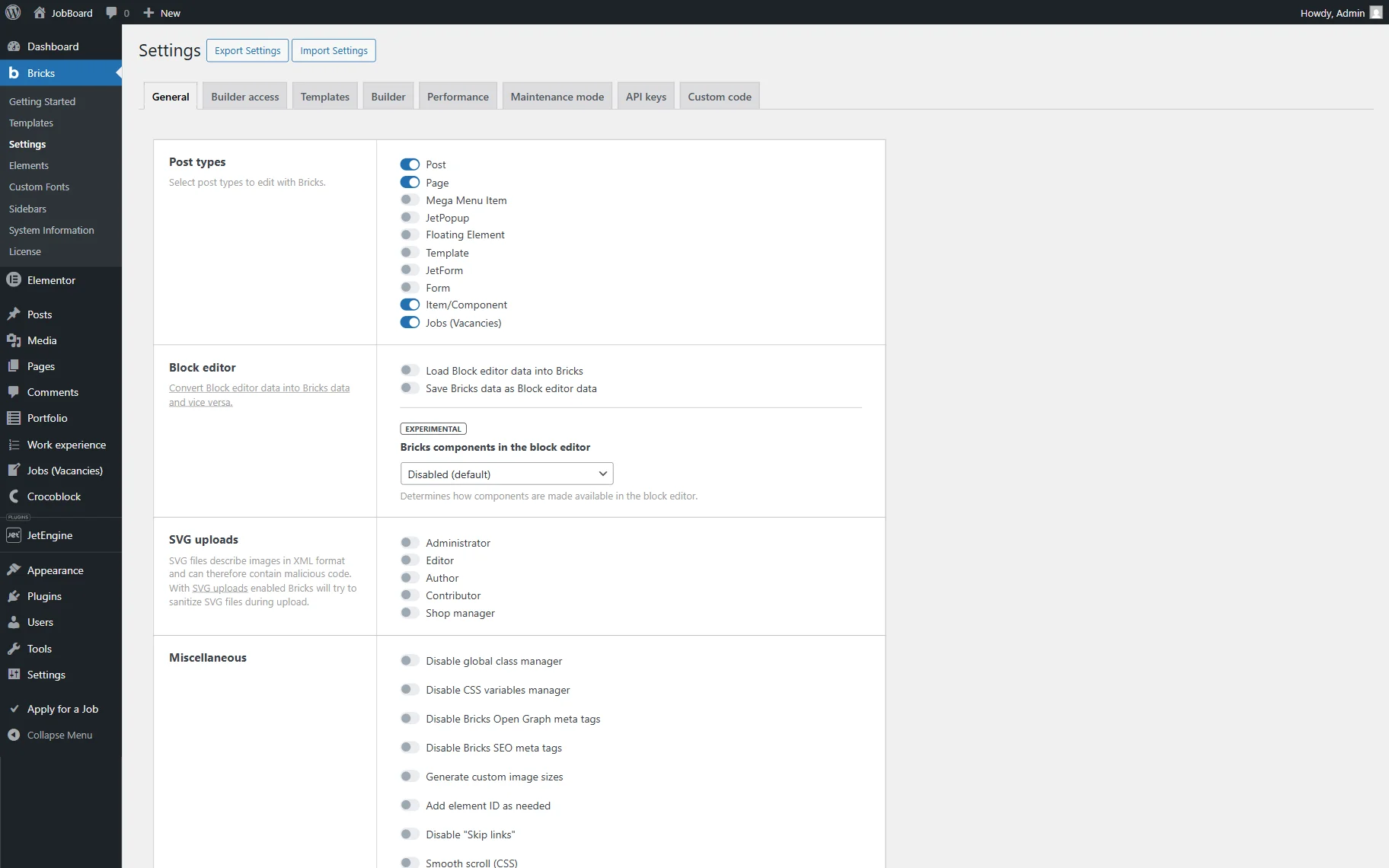
Don’t forget to press the “Save Settings” button at the bottom of the page.
Check the JetEngine Query
Navigate to the WordPress Dashboard > JetEngine > Query Builder and open the query you are using.
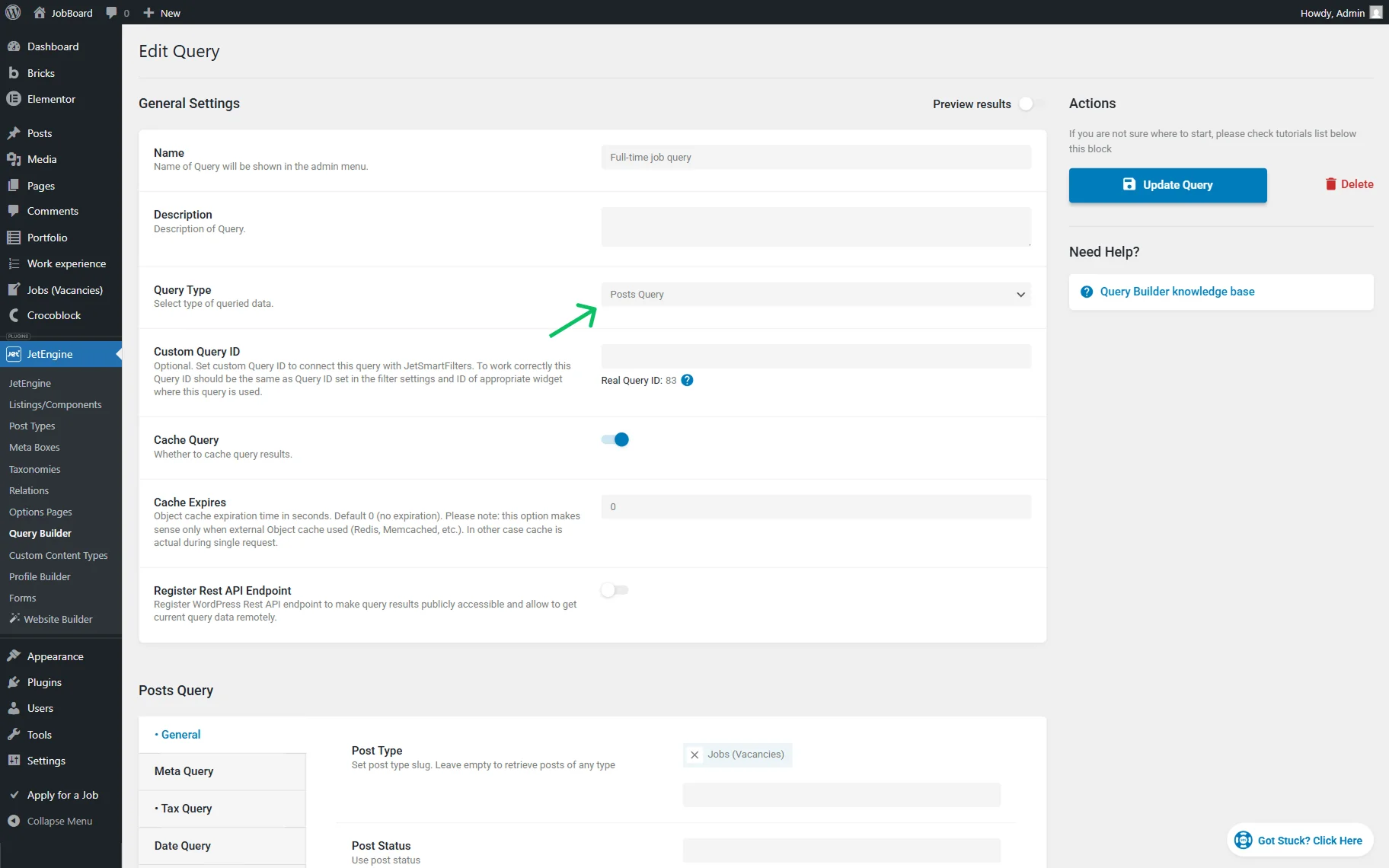
Query type and source
Check whether the selected Query Type matches the content you want to display. If the query is configured for one object type but Bricks is expected to render another, the loop may remain empty.
For example:
- use “Posts Query” to display posts, pages, or Custom Post Types;
- use the appropriate query source when working with Custom Content Types (CCT).
Query conditions
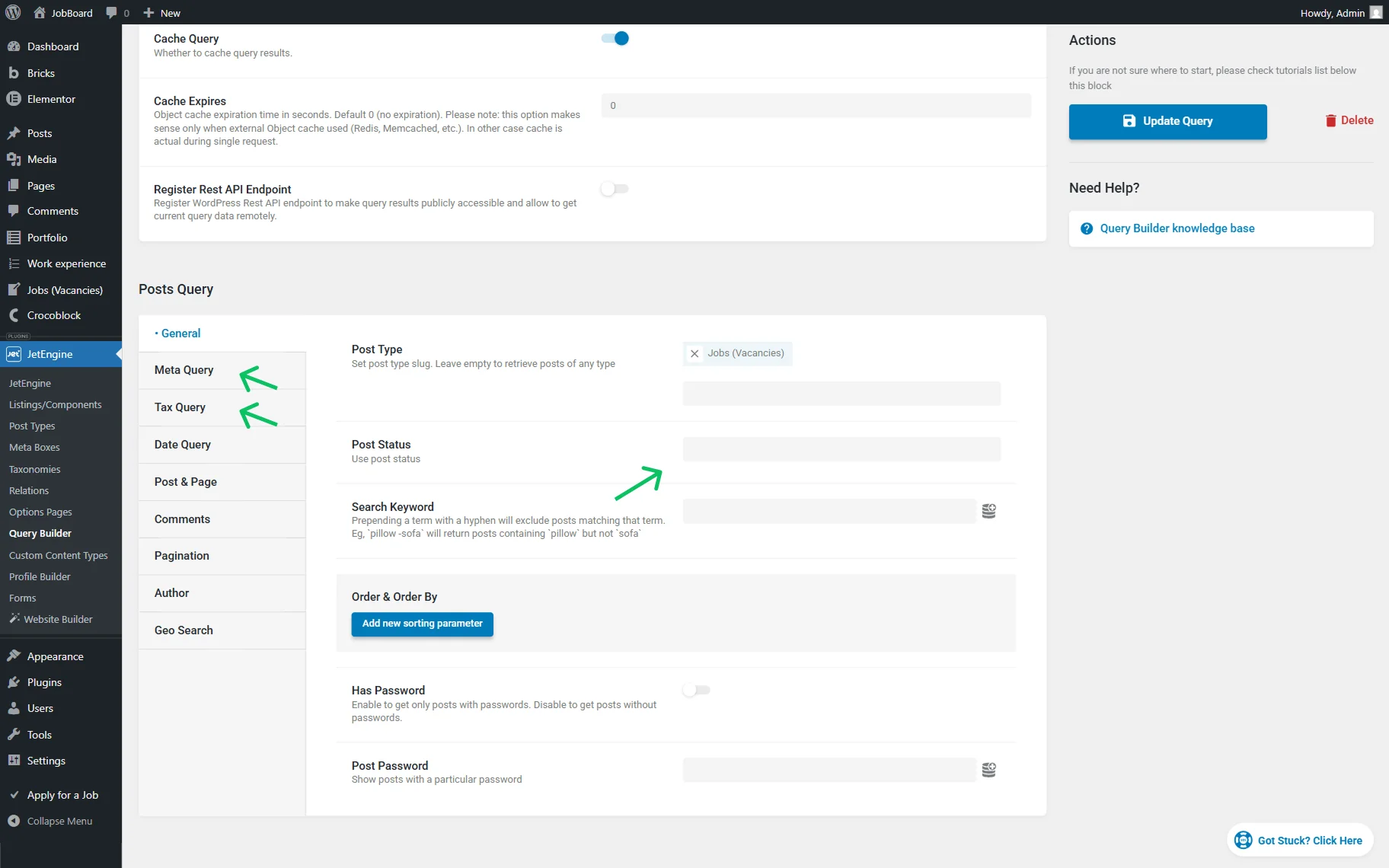
If there are many query conditions set in the settings, try temporarily disabling the following features:
- Post status conditions;
- Taxonomy filters;
- Meta query conditions.
This helps to identify whether the issue is connected to over-filtering.
Preview results
Click the “Preview results” button to check whether the query works correctly.
If the preview is empty, the issue is related to the query configuration and should be fixed here first.
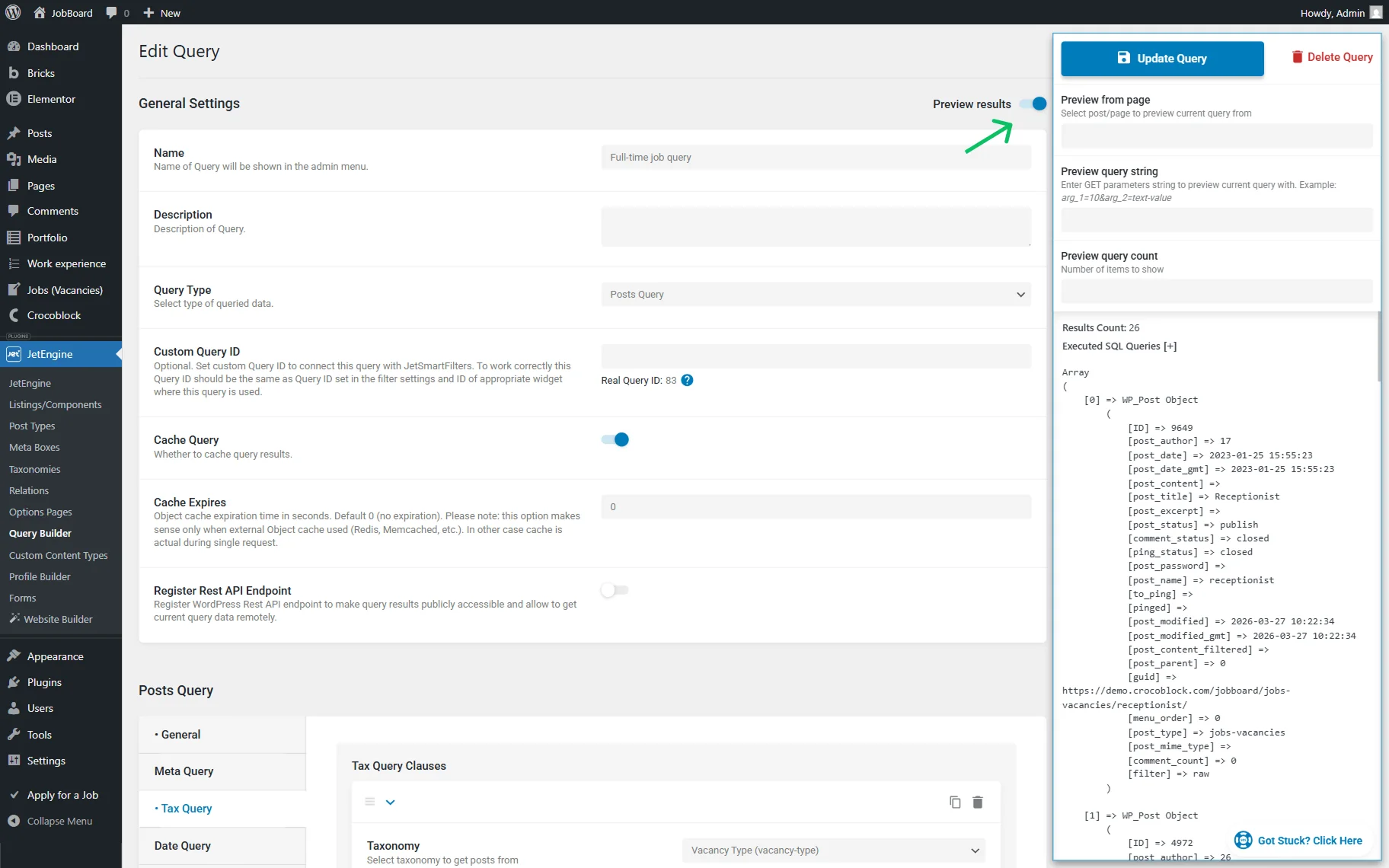
If the preview shows results, continue with the next steps.
Check the Query in Bricks
Open the page/template where the loop is placed in Bricks.
Check that the element has the Query loop enabled.
The Type should be set to “JetEngine Query Builder”.
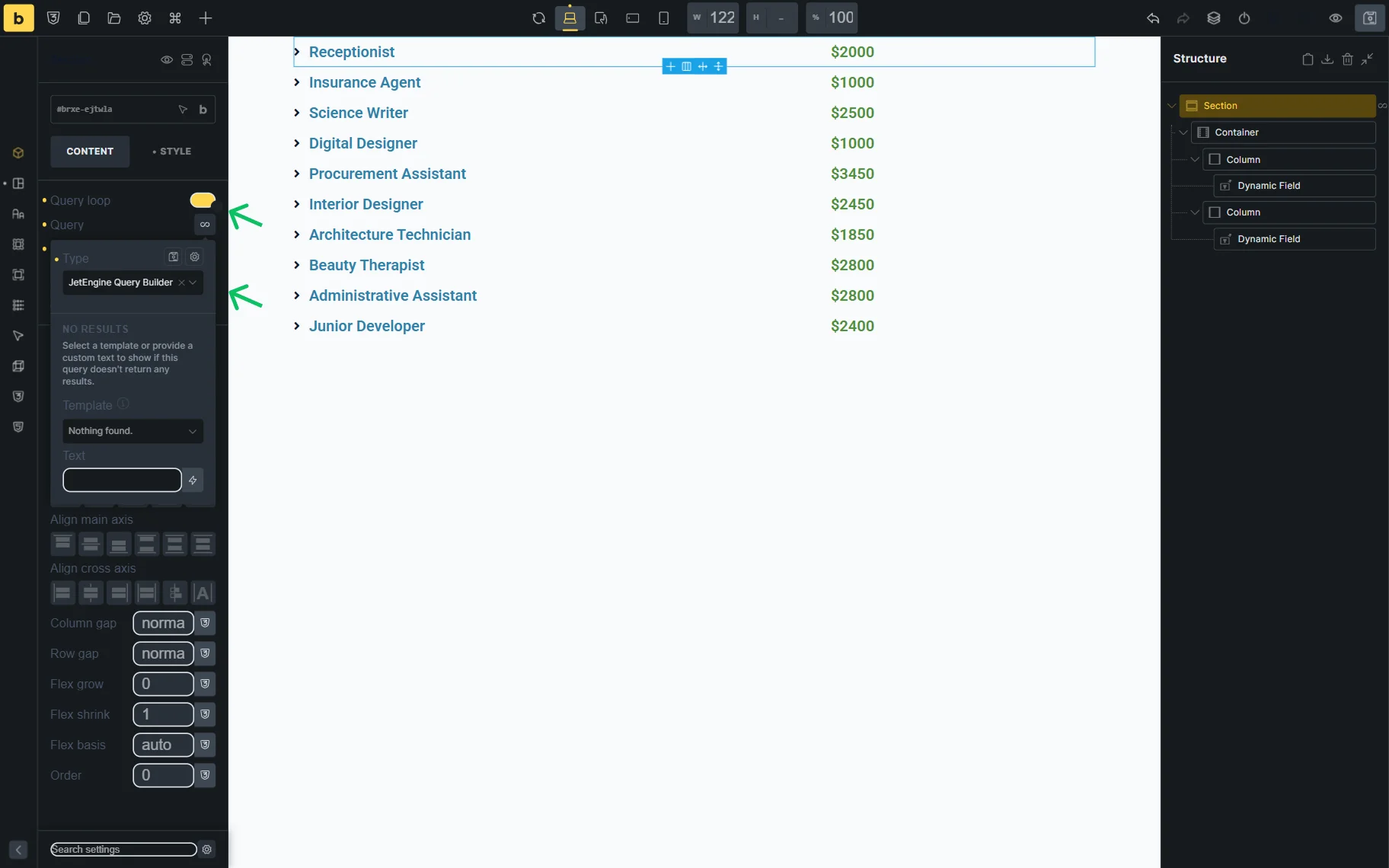
Ensure that the correct JetEngine query is selected from the corresponding list.
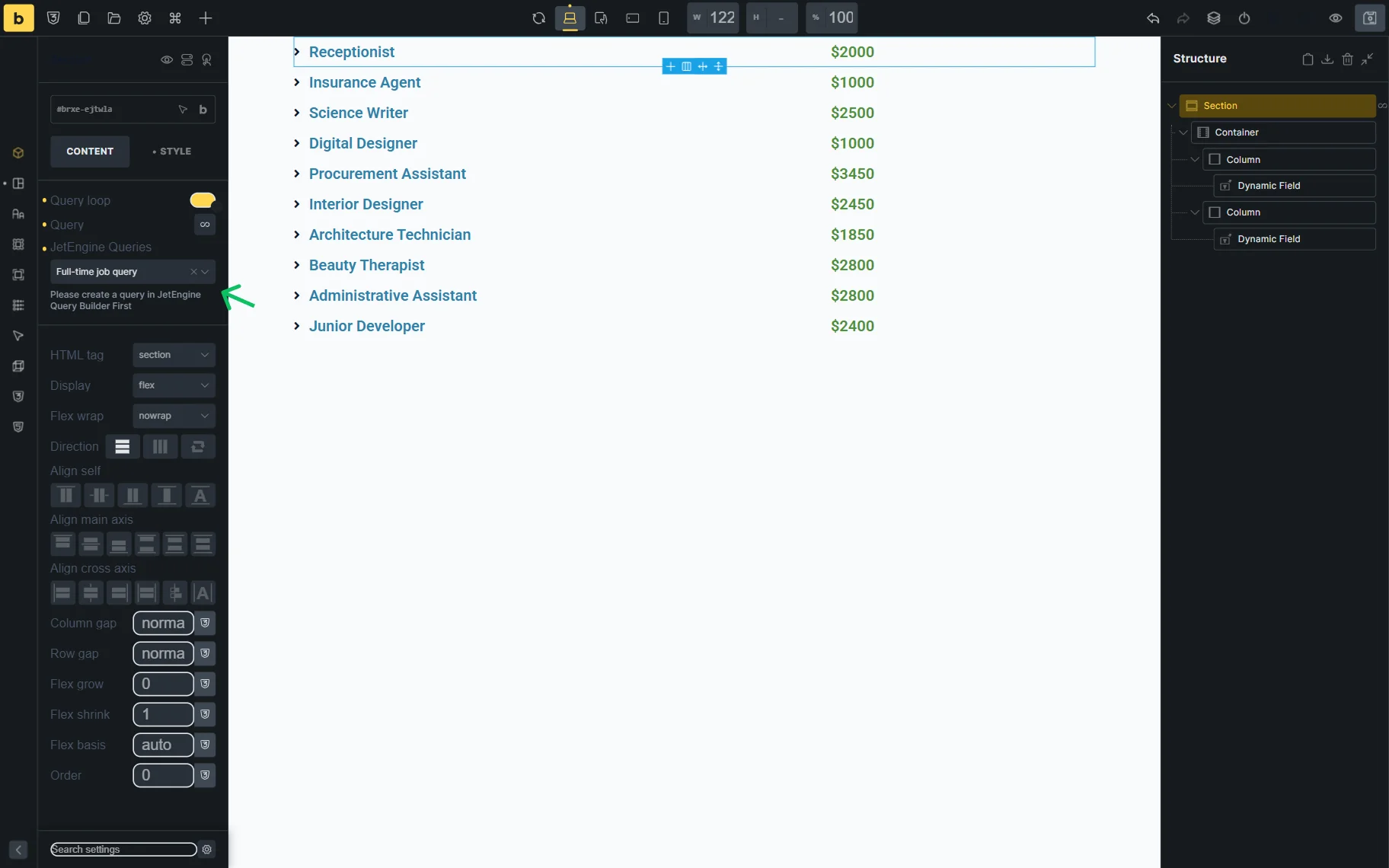
If the loop is still empty after selecting the correct query, this may indicate a JetEngine Query Builder Bricks empty loop configuration issue.
If your loop is supposed to display Custom Content Type items and is still empty, check our CCT Not Showing guide for more information.
That’s all about troubleshooting the empty Bricks query loop when the JetEngine Query Builder is used as a source on your WordPress website.