
How to Add Pagination to the Listing via Bolt
Discover how to extend your WordPress listing with pagination using JetEngine and Bolt AI Builder. Follow this guide to configure REST API parameters and improve navigation.
Before you start, check the tutorial requirements:
- Bolt AI builder
- JetEngine plugin installed and activated
By combining WordPress with Crocoblock’s JetEngine plugin as the backend and Bolt as the frontend AI Builder, you can quickly create a fully functional directory-style website without using traditional page builders.
In the How to Build a Listing with Filters via Bolt tutorial, we demonstrate how to showcase Custom Content Type (CCT) items—in our example, mugs—in a dynamic listing enhanced with filters for material and price.
In this guide, we take it a step further and show you how to add pagination to the listing by extending the AI Builder prompt.
For additional details, you can check the WordPress and AI Builders Integration using Crocoblock: Bolt and Lovable Cases article.
Adding a Pagination via Prompt
The CCT has built-in ‘_limit’ and ‘_offset’ parameters that should be referenced in the prompt.
A new AI prompt should include three key points:
- Number of items per page: Pass the ‘_limit’ parameter in the API request;
- Parameter for changing pages: In our case, “_offset’. This should also be specified in the prompt.
- The total number of items: This can be obtained from the API response headers. Typically, the Jet-Query-Total header is used; however, Jet-Query-Pages can also be used in some cases. Based on these values, the AI can calculate the total number of pages for pagination.
We enter such a prompt to the Bolt text area:
Also, let's add pagination. You can retrieve the total results count from the API response header Jet-Query-Total. Also API supports the `_offset` parameter to change the page. Set 6 items per page using `_limit` API parameter.Checking the Result
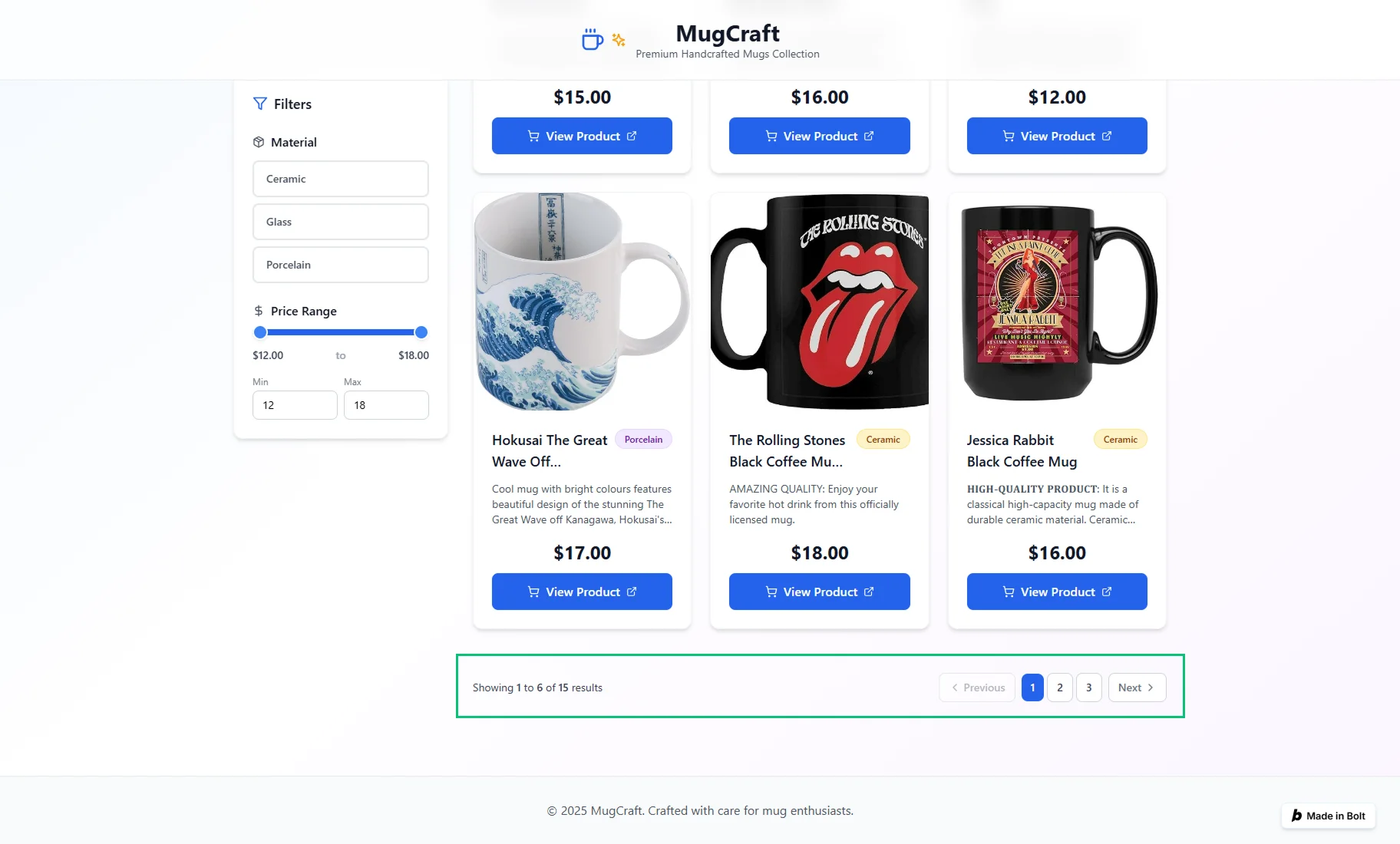
After that, the pagination was added to the listing on our generated website.
That’s all. Now you know how to extend your WordPress listing with pagination using JetEngine and Bolt AI Builder.