
How to Add Pagination to the Listing via Lovable
Discover how to add pagination to listings in Lovable. Utilize JetEngine Rest API endpoints to integrate WordPress data and create a user-friendly directory site.
Before you start, check the tutorial requirements:
- Being signed in to the Lovable platform
- JetEngine plugin installed and activated, with a Custom Content Type created
Discover how to create a listing with pagination using the Lovable AI website builder. This guide explains how to connect your WordPress data through JetEngine’s REST API endpoints, configure pagination parameters, and generate a user-friendly directory website with Lovable.
From our WordPress and AI Builders Integration using Crocoblock: Bolt and Lovable Cases article, you can learn about the integration with Crocoblock. In this guide, we focus on setting up the listing with pagination.
Setting Up a Query Builder Source
Proceed to WordPress Dashboard > JetEngine > Query Builder and click the “Add New” button. Type the query Name and select the “Custom Content Type Query” option as a Query Type.
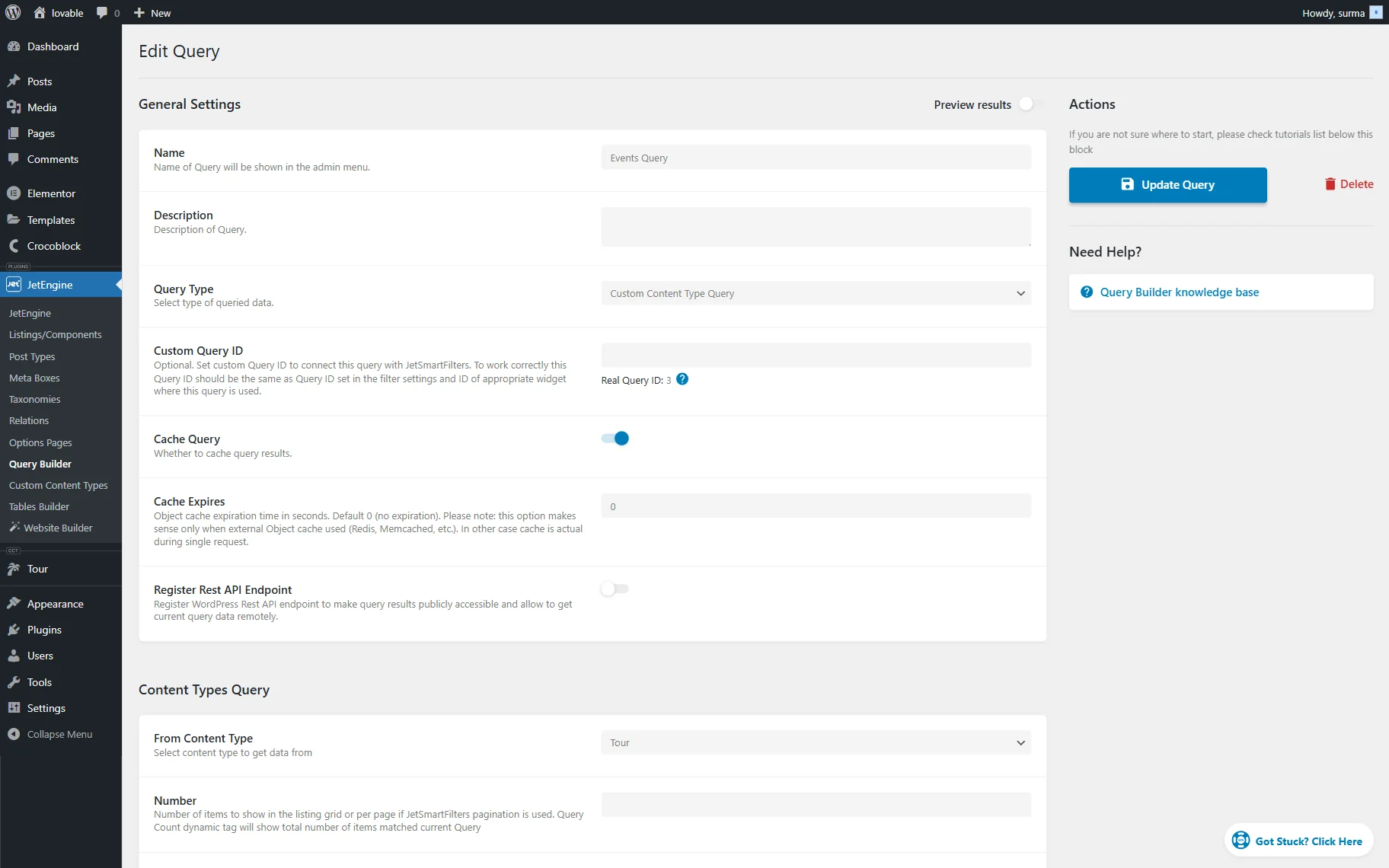
REST API Activation
In the query you created, enable the Register REST API Endpoint toggle. Then, set up the Endpoint Namespace and Endpoint Path.
You receive the REST API Endpoint URL; keep it, as we will use it in the prompt later.
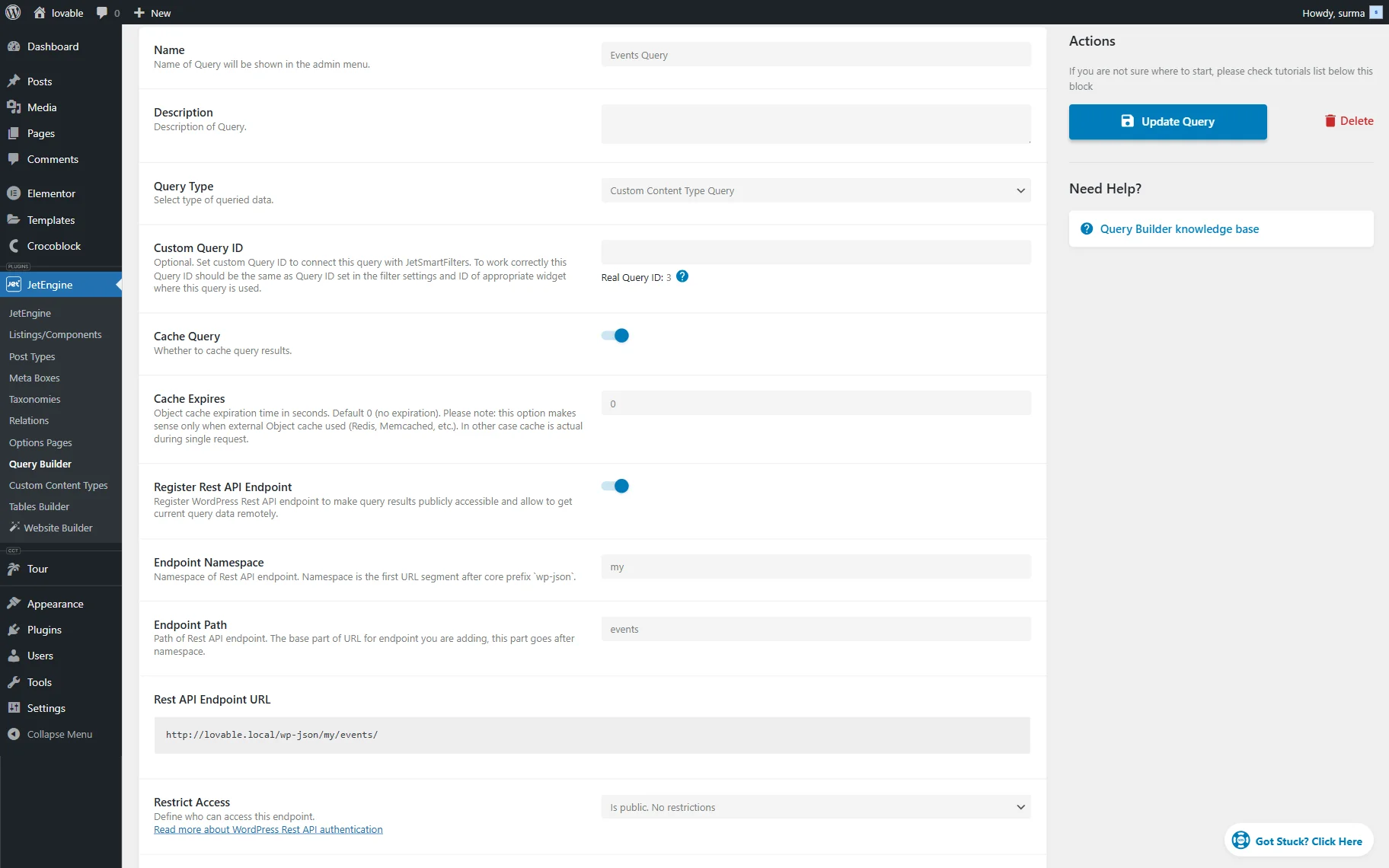
In the Query Arguments, add the parameters that will filter the listing. Refer to our How to Build a Listing with Filters via Lovable guide to learn more about setting up filters for your listing.
To add pagination to the listing, let’s have a closer look at its settings.
If we use a simple CCT endpoint, pagination is quite straightforward. There are built-in “_limit” and ”_offset” parameters, and it is enough to mention in the prompt that these should be applied.
With Query Builder, the setup depends on the type of query you use. For example, in a Posts Query, you can simply pass the page number, while for a CCT Query, you will need to work with the offset parameter.
Let’s have a closer look at the pagination setup for the CCT Query.
First, pagination itself will work by changing the “offset” parameter, so add it to the Query Arguments in the Query Builder settings.
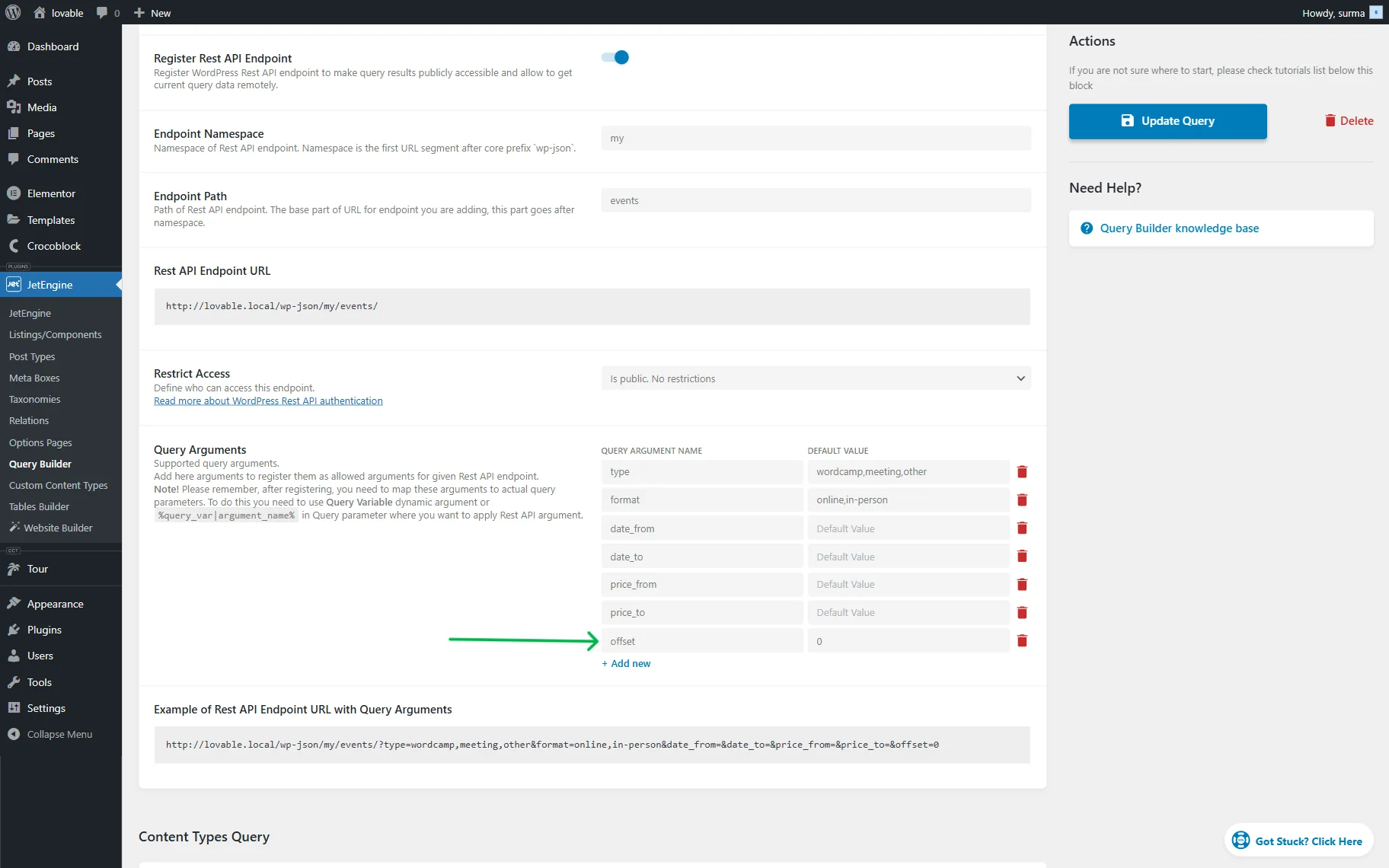
Next, scroll down a bit and set the Content Type, then add a fixed parameter in the Number field – this defines how many items will be displayed per page.
Finally, pass this parameter into the Offset setting using a macro. Note that there is no UI control for macros in this case, so you will need to insert the macro manually. So here we inserted the following macro:
%query_var|offset%Where the “offset” is equal to the Query Argument we added earlier.
Creating a Prompt
Now, proceed to the Lovable platform and sign in or log in.
The prompt should include information about the site you need to create, such as its type and purpose, as well as the main functions that are expected to be implemented. You can also share some existing sites as examples and any other context that may be helpful for the builder.
It should also be noted that the data should be retrieved from the REST API, and the URLs you saved earlier should be shared. It is recommended to describe the specific data that will be obtained from the URLs.
If you use the CCT as a source, describe what meta fields from the CCT. When you use the query as a source, you can copy an item from the Preview results section for the AI builder.
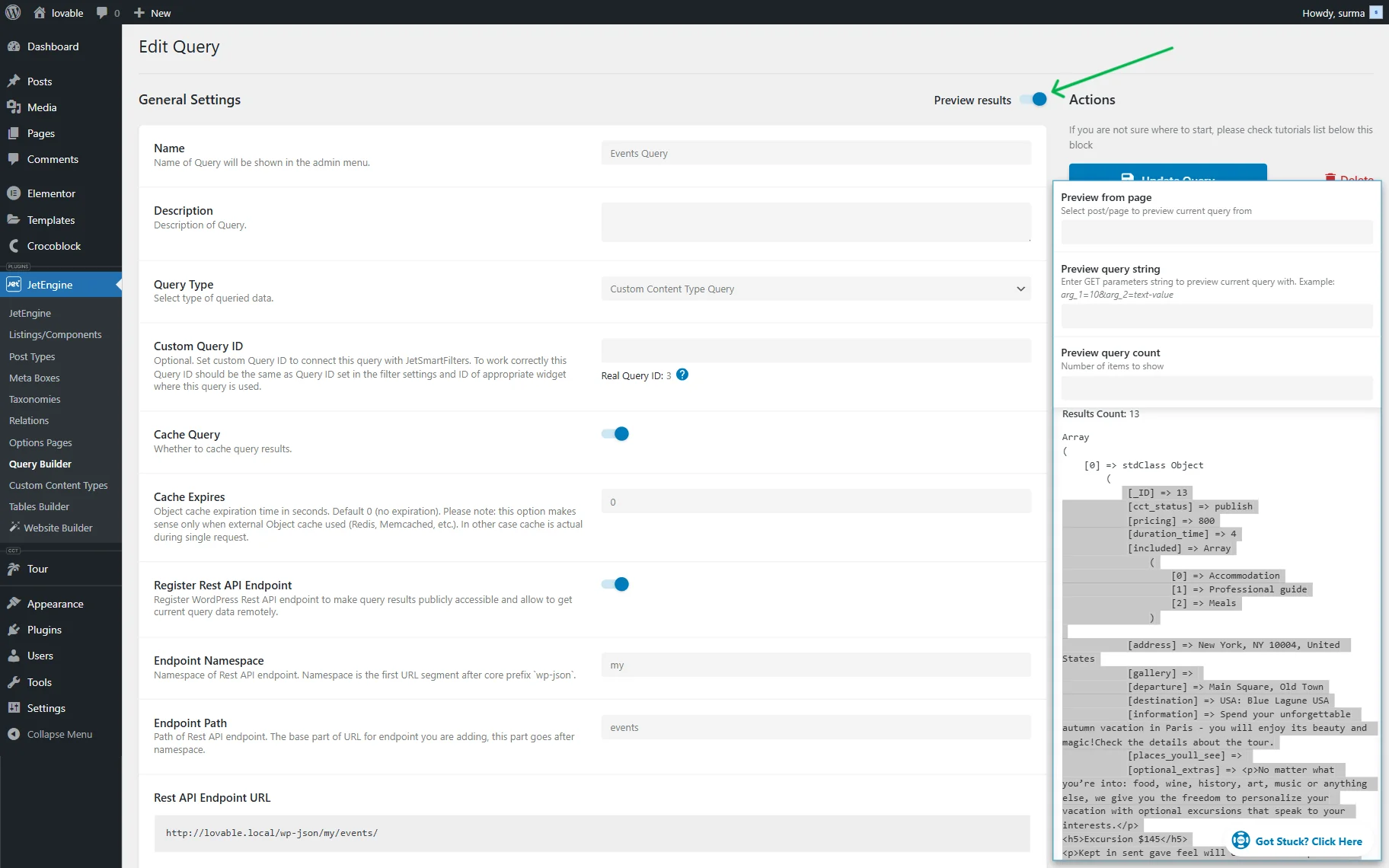
If you need a single page to exist on the site, request its creation and share the Endpoint URL from which the single page will be obtained.
When setting up pagination, the prompt should include the number of items per page.
Even if you have already defined this manually in the query settings, it is important to mention it in the prompt.
For the CCT endpoint (direct API request, without Query Builder), you will need to pass the “_limit” parameter that defines the number of items per page.
The parameter responsible for switching pages depends on the type of query you are working with.
In our example, we use the offset parameter, so we specify this in the prompt.
The total number of items is required to calculate the total number of pages.
You can get it from the API response headers. Most often, it will be the Jet-Query-Total header. Sometimes you can use Jet-Query-Pages instead (for example, in a Posts Query where you pass the page number instead of an offset).
Here is an example prompt for the Query Builder source:
Also, let's add pagination. You can get the total results count from the API response header Jet-Query-Total. Also API supports the `offset` parameter to change the page. I've already set up the API on the server side to return 6 items per page.If you work with the CCT endpoint, you can use the following prompt example:
Also, let's add pagination. You can get the total results count from the API response header Jet-Query-Total. Also API supports the `_offset` parameter to change the page. Set 6 items per page using `_limit` API parameter.
Here is the whole prompt we used in this tutorial to get the listing with the pagination and filters:
I want to build a website, which is a showcase of other websites built with Crocoblock plugins, like this - https://crocoblock.com/websites-made-with-elementor-and-crocoblock/

You can grab the data by the API from here - https://demo.crocoblock.com/lab/wp-json/jet-cct/websites

I need a listing of the websites with filters by used plugins, website type, and topic, and optionally by author. Also, I need the single page for the website, based on the data from the API. A single website could be retrieved from the API by such a URL - https://demo.crocoblock.com/lab/wp-json/jet-cct/websites/{_ID}, where {_ID} you need to replace with the actual item ID.

Allowed plugins for the filters

JetEngine
JetSmartFilters
JetFormBuilder
JetThemeCore
JetElements
JetMenu
JetTabs
JetWooBuilder
JetProductGallery
JetCompareWishlist
JetPopup
JetTricks
JetReviews
JetSearch
JetAppointment
JetBooking
JetBlog

Allowed types

E-Commerce
Directory
Personal Blog
Portfolio
Corporate Website
Landing Page
News Portal
Online Magazine
Membership Site
Forum / Community
Educational Website
Nonprofit / Charity
Government Website
Web App / SaaS
Booking Website
Event Website
Resume / CV Website
Affiliate / Review Website
Marketplace
Wiki / Knowledge Base
Podcast Website
Restaurant / Menu Website

Allowed topics

Fashion
Technology
Lifestyle
Travel
Food
Health & Fitness
Personal Finance
Education
Entertainment
Photography
Parenting
Home & Garden
DIY & Crafts
Beauty
Automotive
Business
Marketing
Sports
News & Politics
Gaming
Music
Art & Design
Real Estate
Science
Spirituality & Religion
Pets
Environment & Nature
Careers & Jobs
Relationships & Dating
Reviews & Product Comparisons

Example of the API URL with filter parameters

https://demo.crocoblock.com/lab/wp-json/jet-cct/websites/?cct_author_id=1&_orderby=_ID&_order=desc&_ordertype=integer

Here is a description of all API response props (which also can be used as request parameters in _filters)

_ID - Item ID;
website_name - Website Name;
website_url - Website URL;
preview_image - Preview Image;
developer_name - Developer Name;
plugins_used - Plugins Used;
website_type - Website Type;
website_topic - Website Topic;
description - Description;
cct_author_id - Item Author;
cct_created - Created Date;
cct_modified - Modified Date;
cct_status - Status;
_cct_search - Search string, type: string;
_cct_search_by - Comma separated field names list to search only by these fields, type: string;
_limit - Items limit, type: number;
_offset - Items offset, type: number;
_orderby - Order items by field, type: string;
_order - Order - asc or desc, type: string;
_ordertype - Order value type - integer, float, timestamp, date, string, type: string;
_filters - JSON-encoded filters string, type: string;

Also, let's add pagination. You can get the total results count from the API response header Jet-Query-Total. Also API supports the `offset` parameter to change the page. I've already set up the API on the server side to return 6 items per page.
Paste the prompt into the Lovable input and click the arrow-shaped icon or the “Enter” button.
Check the Result
Here is the site we got: https://croc-showcase-hub.lovable.app/
The list of sites is visible, along with the pagination.
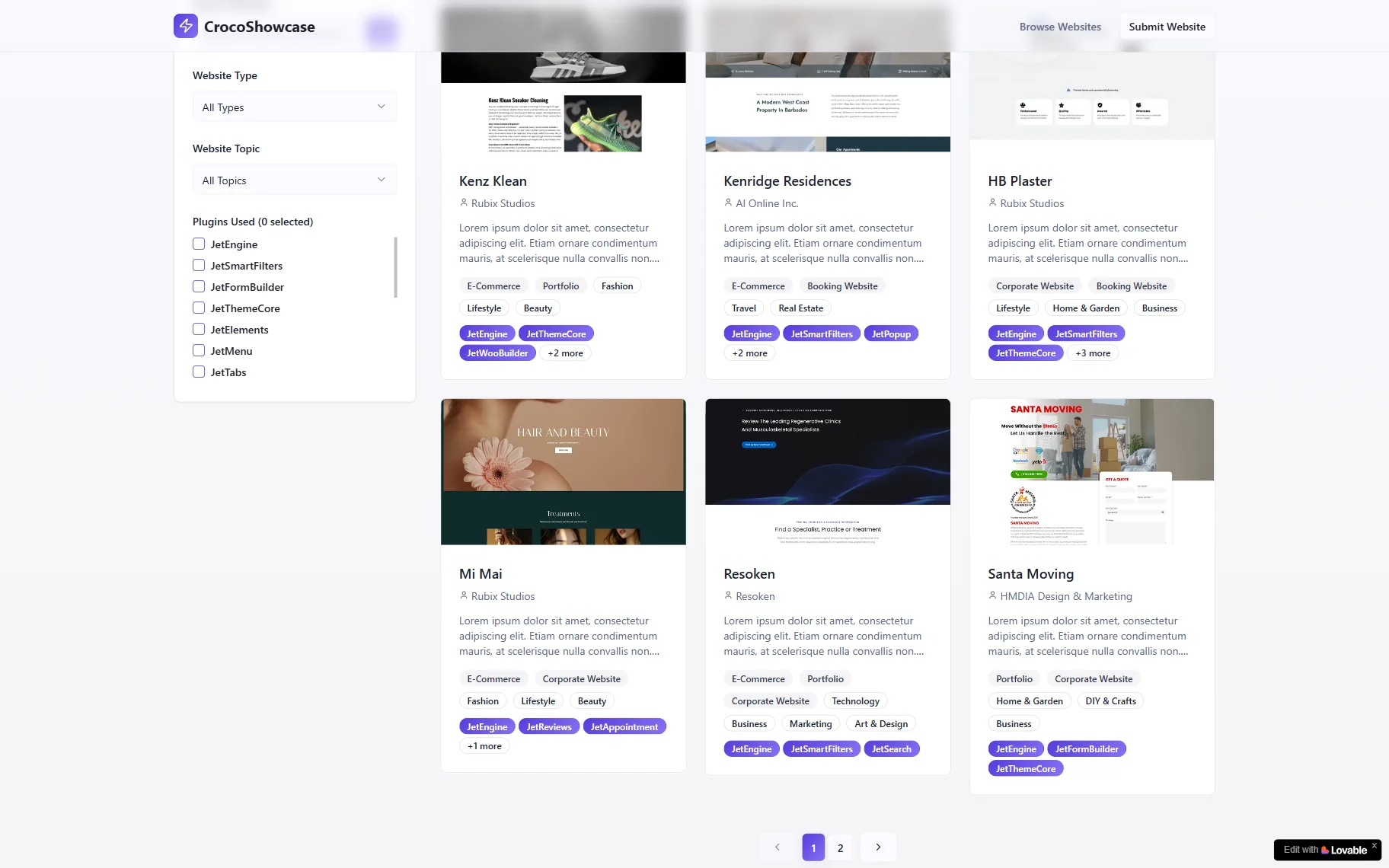
The pagination works properly – we can move between the pages.
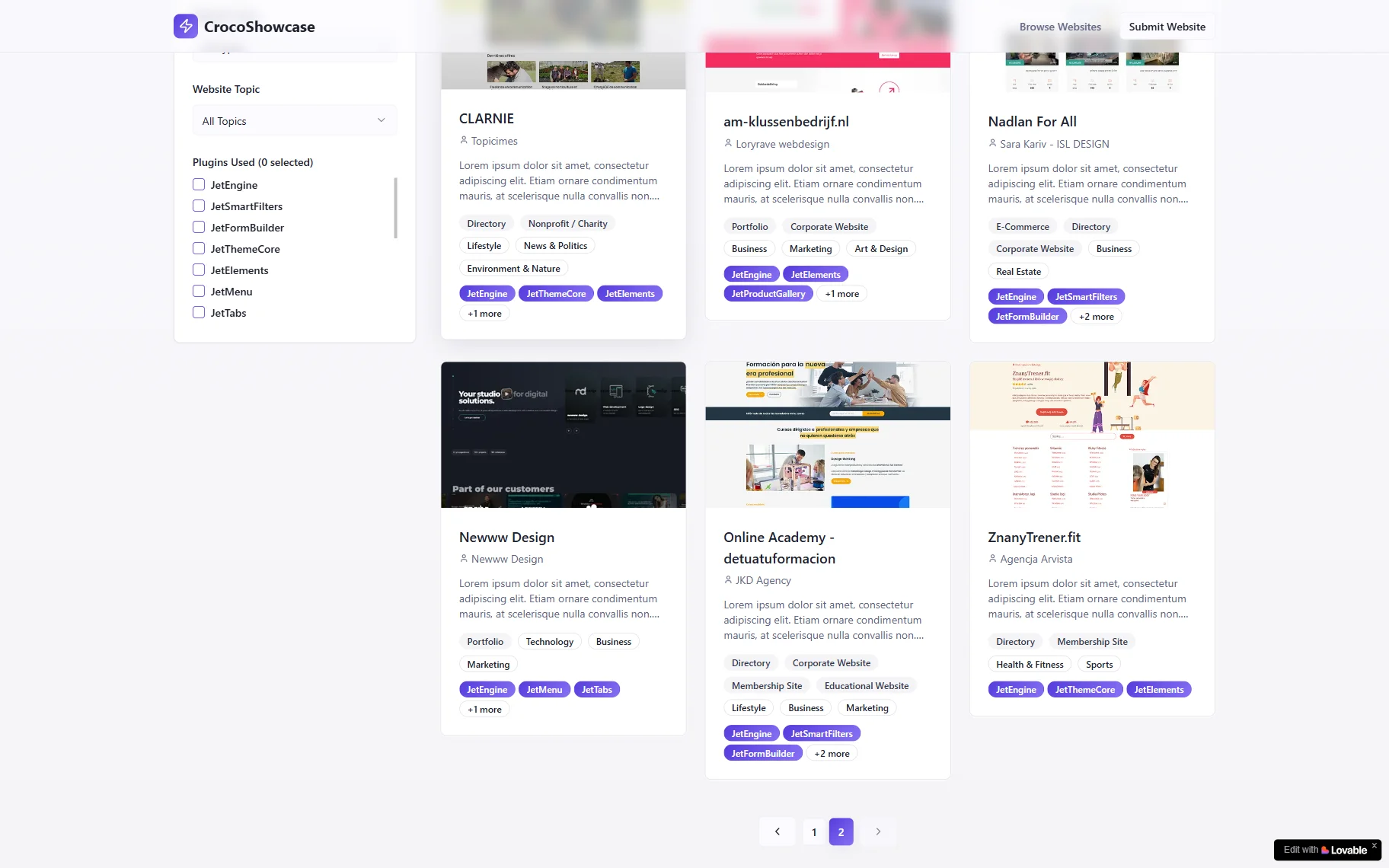
That’s it. Now you know how to add pagination to a listing using the JetEngine WordPress plugin and Lovable builder.