
Query Builder Data Store Query Overview
Discover how to set up and use the Data Store Custom Query type created by the WordPress JetEngine plugin.
The Data Store Query type, part of the Query Builder in the WordPress JetEngine plugin, allows retrieving data from any available store, such as Custom Post Types, Custom Content Types, and users. It is designed for scenarios that require retrieving a basic list of data.
General Settings
The General Settings section has the following options:
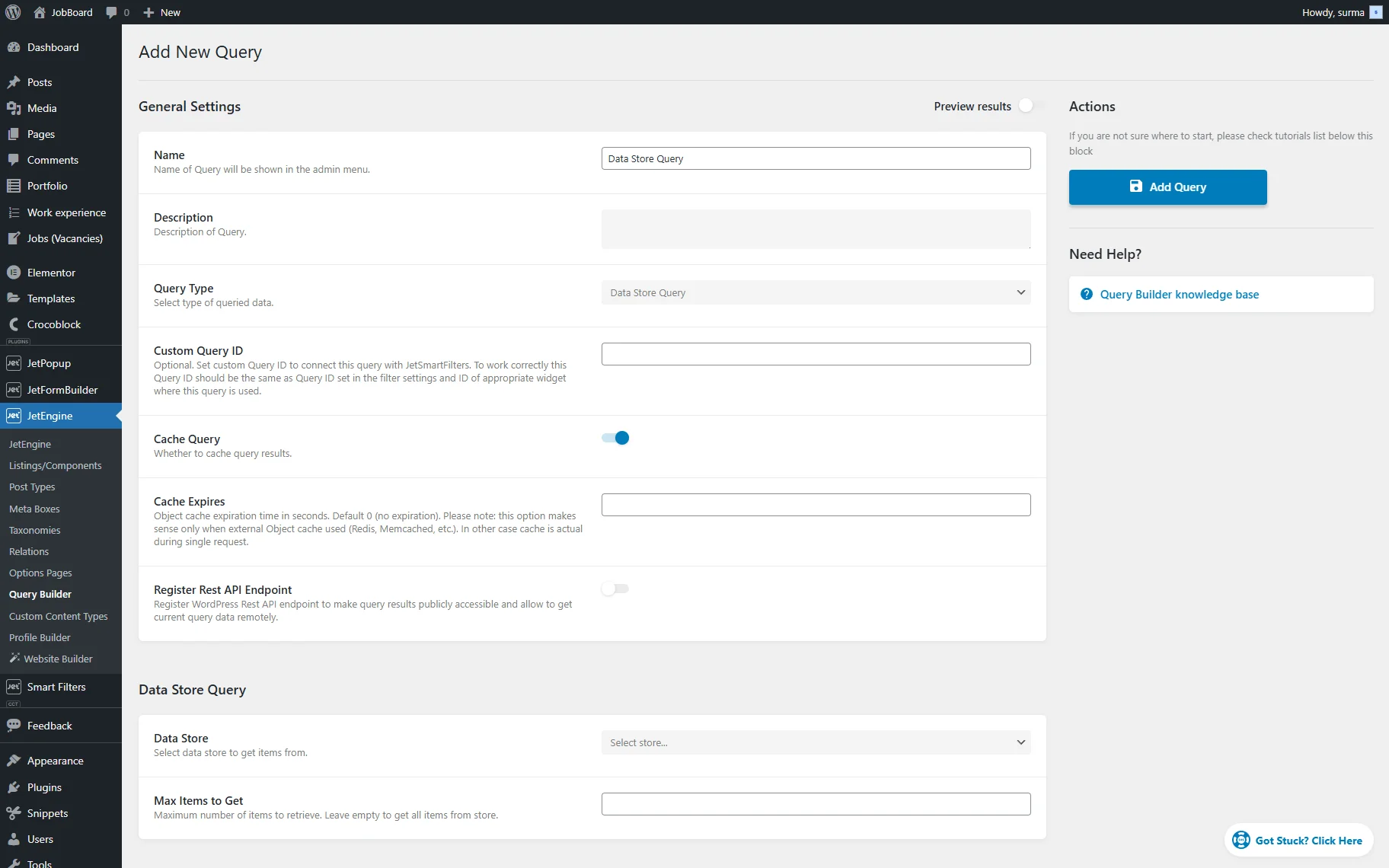
- Name — a name that will be used for the current query;
- Description — a text describing a query. It will be shown in the Queries List and can be used for information systematization;
- Query Type — a list of options for the query source. The options will be described further;
- Query ID — an optional field that can be used to connect the query with the JetSmartFilters plugin’s filter. The ID set here should repeat the ID mentioned in the filter settings (Query Variable field) and the widget/block/element’s ID put in its settings;
- Cache Query — a switcher activated by default that caches this specific query. It can be deactivated if one faces issues with query operations (like incorrect query results);
- Register Rest API Endpoint – if enabled, this toggle activates settings that allow one to register a WordPress REST API endpoint to grant public access to query results and enable remote retrieval of current query data. For example, the endpoint in the Make.com scenarios can be used, or as the backend for mobile applications. All Register Rest API Endpoint options are explained in the next chapter.
Data Store Query
In the Data Store Query tab, two settings are presented:
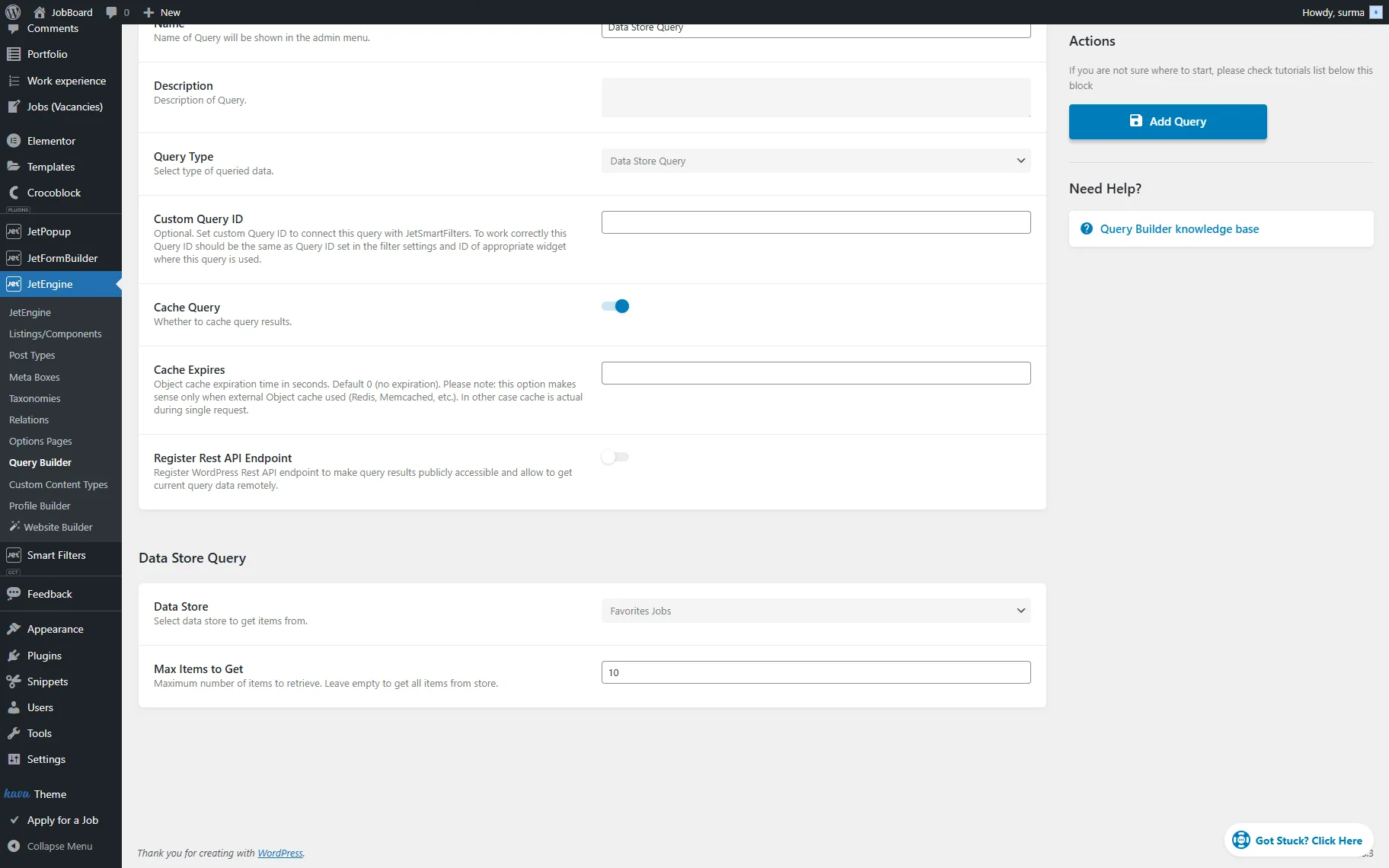
- Data Store — from this dropdown, the needed data store can be selected to display the items from;
- Max Items to Get — in this input, the required number of items is shown on one page. The field should be left empty if all items need to be displayed.
That’s all about the Data Store Query available as part of the Query Builder functionality of the JetEngine plugin for WordPress websites.
Was this article helpful?
YesNo