
Query Builder Relations Query Type Overview
This overview shows the Query Builder Relations Query Type available as a part of the JetEngine plugin functionality.
With the JetEngine plugin, one can create various relations between post types, Custom Content Types, users, and taxonomies. Once the items have been related and connected, the relations Query can be built with JetEngine’s Query Builder in order to display only the related items in the list.
In this overview, the “Relations Query” Query Type settings are reviewed.
The query settings can be found in the WordPress Dashboard > JetEngine > Query Builder directory by pressing the “Add New” button.
In the General settings section, the following settings are available:
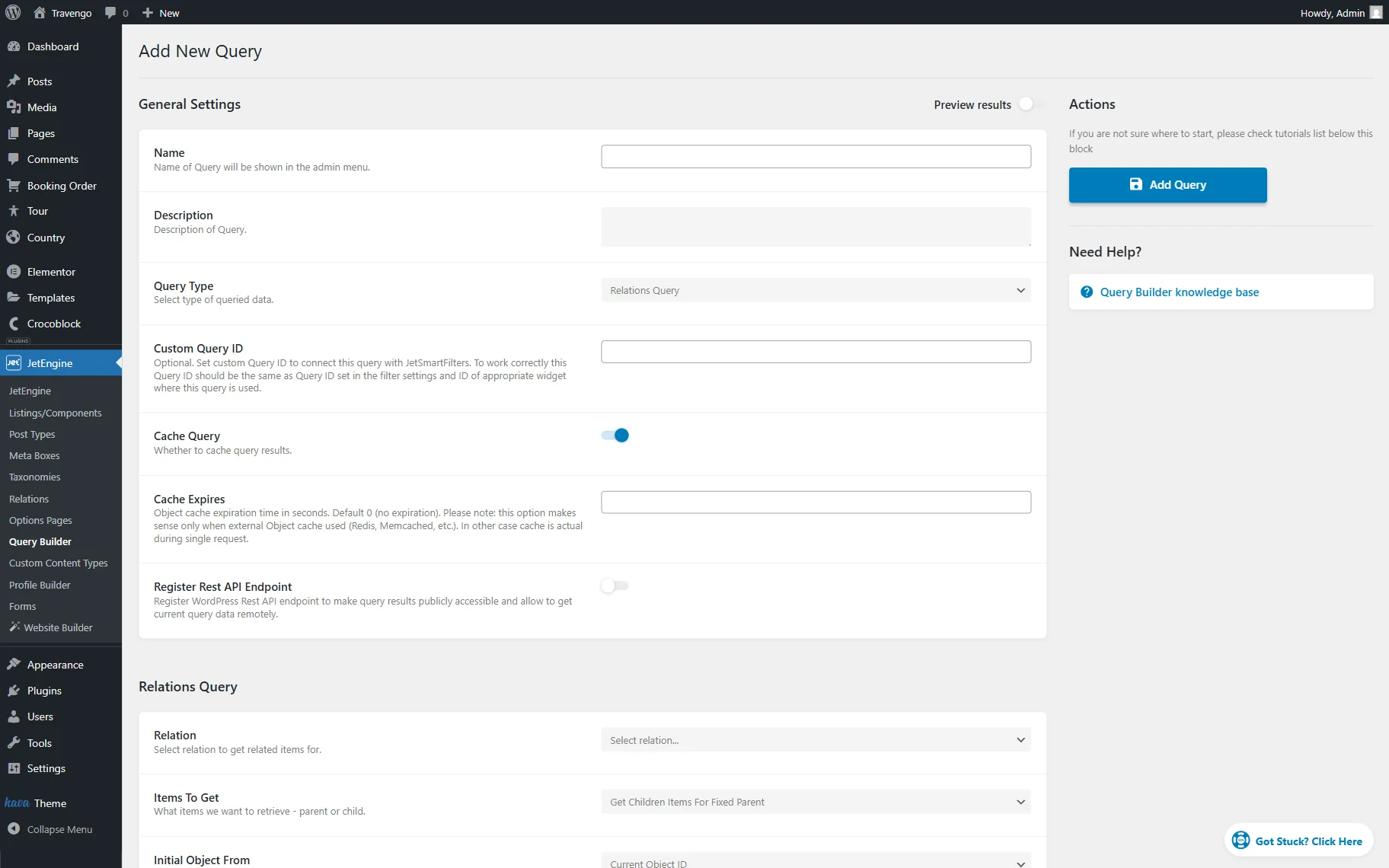
- Name — a field where the name of the current query that will be displayed in the queries list can be specified;
- Description — an optional field that can be filled in with the short description of the query to distinguish it from other queries in the Queries List;
- Query Type — a dropdown field with all the available query types. In this case, the “Relations Query” option should be selected;
- Custom Query ID — an optional field that can be filled with the ID that will connect the current query with the JetSmartFilters filter. The value set here should be identical to the Query ID set in the filter settings and in the widget/block/element settings in the builder where the query is used;
- Cache Query — a toggle that is activated by default. When activated, it caches the query results. It can be deactivated if some issues with query operations appear (like incorrect query results);
- Cache Expires — a field that allows specifying the cache expiration time in seconds. By default, it is set to “0,” which means no expiration time. This setting makes the most sense if an external object cache is used (e.g., Memcached, Redis). Otherwise, the cache only persists for the duration of the single request;
- Register Rest API Endpoint — a toggle that is deactivated by default. When active, the REST API endpoint is registered so the query results can be accessed remotely. Enabling this option allows specifying the Endpoint Namespace, Endpoint Path, Rest API Endpoint URL, Restrict Access, and Query Arguments.
The next section, called Relations Query, allows adjusting the relation query itself. It has the following setting fields:
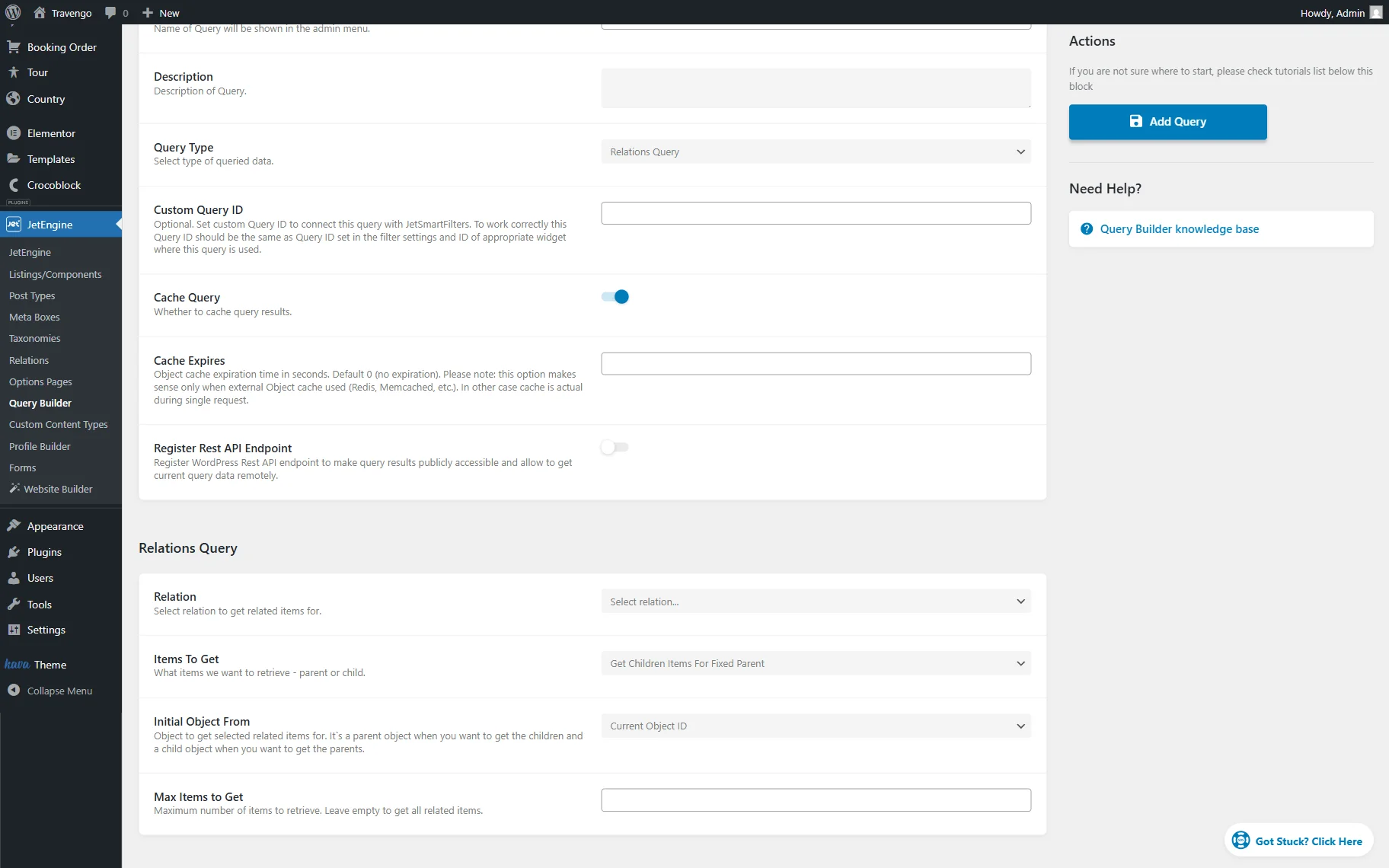
- Relation — a dropdown field where the relation to get related items from should be selected;
- Items to Get — a dropdown field where the type of the retrieved related items should be selected, can be either “Get Children Items for Fixed Parent” or “Get Parent Items for Fixed Child”;
- Initial Object From — a dropdown field that defines which object will be used as the starting point for retrieving related items in a relations query. By default, it is set to “Current Object ID.” It’s a parent object when you want to get its children, and a child object when you want to get its parents. Among the options are:
- Current Object ID — shows the related items of the current post on the Single Page (for example, the query shows the related services of the current provider post), of the current active listing item, and similar contexts;
- Current User ID — shows the related items of the currently logged-in user;
- Queried User ID — shows the related items of the selected user, e.g., on the User Page in the Profile Builder;
- Query Variable — shows the related items based on an object ID from the global request or WordPress query variables. If this option is selected, the Variable Name field appears, where the variable can be specified;
- Current Object Variable — shows the related items from the object defined as current by JetEngine. If this option is selected, the Variable Name field appears as well;
- Default WordPress Object (for current page) — always shows the related items of the global WordPress object for the current page, ignoring the context of individual listing items. For example, on a single post, it will always use the current post as the base object, even when the query is inside a listing on the same page.
- Max Items to Get — a field that allows specifying the number of items to show. This field can be left blank to retrieve all related items.
That’s all about the Query Builder’s “Relations Query” Query Type available as a part of the JetEngine plugin for WordPress websites.