
Making the Last Menu Item Appear Instead of 3 Dots in the Menu
How to display the last menu item instead of the 3 dots in the menu?

To display the last menu item instead of the three dots, go to the page or template where the Mega Menu widget is added. Open the Layout tab in the Mega Menu widget settings, deactivate the Roll Up toggle.
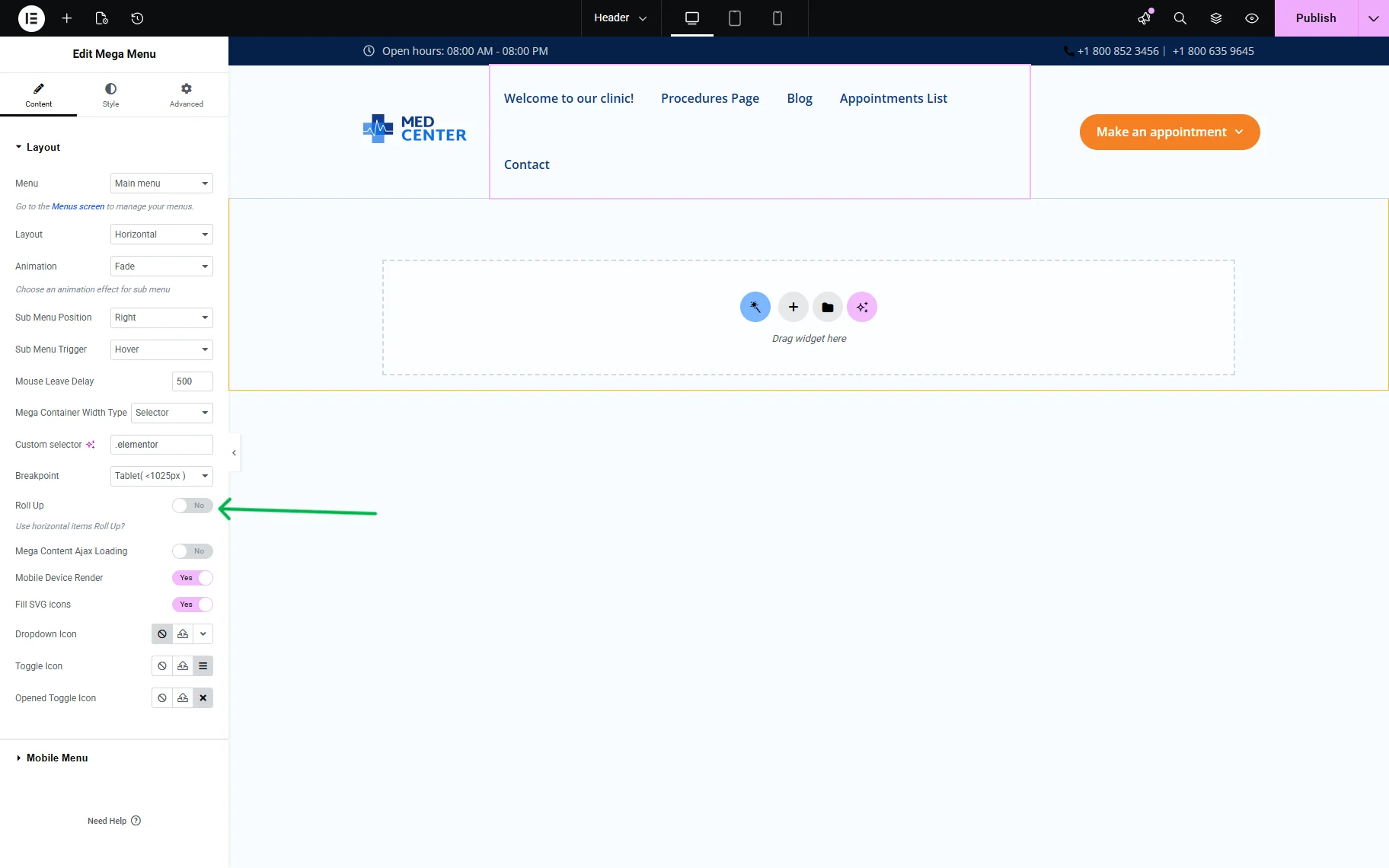
Thus, all the menu items are displayed on the front end.

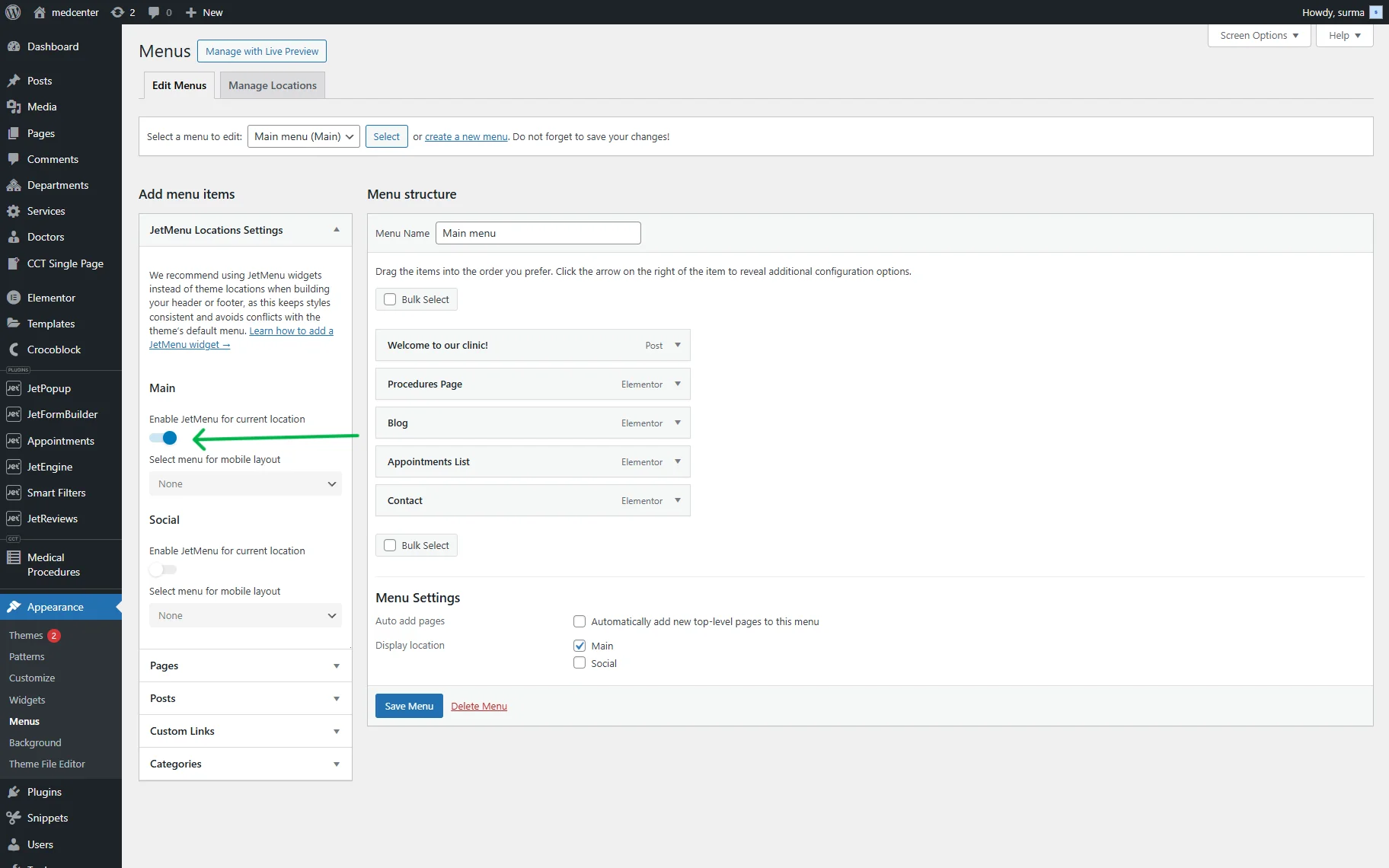
If you are using the Revamp Menu without the Mega Menu widget or a custom header, and the header is created by the theme you use, proceed to WordPress Dashboard > Appearance > Menus > Add menu items > JetMenu Locations Settings > Main and turn on the Enable JetMenu for current location toggle.
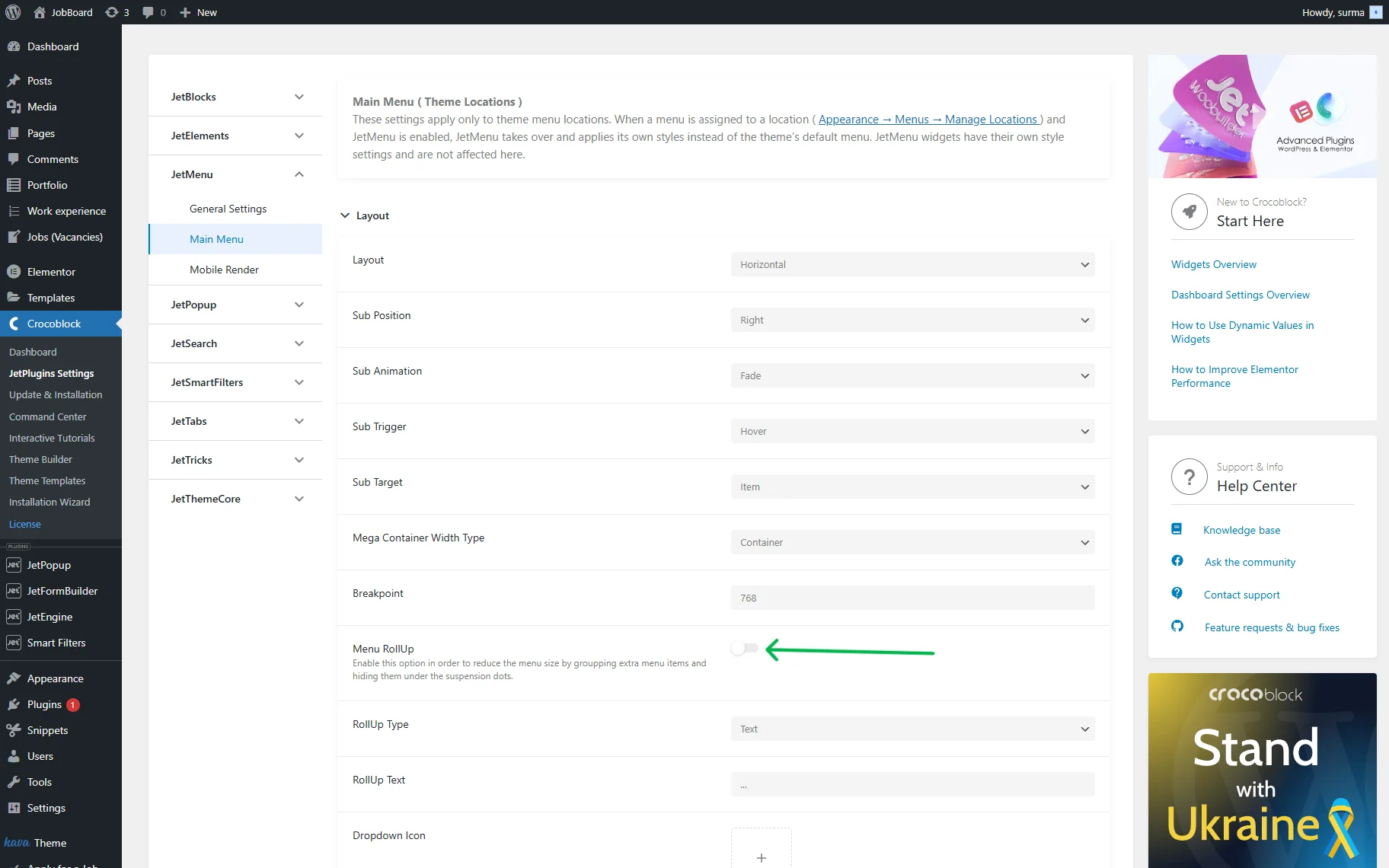
Then move to WordPress Dashboard > Crocoblock > JetPlugins Settings > JetMenu > Main Menu > Layout, and disable the Menu RollUp toggle.
That’s it. Now you know how to display the last menu item instead of the three dots in the menu using the JetMenu WordPress plugin.