WordPress is flexible, but that flexibility comes at a cost. Themes add scripts, plugins add stylesheets, and visual builders often inject code that isn’t needed on every page. Combine that with media-heavy content, and you may get large pages that take time to download.
There are different ways to improve a website’s performance, and CDNs are one of the tools.
This article explains how a CDN works, which features matter most, what metrics show real improvements, and which providers deliver the best results for WordPress sites in practice.
How a CDN Works
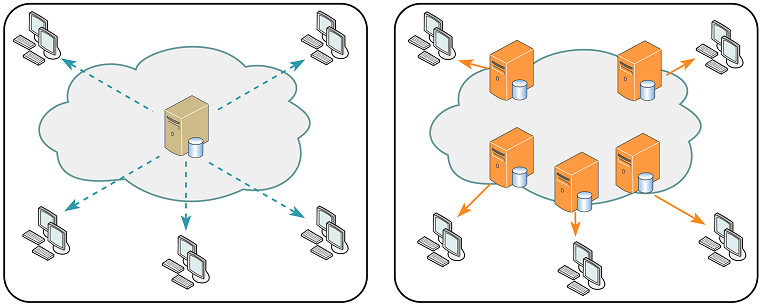
Even the best hosting setup eventually runs into a physical limitation: distance. A visitor from, let’s say, Tokyo will never reach a server in Europe as quickly as someone from London. The farther the data travels, the higher the latency. A Content Delivery Network, commonly known as a CDN, solves this problem by distributing your site’s content across a network of servers around the world.
But that’s not all: a good CDN doesn’t just make a website faster or, to be precise, load evenly across the globe. It helps maintain consistency under heavy traffic and adds a protective layer against attacks. However, not all CDNs are built the same way, and selecting the right one for WordPress requires some understanding.
Think of your WordPress site as a store. Without a CDN, everyone has to visit your main warehouse – your origin server – to get a product. With a CDN, identical mini-warehouses are placed around the world. Visitors are automatically directed to the nearest one, which reduces travel time and load stress.
Here’s what happens behind the scenes:
- Your origin server hosts the full site: code, database, and assets.
- The CDN copies static files (images, JavaScript, CSS) and stores them on Points of Presence (PoPs) around the globe.
- When a visitor loads a page, the CDN delivers those assets from the closest PoP instead of your origin.
As a result, the latency is reduced, page-rendering speed is improved, and reliability is enhanced. If one server fails, others continue to serve cached copies of your site. For eСommerce stores or just any international websites, this effect is dramatic.
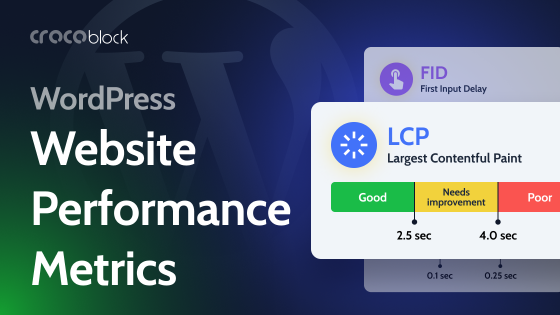
Faster loading times translate directly into better engagement and higher conversions. They also help with SEO as Google measures site performance through Core Web Vitals. A strong CDN can improve your Largest Contentful Paint (LCP) and overall PageSpeed Insights score without changing your WordPress setup.
There is also a resilience benefit. When traffic spikes during a product launch or seasonal sale, the CDN absorbs the surge by spreading it across multiple nodes. The origin remains stable, ensuring your users never experience downtime or lag.
Key benefits of using a CDN
Let’s sum up the benefits CDNs have.
- Faster loading everywhere, as edge servers close to users eliminate long network hops, dramatically improving load times for global traffic.
- Added layer of security, because most CDNs include DDoS mitigation, SSL/TLS encryption, and even Web Application Firewalls (WAF). They act as a protective shield between your origin and malicious traffic.
- SEO and user experience gains. Google measures page experience. Faster rendering and lower latency can positively affect Core Web Vitals and search visibility.
- Stable performance under load, especially during sales, campaigns, or viral spikes. A CDN absorbs sudden surges by distributing requests across its global network.
- Reduced server load and bandwidth costs, since cached assets come from CDN servers, so your origin handles fewer requests and consumes less bandwidth, saving hosting resources.
What to Look For in a CDN for a WordPress Site
Choosing the right CDN is about matching it to your specific needs rather than chasing brand popularity. The following aspects are what truly define a good fit.
- Network coverage and speed.
The first question to ask is where your audience lives. If most of your visitors come from Europe and North America, you need a CDN with multiple Points of Presence in those regions. Check the provider’s coverage map and routing quality. A larger network does not always mean faster delivery; what matters is the proximity of PoPs to your audience and how well they connect with local internet providers. - Performance technology.
Support for modern protocols such as HTTP/2 or HTTP/3 and Brotli compression has a real effect on transfer speed. These features reduce connection overhead and optimize how browsers download files. - Security.
A strong CDN does more than deliver content; it also protects it. Look for built-in SSL/TLS encryption, DDoS mitigation, and a Web Application Firewall. For WooCommerce sites or membership platforms handling user data, this layer is essential. - Caching intelligence.
Different CDNs offer different levels of caching control. You should be able to define how long assets remain cached, purge content when it changes, and handle exceptions for dynamic pages. Remember that poor caching rules can either serve outdated data or constantly bypass the cache, both of which defeat the purpose. - Integration with WordPress.
The smoother the setup, the better. A CDN that provides a WordPress plugin or direct dashboard integration saves time and reduces configuration errors. Compatibility with popular performance plugins like WP Rocket ensures both tools work in harmony. - Pricing and scalability.
Understand your traffic patterns, because some CDNs charge per gigabyte, while others offer flat monthly plans. Predictable billing helps agencies and site owners plan ahead, while pay-as-you-go plans suit smaller sites that experience irregular spikes. - Support and analytics.
A reliable support team is invaluable when things break. Access to clear analytics on cache hit ratio, latency, and traffic distribution helps you verify that the CDN is delivering on its promise.
4 Best CDN Options for WordPress
Many CDNs can serve WordPress sites, but four stand out for their reliability and balance between performance, simplicity, and value: RocketCDN, Cloudflare, Envira CDN, and Kinsta CDN.
RocketCDN
RocketCDN is developed by the creators of WP Rocket, so it’s built specifically for WordPress performance optimization, and its another goal is to remove all complexity from the setup. After subscribing, you install the RocketCDN plugin, enter your API key, and the system automatically rewrites your static asset URLs to serve them through the network.
Behind that simple interface lies a network of over 120 Points of Presence around the world. RocketCDN preconfigures best practices such as GZIP compression, HTTP/2 delivery, proper cache expiration, and secure HTTPS for every file. There is no manual tuning or technical barrier.
Pricing: $8.99 per month, or $89.99 per year, and bandwidth is unlimited within reasonable use.
The service is designed for users who want measurable speed gains without diving into configuration files. The only limitation is that it offers little room for advanced customization, but that is also its strength: it just works.
For agencies managing multiple WordPress installations or anyone using WP Rocket, this combination delivers instant global acceleration with almost no learning curve.
Cloudflare
Cloudflare probably needs no introduction, as it is one of the most extensive CDNs on the planet. Its network spans more than 300 data centers across one hundred countries, and it serves millions of websites, from small blogs to enterprise platforms.
Performance is only half of what makes Cloudflare appealing. Its security suite is equally strong, including DDoS protection, SSL/TLS management, and an advanced Web Application Firewall. Cloudflare can even keep a cached version of your site online during outages through its Always Online feature.
For WordPress, setup can be handled through your domain’s DNS or the official Cloudflare plugin. The plugin lets you purge caches, enable Automatic Platform Optimization (APO), and adjust settings from the WordPress dashboard. APO deserves special mention because it allows Cloudflare to cache dynamic HTML pages intelligently, making WordPress feel static and lightning-fast for repeat visitors.
Pricing: the free plan is enough for many smaller projects, while paid tiers start at $25 a month, adding deeper optimization and rule-based caching. The learning curve is steeper than RocketCDN’s, but the level of control is unmatched.
Cloudflare is the logical choice for developers and organizations that need both speed and enterprise-grade security in a single platform.
Envira CDN
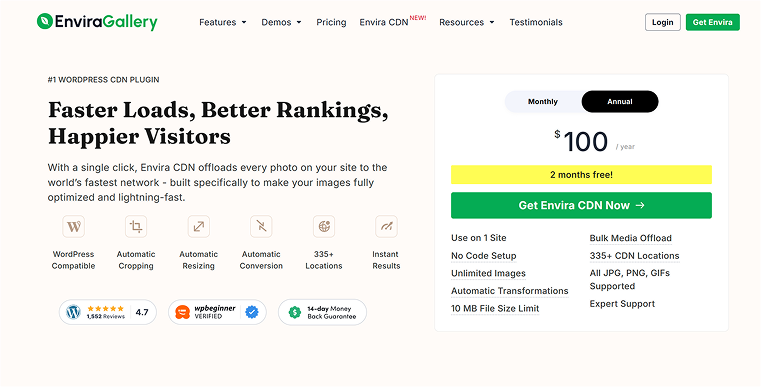
Envira CDN serves a more specific audience: creators who manage visual portfolios or image-heavy sites. It integrates directly with the Envira Gallery plugin, ensuring that all images are delivered from the closest server automatically.
Once enabled, Envira CDN handles responsive image delivery, meaning visitors receive the right image size for their device without any manual work. This reduces both load time and bandwidth usage. For photographers, designers, or media publishers, this optimization results in faster galleries and smoother navigation.
Pricing starts at $10 a month or $100 a year, or it comes bundled with higher-tier Envira Gallery licenses. It doesn’t accelerate scripts or stylesheets, so it’s not a universal solution, but for visual content, it performs exceptionally well.
Kinsta CDN
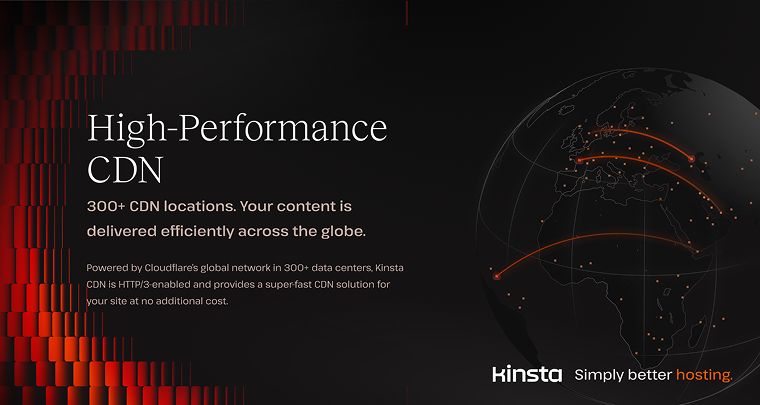
Although not a CDN provider specifically, Kinsta offers managed hosting services for WordPress. Its out-of-the-box solutions for WordPress include a free, enterprise-level Cloudflare integration that helps users utilise a CDN network of 300+ worldwide locations, plus Edge Caching and early hints for additional performance improvements.
Kinsta’s infrastructure includes worldwide cloud data centers in 37 locations, thus users can choose a server location closest to their visitors. The CDN network integrated into Kinsta’s services through Cloudflare offers additional latency, resulting in even faster load times.
Pricing: you can try Kinsta for free for the first 1-2 months (depending on the plan you choose), both for single- and multiple-site setups. Paid plans start at $35/month, but it’s best to buy a yearly plan, which saves you up to $680.
Choosing a managed hosting provider like Kinsta, which offers a free CDN by default, helps you save money and time; you don’t need to juggle multiple services, dashboards, and configurations.
How to Measure CDN Performance
A CDN’s success should be proven, not assumed. Testing before and after activation is the only reliable way to see its real impact.
Start by measuring your site’s baseline performance. Use tools like GTmetrix, WebPageTest, or Pingdom to run tests from multiple global locations. Focus on metrics that reflect the user experience: Page Load Time, Time to First Byte (TTFB), Largest Contentful Paint (LCP), and Round Trip Time (RTT). Record the numbers.
Next, activate your CDN and repeat the tests. If the setup is correct, you should see faster load times, lower TTFB, and smoother rendering. The most dramatic improvements usually appear in tests run from regions far from your origin server.
Inside your CDN’s dashboard, look for the cache hit ratio, which shows how often content is served directly from the CDN rather than fetched from your origin. A hit ratio above 90% indicates a healthy configuration.
It’s good practice to monitor results over time, especially after content changes or plugin updates. Consistent metrics confirm that the CDN continues to deliver value beyond the initial setup.
Common Mistakes to Avoid
Many CDN issues stem from configuration errors or mismatched expectations. Choosing a provider with limited coverage in your target region is a common oversight. Always align your CDN’s network with your audience map.
Another pitfall is incorrect caching rules. Over-caching can serve outdated data, while under-caching wastes bandwidth. Make sure you define appropriate time-to-live values for each file type and purge caches after significant site updates.
Compatibility problems also occur when multiple caching systems overlap. If your host already includes a CDN or page caching, stacking another layer without understanding how they interact can break functionality. Test changes on a staging site before applying them live.
Lastly, avoid treating a CDN as a one-time fix. Performance should be monitored regularly. Use analytics and benchmarking tools to ensure that improvements remain consistent.
FAQ
A Content Delivery Network stores your site’s files on multiple servers worldwide, allowing visitors to download them from the closest location. It dramatically improves loading times and ensures consistent performance for users everywhere.
No, a CDN doesn’t replace hosting. It works alongside your host by handling the delivery of static assets like images, CSS, and JavaScript while your origin server manages the site’s core files and database.
You can test using tools like GTmetrix or PageSpeed Insights from various global locations. Improved load time, lower TTFB, and a high cache hit ratio (above 90%) mean your CDN is correctly configured.
Yes. Faster websites provide a better user experience, which helps with Google’s Core Web Vitals. A CDN also reduces downtime and latency, both of which can indirectly improve your SEO performance.
If most visitors come from one region, a CDN may bring minimal benefits. However, for sites with international traffic or image-heavy pages, even smaller businesses can gain noticeable speed and stability.
Final Thoughts
A fast website feels effortless, but the process behind it is deliberate. A CDN is one of the most effective tools for achieving global speed and reliability, but its effectiveness depends on careful selection and configuration.
Start by understanding where your users are and what type of content you serve. Match your provider’s coverage and features to that audience. Measure performance before and after activation, and continue to monitor results as your site evolves.
For simplicity and direct WordPress integration, RocketCDN is an excellent first step. For deeper control and enterprise security, Cloudflare remains the industry benchmark. For creatives focusing on media delivery, Envira CDN offers tailored efficiency.
Combined with solid on-site optimization through WP Rocket or equivalent tools, a good CDN makes your WordPress site load quickly for every visitor, everywhere, every time. That consistency is what turns good performance into a lasting reputation.