Regardless of the eCommerce platforms you use to create your online store, payment gateways always play a crucial role in reducing abandoned carts. If you choose to sell your products and services online with WooCommerce, you must make an important decision that will directly affect your online sales: which of the WooCommerce payment gateways should you use?
In this article, we’ll provide an overview of the WooCommerce payment gateway plugins, discuss the factors that influence the choice of payment options, and highlight the best WooCommerce payment gateway.
What Is a WooCommerce Payment Gateway?
A payment gateway is a platform that manages all online transactions and enables you to accept payments. Customers input their credit or debit card details at checkout, which are then transmitted to the retailer and, ultimately, to the bank. Rather than navigating the legal and financial processes to handle money, you can simply sign up for a third-party payment gateway that manages everything for you.
A WooCommerce payment gateway will also securely handle your clients’ credit card numbers, expiration dates, and other personal information. Payment gateways also decrease anonymity and enhance the transparency of transactions.
The WooCommerce payment gateway’s function is thus to accept or deny a transaction with your WooCommerce store account before sending money into your bank account. To make online payments, you must have both a store account and an account with a payment gateway.
How Does a WooCommerce Payment Gateway Work?
Step 1: Sign up for an account with your preferred WooCommerce payment gateway.
Step 2: Connect the account mentioned above to your personal or corporate bank account.
Step 3: Connect the payment gateway to your WooCommerce store. The majority of these WooCommerce payment gateways offer plugins that enable you to integrate them with your WooCommerce store.
Step 4: You are now ready to collect payments. When customers add a product to a cart on your WooCommerce store, the gateway opens a secure link to the payment processor. The transaction will then be approved, and WooCommerce will receive a success message, indicating that it is complete.
Step 5: Depending on the payment gateway you use, the funds will be transferred to your account either immediately or after a few days.
Factors to Consider When Choosing the Best WooCommerce Payment Gateways
Before choosing a payment gateway for your WooCommerce store, consider the following requirements.
Transaction fees
Many WooCommerce payment gateways charge a fee for each transaction on your website. This fee can vary based on the business’s location, the type of card used by customers, the payment gateway you choose, and other factors.
TIP
Offer multiple payment options with WooCommerce to clients. To attract more customers, consider lowering your transaction fee compared to your competitors.
Operational costs
Regarding other charges, verify whether the WooCommerce third-party payment gateway is suitable and if any extra fees apply. Examples of additional fees include account maintenance charges or bank withdrawal fees.
Payment methods
Credit cards and various e-wallets have become the usual payment options for online shopping. A good payment gateway, however, should also support other popular payment methods, such as bank transfers, ACH payments, and PayPal.
Target countries and currencies
The third factor to consider when choosing a payment gateway is whether it offers payment services in your country and the target countries. Additionally, it is essential to find out if the payment gateways support your target currencies. This information can typically be found on the plugin’s source or the payment provider’s website.
TIP
If most of your customers are in Europe, you should choose a payment provider that is widely supported in European countries and accepts the Euro.
Security
Nothing is more important than security when it comes to payments. If your payment process isn’t secure, you risk data loss and other issues for both you and your clients. This includes technical, financial, and legal concerns.
TIP
Customers need to trust you before they make a purchase. Showing a secure payment system proves that shopping with you is safe and reliable. Select a plugin that includes additional security and fraud protection features.
Recurring payments
Many companies aim to market subscription-based products that require ongoing payments. Some payment gateways require customers to complete transactions manually and do not support recurring payments. Customers might return to your website multiple times. Before selecting the best WooCommerce payment gateways, ensure that you check this box if your store requires auto-renewal options.
TIP
When selling subscription-based products with automatic renewal, look for a plugin that offers both recurring and one-time payment options.
That said, let’s review some of the top WooCommerce payment gateways for you to consider adding to your online store.
Top 6 Best WooCommerce Payment Gateways
Stripe for WooCommerce
🛒 Best for businesses seeking a developer-friendly payment gateway with global reach and a seamless checkout experience.
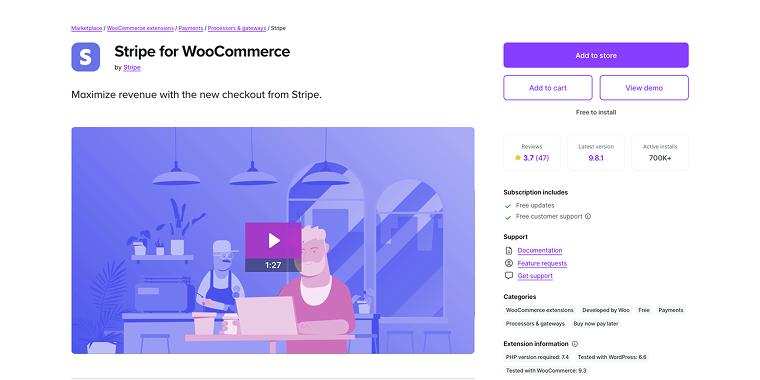
Stripe is considered the most popular third-party payment gateway for WooCommerce, which allows you to accept credit card payments on your website. WooCommerce includes a built-in system that accepts Stripe as a payment gateway.
Stripe is available in over 40 countries and supports more than 135 currencies. With Stripe, you will not be charged any setup or annual fees. Stripe also accepts recurring payments and can be utilized with any subscription or membership plugin for WordPress. Customers can also use Apple Pay, Google Pay, and Alipay to make payments.
For a large number of transactions, it might be worthwhile to negotiate a reduction; however, it could also be helpful to contact your bank to explore a more cost-effective option.
Fees:
- cards and wallets fees are 2.9% + 30¢ per successful transaction for domestic cards;
- link fees are 2.6% + 30¢ per successful transaction for Instant Bank Payments;
- “Buy Now Pay Later” fees are 5.99% + 30¢ per successful transaction for Klarna;
- bank-based and other payment methods fees are 0.8% ACH Direct Debit;
- stablecoins’ fees are 1.5% of the transaction amount in USD.
Countries: Stripe is supported in 40 countries.
Features:
- supports processing payments in 135+ currencies;
- white-label checkout keeps customers on your site;
- recurring payments and subscription support;
- no setup or monthly fees, transaction-based pricing only;
- developer-friendly with extensive customization options;
- built-in fraud protection and security features.
Pros
- excellent customer support;
- acceptable costs;
- developer-friendly.
Cons
- not available in all countries;
- not easy to use and set up for beginners.
PayPal Payments for WooCommerce
🛒 Best for store owners who want a universally recognized payment option that customers already trust and use.
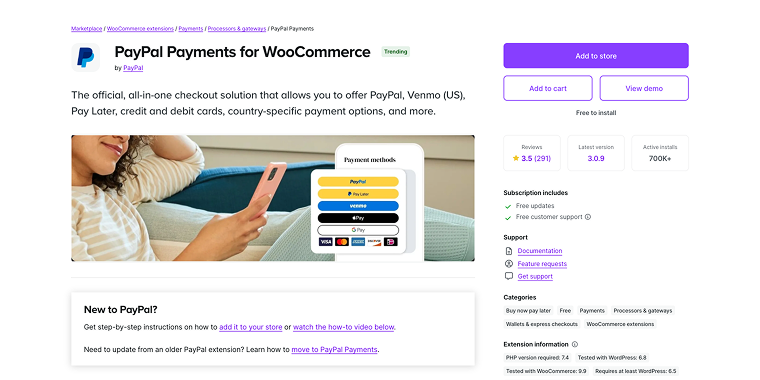
PayPal is one of the world’s first payment services, and as such, it is ubiquitous. The bottom line is straightforward: it is a one-stop online payment gateway. PayPal is highly secure, with numerous anti-fraud features, including automatic fraud screening and its Seller Protection Policy. PayPal provides comprehensive buyer and seller protection by enabling you to follow well-defined and specific dispute resolution procedures.
The Seller PayPal dashboard contains all the information you need. With just a few clicks and running a few reports, you can export nearly any data in PDF, CSV, TAB, or QuickBooks format. PayPal supports recurring payments and has a monthly fee; transaction costs vary by country. This can raise the initial cost of starting a business with PayPal Pro compared to other payment options.
Fees: PayPal charges a variable commission fee based on the payment method, source, and currency.
Countries: PayPal is accessible to businesses in nearly every country, with some regional restrictions.
Features:
- accepts more than 20 currencies, including both international currencies like USD and local ones such as GBP, AUD, CAD, and others;
- accepts credit cards, bank accounts, and PayPal balance;
- automatic fraud screening and Seller Protection Policy;
- comprehensive dispute resolution procedures;
- a familiar and trusted payment method for customers.
Pros:
- universally familiar to most people;
- simple to set up and use;
- available in most countries worldwide.
Cons:
- less developer-friendly;
- complicated fee structure;
- more suitable for bigger companies.
Authorize.net, a Visa solution for WooCommerce
🛒 Best for established businesses that need enterprise-level payment processing with comprehensive reporting features.

Authorize.Net is a popular WooCommerce extension that provides customers with a secure alternative for credit card checkout. When a customer is in the middle of a transaction, they do not abandon your website. As a result, it assures a safe transaction for your customers. It is a user-friendly platform that allows consumers to save and reuse their payment methods. Authorize.Net and WooCommerce can be easily integrated.
Authorize.net offers an easy-to-use dashboard that organizes all payments into a grid, allowing you to capture payments and process refunds in seconds. In addition to full payments, the plugin will enable you to execute partial refunds.
Finally, Authorize.net allows you to easily customize your payment page by changing the payment method title, order button text, displaying preferred cards on the checkout page, and activating the CVV number on the checkout page.
Fees:
- “All-in-one” package fees are $25 per month and 2.9% + 30¢ per transaction;
- “Gateway only” package fees are $25 per month and 10¢ per transaction, plus a daily batch fee of 10¢.
Countries: The plugin currently supports the United States, the United Kingdom, Europe, Australia, and Canada.
Features:
- secure credit card processing backed by Visa;
- allows customers to save and reuse payment methods;
- easy-to-use dashboard with payment grid organization;
- supports both full and partial refunds;
- customizable payment page options.
Pros:
- backed by Visa;
- extensive reporting features;
- lower rates for higher volumes.
Cons:
- only used in the US and Canada;
- difficult to set up;
- not suitable for small businesses.
Square for WooCommerce
🛒 Best for small businesses selling physical products that need both online and in-person payment capabilities.
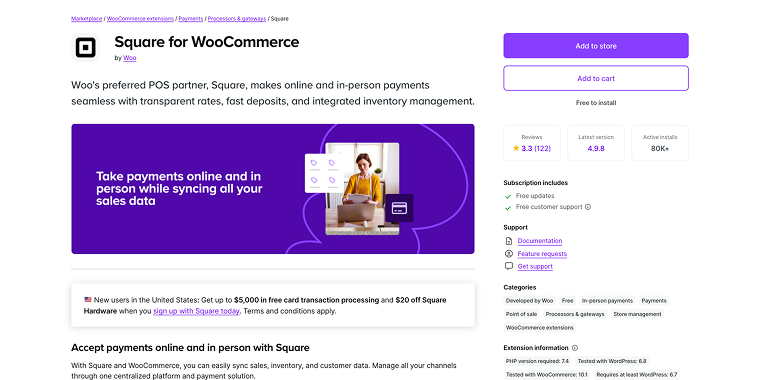
Square is an excellent payment option for small businesses that sell physical goods, particularly local small businesses. Square offers its users a well-designed and user-friendly interface. Square accepts credit cards, Apple Pay, and Google Pay.
Square, like PayPal, has variable transaction fees. The biggest advantage of using Square is that it allows visitors to utilize their preferred mobile payment methods. Mobile payments are the most efficient way to advance in the row. When it comes to mobile payments, Square appears to be the finest payment gateway for WooCommerce.
To sync products, the WooCommerce Square Extension connects your website and your Square account. You can also add products to your Square account, and they will display in your WooCommerce store automatically.
Fees: the transaction cost varies by country, but there is a set fee of 2.9% + 30¢ per transaction.
Countries: Square is available for businesses in the US, Canada, Japan, Australia, and the United Kingdom.
Features:
- accepts credit cards, Apple Pay, and Google Pay;
- syncs products between the WooCommerce store and the Square account;
- user-friendly interface designed for small businesses;
- optimized for mobile payment methods.
Pros:
- cheaper than some other options;
- easy to use.
Cons:
- not available in many countries;
- more suitable for in-person sales than online eCommerce.
WooPayments by Woo (Free)
🛒 Best for store owners who want an official WooCommerce solution with built-in scalability.
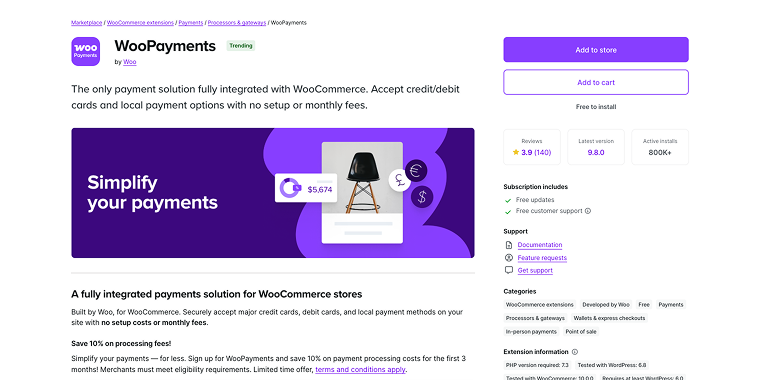
WooPayments is a first-party payment gateway for WooCommerce that fully integrates with the Platform, offering a range of payment methods, including major credit cards and local options. From a centralized dashboard, you can view transaction details, handle refunds, and manage disputes without leaving WordPress. Its close alignment with WooCommerce ensures a stable and streamlined payment experience for both store owners and customers.
Fees: WooPayments has no setup or monthly fees, though there are per-transaction fees that vary depending on the country.
Countries: It is operational across all European countries, the USA, Australia, and several Asian countries.
Features:
- centralized dashboard for payment management;
- multiple payment options, including Apple Pay and Google Pay;
- seamless integration with WooCommerce settings;
- fraud protection and dispute management;
- automatic deposits into your bank account.
Pros:
- fully supported by the WooCommerce team;
- wide range of payment methods;
- easy to manage within WordPress.
Cons:
- limited customization compared to some third-party gateways;
- specific country restrictions may apply.
Amazon Pay for WooCommerce by Amazon Pay (Free)
🛒 Best for merchants looking to offer a familiar, one-click experience to Amazon customers.
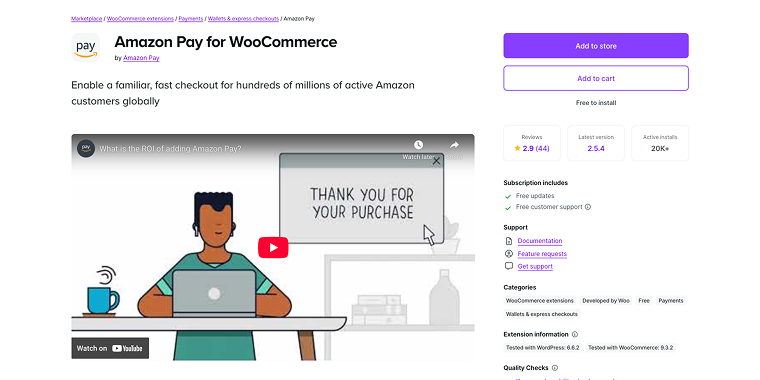
Amazon Pay taps into Amazon’s trusted ecosystem, allowing your customers to check out using their stored Amazon payment methods. By reducing friction and building trust, Amazon Pay can expedite purchases and decrease cart abandonment rates. Customers don’t need to re-enter their payment details, creating a quick, familiar shopping experience that encourages repeat business.
Fees: the fee amount will depend on your country and monthly transaction volume.
Countries: Amazon Pay is available in Austria, Belgium, Cyprus, Denmark, France, Germany, Hungary, Ireland, Italy, Japan, Luxembourg, the Netherlands, Portugal, Spain, Sweden, the UK, and the US.
Features:
- utilizes Amazon’s payment system;
- quick checkout using stored details;
- reduces friction for existing Amazon customers;
- supports both desktop and mobile purchases;
- simple integration with WooCommerce.
Pros:
- well-known and trusted brand;
- faster checkout process;
- encourages repeat customers.
Cons:
- restricted to regions supported by Amazon Pay;
- customers need an Amazon account.
Which WooCommerce Payment Plugin Is the Best?
The ideal WooCommerce payment gateway has the lowest transaction costs, is available in your desired region, and gives your consumers a better user experience.
As a result, the payment plugin you use may be influenced by factors such as the location of your store, the origins of your clients, and their preferences. In an ideal world, various online stores offer a range of payment methods from which clients can choose their preferred option.
Given these considerations, the top recommendations are:
- Stripe is a great payment gateway for WooCommerce. It offers a pleasant checkout experience, competitive transaction rates, and is available in 40 countries. It also supports up to 135 currencies worldwide.
- PayPal and Authorize.Net are among the top payment gateways for quickly setting up a payment processing system.
As cryptocurrencies gain popularity, integrating crypto payment gateways into your online store alongside traditional payment options can be beneficial.
FAQ
The most important factors include transaction fees, supported countries and currencies, available payment methods, security features, and whether you need recurring payment support. You should also consider your target audience’s preferred payment methods and ensure the gateway operates in your business location.
Yes, WooCommerce allows you to offer multiple payment options to your customers, which is actually recommended to reduce cart abandonment. Offering various payment methods, such as credit cards, PayPal, and digital wallets, gives customers flexibility and can increase your conversion rates.
This varies by provider – some, like Stripe and WooPayments, charge no setup or monthly fees and only take transaction-based fees, while others, like PayPal Pro and Authorize.Net, charge monthly fees ranging from $25 to $30 plus transaction costs. Always check the specific pricing structure before making your decision.
Conclusion
Choosing the right WooCommerce payment gateway is crucial for your online store’s success and can significantly impact your conversion rates and customer satisfaction. Each payment gateway discussed offers unique advantages – Stripe excels in global reach and developer flexibility, PayPal provides universal recognition and trust, Authorize.Net offers enterprise-level features, Square is ideal for businesses with both online and offline sales, WooPayments delivers seamless WooCommerce integration, and Amazon Pay leverages familiar checkout experiences.
The best choice for your business depends on your specific needs, target market, transaction volume, and budget. Consider factors like transaction fees, supported countries, payment methods, and security features when making your decision. For optimal results, many successful online stores implement multiple payment options to cater to different customer preferences and reduce cart abandonment. Start with one or two gateways that best match your primary requirements, then expand your payment options as your business grows.