
How to Create Group Clauses for Query Arguments
Learn how to create group clauses in JetEngine’s Query Builder to build advanced nested meta queries using AND/OR logic for filtering dynamic content on your WordPress website.
Before you start, check the tutorial requirements:
- JetEngine plugin installed and activated
JetEngine’s Query Builder now supports group clauses, allowing users to create complex, nested logic inside query arguments. This feature is useful for advanced filtering, such as combining AND/OR relations for custom fields in Custom Post Types (CPTs), Custom Content Types (CCTs), meta queries, and “SQL/AI Query” type.
At the moment, this functionality is supported for:
- Meta Query tab for “Posts Query” type;
- Meta Query tab for “Users Query” type;
- Meta Query tab for “Terms Query” type;
- Meta Query tab for “Comments Query” type;
- Where (query clauses) for “SQL/AI Query” type;
- Query Args for “Custom Content Type Query” type.
In this tutorial, we’ll describe such an example: we display vacancies from the CPT that are marked as featured, and have a salary less than $2000 or greater than $3000 — a condition that requires grouping logic inside a meta query.
New Query Creation
We proceed to WordPress Dashboard > JetEngine > Query Builder and press the “Add New” button.
In the General Settings section, we name our query (“Featured Jobs by Salary Range”) and keep the “Posts Query” Query Type.
In the Posts Query section, in the General tab, we set “Jobs (Vacancies)” as the Post Type.
Then, we open the Meta Query tab and push the “Add new clause” button.
In the repeater item, we enter the “featured” Field key/name (meta field of the “Switcher” type), select “Equal (=)” in the Compare dropdown, and set “true” in the Value bar.
After that, we click the “Add new group” button and choose “Or” Relation.

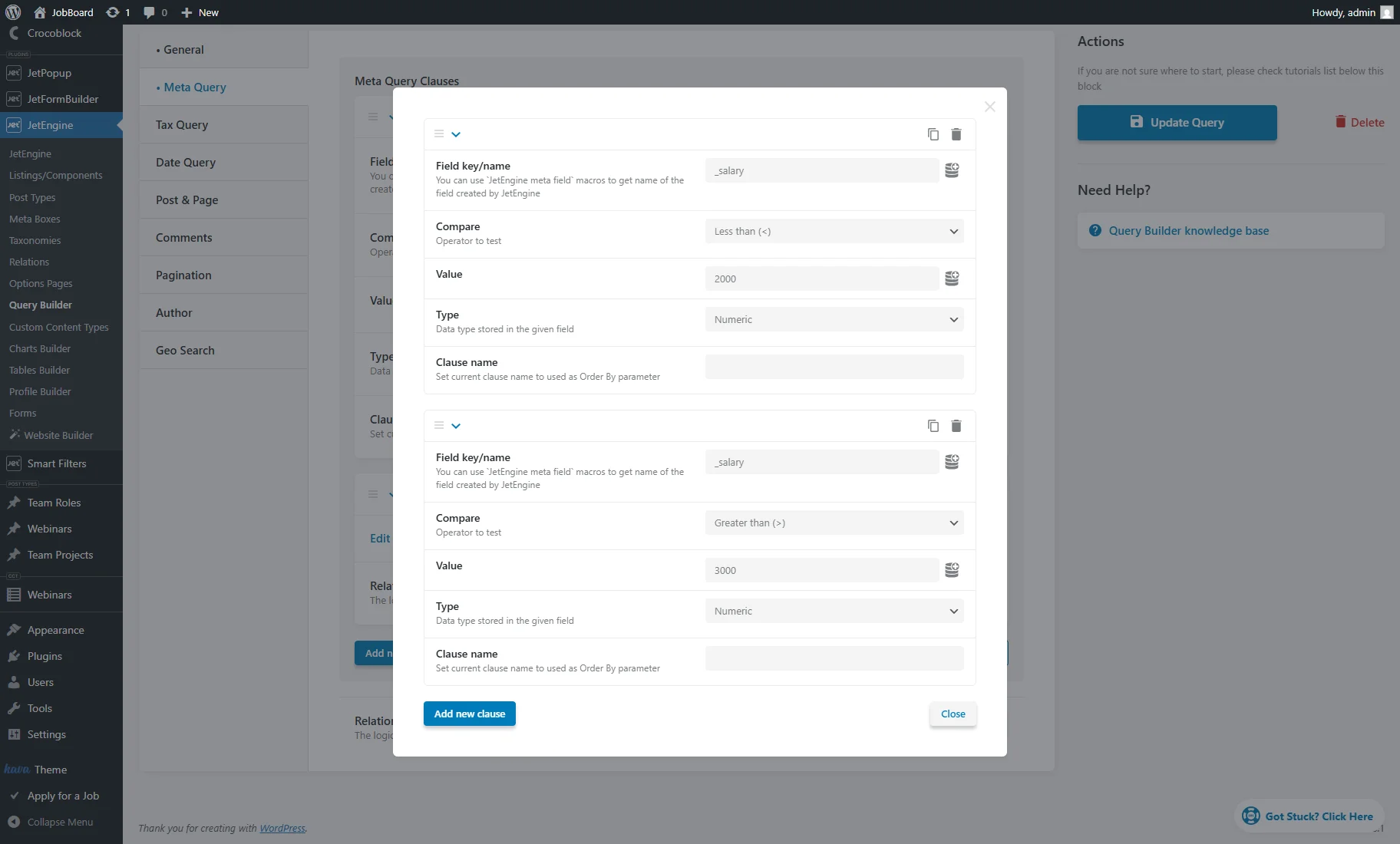
Then, we press the Edit group clauses link to open a pop-up and push the “Add new clause” button.
Here, we add such a clause in the first repeater item:
- Field key/name — we enter the “salary_” name of the “Number” meta field that contains the vacancy’s salary;
- Compare — we select the “Less than (<)” option;
- Value — we set “2000” as an example;
- Type — we choose “Numeric.”
Then, we duplicate the repeater item and alter such options:
- Compare — we select the “Greater than (>)” option;
- Value — we set “3000” as an example.
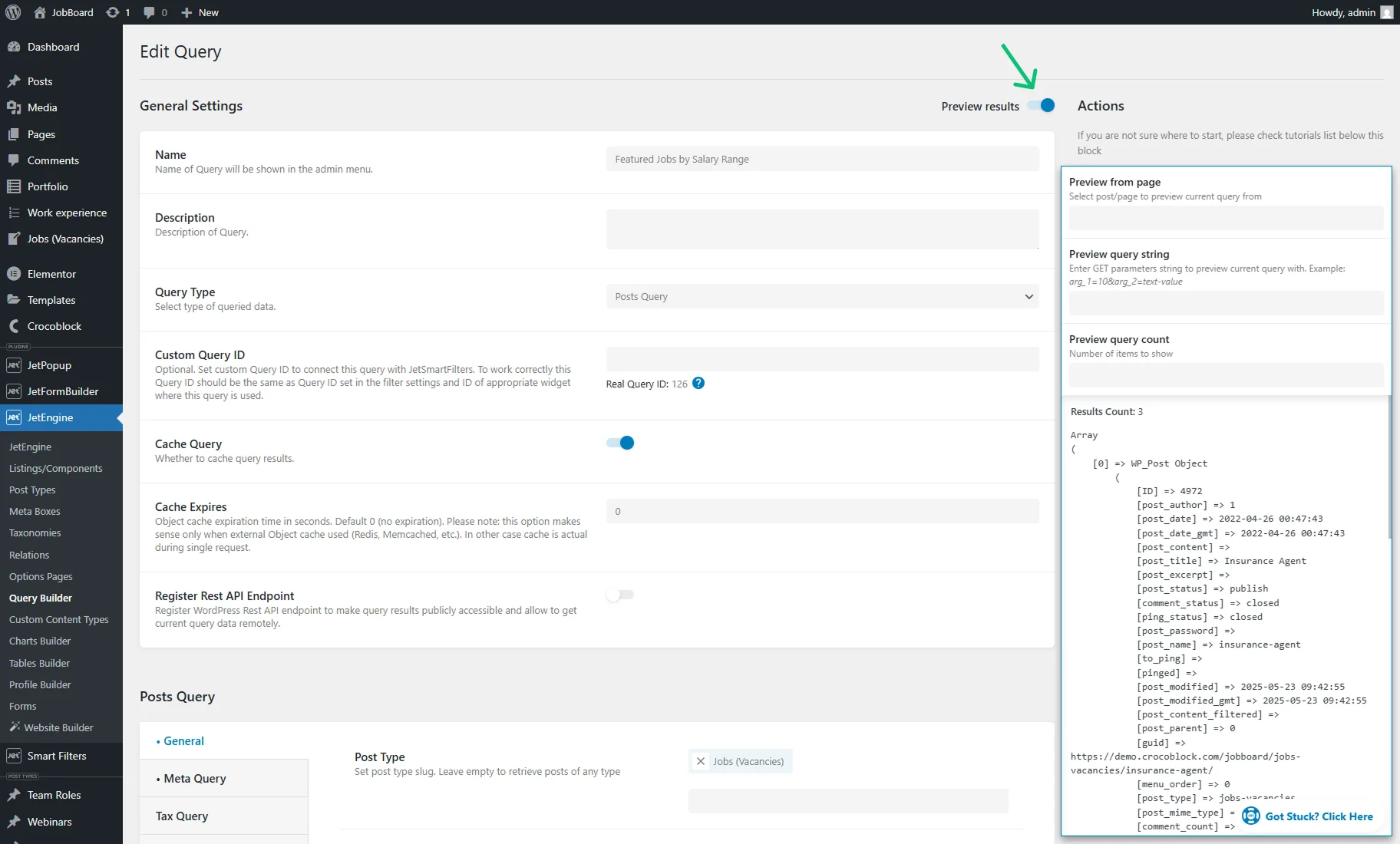
Close the pop-up and hit the “Add/Update Query” button.
Also, you can enable the Preview results toggle to test if the query works correctly beforehand.
Compatibility with Filters
JetSmartFilters‘ compatibility depends on the exact fields being targeted. In most cases, filters applied to standard fields will work as expected. However, if a filter targets the same meta field that is already used within a group clause, the logic may not produce the intended results.
To ensure correct behavior in such cases, use the following approach:
- Set the filter to pass its value using the “Plain Query Variable” macro;
- In the Query Builder, use the “JetSmartFilters Query” macro to insert the filtered value directly into the relevant group clause.
This method allows the filter to affect only the specific part of the query logic where it’s needed.
That’s all. Now you know how to create group clauses in JetEngine’s Query Builder to build advanced nested meta queries using AND/OR logic for your WordPress website.