
How to Display Two Fields via One Widget in the Listing
Learn how to display two metafields simultaneously via the same widget using a JetEngine’s shortcode on your WordPress website.
Before you start, check the tutorial requirements:
- Elementor (Free version), Block Editor (Gutenberg) or Bricks theme
Configure the Dynamic Field Settings
Proceed to the WordPress Dashboard > JetEngine > Listings/Components tab and create a new Listing Item for your CPT.
Watch the How to Use Dynamic Field Widget in WordPress to learn how to display content from meta fields, including text, date, time, media, and more, as well as discover the flexibility of pulling data from various sources such as posts, terms, users, and custom meta fields.
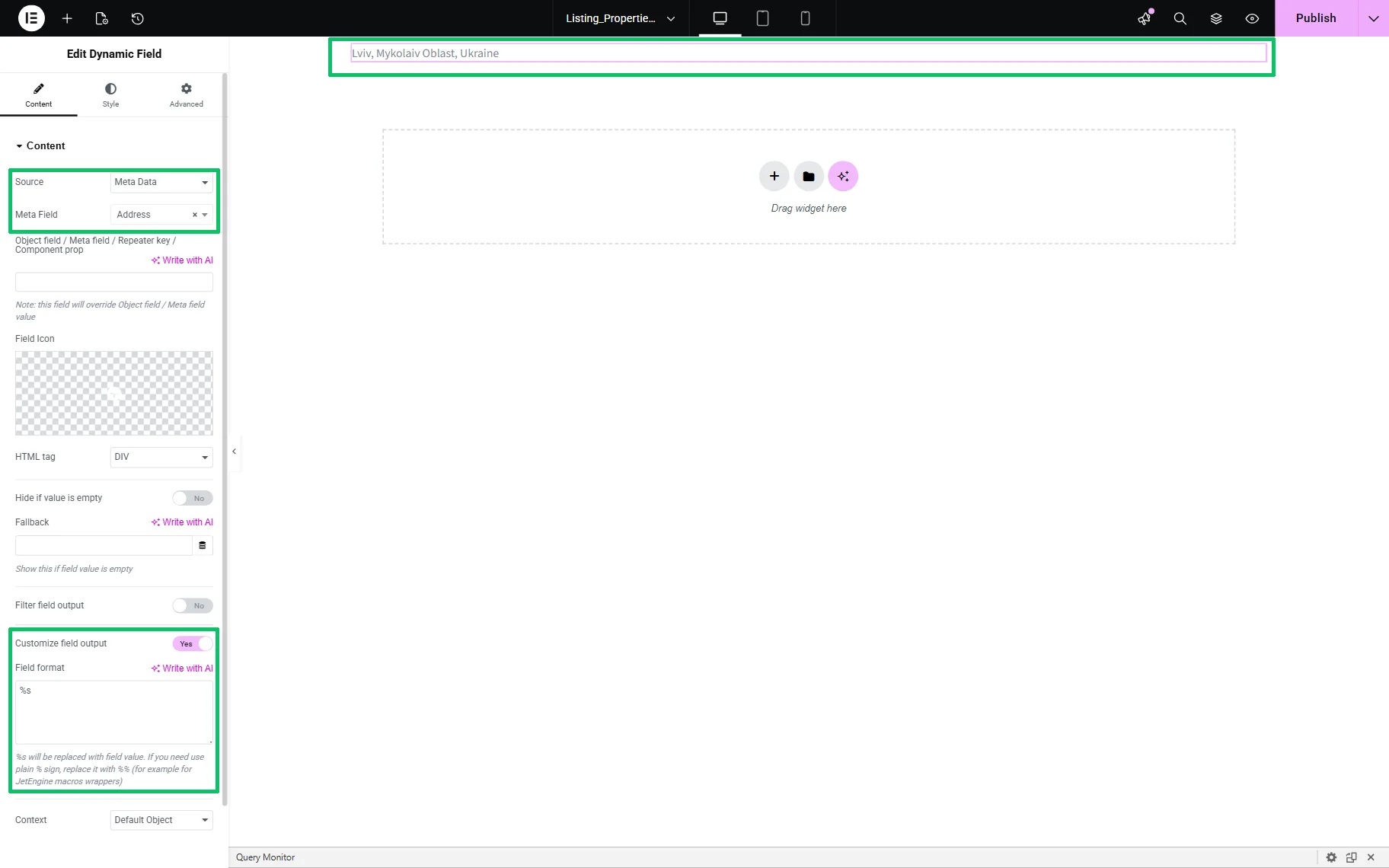
On the editing page, insert the Dynamic Field widget and set the first needed Meta Field to be displayed (here, the “Address” field). Then, enable the Customize field output toggle, and the Fields format text field will appear.
Generate a Shortcode
Head to WordPress Dashboard > JetEngine > JetEngine and open the Shortcode Generator tab.
Here, select the “JetEngine Data” Shortcode and “Meta Data” Source. Next, choose the second Meta Field (in this case, it is the “Price” field).
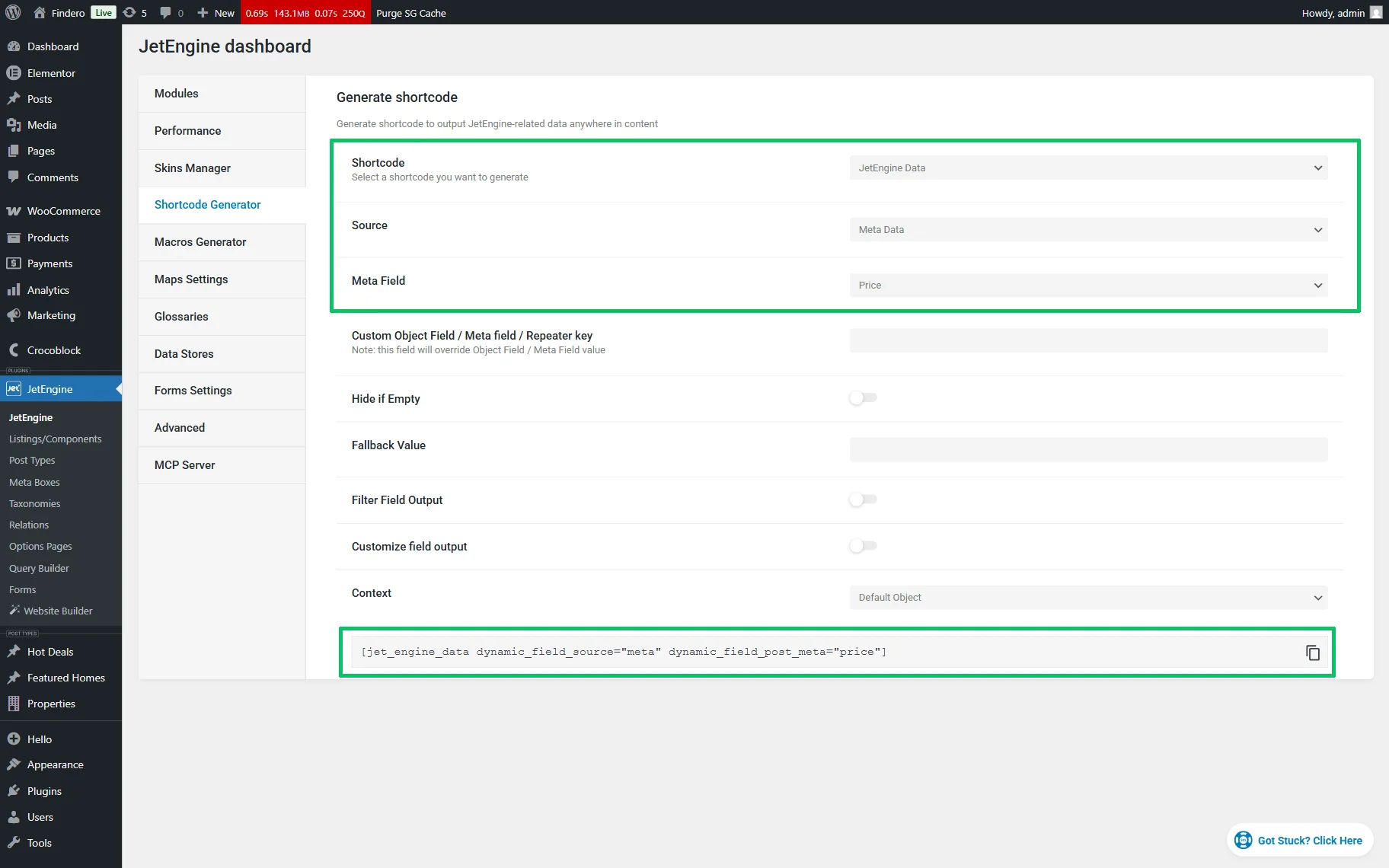
Then, copy the generated shortcode:
[jet_engine_data dynamic_field_source="meta" dynamic_field_post_meta="price"]Read the WordPress Shortcodes Explained: Everything You Need to Know article to know what a shortcode is, its types, and the usage of the shortcode generator features.
Insert the Generated Shortcode
In the last step, return to your Listing Item and insert the copied shortcode into the Field format text field after the default text. In this case, the text looks as follows:
%s [jet_engine_data dynamic_field_source="meta" dynamic_field_post_meta="price"]where s% refers to the value of the first meta field (the “Address” meta field).
Finally, insert static text to customize the output. In this case, we insert the “Price:” and “USD” texts and get the following:
%s; Price: [jet_engine_data dynamic_field_source="meta" dynamic_field_post_meta="price"] USD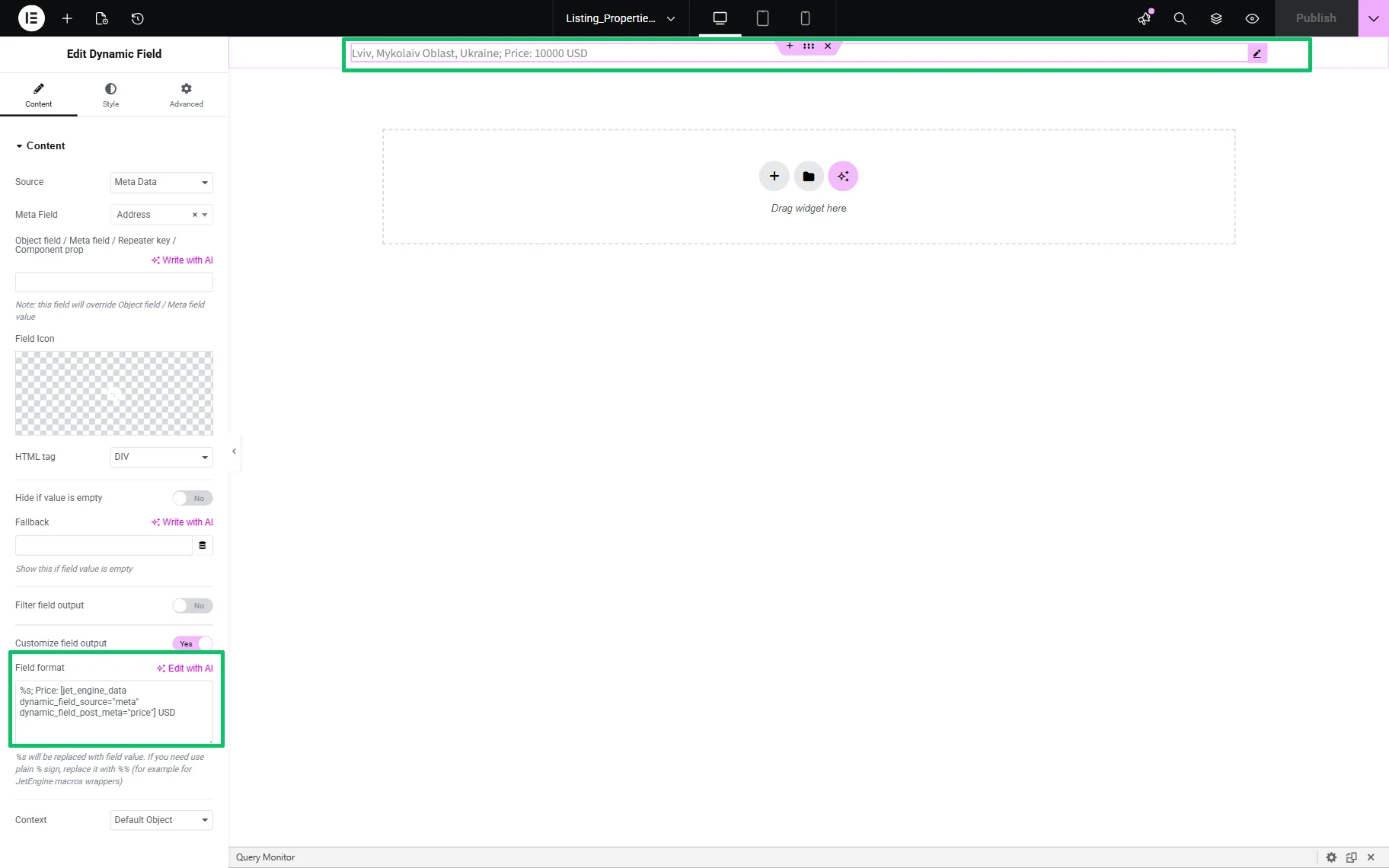
That’s it. Now you know how to display two metafields simultaneously via the same widget using a shortcode generated by the JetEngine plugin for WordPress.