
JetBooking Booking Modes Overview
The WordPress JetBooking plugin offers three Booking Modes: Plain, Plain with WooCommerce Integration, and WooCommerce-based Mode. Learn more about the differences and key features of the modes to understand which one suits your case the best.
Before you proceed to the JetBooking setup process, it is strongly recommended to define which Booking Mode suits your case the best. This guide focuses on the JetBooking-specific concept of the Booking Mode and the available modes, describing their differences and defining features to help you understand which modes to choose to move forward in the setup process.
What are JetBooking Booking Modes?
In JetBooking, a Booking Mode is a predefined booking workflow that determines how booking units are managed, where booking information is stored, and how customers complete the booking process.
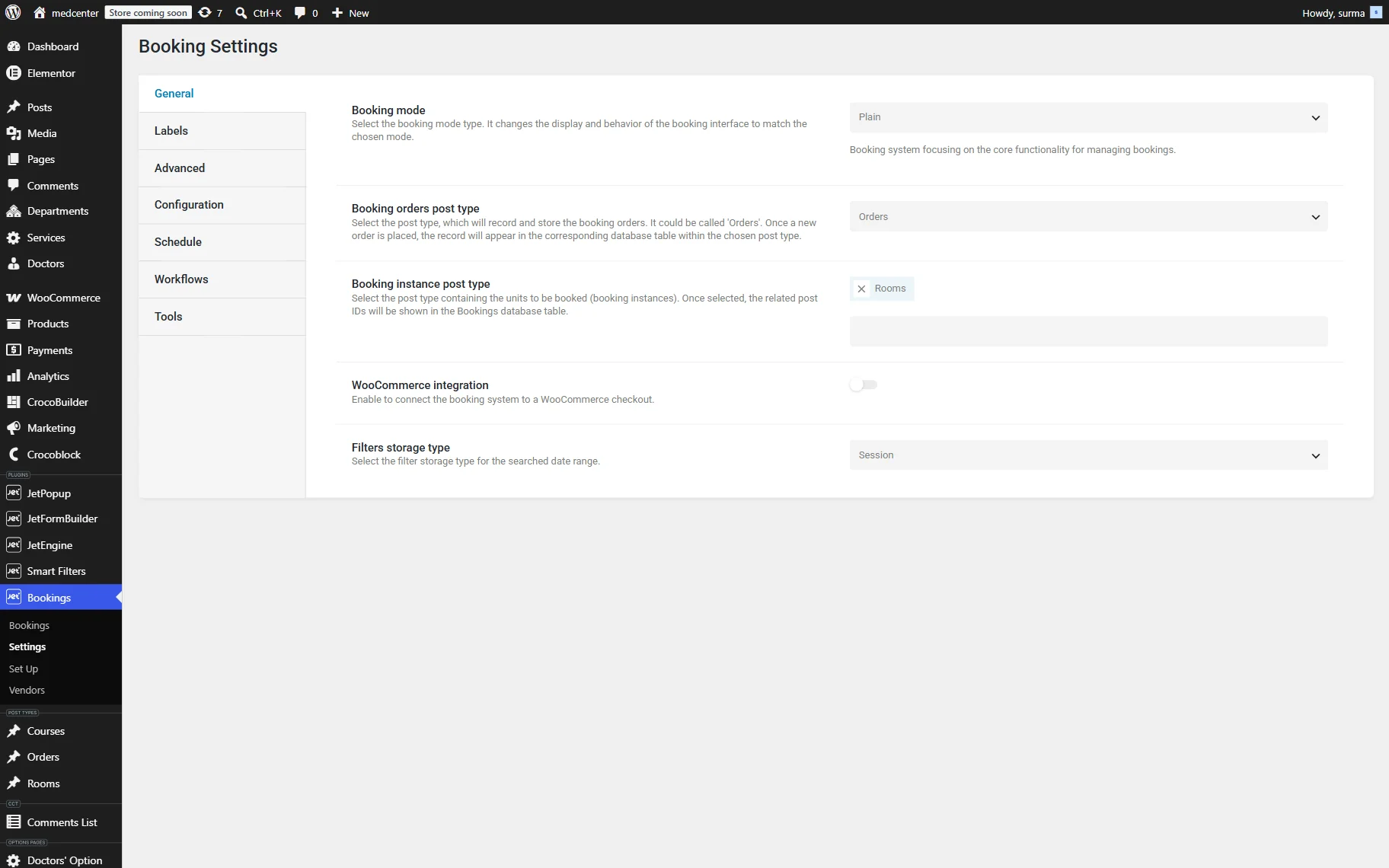
The Booking Mode settings can be selected in the WordPress Dashboard > Bookings > Settings > General directory. In the Booking mode dropdown, you can select the “Plain” or “WooCommerce based” option.
In case the “Plain” option is selected, the WooCommerce integration toggle is available.
Plain Mode
The “Plain” mode is the JetBooking workflow that manages bookings without requiring WooCommerce. In this mode, Custom Post Types (CPTs) serve as the booking units (for example, hotel rooms, apartments, vehicles, or equipment), while JetFormBuilder is used to collect booking details and process the reservation.
Bookable items are stored as Custom Post Type posts created with JetEngine or any other plugin that creates CPTs. Their availability is managed by JetBooking, and all booking orders are stored in JetBooking > Bookings, where admins can review and manage them. The Order CPT is also needed to keep the booking orders that are stored in WooCommerce Orders when the WooCommerce Integration is enabled.
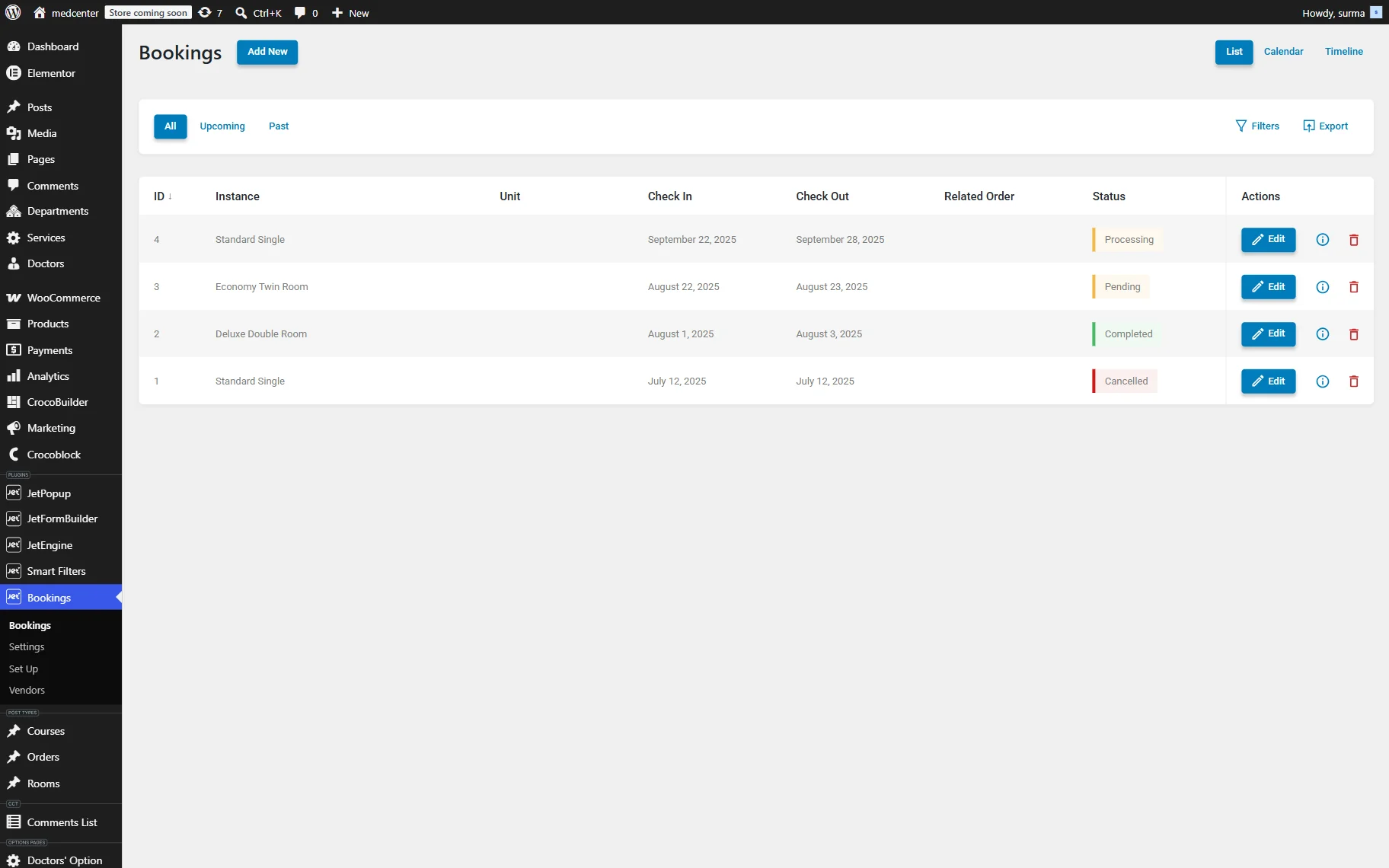
When a customer submits a booking form, JetBooking checks the selected dates against the booking calendar to prevent unavailable dates from being reserved. If the booking is valid, the reservation is created in the JetBooking database. Payments, if required, are processed through JetFormBuilder payment gateways, so WooCommerce is not needed.
Since WooCommerce is not used, the checkout becomes a part of the booking form rather than a separate page, and is operated by JetFormBuilder.
If the “Plain” mode matches your project requirements, continue with the JetBooking Preparation Guideline — Plain Mode to prepare your website before configuring the booking system.
Plain Mode with WooCommerce Integration
The “Plain” mode with the WooCommerce Integration toggle on extends the “Plain” mode workflow by connecting JetBooking to WooCommerce Checkout. In this mode, Custom Post Types (CPTs) are still used as booking units, and JetFormBuilder is used to collect booking details. However, instead of processing payments with the help of JetFormBuilder’s Stripe and Paypal addons, customers are redirected to WooCommerce to complete the checkout process.
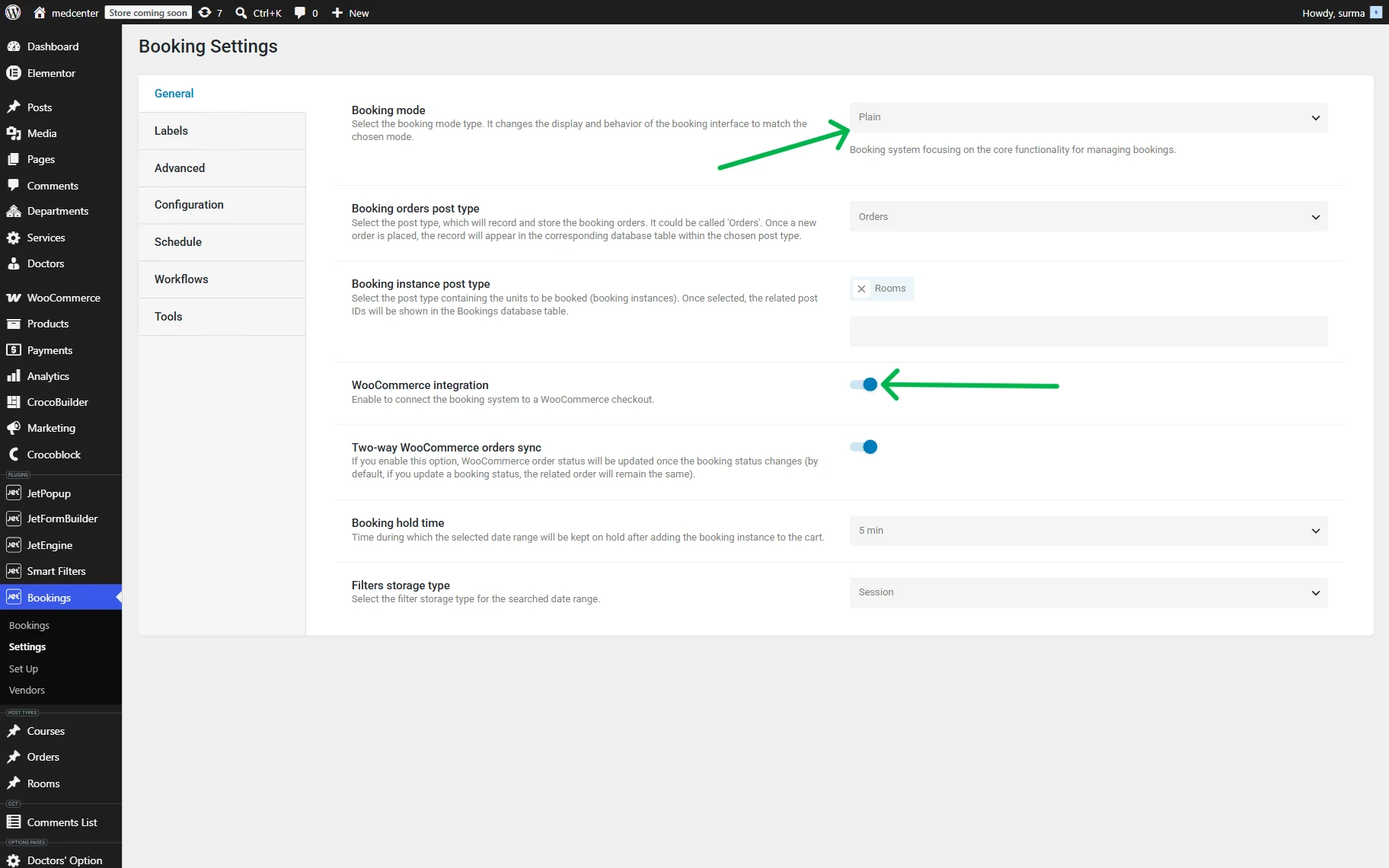
Like in “Plain” mode, booking items are stored as Custom Post Type posts, while booking availability is managed by JetBooking. When a customer submits a booking form, JetBooking validates the selected dates and creates a booking record. At the same time, a corresponding WooCommerce order is generated, allowing payments, order statuses, and supported payment gateways to be managed through WooCommerce.
This mode combines JetBooking’s flexible booking workflow with WooCommerce’s checkout and order management capabilities. It is particularly useful for projects that require WooCommerce payment gateways, integrations with third-party WooCommerce extensions, or a centralized order management system while continuing to use Custom Post Types as booking units.
Unlike the “WooCommerce-Based” mode, bookable items are not WooCommerce products. They remain Custom Post Types, while WooCommerce is used solely to process payments and manage customer orders.
If you want to manage bookable items as Custom Post Types while using WooCommerce for checkout and payments, continue with the JetBooking Preparation Guideline — Plain Mode with WooCommerce Integration.
WooCommerce-Based Mode
The “WooCommerce-Based” mode transforms JetBooking into a booking extension for WooCommerce by using WooCommerce products as booking units. Unlike the “Plain” modes, where bookable items are created as Custom Post Types, this mode relies entirely on WooCommerce products and its native purchasing workflow.
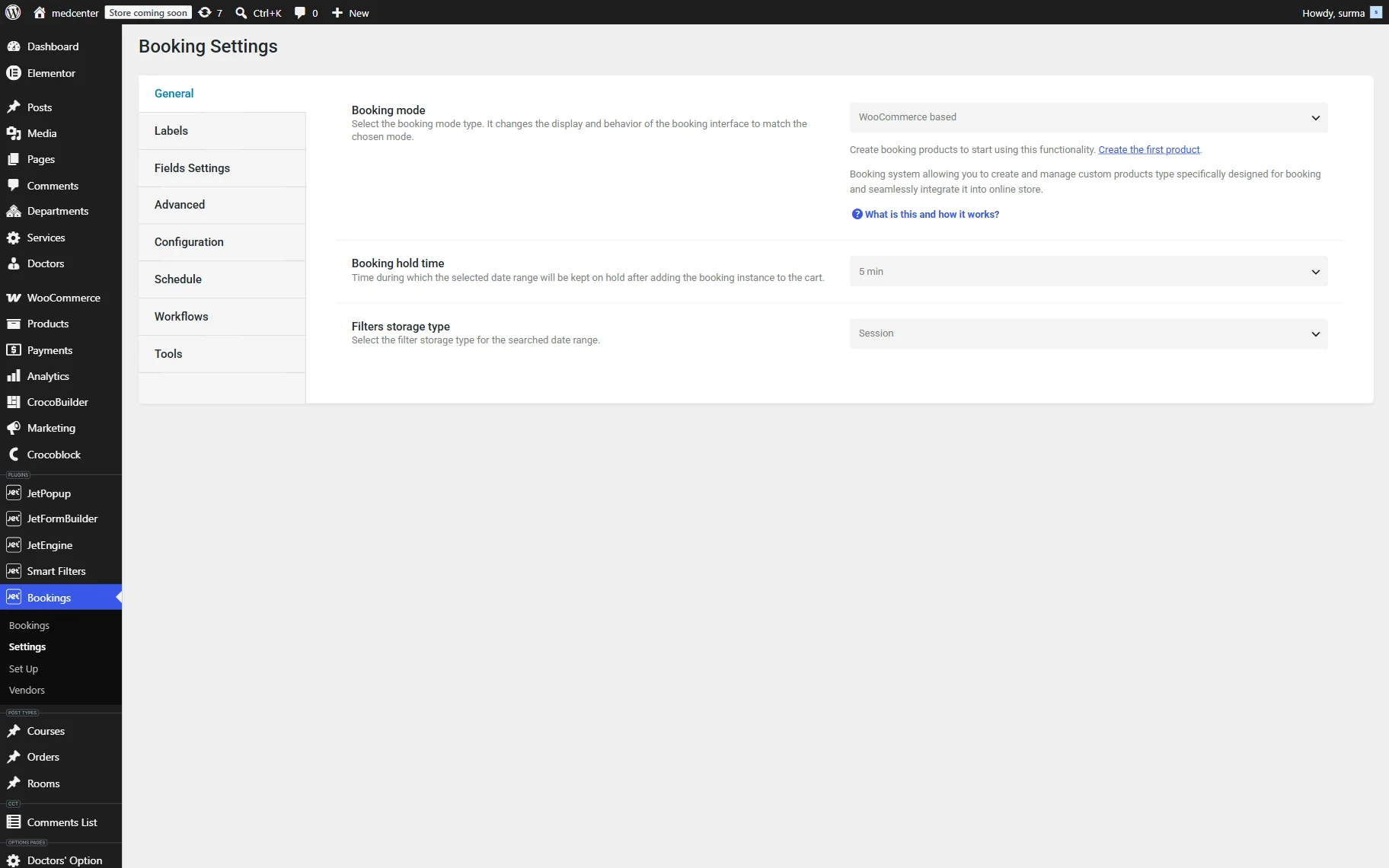
When this mode is enabled, JetBooking introduces the “JetBooking product” type. Each bookable item is created as a WooCommerce product and configured with booking settings, such as availability, booking duration, guest limits, and pricing. Customers select their booking dates directly on the product page using the built-in booking calendar and add the product to the WooCommerce cart. The booking is completed through the standard WooCommerce checkout process, where customer information, payment, and order details are collected.
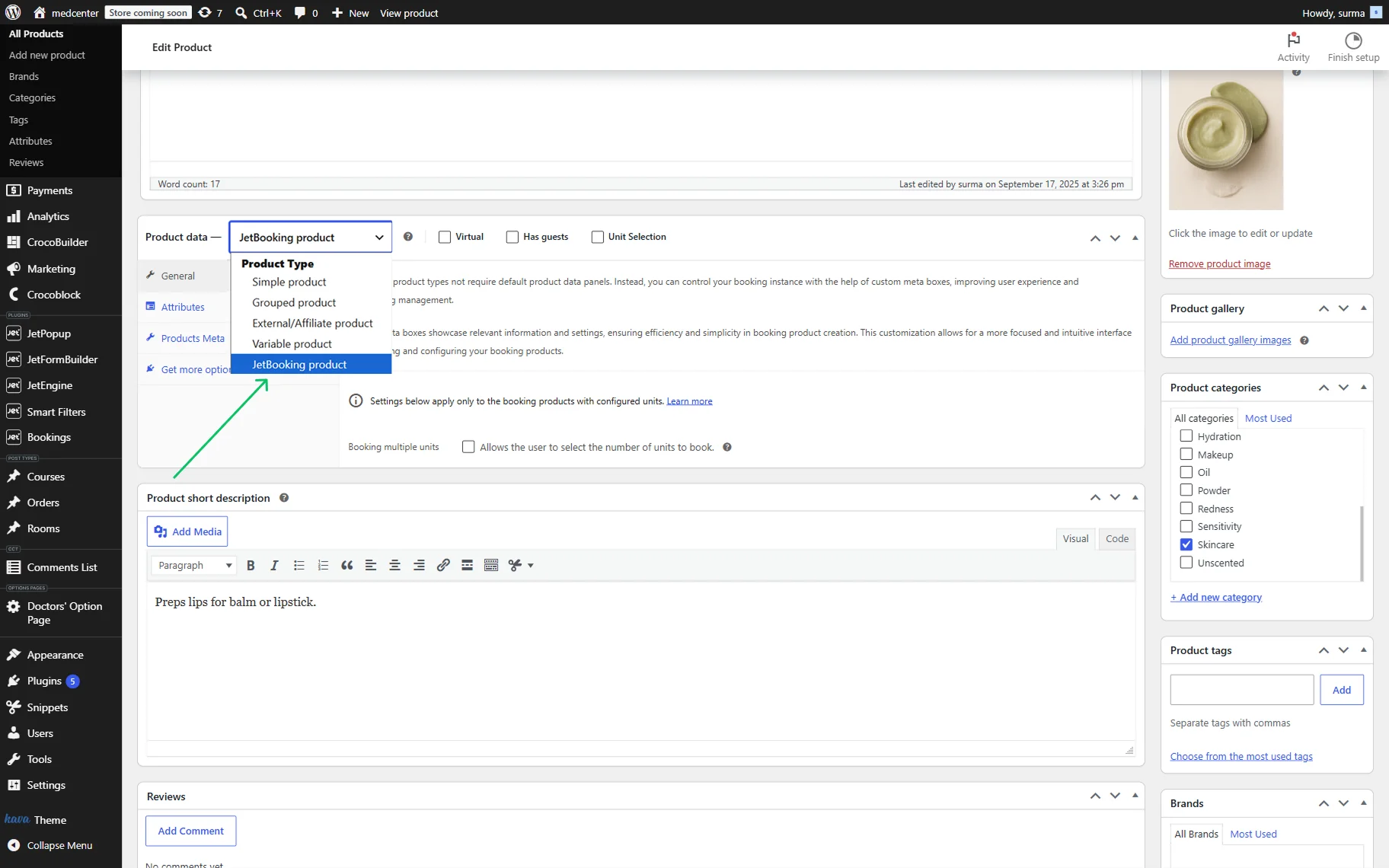
JetBooking manages the booking logic and availability, while WooCommerce handles products, checkout, payments, and order management. Booking orders remain available in JetBooking > Bookings, and the corresponding customer orders are stored in WooCommerce > Orders, allowing both systems to work together.
Since booking units are WooCommerce products, JetFormBuilder is not required in this workflow. However, JetEngine can still be used to extend bookable products with custom fields and additional metadata when needed.
The “WooCommerce-Based” mode is ideal for projects where bookings should function as products in an online store, allowing website owners to leverage WooCommerce features such as product catalogs, inventory management, coupons, taxes, shipping, payment gateways, and the extensive WooCommerce extension ecosystem.
If you want to manage bookable items as WooCommerce products and use WooCommerce for checkout and payments, continue with the JetBooking Preparation Guideline — WooCommerce- Based Mode.
Comparison
To keep all the described features clear and short so you can have a glance and a little summary for your decision, the following comparison table is presented.
| Feature | Plain Mode | Plain + WooCommerce | WooCommerce-Based |
| Booking units | Custom Post Types | Custom Post Types | WooCommerce Products |
| WooCommerce required | No | Yes | Yes |
| Checkout | JetFormBuilder’s PayPal or Stripe add-ons | WooCommerce Checkout | WooCommerce Checkout |
| Booking storage | JetBooking + Orders CPT | JetBooking + WooCommerce Order | JetBooking + WooCommerce Order |
| Pricing configuration | Booking price meta fields | Booking price meta fields | WooCommerce Product settings |
| Best suited for | Booking websites without WooCommerce | Booking websites that require WooCommerce checkout | Stores selling bookable products |
Which Mode to Choose?
The right booking mode depends on how you want to manage your booking units, payments, and customer orders. Follow the recommendations to choose the JetBooking Booking Mode that best matches your project.
Choose “Plain” mode if…
- you want to build a booking website without WooCommerce;
- your booking units are Custom Post Types (such as hotel rooms, apartments, vehicles, or equipment);
- you want to collect booking details through JetFormBuilder;
- you are satisfied with JetFormBuilder payment gateways or do not require online payments;
- you prefer a lightweight booking workflow without WooCommerce products and orders.
Choose “Plain” mode with WooCommerce integration if…
- you want to keep using Custom Post Types as booking items;
- you want customers to complete bookings through WooCommerce checkout;
- you need WooCommerce payment gateways or third-party WooCommerce payment extensions;
- you want booking information to remain in JetBooking while customer orders are managed in WooCommerce;
- you already have a WooCommerce store and want to integrate bookings into its checkout process.
Choose “WooCommerce-Based” mode if…
- your booking units should be WooCommerce products rather than Custom Post Types;
- you want customers to add bookable items directly to the WooCommerce cart;
- you want WooCommerce to handle products, checkout, payments, coupons, taxes, and order management;
- you plan to combine bookable products with other WooCommerce products in the same store;
- you do not need JetFormBuilder for creating booking forms.
FAQ
Choose the “Plain” mode if you want to build a booking website without WooCommerce and manage bookable items as Custom Post Types. Choose “Plain” mode with WooCommerce Integration if you want to keep using Custom Post Types while processing payments through WooCommerce Checkout. Choose the “WooCommerce-Based” mode if your booking units should be WooCommerce products and you want to use WooCommerce as the primary checkout and order management system.
Yes. The “Plain” mode allows you to create and manage bookings without installing WooCommerce. In this mode, JetFormBuilder handles the booking form and payment processing, while booking orders are stored in JetBooking > Bookings.
The main difference is the type of booking instance. In “Plain” mode with WooCommerce Integration, booking units remain Custom Post Types, and WooCommerce is used only for checkout and payment processing. In the “WooCommerce-Based” mode, booking units are WooCommerce products, and customers complete the booking using the standard WooCommerce shopping workflow.
Regardless of the selected Booking Mode, booking orders are stored in JetBooking > Bookings. If you use “Plain” mode with WooCommerce Integration or the “WooCommerce-Based” mode, the corresponding customer orders are also created and managed in WooCommerce > Orders.
No. JetFormBuilder is required for the “Plain” mode and “Plain” mode with WooCommerce Integration because it is used to collect booking details. In the “WooCommerce-Based” mode, customers book directly from the WooCommerce product page and complete the purchase through WooCommerce Checkout, so JetFormBuilder is not required.
That’s it. Now you know about the JetBooking Booking Modes: Plain, Plain with WooCommerce Integration, and WooCommerce-based mode, and can choose the one that suits your case the best.