There’s a moment in every WordPress project when you realize your website’s navigation isn’t just a bunch of links. It’s the roadmap, the first impression, and often the difference between someone staying or bouncing. And you need something smarter, faster, and way more flexible than a simple dropdown.
That’s exactly where JetMenu steps in. A plugin that helps to create responsive, engaging, and highly customizable WordPress mega menus.
If you’re serious about user experience and want your navigation to feel as intuitive as the rest of your site, keep reading.
What Is JetMenu?
JetMenu is part of the JetPlugins toolkit by Crocoblock, and it helps you create modern, fully responsive mega menus. It gives you powerful options to control how your menus look, behave, and adapt across devices.
JetMenu gives you full control over desktop and mobile layouts. You can build horizontal or vertical menus, hamburger menus, etc. It plays well with WooCommerce, too; you can display product cards, categories, or sale icons right inside your menu.

JetMenu Pricing
JetMenu can be purchased separately or as part of a larger Crocoblock subscription.
If you only need JetMenu for one website, the annual license costs $43 and includes updates and support for a year. For those working on multiple projects, there’s an unlimited sites license available for $88 per year.
If you need access to the full Crocoblock toolkit, including all 21 JetPlugins, over 150 widgets, and advanced design tools, the All-Inclusive subscription starts at $199 per year for a single website or $399 per year for unlimited projects.
For long-term users, there are also lifetime deals: the Freelance Lifetime plan costs $750 for one website, while the Lifetime Unlimited plan, suitable for agencies or developers, is $999 and covers unlimited websites forever. All plans include Zoom chat support and regular plugin updates for the duration of the license.
Exploring JetMenu’s Features
JetMenu is an advanced mega menu builder for WordPress that works perfectly for different site types. Here’s what makes it stand out:
- Drag-and-drop menu building. Use Elementor or Gutenberg to design and organize your menus visually.
- Add any content inside a menu. JetMenu lets you insert dynamic content blocks: images, videos, blog posts, WooCommerce products, contact forms, and more.
- Responsive. Create horizontal, vertical, or hamburger menus with custom behavior for desktop, tablet, and mobile.
- Full design customization. Adjust typography, colors, icons, paddings, spacing, hover states, and animations for top-level and submenu items directly from the JetMenu Dashboard.
- Preset management. Save, import, and export menu presets to quickly reuse styles across projects.
- WooCommerce compatibility. Add product cards, categories, sale badges, and other eCommerce elements directly into your menu for faster shopping navigation.
- Dynamic width and alignment control. Choose from multiple container types (e.g., selector-based width), set custom alignments, and control how your dropdowns appear.
- SVG support. Upload and use SVG images directly in your menu items for sharp, scalable graphics.
- Menu roll-up feature. Automatically hide extra menu items under a “More” icon if space is limited.
- Breadcrumbs and navigation for mobile. Make navigation intuitive on small screens with breadcrumb trails and back buttons built into the mobile layout.
- Toggle customization. Customize every aspect of the menu toggle button: icon type, size, color, position, background, etc.
- Flexible breakpoints. Control when your menu switches to mobile layout using custom-defined breakpoints.
- Built-in caching options. Enable CSS caching to improve performance and speed without affecting live updates or styling.
How Does It Work?
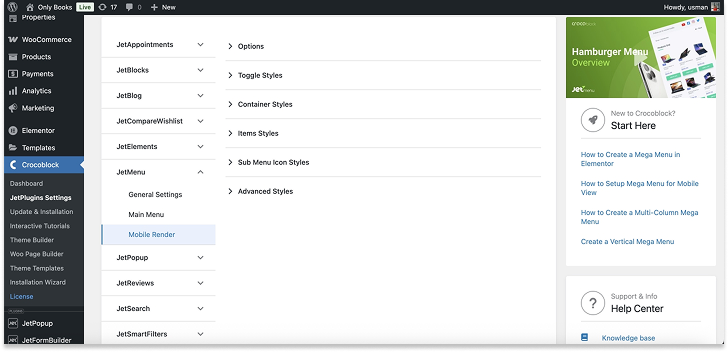
After installing JetMenu, you’ll find a new section under Crocoblock > JetPlugins Settings > JetMenu in your WordPress Dashboard. That’s where all your global menu settings live.

Inside the JetMenu Dashboard, you can tweak three main areas:
- General Settings. Manage technical settings like caching and image support, or save and reuse your preferred configurations via Preset Manager.
- Main Menu. These settings apply to all menus built with JetMenu (Elementor or Gutenberg) and are organized into three tabs:
- Layout Tab – choose a horizontal, vertical, or dropdown layout. You can define submenu behavior (trigger on hover or click), position (left/right), width, animation type (fade/none), and even group items under a “more” icon with the Menu RollUp feature.
- Main Menu Tab – control top-level and submenu typography, spacing, background color, and states like hover or active. You can also adjust container width and assign styles to badges and icons.
- Dropdown Tab – fine-tune the look of dropdowns by controlling toggle size, distance from the parent item, and icon appearance.

- Mobile Render – build a responsive off-canvas or dropdown menu with full control over icons, toggle behavior, menu panel style, and breadcrumb navigation.
Before placing the menu on a page, make sure you’ve created a menu via Appearance > Menus in WordPress. JetMenu builds on the default WordPress menu structure but lets you assign custom mega menu content to each parent item.
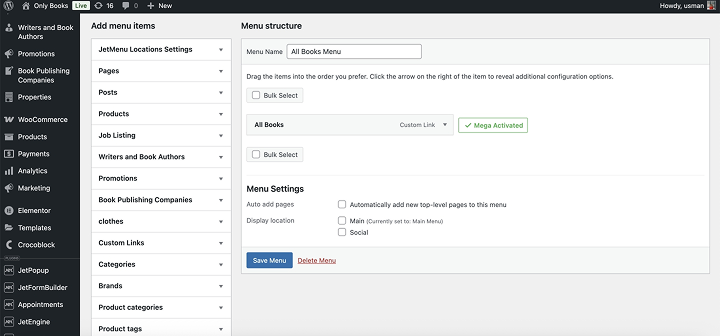
You can choose which items should open a dropdown or a full-width mega menu, and then build those mega menus using Elementor or Gutenberg templates, just like any other page section.
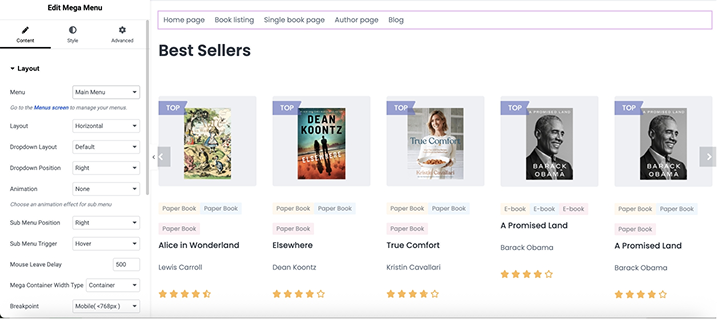
Using the preferred page builder, customize every section you need, including spacing, padding, colors, hover states, and badges.
JetMenu includes a Mobile Render mode with flexible layouts (slide-out, push, or dropdown). You can control how the menu opens, where the toggle button appears, and what content is shown on smaller screens. Breadcrumbs, back buttons, and dynamic template areas are also available.
To get a more visual perception of the process, please refer to the video below:
JetMenu Pros and Cons
✅ Pros:
JetMenu offers remarkable flexibility when it comes to building menus – you can include dynamic content like videos, product grids, blog listings, and even entire Elementor templates. Its drag-and-drop interface is easy to learn, making it accessible for users with little to no coding background.
The plugin works well with both Elementor and WordPress Block Editor, which means you’re not tied to a single page builder. It’s also not limited to just the header area – you can place menus in sidebars, footers, or inside any page section. And if you’re using other Crocoblock plugins, especially JetEngine or JetThemeCore, JetMenu becomes even more powerful by allowing dynamic logic and template-based structures inside your navigation.
❌ Cons:
There’s no free version available, so trying before buying isn’t an option. While JetMenu works as a standalone plugin, many of its more advanced use cases shine only when combined with other Crocoblock tools, which could increase the total cost if you’re not already using that ecosystem.
JetMenu vs. Alternatives
JetMenu is powerful and popular, but how does it stack up against other well-known plugins? Let’s compare JetMenu to some of the main alternatives you might consider.
Elementor Pro Nav Menu (Premium)
If you already use Elementor Pro, the built-in Nav Menu widget can serve as a basic mega menu solution.
Key points:
- No need to install extra plugins if you have Elementor Pro.
- Full visual control through Elementor’s interface, including styling and responsive settings.
- Limited to simpler menu structures; lacks complex mega menu content like WooCommerce product cards inside menus.
- Mobile menu controls are decent but less flexible than dedicated WordPress mega menu plugins.
- Great for users who want to keep their site lightweight and avoid extra plugins.
Price: requires Elementor Pro subscription starting at €60/year.
Max Mega Menu (Freemium)
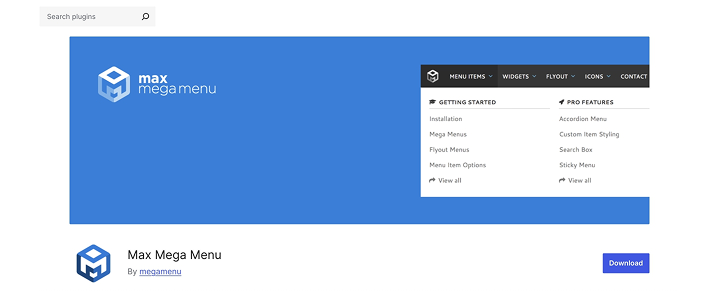
Max Mega Menu is a popular choice if you want a powerful free option for creating mega menus without relying on page builders. It integrates easily with most themes and has a simple drag-and-drop interface.
Key points:
- The free version offers a lot – drag-and-drop builder, widget support inside menus, and mobile-friendly toggles.
- Styling options are basic out of the box; to customize deeply, you’ll need to write CSS.
- It doesn’t tightly integrate with Elementor or Gutenberg, so if you use those builders, you might feel limited.
- The Pro version adds animations, sticky menus, and advanced item options, but it comes with an annual fee.
Price: the plugin has a free version and a Pro version, starting from $29/year.
UberMenu (Premium)
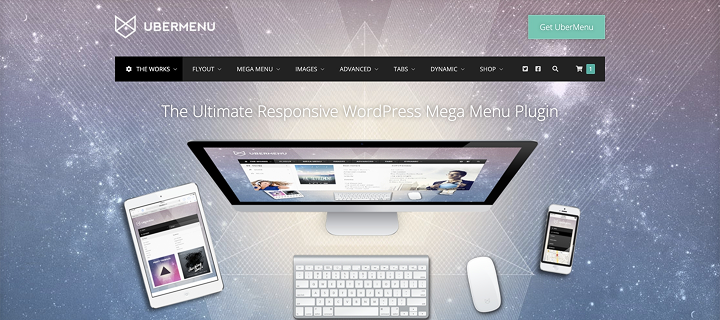
UberMenu is a premium mega menu plugin well-known for its feature-rich approach and extensive customization.
Key points:
- This is a premium-only plugin, so no free version to try first.
- It offers deep customization, including dynamic content, WooCommerce support, and responsive menus.
- The interface is feature-packed but can feel overwhelming to beginners.
- Best suited for users with some CSS knowledge.
- It works with most themes and page builders, but it does not have native Elementor or Gutenberg blocks like JetMenu.
Price: one-time payment of $29.
FAQ
Absolutely. JetMenu is fully responsive. You can customize breakpoints and touch areas to ensure the best experience on smartphones and tablets.
JetMenu works with popular multilingual plugins like WPML and Polylang. You can translate your menus and menu content to different languages.
Yes, JetMenu integrates well with WooCommerce and lets you add product listings, categories, and prices directly into your menus.
JetMenu is available as a standalone plugin for $43 per year for one website. If you need to use it on unlimited projects, the price is $88 per year. Alternatively, you can get JetMenu as part of the All-Inclusive Crocoblock subscription starting at $199/year, which includes all JetPlugins.
Final Verdict
JetMenu proves itself as a highly capable and user-friendly solution for creating advanced mega menus in WordPress. Its rich content capabilities allow users to build engaging and visually impressive navigation. The plugin’s responsive design options and mobile-specific features ensure menus perform well across all devices.
JetMenu offers a compelling combination of features and ease of use. Its regular updates and flexibility make it a great choice for a variety of WordPress projects.