What’s the best way to sell something? It’s to advertise it right to the right audience. A multivendor marketplace allows sellers to make a profit while cutting advertising costs. As for buyers, they get to fish out and purchase the exact item they need.
Today, I’m going to tell you more about WordPress marketplaces, their types, benefits, must-have features, and more. Have fun reading!
What Is a WordPress Marketplace Website?
In its most basic terms, the marketplace is a multivendor store attended online by both buyers and vendors. The vendors, aka sellers, create ad units to promote their products and – eventually – make sales. The customers come to make purchases. Website owners act as middlemen, allowing sellers to add products and buyers to fish out the desired product.
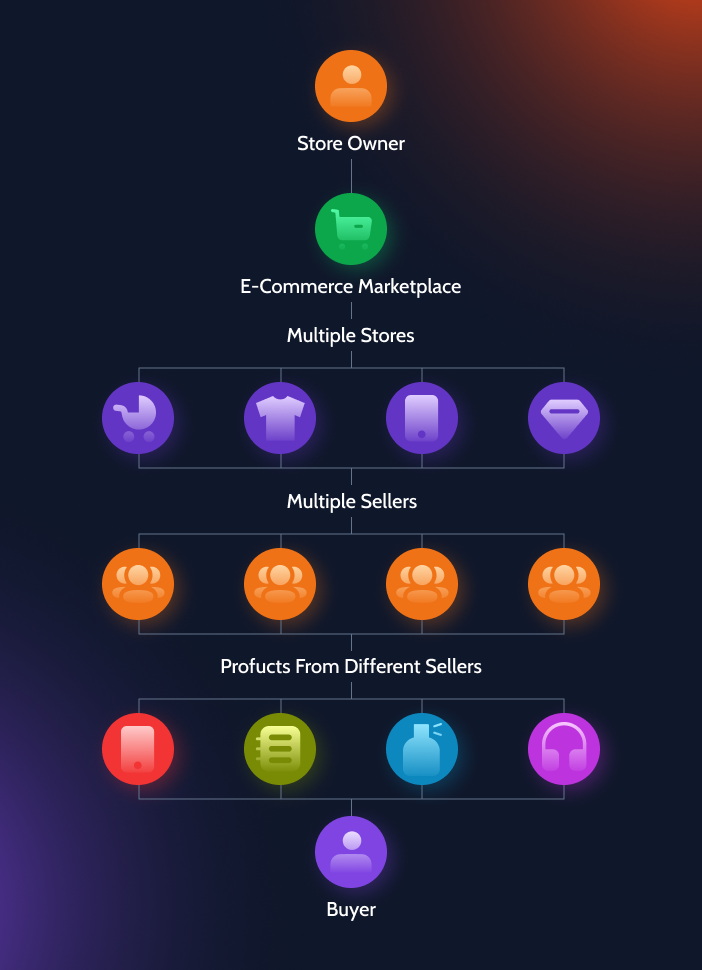
A multivendor website is a platform that operates online. Its purpose is to establish a connection between sellers and buyers. Typically, marketplaces handle internal communication and payment-making processes – all to greenlight the purchases per se.
There are different ways to monetize a marketplace website, but they have one thing in common. A store owner/website administrator can set a commission rate, which should be paid to be able to buy and sell there.
Marketplace Website Types
Depending on the viewpoint, marketplace types fall into several different groups. They can be categorized by the following criteria:
- by the target audience (B2B, B2C, C2C);
- by the core focus (vertical and horizontal);
- by the monetization model (traffic, leads, ads, services, etc.);
- by the communication method (O2O, online commerce).
Now we delve into details and try to see what makes these multivendor marketplace types differ from one another.
Marketplaces by the target audience
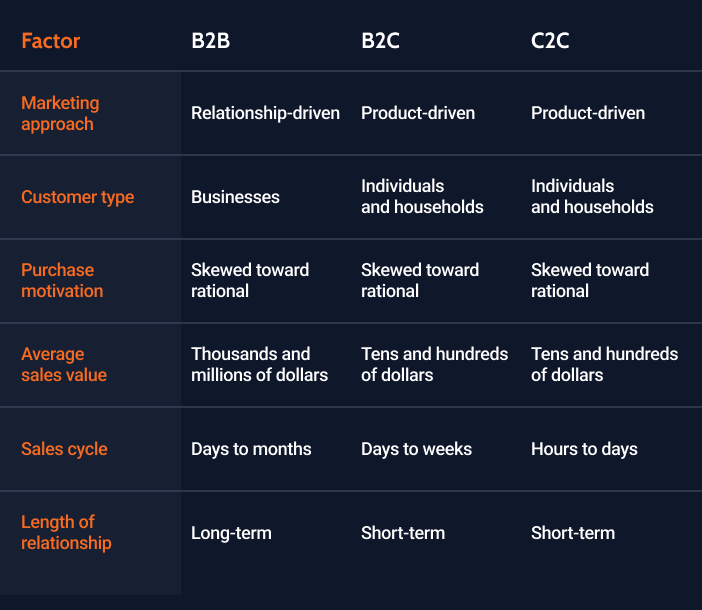
Marketplaces “live” to connect the bilateral trade participants from all over the globe every single day. They can interact as equals – the so-called B2B and C2C models – and as entrepreneurs and clients (a B2C business model).
B2B marketplaces
A business-to-business marketplace is a website where a business buys from another business. It is usually managed by a third party, which brings the participants several benefits as follows:
- It is possible to start selling right away.
- No need to deposit a large upfront investment.
- They get to expand the sales channels.
- It is possible to deliver their services and sell products to more clients.
- No need to build a separate online store website.
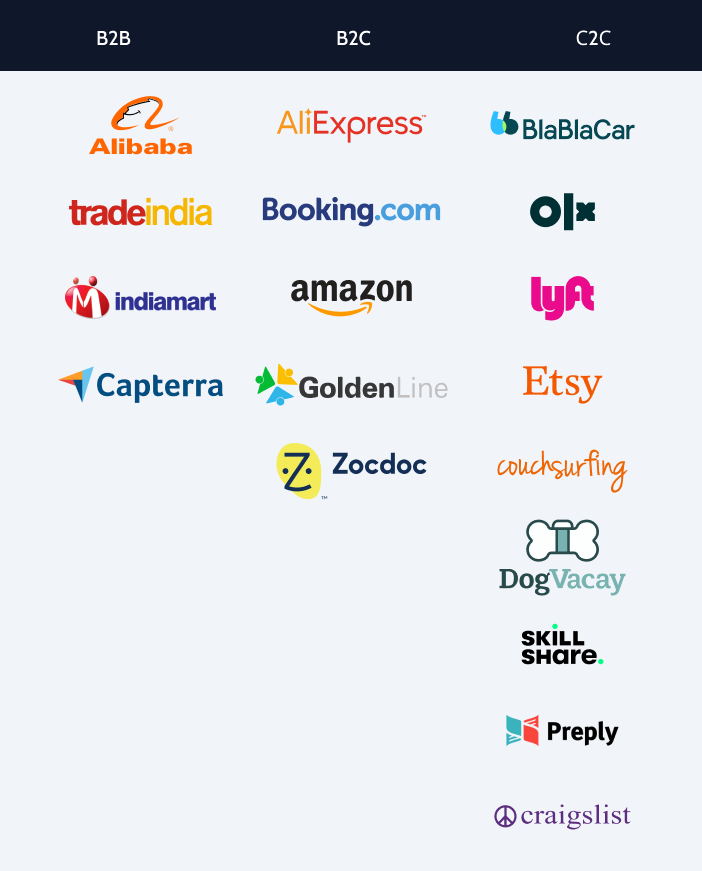
Most famous examples: Alibaba, Indiamart, Capterra, etc.
B2C marketplaces
A business-to-customer marketplace establishes trading relations between a business and its clients. It’s the most popular marketplace model, which needs no third-party management. Usually, B2C platform participants are one-stop shops offering various goods at competitive prices.
Most famous examples: AliExpress, Amazon, Booking.com, etc.
C2C marketplaces
A customer-to-customer marketplace, aka peer-to-peer (P2P), is a site allowing individuals – peers – to buy from other peers, not businesses. It is a marketplace type where people receive money from sharing their goods and services. That’s how the sharing economy is supported. Another noteworthy thing about C2C platforms is that the same person can be a customer today and a seller tomorrow.
Most famous examples: Etsy, OLX, BlaBlaCar, Lyft, etc.
Marketplaces by the core focus
From the core focus standpoint, multivendor websites can be vertical and horizontal.
Vertical marketplaces are usually narrowly focused and target a specific industry. Their obvious pros are lower marketing campaign costs and higher revenue from fewer clients. Vertical marketplaces provide more value to their regulars through high-quality products and services. The cons are, therefore, the inability to make more sales to a larger audience.
Horizontal marketplaces are the exact opposite. These are product listing stores and service provision platforms where one can find anything they need. Because the assortment is so wide, businesses target more potential customers. A horizontal business model allows you to lower operational costs and make more profit. However, it’s sometimes difficult to form a marketing strategy and overcome the competition. Since marketplaces are overcrowded, business owners struggle to develop a unique selling proposition that will attract new clients and retain them for the long term.
Marketplaces by monetization method
It is vital to monetize a marketplace to gain revenue. You can sell and monetize:
- advertising;
- goods/products;
- services;
- leads;
- traffic, etc.
Depending on the resource monetized by the marketplace, there are the following monetization models:
- Lead fee – when the seller’s contact information is shown to interested customers for a fee.
- Listing fee – when the sellers are supposed to pay a certain commission to post one ad unit or after they reach the free ads posting limit.
- Subscription fee – when the customers/clients have free access to basic functionality and are charged extra to access premium features.
- Featured listings & ads – when the best listing spots are for sale, vendors need to pay a fee to advertise their products/services there.
Marketplaces by communication method
There are two multivendor marketplace types by the communication method – online and offline.
O2O: online to offline
From the customer standpoint, it happens like so: a customer finds the desired product/service online but receives it offline.
Online commerce
Alternatively, everything can happen online – communication, purchase, digital downloads, and sometimes, delivery. Let’s take a ticket-selling marketplace. On the one hand, you can book a ticket online and then go to the nearest ticket office to pick it up. On the other hand, you can receive a ticket to the email address that you provide upon booking.
What Are the Multivendor Marketplace Benefits?
A multivendor store turns out to be a beneficial endeavor for those who own it. Alongside never-ending money flows, we can name the following advantages:
- Marketplaces are convenient to visit and do shopping there.
- It is easy to find new business partners through a marketplace.
- A reputable online store database helps you build client loyalty and maintain the brand image.
- Marketplaces usually work 24/7, never ceasing to bring new customers and sales.
- It is possible to scale a country-wide marketplace into an international one.
- Marketplaces imply lower marketing and content creation costs compared to other sales channels.
- Customers tend to leave reviews and opinions about products and services they purchase, which makes them more saleworthy in the long run.
- A product listing website like a marketplace allows business owners to advertise their services and products.
Multivendor Marketplace Websites: Top Use Cases
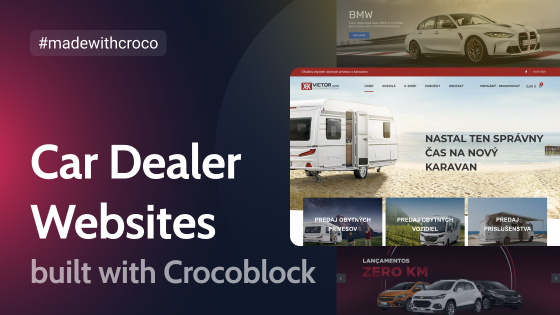
It’s already been established that online marketplaces promote different services and product types in order to sell them. Now, why won’t we look at some real-life examples? Here are two WordPress websites devised and developed by the Crocoblock Dev team.
Car Dealer dynamic website template
Car Dealer is a car dealer marketplace. To create the template, the developers used a custom WordPress theme named Kava and several Crocoblock plugins: JetEngine, JetSearch, JetSmartFilters, JetBlocks, JetThemeCore, and JetReviews.
The functionality behind the website allows clients to sell, buy, and trade new and second-hand cars, motorcycles, and power equipment, machinery, trucks, buses, and water transport. Site visitors can filter and sort vehicles, save listings to wishlists, and contact sellers directly.
Today, this functionality can be taken even further with JetMessenger, allowing buyers and sellers to communicate through private conversations inside their marketplace accounts instead of relying solely on contact forms.
Link to the website 🔗 CarDealer
Findero dynamic website template
Findero is a real estate marketplace website showcasing different property ads. Findero uses the same WordPress theme as Car Dealer, Kava. There are several Crocoblock plugins, namely JetEngine, JetSearch, JetSmartFilters, JetReviews, JetThemeCore, and more.
The real estate template is functional. It allows WordPress users called Agents to submit new property ads, categorize, and edit them. Site visitors can filter property ads by various parameters, view every property’s details, leave comments about agents, and send them messages.
Link to the website 🔗 Findero
Key Features a Multivendor Marketplace Should Have
When creating a multivendor online store, you should realize what features it must have to cover the trading process. Visitors and clients expect certain functionality that other solutions cannot offer. In addition to intuitive WordPress website navigation and a comprehensive account page, some might need digital downloads and instant payments. Let’s find out which features and options a multivendor marketplace cannot do without.
Straightforward registration and login process
A WordPress site shouldn’t confuse visitors, especially when logging in. When creating a multivendor platform, make sure to add login/logout and registration forms to the site. Such forms can embrace different fields depending on the user role.
For example, a seller should be able to provide their company name while a customer shouldn’t. The best place for these forms is in the website header.
Dedicated seller and buyer’s account pages
Carefully designed account pages provide a better user experience by giving access to basic and advanced functions. When building a marketplace, you must remember to develop custom profile pages for sellers and buyers, setting different permissions for these two user roles. Sellers and buyers have different needs.
The former need to place their ads, advertise the products, and make sales. The latter need to find the best buy as fast as possible. Consequently, a Seller user role should be able to add new and edit existing ad units, and a Buyer user role doesn’t need that functionality. That’s why vendors and customers should have different profile menu content.
Built-in buyer-seller messaging
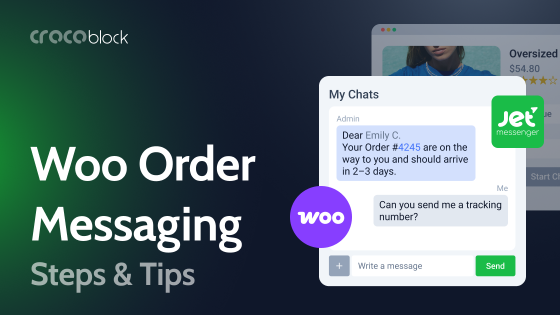
Today’s marketplace users expect to communicate directly without leaving the platform for WhatsApp or emails. Whether they’re negotiating a price, asking product questions, requesting additional photos, or discussing delivery details, fast communication often affects whether a purchase happens.
Unlike traditional contact forms that generate separate emails, an integrated messaging system keeps every conversation inside the marketplace and automatically fetches the context of the conversation, e.g., the product page the message was sent from, which is crucial for effective communication. Buyers and sellers can continue discussions, review previous messages, and access their conversation history from their account dashboards.
A built-in messaging layer also improves after-sales support, allowing customers to ask follow-up questions or resolve issues without switching to external communication channels.
With JetMessenger, you can provide secure logged-in messaging between marketplace participants while keeping all conversations inside your website. With this solution, customers can start a conversation about any product or order they have and return to it when needed.
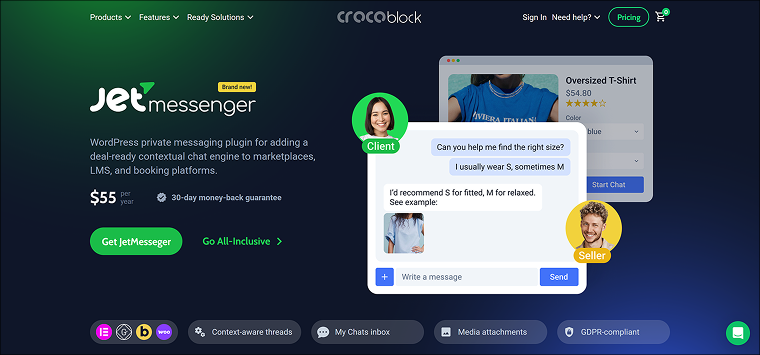
How marketplace messaging works
With built-in marketplace messaging, every conversation stays inside your website. The process is simple:
- A buyer clicks the “Message” button on a product or created order page.
- A private chat opens in the buyer’s account.
- The seller manages all conversations from a single inbox.
- Both participants can return to the conversation whenever they need.
- Chats can be distinguished by the product or order IDs automatically attached to the chat.
- Security in JetMessenger is taken really seriously. Check the security measures list here.
This approach creates a smoother experience for both buyers and sellers while reducing reliance on third-party communication apps.
Convenient navigation
It’s vital that visitors find everything they need quickly and turn into customers. Why don’t you develop a comprehensive mega menu then? It will show visitors their way around the multivendor marketplace website and can be adjusted for mobile.
For easy navigation on the product page, you can add breadcrumbs. They will help site visitors stay on the right track and return to the necessary page faster.
Detailed product pages and catalogs
The Products page is probably the most coveted page on the website. It should contain all the essentials about a particular product, including its pictures, dimensions, specifications, descriptions, video reviews, etc. Once the customer lands on the product page, they should learn every little thing about it – from price and availability to shipment terms.
Don’t forget to create a Products catalog page. It usually outputs all products in the grid, mentioning their must-know details. As a result, the products grid might look something like that:

You could create a Wishlist page and add a Wishlist icon/button to the products grid to bring it up a notch. This way, you will enable store visitors to save the items they like to Favorites.
LEARN MORE:
Handy search and filtering tools
What’s a marketplace without a quick and convenient sitewide search? When creating a multivendor store, one should remember advanced filters and multi-level AJAX search. Such a combo will showcase the desired products matching certain criteria, sifting out the irrelevant results. It works like so. A customer refines the search query by their specific preferences and gets the relevant search results without reloading the page.
Integrated payment methods
Online payments are a blessing to multivendor marketplace participants. On the one side, they ease out and continue the purchasing process. On the other side, the payment gateway must be secure. You can integrate the most widespread payment services like PayPal, Stripe, the WooCommerce plugin, etc. The only concern is to make transactions as safe as possible.
Transparent reviews and comments system
Naturally, clients tend to buy a lot more often from reputed sellers. Online reviews help to decide whether a particular vendor deserves trust. That’s why you need to implement a dynamic reviews section on the WordPress marketplace website. Customers should be allowed to leave positive and negative reviews about sellers, rate them, and leave comments whenever they have something to say.
LEARN MORE:
FAQ
Multivendor marketplaces are online stores where multiple vendors sell their goods and services to a large audience.
These sites can be vertical or horizontal. By the target audience, there are B2B, B2C, and C2C marketplaces. Business-to-customer platforms are the most popular nowadays. Marketplaces can be online- and offline-based. In the first case, both purchasing and delivery happen online. In the second case, the purchase is online, but the delivery and service provision take place offline.
Among the must-have features are User role-specific profile pages, public seller and product pages, a fast and convenient search tool, intuitive site navigation, an advanced filtering structure, a contact form, a client feedback section, automatic price calculation in the shopping cart, data stores for favorite and recent products/services, and payment integrations.
The exact plugin stack depends on your marketplace’s functionality, but most WordPress marketplaces require tools for dynamic content, front-end forms, search, filtering, payments, user profiles, and messaging. Crocoblock provides these features through plugins like JetEngine, JetFormBuilder, JetSmartFilters, JetSearch, JetReviews, and JetMessenger, allowing you to build a scalable multivendor marketplace without creating every feature from scratch.
Bottom Line
Online marketplaces can be beneficial for both customers and vendors. The former get to go shopping in their spare time anywhere they are. The latter manage to target their audience without spending too much time and advertising dollars.
A marketplace website is defined by its features. To create a successful online trade platform, you’ll have to implement the following:
- simple sign-up and sign-in forms;
- a contact form;
- a seller’s account page;
- a buyer’s account page;
- a website menu to ease navigation;
- product/service single pages and archives;
- handy search and filtering tools;
- payment methods;
- a dynamic reviews section.
Luckily, you do not have to build a multivendor marketplace from scratch. It is possible to customize a dynamic template by Crocoblock, and there you have it! A full-fledged WordPress site, where everything is adjusted to suit you.
And you, have you already tried to create a marketplace website? Share your thoughts in our Community. Cheers! 😊