Divi is quite a beginner-friendly WordPress builder, but what about improving the workflow even further and making it more optimized? Here’s where AI comes in handy. Let’s see which WordPress AI plugins are either made particularly for Divi or work seamlessly with the Divi Builder, helping you generate content, optimize SEO, enhance design, or even automate tedious tasks without leaving the Divi interface. Whether you’re a freelancer or managing a client-heavy workflow, these tools can seriously boost your productivity.
powered by Divi-5 dynamic?
Top 5 AI Plugins for Divi
Divi AI Tool (Premium)
🏆 Best for Divi layouts generation.
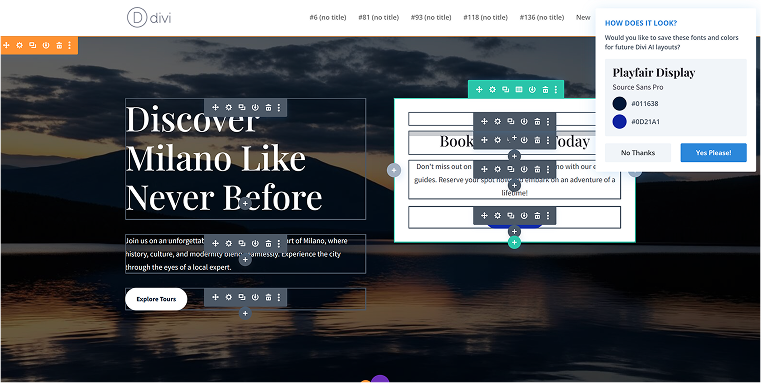
When talking about AI tools for Divi, we can’t ignore the elephant in the room – the AI Divi Tool that comes with the Pro version. It’s not a plugin, not a theme, but a tool that can create a layout based on the prompt, with images. Alternatively, you can get them from image stocks.
Key features and things to think about:
I assume that for devoted Divi users, Divi AI is pretty much inseparable from the builder, and, if you’ve already chosen it and are paying for it, the AI is probably one of the reasons, as it streamlines the workflow and helps with most of the tasks, from design to code generation.
Pricing: Divi AI is included in the Pro subscription, which is $277 per year. If you purchase the lifetime subscription for Divi Builder, you will still need to pay $212 per year to access the AI feature.
Pros:
- Divi AI is doing a good job of creating layouts;
- it’s good at generating or sourcing images;
- you can use it for text content generation.
Cons:
- while long-time users may find image and text generation flow naturally, the user experience isn’t immediately intuitive for everyone else.
AI Engine (Freemium)
🏆 Best for adding powerful AI functionality to all facets of a website.
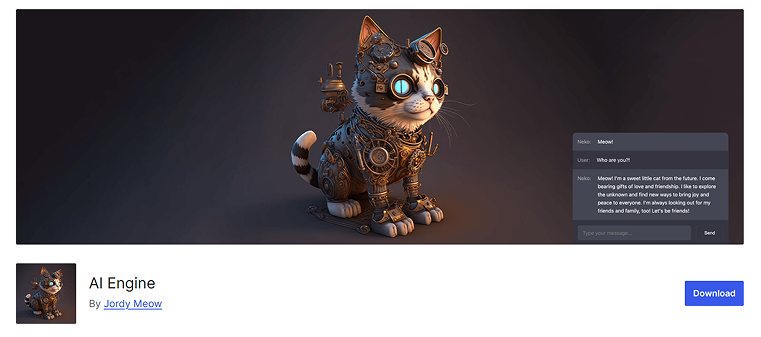
AI Engine is a powerful WordPress plugin that brings a lot of AI capabilities, like chatbots, content generation, and AI forms, directly into the WordPress dashboard. It supports multiple providers such as OpenAI, Anthropic, and Google, allowing flexibility in choosing AI models. The free version is already packed with features, but for more advanced tools and a deeper dive, there’s a Pro upgrade available. It’s perfect for both casual users and developers who want to enhance their experience.
You can build custom chat interfaces, generate blog posts or images, and integrate AI into forms or site search. There are also tools like fine-tuning and embedding to match your website’s style. Another cool feature is the internal API, so you can connect other plugins with AI via the AI Engine.
Key features:
- integration with multiple AI providers (OpenAI, Claude, Gemini, etc.);
- visual chatbot builder with shortcode and theme support;
- real-time content and image generation inside the WordPress Block Editor (Copilot) or using the plugin’s own interface;
- AI-powered forms for handling text, files, and audio;
- developer tools: function calling, embeddings, internal API access.
Pricing: the free version is very powerful but doesn’t include advanced features, like AI forms, embeddings, usage control, and real-time chatbot. Pro starts at $59 a year for one website.
Pros:
- extensive functionality even in the free version;
- all kinds of tools are covered;
- internal API is available;
- flexible provider and model selection;
- shortcode and block support for easy placement;
- active development and responsive support.
Cons:
- high-volume usage and advanced features can strain server resources in low-tier hosting plans;
- it doesn’t have a direct Copilot integration with Divi (only with Block Editor), or you can generate content inside the plugin’s dashboard interface.
Supreme AI Writer for Divi (Premium)
🏆 Best for creating AI-generated content.
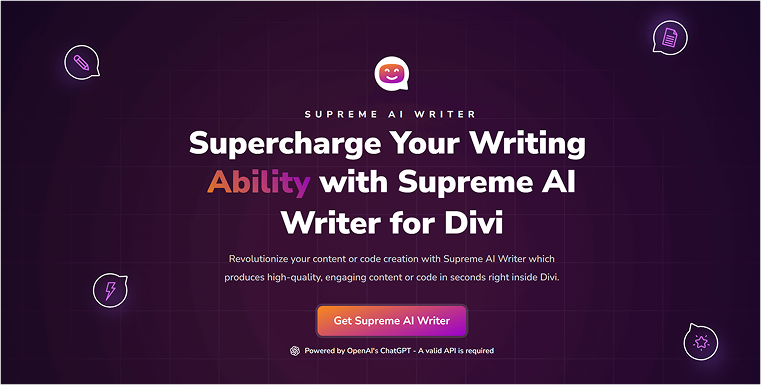
If you hate copying and pasting, this is the tool for you. The Supreme AI Writer plugin will create texts for you, and it’s available for any text fields. Additionally, it can aid in code generation. It may help you create websites faster, and you can regenerate the copy until you are satisfied with the result.
Key features and things to think about:
The plugin offers 19 writing styles and 20+ tones of voice, and you can control the creativity temperature. This plugin serves as a bridge between your website and ChatGPT, so you must have a valid OpenAI API key.
Pricing: $29 a year, with 30% renewal discount. You must have an OpenAI account and pay depending on the tokens and model you use.
Pros:
- content can be generated right inside the Divi editor;
- full control over the number of words;
- control over the tone of voice and writing styles;
- code generation.
Cons:
- only basic text and code generation functionality.
Author AI for Divi (Premium)
🏆 Best for generating content and code while controlling token usage.
This plugin is one more tool for connecting OpenAI with the website, so you can generate content. The difference with the previous tool is that you can also generate code, and there is a dedicated input for the author’s persona: for example, you can select “creative writer,” “blogger,” etc. Depending on that, there will be a corresponding tone of voice and style.
Key features and things to think about:
This plugin is helpful in creating code as well, not only content, which is good. You can save prompts, so it’s an alternative to third-party prompt tools. Overall, it can be considered an alternative to Divi AI; however, you will need a paid OpenAI account to connect the plugin to the AI.
Pricing: $39 a year, $45 single lifetime, $89 unlimited lifetime, or $219 for the full Divi Modules package. You must have a paid OpenAI account ($20 a month) to use Author AI.
Pros:
- you can control the temperature and the number of tokens used for the prompt;
- code can be generated as well, not only text.
Cons:
- only basic text and code generation functionality.
Rank Math AI (Premium)
🏆 Best for SEO optimization using AI.
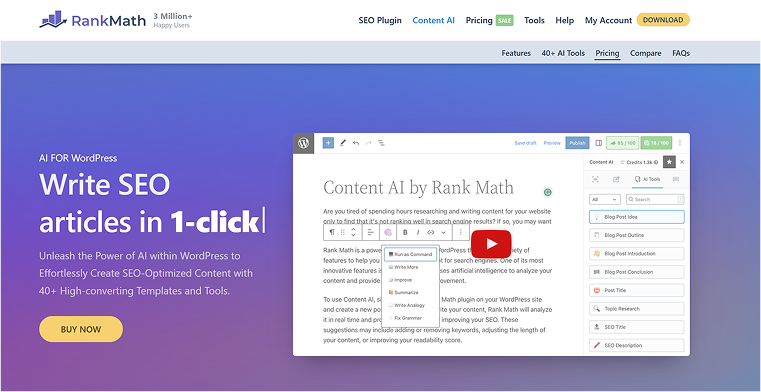
Rank Math Content AI is an add-on module built into the Rank Math SEO plugin, designed to bring AI-powered content writing and optimization tools directly into your WordPress dashboard. It supports content creation tasks, such as writing, rewriting, summarizing, and creating articles, sections, titles, outlines, FAQs, and descriptions, as well as analyzing content quality and SEO. The tool includes a chat assistant called RankBot, which helps with prompts and brainstorming ideas. It works smoothly inside Block Editor, Classic Editor, Elementor, and Divi. Content AI runs on a credit-based system, separate from Rank Math Pro licensing.
Key features:
- AI-powered writing tools for headlines, intros, meta tags, outlines, and FAQs;
- real-time SEO suggestions based on keywords, content length, and structure;
- built-in RankBot assistant with access to prompt templates and chat-based help;
- credit-based system for flexible usage across different sites or content types.
Pricing: starting at $73 a month for a quite limited number of tokens, up to $220 for up to 30,000 tokens a month.
Pros:
- seamless integration with Divi;
- a variety of AI tools tailored for SEO and content structure;
- prompt library helps reduce writer’s block and speed up creation;
- doesn’t require the Pro version of Rank Math to use.
Cons:
- it’s pricy;
- credit system runs out fast, especially when generating long content or doing keyword research;
- AI suggestions can sometimes be too generic or off-topic;
- reported issues with customer support response times;
- can slow down the admin area on lower-tier hosting plans;
- not great for niche topics with little SEO data available.
FAQ
AI plugins for Divi can do a lot! They can help you generate website content like text and images, optimize your content for search engines (SEO), assist with code generation, and even build entire page layouts based on your descriptions. They’re designed to make your workflow much more efficient.
Divi AI is fantastic for generating layouts, images, and basic text directly within the Divi builder. However, other plugins like AI Engine offer broader AI functionalities such as chatbots and advanced forms. For specialized tasks like deeper SEO analysis or more control over AI content generation settings, a dedicated plugin might be a better fit.
For many AI plugins that leverage powerful language models like ChatGPT, you will need your own OpenAI API key. This means you’ll pay OpenAI directly based on your usage, usually by the tokens consumed, rather than a fixed fee from the plugin developer.
While incredibly powerful, some AI plugins, especially those with extensive features or high usage, might put a strain on lower-tier hosting plans, potentially slowing down your site’s admin area. Additionally, some AI suggestions can sometimes be somewhat generic, and it’s always beneficial to review and refine AI-generated content to ensure it aligns perfectly with your needs and brand voice.
Takeaway
The world of WordPress and Divi is undergoing a significant upgrade with AI, making website creation faster and more intelligent. If you’re looking to quickly create content, boost your SEO efforts, or streamline those repetitive design tasks, there’s definitely an AI plugin that can fit into your Divi setup perfectly. Remember to select tools that genuinely streamline your workflow and align with your project goals, and always add a human touch to AI-generated content before publishing. These tools are here to assist, not replace, your creative genius!