Let’s talk about child themes for Divi – quite a specific practice in the Divi community, because if you use other builders, it’s just called “themes,” and you can create a child one to add extra code, so when the main theme updates, you will not lose your changes.
As Divi can come as a theme or as a plugin, if you choose the first option, but want to modify the way your website looks and functions, you will need a child theme.
So, in this article, I will cover what a Divi child theme is, why it’s useful, and what types of customizations actually require a child theme.
What Is the Divi Main (Parent) Theme?
The Divi theme, often called the parent theme, is the core framework developed by Elegant Themes. It includes all the built-in features, layouts, modules, design tools, and code that power your WordPress website. When you install Divi, you’re installing the parent theme, which controls the overall structure and styling of your site.
However, like any WordPress theme, Divi receives regular updates from its developers. These updates may include new features, performance improvements, security patches, or even changes to the underlying code.
If you make changes directly to the Divi theme files (for example, by editing functions.php or adding custom styles to the core CSS), these changes will be lost the next time you update the theme.
powered by Divi-5 dynamic?
Divi Child Theme vs. Divi Layouts
A child theme is essentially an extension of the Divi parent theme. It inherits all the design and functionality of Divi but gives you a safe place to add your own customizations, without modifying the original Divi files.
So, when building a website with Divi, you might wonder whether to use a child theme or a layout pack. While they may appear similar in design, they serve different purposes and cater to varying needs.
Divi child themes are ideal for those who plan to make extensive customizations. They allow you to modify PHP files, add custom functions, and include additional styles without affecting the main Divi theme. This means your changes remain intact even after theme updates. Child themes often come with comprehensive features like custom headers, footers, and advanced functionalities that go beyond the capabilities of the standard Divi Builder.
On the other hand, Divi layout packs are collections of pre-designed pages and sections that you can import directly into your site. They’re perfect for users who want to quickly set up a website without diving deep into customization. Layout packs are more affordable and easier to implement, but offer less flexibility for advanced modifications.
To make it clearer, I’ve created this comparison table:
| Functionality | Divi child themes | Divi layout packs |
| Custom PHP functions and templates | ✅ | ❌ |
| Custom headers and footers (outside Divi Builder) | ✅ | ❌ |
| Ability to modify theme files | ✅ | ❌ |
| One-click demo import (including theme options) | ✅ | ❌ (manual section/page import) |
| Includes full website setup (pages, menus, settings) | ✅ | ❌ |
| Custom JS/CSS beyond Divi’s settings | ✅ | ❌ |
| Suited for advanced developers or agencies | ✅ | ❌ |
| Requires the Divi Theme to work | ✅ | ✅ |
| Editable with Divi Builder | ✅ | ✅ |
| Includes global design system (style guide, branding) | ✅ (often included) | ❌ |
5 Best Divi Child Themes for Various Industries
Let’s dive into the topic of the best Divi child themes for different purposes. The right one can save you time and hassle, giving you a solid starting point that already looks great and works well.
Divi Commerce
🏆 A versatile theme for eCommerce websites.
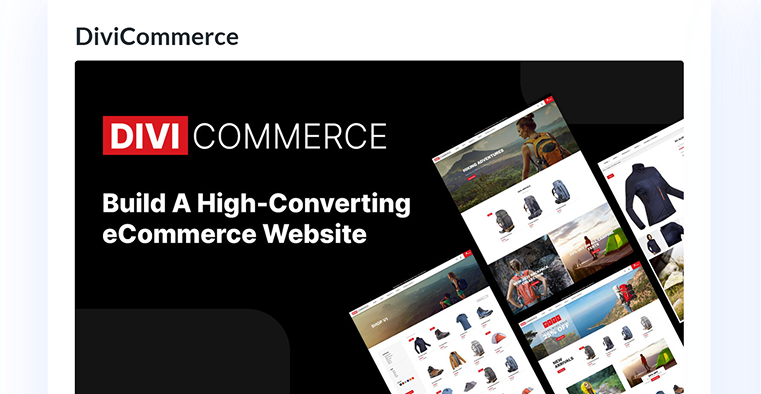
DiviCommerce is a premium child theme for the Divi Theme, specifically designed to enhance WooCommerce-powered online stores. It offers a modern, clean design that is fully customizable, making it suitable for various eCommerce niches. With over 1,400 sales on the Divi Marketplace, DiviCommerce has become a popular choice among Divi users who want to enhance their store setup.
Key features:
- 23 layouts for various pages, two product and three shop templates, various headers, footers, filters, and a pop-up;
- fully customizable design to fit various eCommerce niches;
- advanced search.
Pricing: $25 for unlimited sites and one-year support and updates.
Pros:
- professional design that looks modern and polished;
- fully customizable and responsive;
- it has all the pages the store might need.
Cons:
- quite many users complain about crashes after installation, and not the best support.
Artist Theme
🏆 Best for creative professionals who want to sell products.

Artist Theme is a premium Divi child theme designed specifically for creative professionals who want to showcase and sell their artwork online. The Artist Theme, developed by Destaca Imagen, a quite popular child theme creator, joins the powers of Divi and WooCommerce to create an appealing and functional platform for artists, photographers, and designers. With its clean design and user-friendly interface, this theme makes it easy to build an online portfolio and an eCommerce store.
Key features:
- this theme’s design is really made to showcase graphic art;
- 20 portfolio layouts, a few shop and product templates;
- easy color theme customization;
- a seamless WooCommerce integration.
Pricing: $70 for unlimited sites and one-year support and updates.
Pros:
- a really well-designed child theme that lets you showcase products;
- this theme will work well with other products that rely heavily on visuals, such as jewelry, makeup, fashion accessories, or home decor;
- nice animations.
Cons:
- it may be a bit pricy.
Phoenix Super Theme
🏆 Best for those who prefer a modular approach in building Divi layouts.
Phoenix Super Theme by BeSuperfly is a premium Divi child theme designed to streamline the website-building process with a modern, minimalist aesthetic. Rather than offering a set of fixed page layouts, Phoenix provides over 100 pre-designed, fully styled sections, including hero areas, testimonials, calls to action, and more. It allows users to mix and match components to create their own unique page designs. This modular approach is particularly cool for designers and developers who prefer flexibility and efficiency in their workflow.
Key features:
- an extensive section library with over 100 professionally designed sections saved to the Divi Library for a wide range of website elements such as hero sections, features, testimonials, and calls to action;
- eight industry-specific homepage layouts for various industries, providing a head start for users in different sectors;
- quite minimal and modern design.
Pricing: $99 for unlimited sites and one-year support and updates.
Pros:
- design flexibility thanks to the modular section approach, which allows extensive customization;
- clean and modern design elements that contribute to a polished and professional website appearance;
- a lot of tutorials.
Cons:
- it’s quite pricy.
Divi Ultimate
🏆 Best for agencies and freelancers who create websites for various clients.
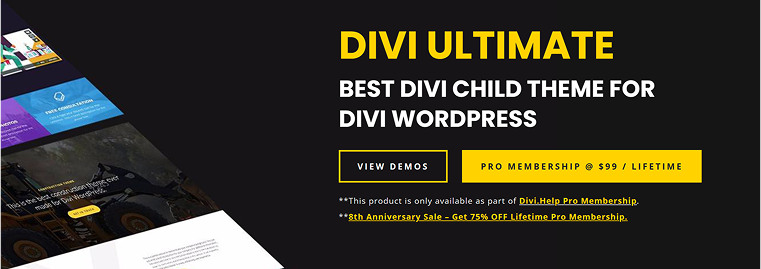
Divi Ultimate is a comprehensive and versatile child theme for the Divi WordPress theme, developed by Divi.Help. It offers a rich collection of pre-made layouts, sections, and design elements, making it a valuable asset for web designers and developers who need efficiency and flexibility in their projects.
As the name suggests, it’s more of an ultimate toolkit than a child theme.
Key features:
- the membership includes 5+ premade custom headers, 20+ footers, a single blog post customizer, 22 homepage concepts, 13+ inner pages, and 200+ reusable Divi library items;
- 960+ premade blocks;
- free page builder with a limited number of blocks that can be imported as pages to your Divi website.
Pricing: $399 lifetime.
Pros:
- the extensive collection of pre-designed layouts and sections to accelerate the website development process;
- blocks can be easily mixed and matched thanks to their design consistency;
- multiple blog list designs and custom archive styling options;
- home pages for a variety of industries;
- lifetime membership.
Cons:
- potential overhead, as a vast array of features and pre-made elements, might be overwhelming for some users, especially beginners.
Molti LMS
🏆 Best for online courses.
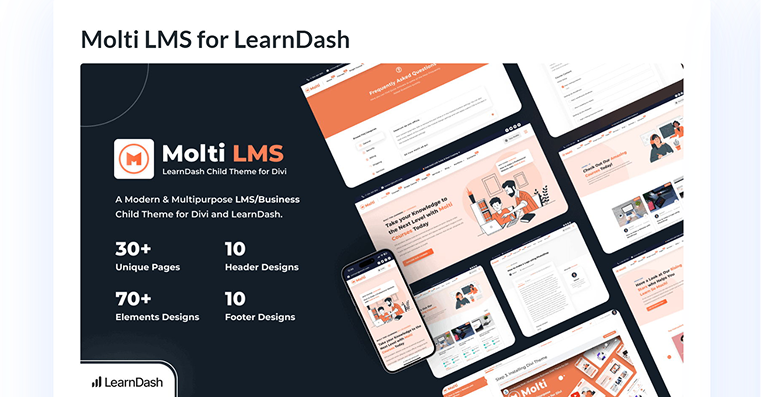
Molti LMS is a premium Divi child theme, specifically designed to integrate seamlessly with the LearnDash learning management system. Tailored for educators, course creators, and online schools, Molti LMS offers a modern, user-friendly interface that simplifies the process of building and managing online learning platforms. Its clean design and intuitive layout make it an excellent choice for those seeking to deliver a professional e-learning experience without delving into complex coding or design work.
Key features:
- seamless LearnDash integration as Molti LMS is built to work flawlessly with LearnDash, one of the leading WordPress LMS plugins;
- a variety of pre-designed pages, such as course overviews, lesson layouts, and profile pages;
- multiple header and footer designs, as well as the ability to easily change accent colors;
- a one-click demo import.
Pricing: $55 lifetime or $35 yearly.
Pros:
- user-friendly setup thanks to the one-click demo import and pre-designed templates;
- quite affordable pricing;
- flexible customization and clean design.
Cons:
- LearnDash dependency because Molti LMS is specifically designed for LearnDash, so you should purchase it separately.
FAQ
You should activate the child theme. It relies on the main Divi theme to function, but activating the child theme ensures your customizations are preserved, even after Divi updates.
A Divi child theme is used to make design or functionality changes without altering the core Divi files. This keeps your changes safe when you update the Divi theme.
Use a child theme when you plan to add custom code, functions, or styles beyond what the Divi Builder offers. If you’re only using Divi’s built-in options, a child theme might not be necessary. But the moment you add custom functionality or want to change the design dramatically, it becomes essential.
The main benefit is safety, as your edits won’t be lost after theme updates. It also gives you a cleaner way to manage custom CSS, PHP functions, or templates. It’s simply best practice for building reliable WordPress sites.
Wrapping Up
If you’re building a Divi website and plan to customize it beyond what the builder offers, using a child theme is the smart move. It protects your changes, keeps your code organized, and saves you from headaches when updates roll out. If you’re making small adjustments to your CSS or creating a fully branded site with custom templates and functions, using a child theme allows you to work confidently without the fear of breaking your site later on.
Long story short, when it comes to Divi, child themes act more like custom WordPress themes, but at the same time, are based on all the features Divi offers. In this article, I’ve collected the top child themes that can make your website development process more efficient and professional.