Looking for a perfect booking calendar plugin for WordPress? Whether you are running a complex rental site or simpler use cases, the reservation calendar plugin makes a difference. In this article, I shall test and compare the top WordPress booking calendar plugins to help you find the best match for your site’s needs.
What Makes the Booking Calendar Plugin Effective
Obviously, the WordPress reservation plugin is a core part of the booking site. On the market, you can find thousands of booking plugins. But what makes the WordPress booking calendar plugin really effective and efficient? Let’s have a look at the parameters that define the reservation plugin as a good one:
- User-friendly interface. The plugin should be intuitive for both site admins and end users booking appointments. The backend should be easy to manage without needing coding.
- Flexibility in booking types. This is a significant advantage when a plugin supports various types of bookings (which we will explore further in the article).
- Availability and scheduling management. This is a basic requirement for any booking plugin; it should be able to set business hours, holidays, breaks, buffer times, and recurring schedules. Double-booking must be automatically avoided, and the admin should be able to customize prices and availability per service, staff member, or location.
- Notifications and reminders. The plugin should include automated email and/or notifications for both admins and customers.
- Payment integration. The plugin, which is compatible with popular payment gateways (Stripe, PayPal, WooCommerce), is a much more preferable solution for the admin, especially when no other plugins or add-ons are needed.
- Customization and embedding options. The ability to customize and embed booking forms via shortcodes, Gutenberg blocks, or page builders (Elementor, Divi, Bricks) opens more possibilities to work with the data. Of course, it might not be necessary for each site. But having a choice is always better than being limited, isn’t it?
- Reporting and analytics. Admins should have access to booking statistics, revenue reports, and customer insights. It is helpful in tracking business performance and planning resources.
- Compatibility and reliability. These are the basic minimum requirements for any plugin you use. However, it’s still worth reminding yourself: the plugin must be compatible with the latest WordPress version and major plugins (WooCommerce, WPML, etc.).It should be mobile-responsive and lightweight to avoid slowing down the site. And of course, regular updates and active support to fix bugs or compatibility issues are key to simplifying the admin’s work.
Types of Booking Calendar Plugins
The types of business are countless: consultations, appointments, rentals, events, weekly classes, workshops, and many more. Therefore, it is essential to understand the specific niche and characteristics of the WordPress event calendar plugin required for your particular case. So let’s check out what types of booking calendar plugins the market offers:
- Appointment-only or single-service plugins are ideal for businesses offering one-on-one services, such as consulting firms, coaching services, salons, and therapy practices, where a simple WordPress booking calendar is usually sufficient. Typically, such one-on-one services involve hourly or fixed time slots, with multiple sessions per day sometimes required.
- Multi-day booking plugins are designed for properties, rentals, events, or any other booking that spans multiple days or multi-day periods. Typically, for such event-booking plugins, requirements include per-night pricing, seasonal pricing, an availability calendar, and group booking capabilities.
- Multi-staff or multi-location booking plugins are useful for businesses with multiple employees, locations, or service types. For these plugins, we require staff/agent assignment, location-based availability, and dashboards for each staff member.
- Hybrid or comprehensive plugins can handle all three types: appointments, rentals, and events. They are typically premium, feature-rich, and slightly more complex to configure.
Top 8 Booking Calendar Plugins for WordPress
Let’s examine the main features, pros, cons, and pricing of the top WordPress booking calendar plugins.
Booking Calendar (Free & Premium)
🏆 Best for managing straightforward appointment or rental bookings with a classic, reliable interface.
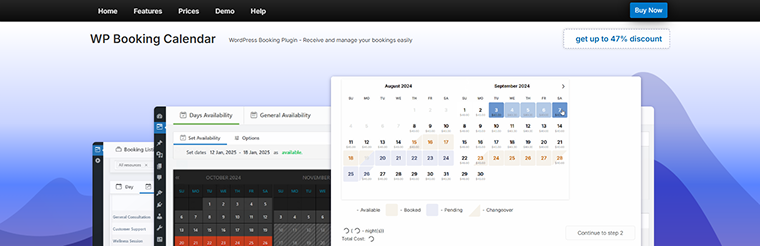
The Booking Calendar plugin for WordPress is a solid baseline that can serve as a good starting point for those just entering the world of booking sites. The plugin provides flexible functionality that can be applied to both time slots and daily booking systems. The interface is intuitive and user-friendly.
Key features:
- intuitive and powerful admin panel;
- independent booking calendars;
- customizable forms and calendars;
- other calendar integrations;
- payment gateway integrations;
- ability to edit existing bookings.
Pros:
- user-friendly and intuitive interface;
- flexible functionality, suitable for day(s) and time slots;
- email templates;
- multi-language support;
- good solid baseline for a booking system.
Cons:
- limited functionality for the free version;
- most of the styling should be done with custom CSS;
- advanced use-cases may require technical work or add‐ons.
Pricing:
Prices depend on the number of sites you use the plugin for:
- Free;
- Personal – from $75 to $149;
- Business Small – from $149 to $299;
- Business Medium – from $249 to $499;
- Business Large – from $349 to $599;
- MultiUser – from $649 to $899.
JetBooking (Premium)
🏆 Best for dynamic WordPress reservation websites.
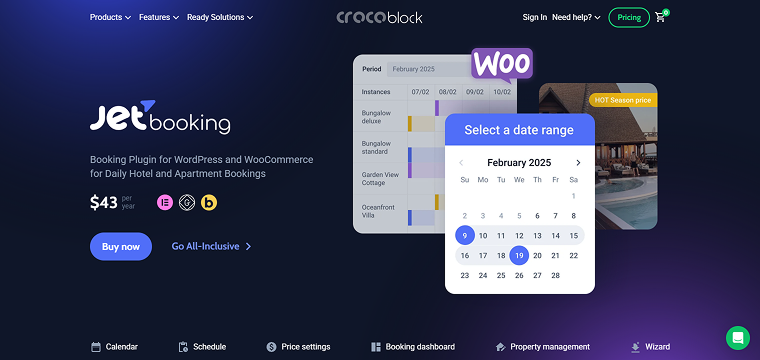
JetBooking is a Crocoblock plugin that offers a robust solution for more complex booking systems. This is a booking plugin for WordPress and WooCommerce, designed for daily hotel and apartment bookings, that integrates seamlessly with Elementor, Gutenberg, and Bricks builders. JetBooking allows you to use seasonal and weekend prices, as well as variable pricing per person, making the booking system dynamic and flexible.
Key features:
- booking dashboard: calendar/timeline/list views;
- ability to create bookings from admin;
- include/exclude checkout day from the booking total;
- price per day/night;
- ability to filter and sort bookings;
- export bookings;
- synchronization with different platforms;
- translatable.
Pros:
- dynamic pricing rates for advanced booking calculation;
- support for seasonal pricing, custom workdays, weekends, and holiday pricing;
- ability to implement booking cancellation;
- integration with WooCommerce;
- time-picker management.
Cons:
- needs an additional plugin for the booking forms;
- there is no free version.
Pricing: the JetBooking plugin costs $43/year for one site. You can also obtain JetBooking as part of a Crocoblock subscription, which costs $199/year and includes 20 more plugins for website creation.
WP Booking System (Free & Premium)
🏆 Best for creating simple daily or weekly reservation calendars.
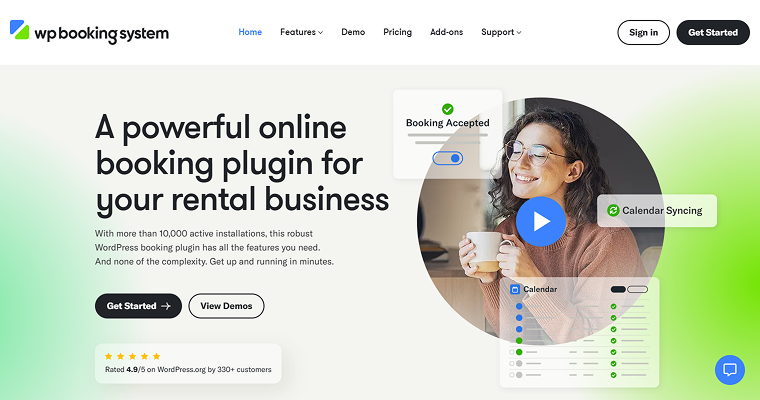
WordPress Booking System is an effective solution for managing daily bookings, including accommodations, vehicles, and equipment rentals, and can easily serve as a simple booking calendar WordPress tool. The plugin offers settings for the calendar and forms. Additionally, WordPress Booking System allows automatically sending tailored emails and SMS messages to customers when they book, reminders when their date is approaching, or follow-ups with a “Thank You” note.
Key features:
- lightweight and easy to use;
- online and offline payments integration;
- synchronization with different platforms;
- bookings stored on the site;
- the booking calendar supports multiple languages;
- saving extra booking information.
Pros:
- inbuilt form builder;
- automated email confirmations and reminders;
- multiple add-ons available;
- rental calendar legend;
- a generatable shortcode to insert the booking calendar and booking form into a page.
Cons:
- multiple features are available only in paid versions;
- does not suit for hourly bookings.
Pricing:
- Free;
- Personal – $69;
- Business – $115;
- Developer – $229.
Simply Schedule Appointments (Free & Premium)
🏆 Best for service-based businesses that need fast, user-friendly appointment scheduling.
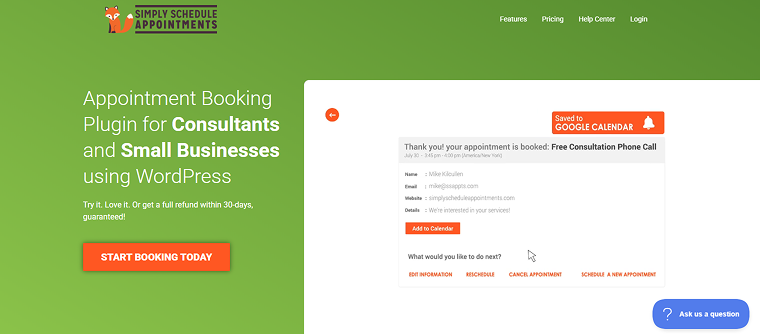
The Simply Schedule Appointments plugin is a very user-friendly tool, ideal for small businesses or professionals who need to schedule appointments, rather than full rental/property bookings. This WordPress simple booking calendar is ideal for quick setup and minimal complexity.
Key features:
- calendar integrations;
- unlimited booking calendars;
- customizable notifications;
- advanced scheduling options;
- blackout dates;
- simple interface.
Pros:
- booking for team members, including Google Calendar sync, blackout dates, and personal web meeting links;
- multi-person assignment for collective meeting scheduling;
- resource booking for scheduling equipment;
- ability to drag & drop the appointment calendars into any page or layout using Elementor, Divi, or Beaver Builder;
- built-in style settings and a custom CSS option provide precise control over the style of your booking calendars.
Cons:
- the free Basic edition has limited features.
Pricing: it depends on the number of sites you need to use the plugin for. There are editions for one site, 25 sites, and 1000 sites:
- Free Basic Edition;
- Plus Edition – from $99 to $199;
- Professional Edition – from $199 to $399;
- Business Edition – from $399 to $699.
Amelia (Free & Premium)
🏆 Best for professional service providers seeking a full-featured, automated booking system with staff and payment management.
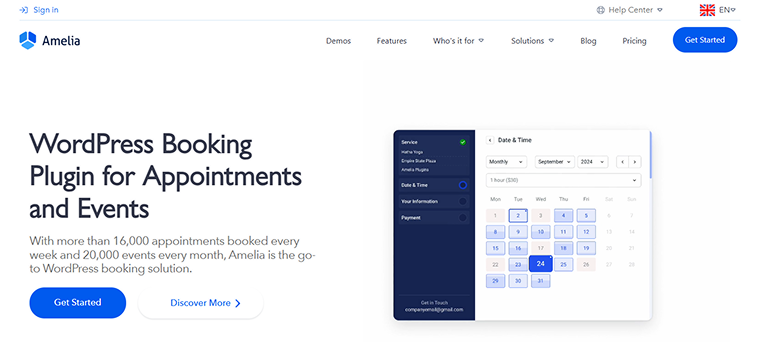
Beyond simple time-slot reservations, the Amelia plugin provides a comprehensive solution for managing bookings, including appointments and events. It proves especially effective for companies that cater to multiple booking categories.
Key features:
- step-by-step booking wizard;
- support for events (one-day or multi-day), tickets, list, or calendar views;
- customizable booking form and design;
- online payments and deposit support;
- manage staff/agent schedules, assign services per employee across multiple business locations;
- email and SMS notifications, custom templates, and follow-ups for appointments/events;
- multilingual and time-zone support.
Pros:
- full-stack system;
- polished user interface for the front end and backend;
- flexibly handles both appointment booking and event booking;
- strong integrations: payments, staff and location support, multiple services, and builder compatibility;
- a free “Lite” version is available for basic use.
Cons:
- too complex for simple use-cases;
- many features are available in paid versions.
Pricing: free. The cost of annual subscriptions ranges from €49 to €799. There are three options for the Lifetime subscription:
- Standard – €232;
- Pro – €599;
- Elite – €1,598.
Webba Booking Calendar (Free & Premium)
🏆 Best for multiple services and staff schedules, with strong customization and customer communication options.
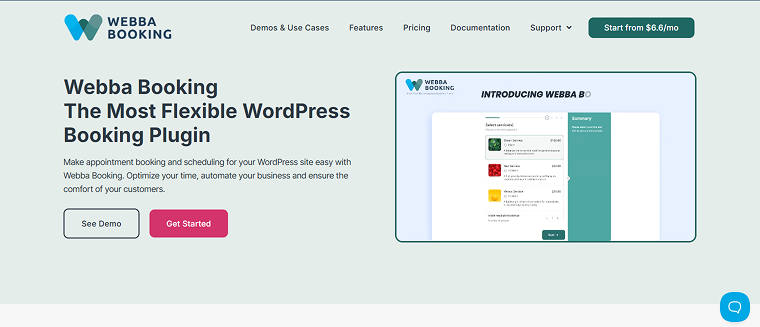
The Webba Booking Calendar plugin suits various complex sites. You can add as many bookable services or events as you want and categorize them. Multiple-service and multi-timeslot bookings are available. Additionally, the form builder is built into the plugin, so no additional tools are required.
Key features:
- unlimited services and bookings;
- allows a customer to book more than one service or multiple time-slots in a single reservation;
- built-in form builder;
- flexible schedule and pricing rules;
- automatic email and SMS notifications for both customers and administrators;
- payment and other tools integrations;
- export and data tools.
Pros:
- supports a wide range of booking types: appointments, multi-services, group bookings, rentals;
- modern UI and ease of setup;
- the free “Lite” version allows many features;
- many user reviews highlight very responsive support.
Cons:
- necessary functionality, such as payments, calendar sync, and Zoom integration, often requires upgrading to the Pro version;
- too complex for simple cases.
Pricing: free. Subscription prices vary according to the number of sites to which the license is applied. Additionally, you can choose from monthly, yearly, or lifetime subscriptions.
For one site, you can select a subscription from $19 to $299. For three sites, choose a subscription from $39 to $749. For five sites, subscriptions are available from $69 to $999.
Appointment Hour Booking (Free & Premium)
🏆 Best for scheduling time-slot appointments.
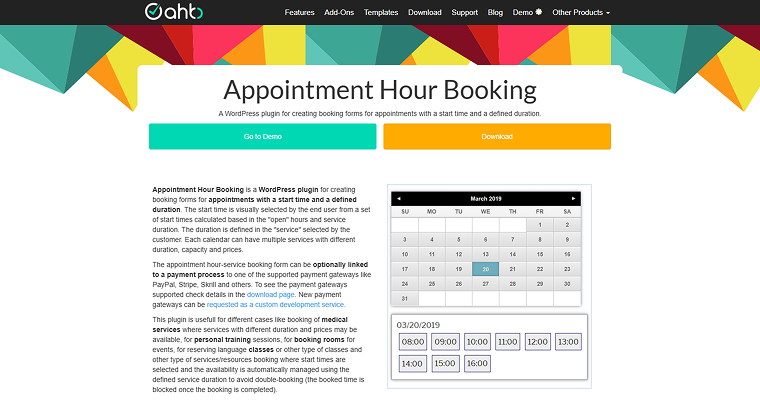
The Appointment Hour Booking plugin is an effective solution for booking appointments with time slots and duration-based pricing, ideal for classes, workshops, and consultations. Each calendar can have multiple services with different durations and prices. The start times are selected for services/resources booking, and availability is automatically managed using the defined service duration to avoid double booking.
Key features:
- visual configuration of calendars and schedules;
- customizable working, invalid, and special dates;
- automatic calculation of available start times;
- multiple services with custom duration and price;
- automatic price calculation and anti-double-booking;
- email notifications for admin and customers;
- iCal export, CSV/Excel reports, and multilingual support.
Pros:
- highly flexible time-slot management;
- built-in anti-spam and validation;
- multi-service and multi-capacity booking;
- supports payments via PayPal, Stripe, and others (Pro);
- compatible with Google Calendar and Zoom (Pro).
Cons:
- some essential features (payments, reminders) are not available within the Free Basic subscription.
Pricing:
- Free Basic;
- Professional – €6.99 monthly;
- Developer – €13.99 monthly;
- Platinum – €20.99 monthly.
LatePoint (Premium)
🏆 Best for an appointment system with a powerful admin dashboard and automation tools.
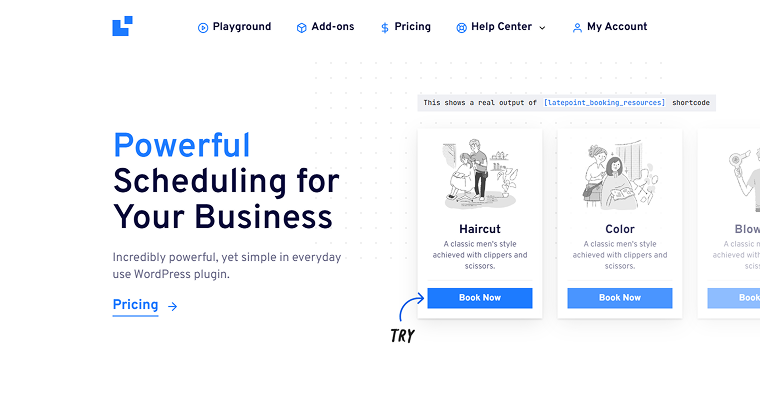
LatePoint is a robust and user-friendly WordPress plugin designed to streamline appointment scheduling for businesses of all scales. It comes equipped with numerous functionalities, including an intuitive administrative interface, a mobile-responsive layout, and built-in compatibility with Stripe for secure payment handling. The plugin offers diverse booking options, including shortcodes, block elements, and triggers linked to existing page components, allowing you to tailor the booking process on your website.
Key features:
- responsive, modern admin and customer dashboards;
- setup wizard and quick start;
- flexibility to model real‑world scheduling;
- integrations and add‑ons;
- notification system;
- hooks and filters, modular add‑ons, extendable architecture;
- high performance.
Pros:
- intuitive and user-friendly, with a good UI for both administrators and customers;
- flexible in business type: supports service providers, consultants, salons, etc.;
- wide feature‑set (services, agents, scheduling, notifications, payments) even in the Free version;
- reviews show “support is fast and responsive.”
Cons:
- design‑customization limitations;
- some advanced features (event-oriented, branding, and deep integrations) may require add-ons or additional setup.
Pricing: the plugin offers annual and lifetime subscriptions. Yearly subscriptions are priced between $99 and $499, whereas LTD costs range from $249 to $1,299.
FAQ
The optimal plugin choice depends on various criteria: your business’s nature (whether it’s for appointments, rentals, or events), the range of booking options it offers, its payment processing compatibility, its intuitive design, how well it works with your theme and page builders, its reporting and data analysis features, and the support services provided.
Several plugins are compatible with popular payment systems, including Stripe, PayPal, and WooCommerce. Certain functionalities may require a premium version or add-ons for more sophisticated payment options.
Yes, certain plugins, such as JetBooking, Amelia, Webba Booking Calendar, and LatePoint, offer multi-staff or multi-location booking functionalities, enabling individual employees or locations to maintain separate availabilities and schedules.
Conclusion
In this article, I examined and compared the best WordPress booking calendar plugins. After reading this, you will understand what makes the WordPress reservation calendar plugin effective, the various types of booking calendar plugins available, and the key features, pros, cons, and pricing of the selected plugins. According to the type of services you provide, the integrations you need, and the complexity of the required site, you can choose the best solution for your particular case.
Among the plugins reviewed, I can conclude that:
- Booking Calendar, WP Booking System, Simply Schedule Appointments, and Appointment Hour Booking are the best for simple, single-service, or time-slot appointments.
- JetBooking, Amelia, and Webba Booking Calendar are great options for businesses that require multi-day reservations, per-night pricing, or event-based scheduling.
- Among the plugins with advanced pricing rules, conditional booking logic, add-ons, dynamic availability, and strong support for payment gateways, calendar syncs, or page builders, I can mention JetBooking, Amelia, Webba Booking Calendar, and LatePoint.
- Booking Calendar, Simply Schedule Appointments, WP Booking System, and LatePoint are considered to be simple booking calendar WordPress plugins, quick to install, configure, and embed, making them suitable for users with no coding experience.