For today’s #MadewithCroco series, we’re featuring Tobi John, a WordPress developer from Nigeria who has transformed event management in his region. As a comprehensive ticketing and event management platform, Nairatix.com demonstrates what’s possible when you combine JetEngine, JetFormBuilder, and JetSmartFilters to overcome traditional WooCommerce limitations.
About Me
Hi, I’m Tobi John, a WordPress Designer and Developer from Nigeria, with over 6 years of experience building dynamic, data-driven websites using WordPress, Elementor, and the Crocoblock suite.
I specialize in creating interactive platforms with custom dashboards, automations, and real-time functionality, all without requiring heavy custom coding.
Experience with WordPress and Crocoblock
Over the years, I’ve worked on various projects ranging from real estate management systems and event ticketing platforms to beauty and spa appointment solutions. My focus has always been on user-friendly interfaces and scalability.
Crocoblock plugins, especially JetEngine, JetFormBuilder, and JetSmartFilters, have been at the core of my workflow, enabling me to deliver complex systems faster and with cleaner data structures.
Favorite Types of Projects
I enjoy working on platform-based projects that extend beyond static websites, involving systems that integrate user interaction, data flow, and process logic (e.g., bookings, payments, verification, and reporting).
Some notable Crocoblock-powered projects include:
- Suite N’ Crib — a real estate and rental platform connecting realtors and homeowners;
- Purple Beautician — a beauty brand with an appointment and promo management system;
- QR-TOBI — a dynamic QR-code generating platform that generates static and dynamic QR-codes for Links and File Uploads;
- Carlisto — a car listing platform for listing New and Used cars for sale;
- Nairatix — a digital ticketing and event management platform.
Project I’m Proud Of
Nairatix is a full-scale ticketing platform built entirely with WordPress and Crocoblock plugins. It allows event organizers to sell tickets, manage attendees, and verify entries using dynamic QR codes.

The system is designed for both vendors and attendees, providing a seamless experience from purchase to entry.
This project challenged me to rethink how event and ticket management could work inside WordPress, and Crocoblock made that possible.
It’s a platform that not only sells tickets but also manages vendors, orders, and verification logic dynamically, all built within the Crocoblock ecosystem.
Challenges and solutions
When Nairatix was first developed, the platform was built using WooCommerce as the foundation. While WooCommerce is excellent for eCommerce stores, it wasn’t ideal for a dynamic ticketing and events system. Events had to be created as “products,” and that made it difficult for event vendors to manage their listings effectively.
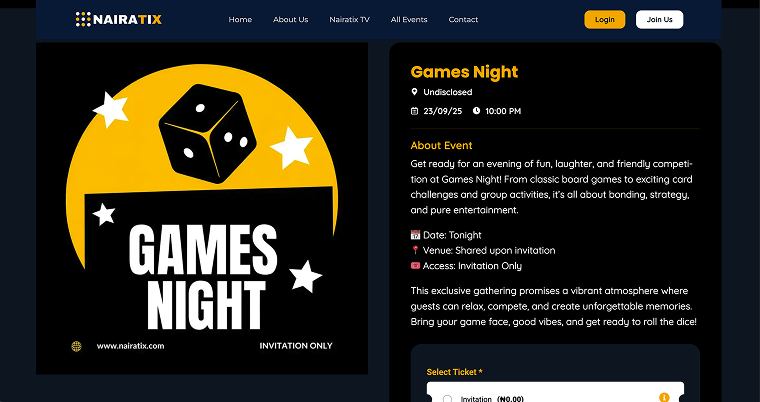
We also faced limitations in adding event-specific details, such as date, venue, ticket category, and QR verification, because customizing the product fields required custom PHP code. Handling orders, generating tickets, and associating buyers with specific events through WooCommerce felt rigid and disconnected from the real event management flow.
Using the JetEngine plugin
The platform needed to be more flexible, performance-driven, and relational, with better control over how data moved between events, tickets, and attendees. That’s when I discovered Crocoblock, and it changed everything.
With JetEngine, I was able to:
- create a Custom Post Type (CPT) for Events with tailored meta fields that capture every detail of each event;
- build a Custom Content Type (CCT) to store orders and ticket data separately, making the system faster and cleaner;
- utilize Relations to connect events, vendors, and ticket orders seamlessly;
- design a single, dynamic template using Elementor and JetEngine’s Dynamic Field widgets to display all event details beautifully, eliminating the need for hard-coded templates.
To make ticketing even more intelligent, we utilized JetEngine Callbacks, along with a touch of custom code, to generate dynamic QR codes for each successful ticket order.
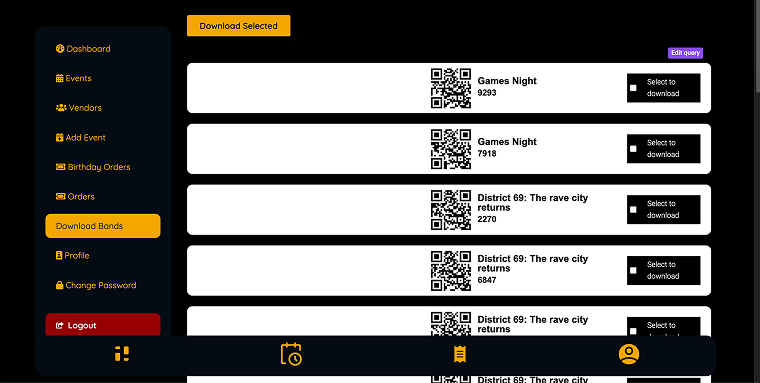
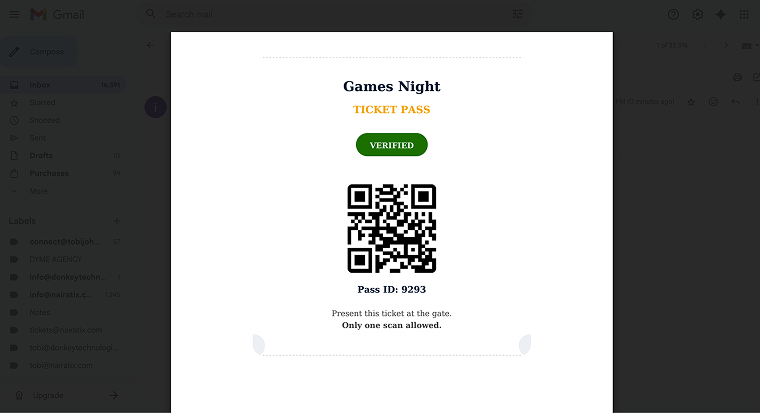
Each QR code can be converted into a downloadable and scannable canvas for use at event check-in.
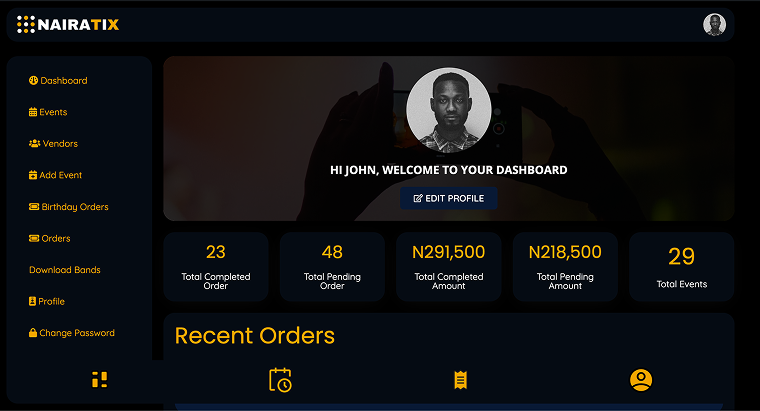
Finally, the Query Builder brought it all together. We used it to pull filtered data into vendor dashboards, displaying real-time statistics such as total sales, commissions, and check-in counts, all dynamically updated with JetSmartFilters and dynamic visibility.
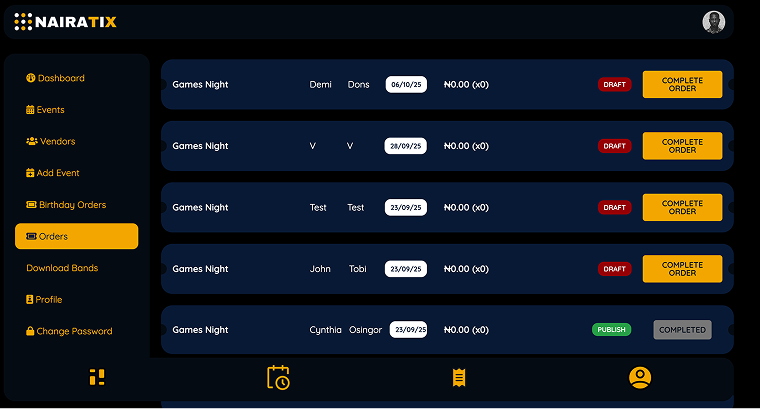
Here’s a preview of the Orders section in the dashboard.
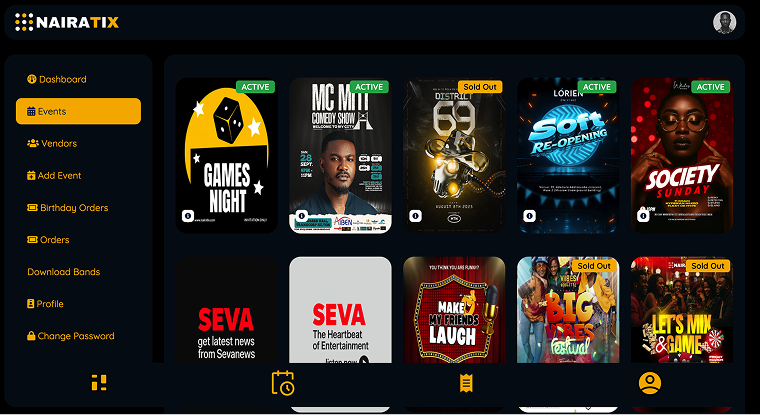
The Events dashboard section has the following appearance.
Using the JetFormBuilder plugin
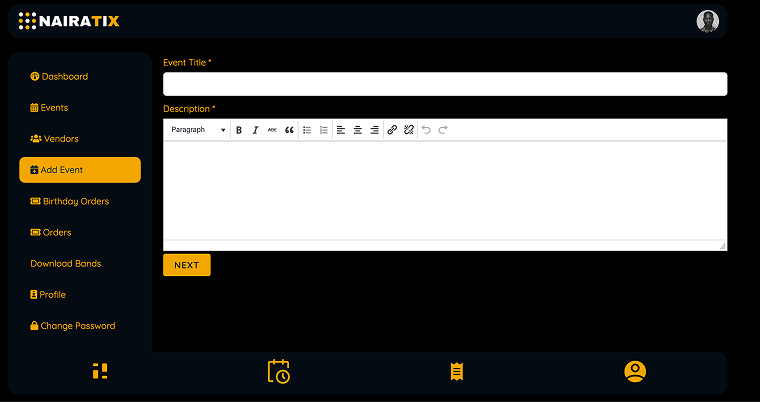
JetFormBuilder became another powerful tool in this transformation. It allowed vendors to submit new events from the front end:
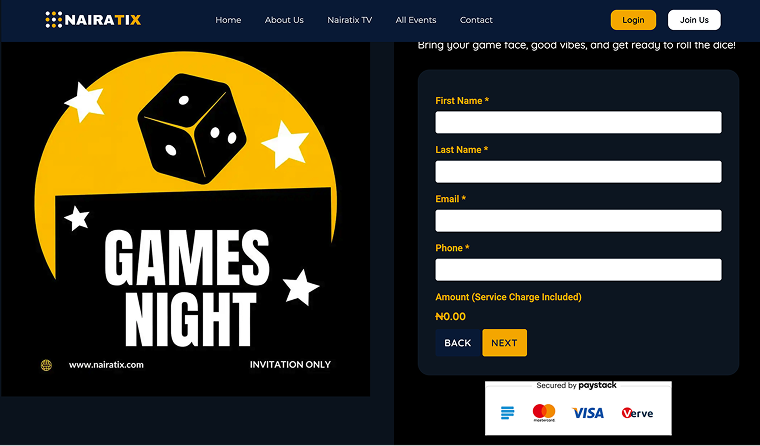
And for users to book tickets through a convenient front-end form.
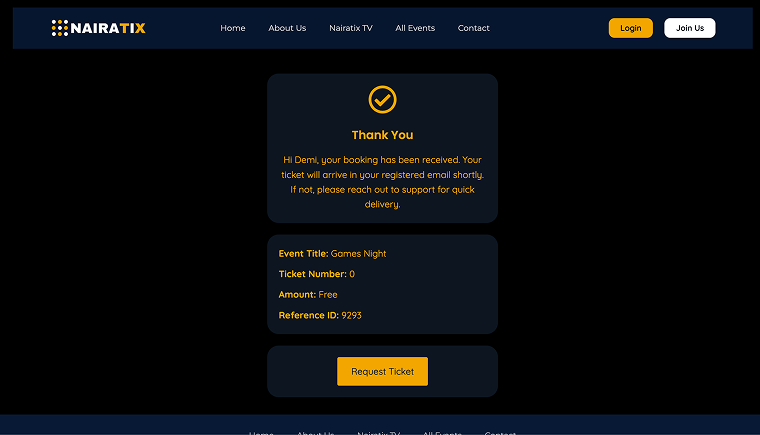
That directs to a Thank You page.
These submissions were directly stored in the CPT. We also used JetFormBuilder’s Calculated Fields and Custom Redirect Logic to implement commission-based payments, automatically adding service charges and redirecting users to custom payment URLs (handled via Zest/Paystack) instead of relying on bulky WooCommerce payment plugins.
Crocoblock tools gave me full control over data, design, and workflow, something WooCommerce alone could never achieve.
Briefly
- Best organization tool — Trello;
- Hosting preference — Namecheap;
- Must-Have WordPress plugin — JetEngine;
- Page builder/Editor — Elementor Page Builder;
- Wireframing tool — Figma;
- Crocoblock plan — Lifetime All-Inclusive;
- Go-to plugins:
Advice for Newbies
Start small by experimenting with one JetPlugin at a time, and build from there. JetEngine’s documentation and tutorials are gold. Once you understand relations and query builders, you can literally build anything in WordPress.
Takeaways
Crocoblock tools transformed the way I build. Instead of relying on dozens of plugins or writing complex PHP code, I can now build fully functional systems that feel like SaaS platforms.
If you’re thinking of creating an event, booking, or ticketing system, I strongly recommend Crocoblock. It’s flexible, powerful, and developer-friendly.
My next project is a food ordering platform that allows restaurants to list their meals, enabling customers to browse, select easily, and place orders online.