When visitors land on your website, you have only a few seconds to capture their attention and guide them toward what matters most. Carousels, those interactive sliding panels of content, are one of the most effective tools in a web designer’s arsenal for doing exactly that, and Divi makes them easier to build than you might think.
But not all carousels serve the same purpose. The right carousel for your site depends on what kind of content you’re showcasing and what action you want visitors to take. Here’s a quick look at the most common carousel types and why each one matters:
- Blog post carousel keeps visitors engaged by showcasing the latest posts in a scrollable slider.
- Portfolio carousel is essential for creatives, freelancers, and agencies to showcase their best work at a glance.
- Product carousel lets online stores showcase featured products, bestsellers, or seasonal offers without clutter.
- Testimonial carousel instead of long reviews displays customer feedback cleanly.
- Logo carousel displays client logos, partners, or press mentions in a continuous scroll.
Carousels allow more high-value content in less space, keeping pages clean and visitors engaged. The article’s examples show how Divi businesses apply this, and the tools to do the same on their sites.
Carousels in the Wild: 9 Divi Website Examples
The following section presents nine real Divi websites that use content carousels in creative and practical ways. Each example shows how a specific carousel layout enhances the user experience, supports the site’s goals, and can serve as direct inspiration for your own small business website.
Studio 56 | Interior design & construction (Australia)
Studio 56 demonstrates how two complementary carousels on a single page can carry most of the persuasive work for a premium service business.
The first carousel is a full-width, multi-slide portfolio photo slider featuring high-resolution interior photography. The dot navigation below the slider lets visitors page through the full project gallery at their own pace. Clicking any image opens it in a lightbox overlay, allowing visitors to inspect the subject in full-screen detail without navigating away from the page.
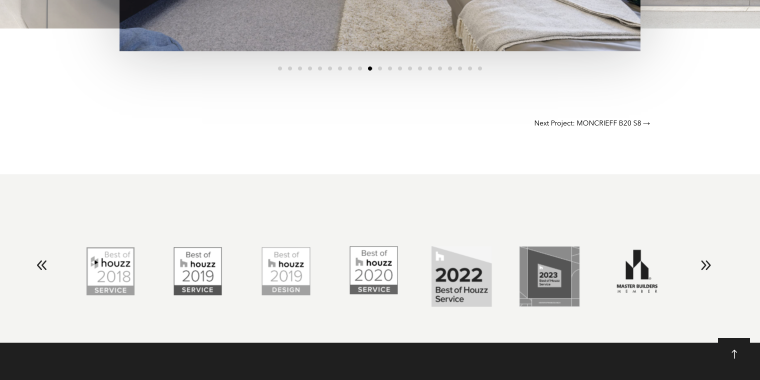
Below is a logo carousel that displays the firm’s professional memberships and award credentials. The carousel scrolls continuously through these badges, with left/right navigation arrows at either edge, keeping the section compact while ensuring every credential is visible.
BusinessConfig | Digital solutions agency (Portugal)
BusinessConfig’s carousels on its homepage tell a compact but convincing story.
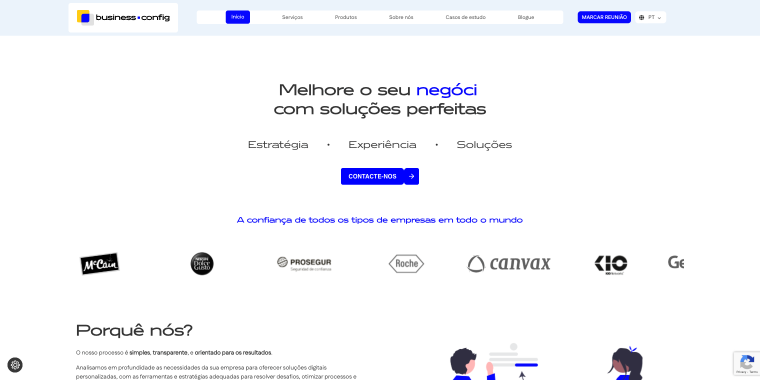
Positioned just below the hero section, the client logo carousel runs on continuous autoplay. The automatic rotation keeps the section alive without requiring any interaction, and the clean white background with monochrome logos ensures the brand names read clearly at a glance.
Further down the page, a blog post carousel displays three article cards side by side, each featuring a post image, title, and an excerpt. Left and right arrow navigation lets visitors move between posts with a click. The card includes an excerpt that is substantial enough that visitors can assess whether an article is relevant before clicking.
Lemonade | Web design agency (Singapore)
Lemonade’s homepage makes a strong case through carousels that are each executed with a distinct creative twist.
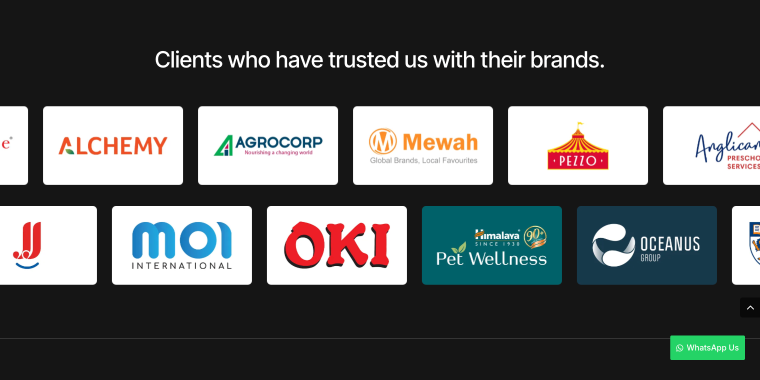
The client logo carousel is set against a striking full-width dark background section with a counter-directional layout: the upper row scrolls continuously from right to left, while the lower row scrolls in the opposite direction. Both rows run on autoplay with no navigation controls needed.
The blog post carousel takes a notably different approach to interaction. When a visitor hovers over any postcard, the standard mouse pointer is replaced by a bold blue circle with the word “Drag” in white text. This single UI detail eliminates the need for any instructional copy or visible controls.
Vinova Events | Full-service wedding planning
Vinova Events is a luxury wedding planning company, and their venue carousel is a masterclass in letting the product speak for itself.
The carousel presents a curated selection of event locations and aerial and facade shots of properties in a three-slide layout. The central image is noticeably larger than the two side slides, drawing the eye immediately to the featured venue. The partially visible side images tease what’s next and encourage navigation. Each slide is captioned with the venue name in spaced uppercase lettering beneath the photo, understated and elegant, consistent with the brand’s overall typographic tone.
Hôtel La Cachette | Hôtel Spa, Drôme Provençale (France)
Hôtel La Cachette features a services carousel, which is one of the most straightforward applications of the format in this round-up.
The carousel displays four equal-width images simultaneously, each a high-quality photograph that captures the essence of a different guest experience. Navigation is manual via circular arrow buttons at the left and right edges, allowing visitors to scroll through additional sections of the hotel at their own pace.
Embece | Projects carousel (Australia)
Embece website features a projects carousel that presents its architectural work in a clean, editorial-style layout.
The section displays multiple large project thumbnails side by side against a soft, minimal background. Navigation is handled manually via arrow controls in the top-right corner of the section. Each project card also includes a subtle “plus” icon overlay. When clicked, a detailed project panel slides up from the bottom of the screen, revealing an expanded description and additional details.
Yopi Sound | Projects carousel (France)
Yopi Sound website presents a project carousel enhanced with a 3D perspective effect.
The carousel transitions automatically, with slides moving smoothly from right to left. For manual control, dot navigation appears under the carousel. The combination of auto-sliding motion, 3D styling, and direct navigation creates an engaging browsing experience that reflects the creative and technical nature of Yopi Sound’s work.
Delphicoach | Blog posts carousel (Switzerland)
Delphicoach website features a blog post carousel that highlights recent articles in a clean, approachable layout.
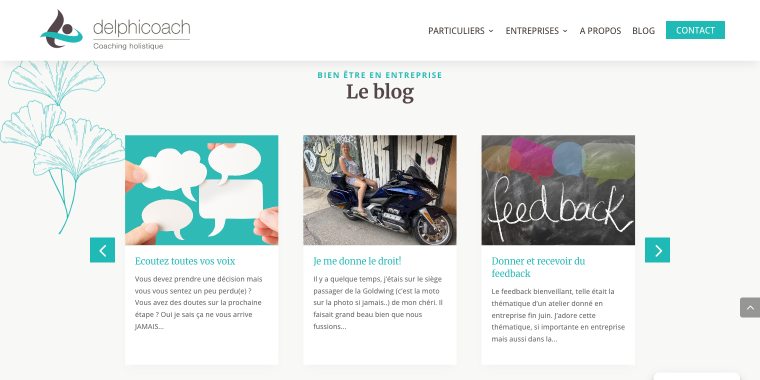
The carousel rotates automatically, ensuring that new articles are periodically brought into view without user interaction. Transitions are smooth and horizontal, allowing the next set of posts to slide into place while maintaining visual continuity.
Eurotech Conseil | Clients & expertise carousels (France)
Eurotech Conseil integrates two distinct carousels on its website, each serving a different purpose within the overall presentation.
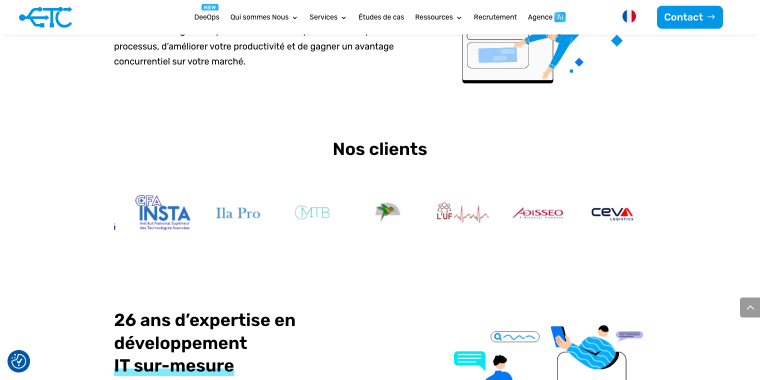
The carousel displays partner and customer logos in a clean horizontal strip. It rotates automatically at a steady pace, creating continuous motion without requiring user interaction.
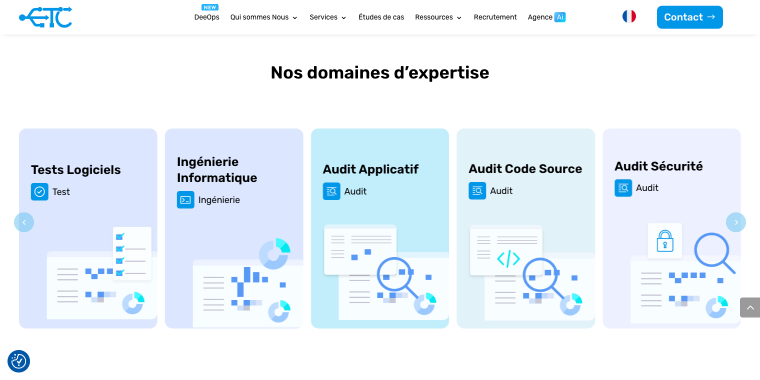
The expertise carousel showcases the company’s core areas of specialization through a series of structured tiles. Unlike the faster-moving clients section, this carousel rotates slowly, giving visitors more time to absorb each category.
A key interactive element appears on hover: individual tiles flip to reveal additional information on the reverse side. This flip animation adds depth and interactivity while preserving the initial view minimally.
Top 5 Carousel Plugins for Your Divi Website
Inspired by the examples above? Here are five plugins, ranging from free to powerful Divi Marketplace extensions and dedicated layout packs that you can use to build similar carousels on your Divi site. They’re listed in order of scope, from lightweight utility plugins to comprehensive layout solutions.
Carousel for Divi (Freemium)
🏆 Best for small businesses and solo site owners who want to add a basic carousel to their Divi site without spending a penny.
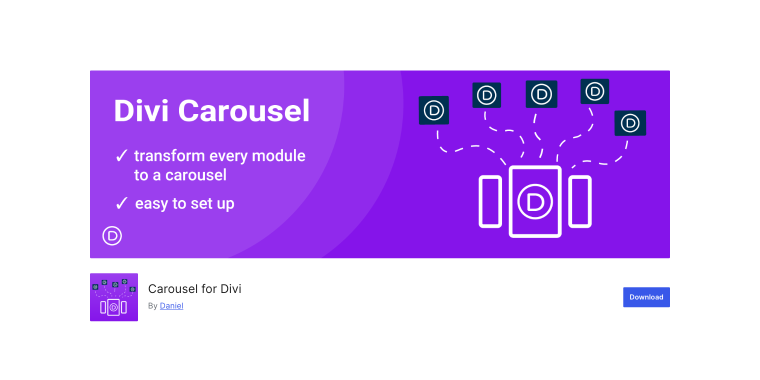
Carousel for Divi adopts a lightweight approach by transforming existing Divi rows, columns, and blog modules into carousels via a CSS class, requiring no coding, just a few clicks in the advanced settings. The free version covers most single-carousel needs, while the premium unlocks unlimited carousels, autoplay, and a striking 3D mode, perfect for showcasing products or team members. With a 5-star rating on WordPress.org and active maintenance, it’s a reliable choice.
Pricing: free to download on WordPress.org.
Ultimate Blog Layouts for Divi (Premium)
🏆 Best for bloggers, content marketers, and service businesses that want polished, ready-to-use blog post display layouts without building from scratch.
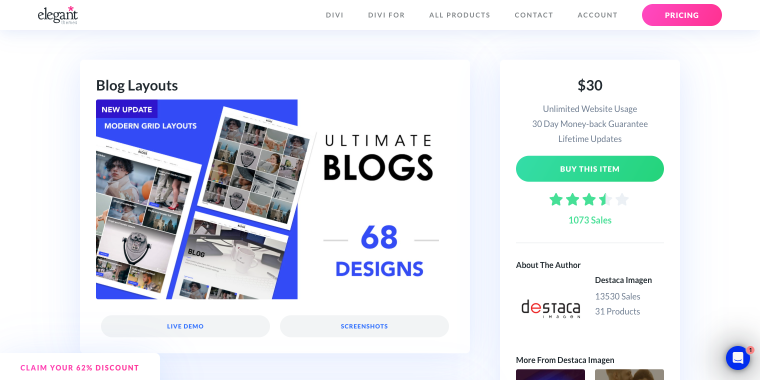
Created by Destaca Imagen and available on the Divi Marketplace, Ultimate Blog Layouts is a layout pack designed for Divi’s blog module. It offers professional templates, including carousel-style showcases, that can be imported into your Divi library and added to any page. For content marketing or SEO, a visually appealing way to display posts can boost readership. With over 1,000 sales and unlimited site use, it’s an affordable choice for small business owners managing multiple sites or updating designs.
Pricing: $30 one-time purchase via the Divi Marketplace; includes unlimited site usage and lifetime updates.
Divi Layouts Extended (Premium)
🏆 Best for web designers and small business owners who want an all-in-one layout library with pre-designed carousels, WooCommerce sections, headers, and much more.
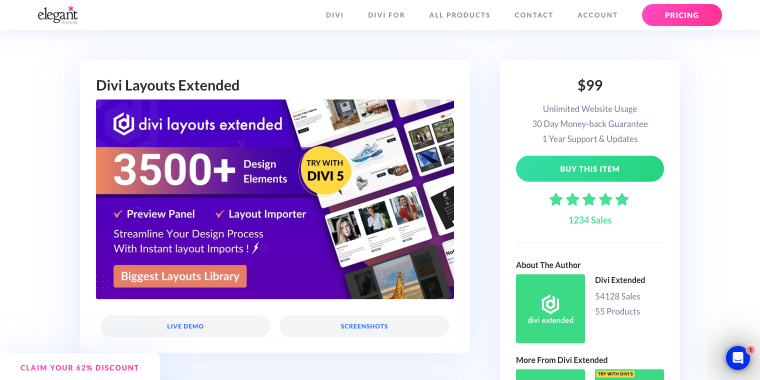
Divi Layouts Extended by Divi Extended is one of the most comprehensive layout packs in the entire Divi Marketplace ecosystem. With hundreds of premade sections and page layouts covering everything from hero areas and headers to WooCommerce product sections and blog carousels, it functions as a constantly expanding creative toolkit rather than a single-purpose tool.
Pricing: $99 one-time purchase via the Divi Marketplace; includes unlimited site usage and 1 year of support and updates.
Ultimate Carousel for Divi (Freemium)
🏆 Best for businesses that need carousels pulling from dynamic content sources, including custom post types, taxonomy terms, and WooCommerce products.
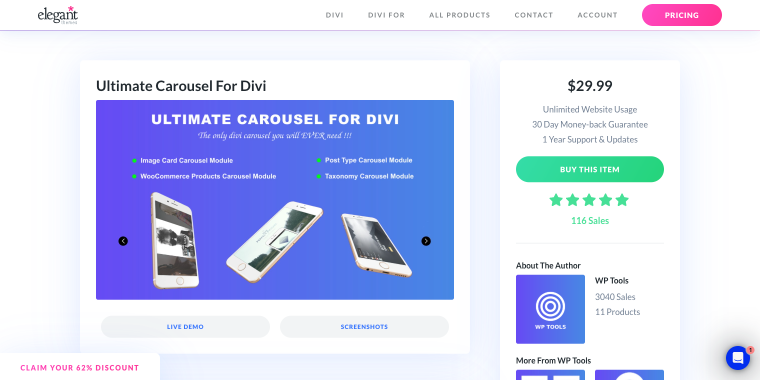
Ultimate Carousel for Divi by WP Tools offers four carousel modules in one package: Image, Post Type, Taxonomy, and WooCommerce Product Carousels. Developed for sites with complex structures like real estate or recipe blogs, it features customizable behavior (slide vs. coverflow, autoplay, device columns) and design elements (price, rating, sale badge styling), adjustable in the Divi Visual Builder. A 7-day free trial allows testing all features before committing to purchase.
Pricing: from $29.99/year for a single site; subscription-based pricing with a 7-day free trial available at wptools.app.
Woo Layouts (Premium)
🏆 Best for WooCommerce store owners using Divi who want professionally designed, ready-to-use product and shop page layouts, including carousel-style product sections.
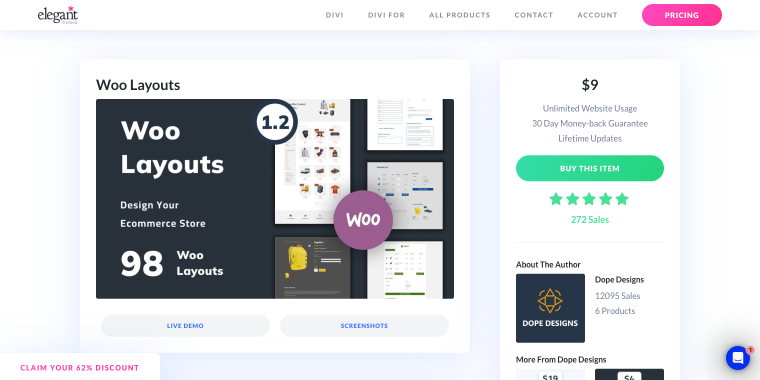
Woo Layouts is a Divi Marketplace layout pack designed for WooCommerce-enabled Divi sites, offering pre-designed sections and pages for the full shopping experience, including homepages, category pages, product details, and checkout flows. It features carousel-style product showcases that display featured or on-sale items in an engaging slider without additional plugins. Built with standard Divi modules and WooCommerce shortcodes, it’s customizable in the Visual Builder and ideal for small businesses launching or updating their online stores, providing a professional design head start.
Pricing: available on the Divi Marketplace; see the listing for current pricing. Includes unlimited site usage and a 30-day money-back guarantee.
FAQ
No coding knowledge is needed for the tools in this article. All plugins and layout packs work within Divi’s Visual Builder, where settings are adjusted via sidebars and toggles. Some, like Carousel for Divi, require adding a CSS class in Divi’s settings, but this is a simple copy-and-paste step explained in the plugin documentation.
Most premium carousel modules, including Divi Layouts Extended and Woo Layouts, support unlimited carousels with independent settings. The free Carousel for Divi is limited to one per page, but upgrading to premium removes this restriction.
Compatibility with Divi 5 varies by plugin, as it introduces a new module framework requiring developers to rewrite their extensions. Some plugins are fully compatible, others are being updated, and a few haven’t started migration. Check the plugin author’s website or Divi Marketplace for current compatibility before purchasing, especially if you already run Divi 5.
Conclusion
Carousels are more than just design; they make your website more functional with the same content. Use them to showcase blog posts, highlight products, or display testimonials. A good carousel boosts engagement, reduces clutter, and guides visitors to key actions in the business.
The Divi ecosystem offers a wide range of solutions for every budget and skill level, from the free Carousel for Divi plugin for those just getting started to powerful dedicated modules like Divi Layouts Extended for sites that need professional-grade flexibility. As Divi 5 continues to mature, the tooling around carousels will only improve, making now a great time to invest in getting your content presentation right.