Images, galleries, carousels, sliders — we are always looking for appealing ways to present the information. Now, when the wall-text is acceptable only in limited spheres, the imagery content becomes one of the best working ways to sell products or services. Websites are not an exception and are probably one of the best examples of this approach. Not only bright images, but smartly-organized labels and text, dynamics and flexibility, high performance, and senses matter when your aim is beyond business only, but considers building up a trusting relationship with a customer.
WordPress is a perfect space for building such a site. In this article, I will discuss the best solutions for dynamic sliders, carousels, and galleries, presented on the market for Divi Builder. Although the Divi Builder includes built-in slider functionality through dedicated modules, allowing you to create sliders without needing third-party plugins, to add dynamics to your slider, carousel, or gallery, you will need third-party tools.
In this article, I will compare the best plugins for WordPress dynamic sliders, carousels, and galleries for Divi. I will discuss the key features, pros, and cons of the selected plugins and their pricing. So read on to learn more about dynamic imagery in Divi for different types of sites, including eСommerce.
powered by Divi-5 dynamic?
How to Choose Dynamic Slider, Carousel, and Gallery Plugins for Divi?
Choosing the right WordPress dynamic slider, carousel, or gallery plugin for Divi means balancing design flexibility, performance, and compatibility with your specific project goals. Before installing a plugin, evaluate it against the following criteria to make a confident and future-proof decision.
- Ease of use and setup. Consider your experience level and workflow. Do you prefer creating elements with Divi Builder modules? Do you need a drag-and-drop visual editor? Would pre-made templates speed up your work? If you’re not comfortable with code, avoid developer-oriented solutions that require manual configuration.
- Compatibility and integration. Always verify that the plugin works smoothly with Divi, supports WooCommerce (if you need product sliders), is compatible with multilingual plugins (WPML, Polylang), and doesn’t conflict with performance or caching plugins. Testing the plugin in a staging environment is highly recommended. Incompatible tools may break layouts, affect responsiveness, or create JavaScript conflicts.
- Dynamic content capabilities. Not all sliders are truly “dynamic.” If you need post feeds, WooCommerce product carousels, custom post type support, and automatically updating content. Make sure the plugin supports dynamic data sources.
- Customization and design flexibility. Proper slider and gallery plugins should allow multiple layout types (slider, carousel, grid, masonry), navigation styles (arrows, bullets, thumbnails), animation and transition control, responsive breakpoints, typography and spacing adjustments, and custom CSS support (if needed). The more design flexibility you have, the easier it is to align sliders with your brand identity.
- Performance and speed. Sliders can impact performance — especially if they include heavy animations, video backgrounds, large unoptimized images, and multiple scripts loading sitewide. Look for plugins that load assets only when needed, offer lazy loading, avoid unnecessary plugin bloat, and are regularly updated for performance improvements. Performance directly affects UX, core web vitals, and SEO.
- Mobile responsiveness. A good slider must adapt smoothly to tablet and mobile screens, support swipe gestures, allow control over elements per device, and avoid layout shifts. Test the slider on real devices. A design that looks impressive on a desktop but breaks on mobile will harm user engagement.
- SEO and accessibility. Modern websites require accessibility and search engine compatibility. Check whether the plugin provides proper HTML structure, ALT text support for images, keyboard navigation, ARIA attributes, and SEO-friendly markup. Accessibility improves usability for all visitors and contributes to better search performance.
- Support and documentation. Reliable documentation and support are crucial, especially for advanced setups. Look for detailed guides and tutorials, active support forums, regular updates, and clear refund policies. Well-maintained plugins reduce long-term risks.
- Pricing and licensing model. Evaluate free vs. premium features, annual subscription vs. lifetime license, number of sites allowed, and included updates and support. Sometimes, a lightweight free solution is sufficient. In other cases, investing in a premium plugin with dynamic features may save development time and future migration costs.
- User reviews and community feedback. Before making a final decision, check ratings on WordPress or marketplaces, read recent reviews (especially support-related ones), and look at the update frequency. Consider the plugin’s active install base. An actively maintained plugin with positive community feedback is usually a safer long-term choice.
Top 10 Divi Dynamic Slider, Carousel, and Gallery Plugins
I have selected the following plugins and add-ons, so let’s look through them.
Smart Slider 3 (Free & Premium)
🏆 Best for a powerful all-round slider solution.
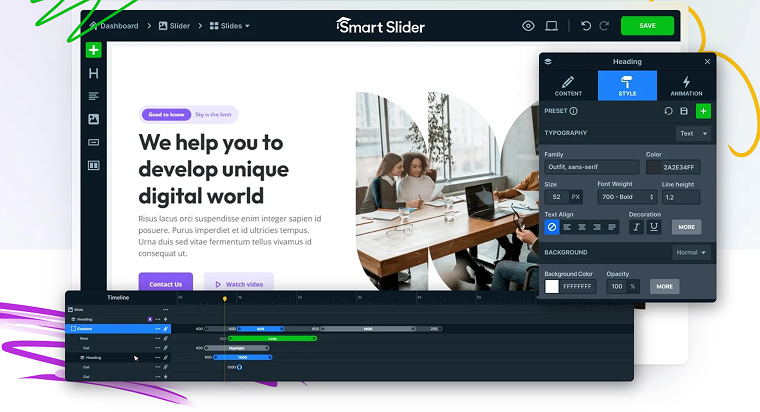
Smart Slider 3 is one of the most advanced WordPress slider plugins available and works with a wide range of themes, including Divi. It offers both a free version and tiered premium licenses with extensive features — making it a great choice for sites that need more than basic image sliders. The plugin allows creating and managing images, videos, posts, and dynamic content.
On the WordPress plugin directory, Smart Sliders 3 has a high rating of 4.9/5 ⭐️and 900k+ of active installations.
Key features:
- drag-and-drop slide builder with live editing;
- supports images, videos, text, and layered content;
- responsive controls for mobile, tablet, and desktop;
- pre-made slider templates;
- dynamic content sources (posts, WooCommerce, galleries) in the Pro version;
- navigation options (arrows, bullets, thumbnails);
- SEO-optimized and touch-friendly.
Pros:
- powerful and versatile;
- high compatibility with page builders (including Divi);
- extensive customization without code;
- good balance between beginner-friendly and advanced features;
- constant development and a large install base.
Cons: an interface can be overwhelming for beginners.
Pricing:
- free;
- Standart – £38;
- Premium – from £76 to £191.
Mind the taxes and refund policy.
MetaSlider (Free & Premium)
🏆 Best for fast, simple, and SEO-focused sliders and galleries.
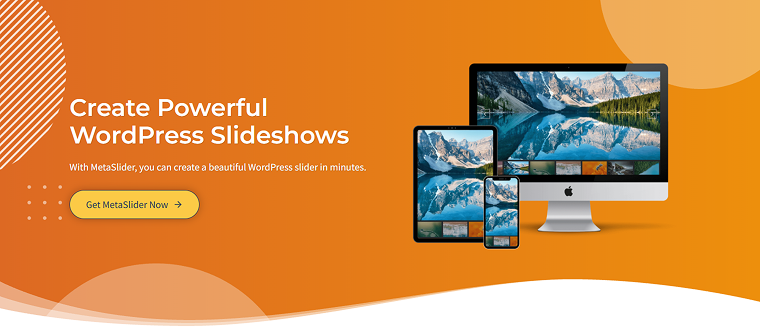
MetaSlider is a hugely popular WordPress slider plugin designed to quickly build responsive slideshows, galleries, and carousels. It’s simple to use and offers Pro add-ons that expand functionality significantly.
MetaSlider has a 4.6/5 ⭐️ rating on WordPress and 500k+ of active installations.
Key features:
- drag-and-drop interface for slider setup;
- post feed and dynamic content sliders;
- thumbnail navigation and filmstrip UI;
- SEO-optimized outputs;
- schedule slider visibility;
- works with Divi via shortcode.
Pros:
- beginner-friendly;
- strong performance and lightweight;
- handles images and video (YouTube/Vimeo/TikTok) slides well;
- good choice for post galleries and product carousels;
- reliable support and frequent updates.
Cons: fewer design freedoms and advanced animations compared to Smart Slider 3.
Pricing:
- free version available on WordPress;
- 1 Site License – $79/year;
- 5 Site Licenses – $99/year;
- Unlimited Site Licenses – $199/year.
DiviFlash (Premium)
🏆 Best for built-in carousels and sliders inside Divi.
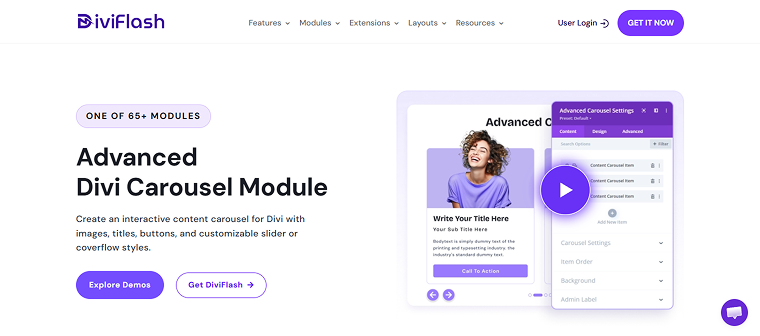
DiviFlash is a “complete Divi toolkit” that includes an Advanced Carousel module among many others — not strictly a dedicated slider plugin but a powerful set of Divi-native modules. It is a good choice for Divi users wanting built-in carousels and sliders inside Divi with broader site-building tools.
DiviFlash has a 4.8/5 ⭐️ rating on Trustpilot.
Key features:
- auto-play sliders and loops;
- 3D coverflow and standard carousel types;
- multiple premade carousel layouts;
- responsive control and autoplay options;
- works natively in Divi Builder;
- part of a large module suite for full site customization.
Pros:
- deep Divi Builder integration;
- design and layout possibilities;
- good value if you use many Divi modules;
- dynamic elements support via Divi.
Cons: slider capabilities are a part of a bigger toolset — not as specialized as dedicated slider plugins.
Pricing:
- Personal – from $49 to $149;
- Professional – from $89 to $299.
Divi Testimonial Extended (Premium)
🏆 Best for testimonial sliders and grids specific to client reviews.
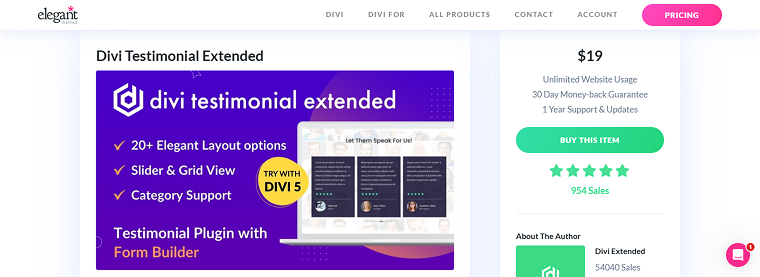
Divi Testimonial Extended focuses on creating advanced testimonial sliders and layouts within Divi, making it ideal when your core need is showcasing reviews or social proof.
Divi Testimonial Extended has a 5/5 ⭐️ rating on Divi Marketplace.
Key features:
- multiple layouts for testimonial sections;
- front-end testimonial submission form;
- animation effects (slide, cube, flip, coverflow);
- masonry grid option;
- control slides per view;
- pagination and navigation styles;
- customizable author images and meta.
Pros:
- built for testimonials specifically;
- easy Divi setup;
- Gravatar and rating support;
- works great for trust-building sections;
- affordable pricing.
Cons: not a general slider/carousel tool — focused on testimonials.
Pricing: $19/year for an annual license and $99/year for a lifetime license.
Divi Engine (Premium)
🏆 Best for lightweight, developer-oriented sliders using Slick JS.
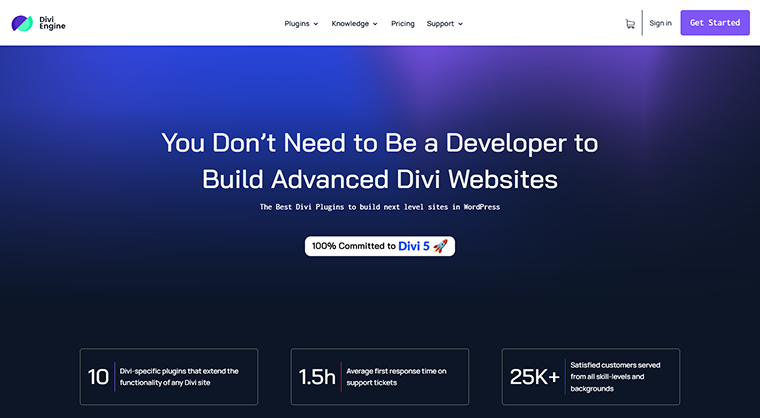
Divi Engine’s “Slide Anything” approach uses Slick JS to enable sliding gallery or content functionality in Divi with code or custom Divi module setups. It’s more of a technique/tutorial than a full plugin offering. Reviews mention good support quality.
Key features:
- Slick.js integration (robust sliding library);
- supports any Divi module as a slide;
- flexible for custom layouts;
- can handle images, content blocks, and Divi modules;
- touch, swipe, carousel grouping;
- infinite loop and autoplay;
- custom breakpoints.
Pros:
- customizable with code/Divi;
- no plugin bloat;
- good choice for developers and advanced users;
- use Divi modules as slides.
Cons:
- not a polished end-user plugin — requires more setup;
- no UI for drag-and-drop slider creation.
Pricing:
- Monthly – £25 per month;
- Annual – £149 per year;
- Lifetime – £550 one-time payment.
Divi Gallery Extended (Premium)
🏆 Best for enhanced Divi galleries.
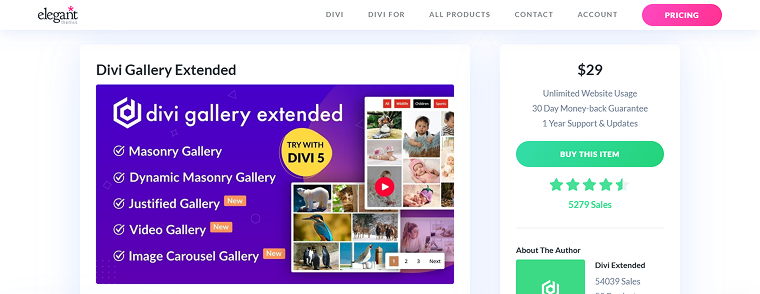
Divi Gallery Extended enhances gallery layouts inside Divi with more flexibility in grids and display formats, but it isn’t focused on dynamic slider/carousel functionality. It offers Divi galleries (grid and lightbox) rather than full sliders.
It has a 4.5 ⭐️ rating on Divi Marketplace with over 5,200 sales.
Key features:
- multiple gallery layouts;
- lightbox support;
- better gallery column control;
- masonry/grid options;
- hover effects;
- lazy loading;
- works inside the Divi Builder.
Pros:
- great for image galleries with lightbox;
- clean grid options;
- works well with Divi visuals;
- easy setup;
- improves Divi gallery designs.
Cons: not a dedicated slider/carousel tool — limited motion and dynamic slider features.
Pricing: $29/year.
Divi Carousel Maker (Premium)
🏆 Best for creating flexible carousels from any Divi module or layout.
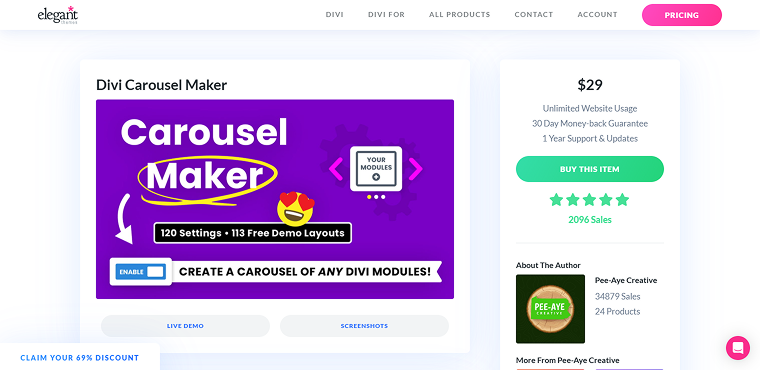
Divi Carousel Maker is a dedicated carousel extension designed specifically for Divi. Instead of adding new modules, it converts existing Divi modules into carousel slides, allowing developers to reuse layouts and content blocks within interactive sliders. This approach makes it highly flexible and particularly attractive for designers who prefer working directly inside the Divi Builder.
Divi Carousel Maker has a 5 ⭐️ rating on Divi Marketplace with over 2,090 sales.
Key features:
- convert any Divi module into a carousel slide;
- multiple content types supported (posts, products, logos, testimonials);
- responsive controls for desktop, tablet, and mobile;
- autoplay, loop, pause-on-hover options;
- navigation controls (arrows, dots, swipe gestures);
- advanced slide effects such as coverflow and smooth transitions;
- multi-row carousel layouts;
- lazy loading and performance optimization;
- equal height slides and spacing controls;
- full integration with Divi Visual Builder.
Pros:
- works with any Divi module;
- highly flexible for dynamic content;
- 50+ carousel customization settings;
- beginner-friendly due to Divi Builder integration;
- good documentation and support.
Cons:
- requires an understanding of Divi modules to utilize it fully;
- it is a narrowly focused extension (not a multi-module plugin suite).
Pricing: $29/year.
Divi Product Carousel Module (Premium)
🏆 Best for creating high-converting WooCommerce product sliders.
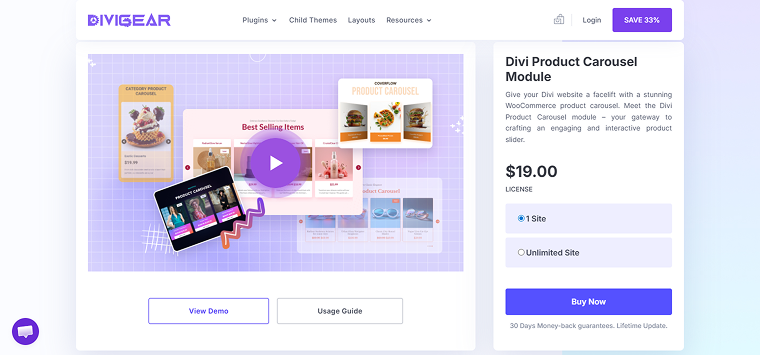
The DiviGear Product Carousel module is built specifically for WooCommerce integration within the Divi ecosystem. It allows store owners to showcase products in interactive sliders with customizable layouts and product elements such as ratings, badges, and add-to-cart buttons. This plugin focuses primarily on improving product presentation and boosting conversions on shop pages and landing pages.
Key features:
- support for recent, featured, best-selling, or category products;
- supports up to 11 WooCommerce elements (price, rating, add-to-cart, etc.);
- autoplay and infinite loop options;
- slide and coverflow carousel layouts;
- hover interactions for product details;
- navigation arrows and pagination dots;
- custom badge and discount styling;
- responsive controls for device-specific slide counts;
- adjustable slide spacing and height;
- shadow and animation effects.
Pros:
- designed specifically for WooCommerce stores;
- extensive styling for product elements;
- highly customizable slide layouts;
- conversion-focused elements (ratings, buttons);
- easy setup and visual editing within Divi Builder.
Cons: focused mainly on products, not general content carousels.
Pricing:
- Single site – $19;
- Unlimited sites – $49.
Divi WooCommerce Extended (Premium)
🏆 Best for expanding Divi’s WooCommerce functionality with multiple store modules.
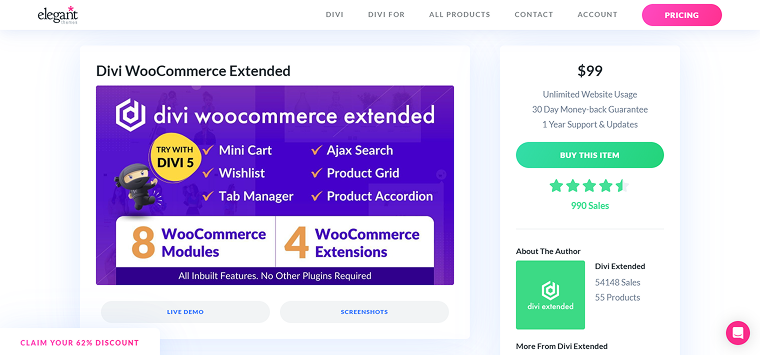
Divi WooCommerce Extended (DWE) is a comprehensive plugin that adds several WooCommerce-focused modules to the Divi Builder. Among these is the Product Carousel module, which allows shop owners to display products in attractive sliders with flexible customization options. Unlike single-purpose plugins, DWE aims to enhance the overall WooCommerce experience in Divi.
Divi WooCommerce Extended has a 4.5 ⭐️ rating on Divi Marketplace.
Key features:
- WooCommerce Product Carousel module;
- quick view functionality for products;
- AJAX product search;
- category carousel module;
- tab manager for product pages;
- flexible slider effects and layouts;
- custom navigation arrows and pagination dots;
- support for multiple product sliders on one page;
- product filtering by category;
- visual styling options for WooCommerce elements.
Pros:
- comprehensive WooCommerce toolkit;
- multiple modules beyond carousels;
- improves shop UX with quick view and AJAX search;
- flexible design customization;
- fully integrated with Divi Builder.
Cons:
- heavier plugin due to multiple modules;
- can be overwhelming if you only need a simple carousel.
Pricing:
- Annual – $99;
- Lifetime – $199;
- Membership – $499.
Ultimate Carousel For Divi (Free & Premium)
🏆 Best for highly customizable universal carousels for any type of content.
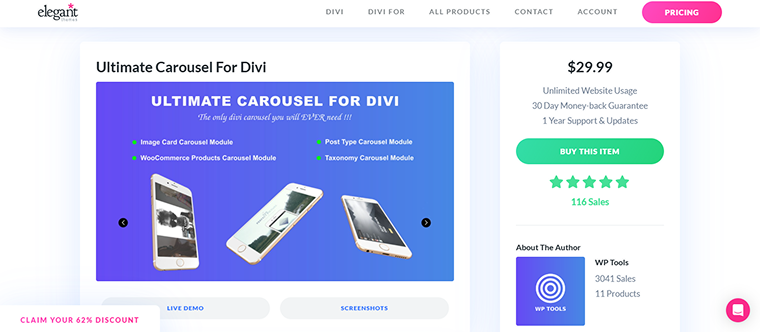
Ultimate Carousel for Divi is a feature-rich plugin that allows users to create advanced carousel layouts using virtually any Divi module. It is designed to provide full design control and flexibility while maintaining seamless integration with the Divi Visual Builder. This makes it suitable for portfolios, testimonials, blog posts, team members, and WooCommerce products.
Ultimate Carousel has a 5 ⭐️ rating on Divi Marketplace.
Key features:
- universal support for any Divi module inside a carousel;
- custom navigation controls (arrows, dots, swipe);
- autoplay and animation settings;
- multiple slide transition effects;
- adjustable slide speed and timing;
- touch-enabled swipe navigation;
- carousel for images, products, testimonials, and posts.
Pros:
- supports all Divi modules;
- highly flexible design customization;
- easy to use for designers;
- suitable for many content types;
- responsive and mobile optimized.
Cons: limited functionality in the free version.Pricing: free and a $29.99/year plan.
FAQ
Yes. Divi Builder includes built-in modules such as Slider, Fullwidth Slider, and Gallery, which allow you to create simple slideshows without installing additional plugins. However, these modules provide relatively basic functionality. If you need dynamic content sources (posts, WooCommerce products, or custom post types), advanced animations, carousel layouts, or more flexible design controls, a third-party plugin can significantly expand what you can build.
Plugins like Smart Slider 3 or MetaSlider offer more advanced slider features, while Divi-native tools such as DiviFlash or Divi Carousel Maker integrate directly with the Divi Builder interface.
For advanced dynamic sliders, Smart Slider 3 is one of the most flexible solutions. Its Pro version supports dynamic content sources such as posts, WooCommerce products, and automatically updated content feeds, making it suitable for blogs, magazines, and eCommerce sites. If you prefer a lighter and simpler approach, MetaSlider can also display post feeds and product sliders while remaining easy to configure.
JetEngine’s dynamic slider approach offers its powerful functionality for Divi as well, when the integration is complete — stay tuned.
For WooCommerce-focused layouts inside Divi, plugins like Divi WooCommerce Extended or the Divi Product Carousel Module are useful for showcasing products in dynamic carousels.
If you want to build sliders and carousels directly inside the Divi Builder interface, without relying on shortcodes or external editors, Divi-native plugins are the most convenient option.
Tools such as DiviFlash, Divi Carousel Maker, and Ultimate Carousel for Divi provide carousel modules or functionality that work directly within Divi’s visual builder. These solutions are good if you want to design sliders visually with Divi modules, reuse existing layouts as slides, and maintain a fully integrated workflow.
Conclusions
After reading this article, you know about the main features of the dynamic sliders, carousels, and galleries plugins for Divi. I’ve discussed what plugins are available and how to choose the right one. Remember that there’s no universally “best” dynamic slider plugin for Divi. The right choice depends on:
- your technical skills;
- project complexity;
- performance priorities;
- budget;
- whether you prefer native Divi modules or standalone slider builders.
Start with your core need — dynamic data, design control, testimonials, galleries, or lightweight performance — and choose the plugin that aligns most closely with that priority.
- For powerful dynamic sliders and broader content sources, tools like Smart Slider 3 and MetaSlider offer strong flexibility and customization.
- If you prefer working entirely inside the Divi Builder, plugins such as DiviFlash, Divi Carousel Maker, and Ultimate Carousel for Divi integrate directly with the visual editor.
- For specialized needs, Divi Testimonial Extended, Divi Gallery Extended, and Divi WooCommerce Extended provide tailored solutions for testimonials, galleries, and WooCommerce products.