WordPress’s default search feature often falls short of offering users an engaging, customizable search experience. Whether you’re managing an eCommerce site, a blog, or a business website, a well-designed WordPress search results page can greatly enhance user engagement and help visitors find exactly what they need.
The right search plugin can turn your basic search results into visually appealing, highly functional pages that match your site’s design and offer advanced filtering options. From simple AJAX-powered live search to complex grid layouts and AI-powered relevance scoring, there’s a solution for every website’s needs and budget.
In this guide, we’ll review the top eight WordPress search results page plugins that can improve your site’s search features, enhance user experience, and ultimately increase conversions.
How to Create a Search Results Page?
JetThemeCore, as part of the Crocoblock ecosystem, offers a powerful way to create custom search results pages with Elementor. Here’s a quick overview of the process.
Make sure that JetThemeCore, JetEngine, and Elementor (or Block Editor) are installed on your WordPress site. Go to WordPress Dashboard > JetEngine > Listing Items/Components and click the “Add New Item” button. In the Setup Listing Item pop-up, select “Posts” as the Listing source, then choose “Products” for the Frompost type, and finally click “Create Listing Item.”
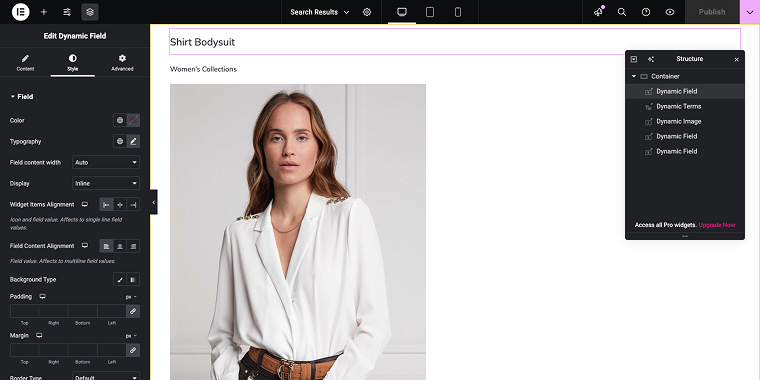
For the listing item, you can add as many dynamic fields as needed, and when finished, click “Publish.”
Next, go to WordPress Dashboard > Templates> Theme Builder and create a new Search Results archive template.
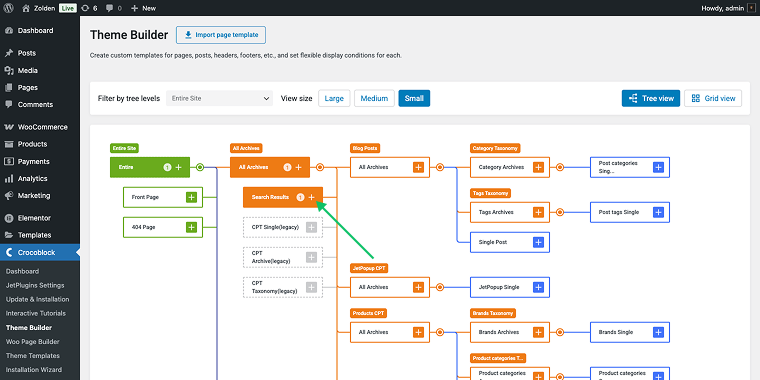
Choose the following set of display conditions:
- “Include”;
- “Archive”;
- “Search Results.”
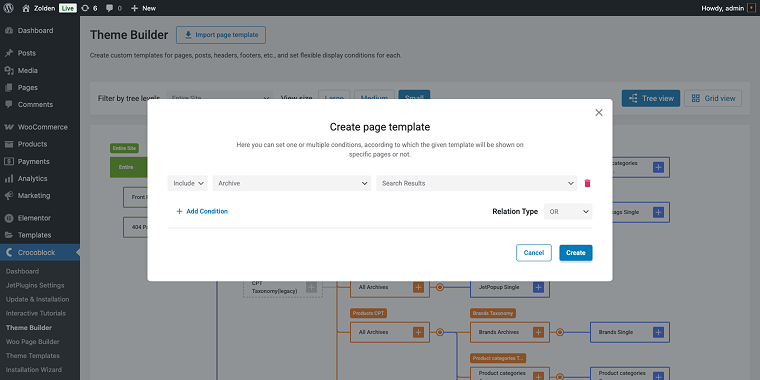
Click “Create” when done.
Now we can add the body to a newly created template. Click on the “+ Override themebody” and you’ll have the option to either add an existing one or create a new one.
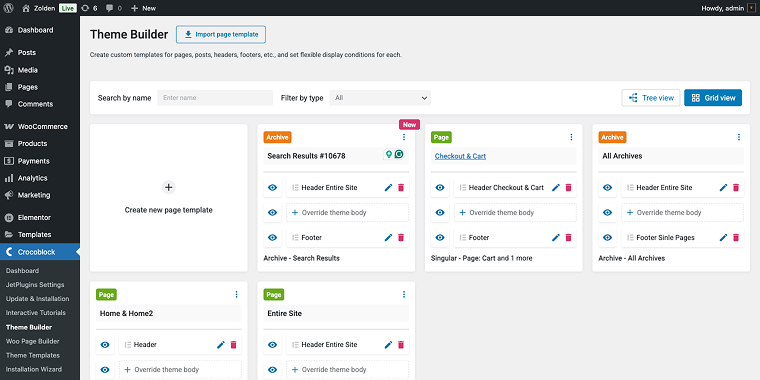
If you choose to create a new body template, you can select the builder type, either Elementor or Block Editor. Like any other page, you can add as many widgets as you find appropriate. I’ve used:
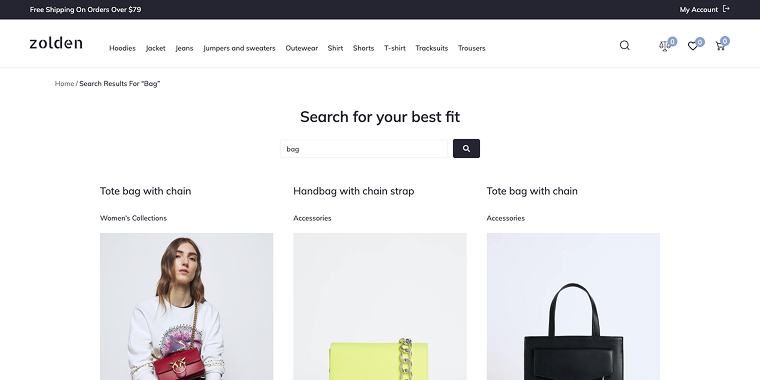
- Heading widget for page title;
- Search widget to narrow down the search results;
- Listing Grid widget to display search results.
After adding the Listing Grid widget, don’t forget to enable the Use as Archive Template switch.

When done, click “Publish” and then try the website/store search to find something.
Top 8 WordPress Search Results Page Plugins Compared
WP Grid Builder (Premium)
🏆 Best for advanced users who need maximum customization control and complex filtering capabilities.
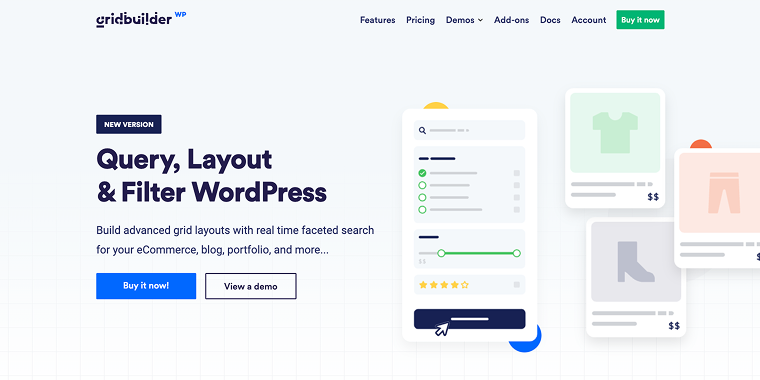
WP Grid Builder is a premium WordPress plugin that allows you to create highly customizable grid layouts for any content type, including search results. It excels at creating sophisticated, filterable grids that can transform your search results into engaging, Pinterest-style layouts. The plugin supports custom post types, WooCommerce products, and provides extensive styling options.
Pricing: starting from $49 for a single-site license.
Key features:
- advanced grid builder with drag-and-drop interface;
- multiple layout options (masonry, justified, metro, and carousel);
- real-time AJAX filtering and pagination;
- custom field support;
- WooCommerce integration;
- mobile-responsive design.
Pros:
- excellent performance with AJAX loading;
- great for complex filtering requirements;
- professional-looking grid layouts;
- regular updates and good documentation;
- works with popular page builders.
Cons:
- steeper learning curve for beginners;
- premium pricing may not suit all budgets;
- requires some technical knowledge for advanced features;
- some features need coding knowledge.
JetThemeCore (Premium)
🏆 Best for Elementor users who want seamless integration with their existing workflow and professional results.
JetThemeCore is part of the comprehensive Crocoblock plugin suite designed specifically for Elementor users. It provides powerful theme-building capabilities that extend to creating custom search results pages with dynamic content and advanced styling options. The plugin integrates seamlessly with other Crocoblock plugins for enhanced functionality.
Pricing: part of Crocoblock All-Inclusive plan or available separately for $43 annually.
Key features:
- compatible with Elementor and Blocks Editor;
- dynamic content support;
- custom post type compatibility;
- advanced template conditions;
- mobile-responsive design.
Pros:
- seamless Elementor integration;
- professional template designs;
- extensive customization options;
- great for dynamic content;
- strong community and support;
- regular updates and improvements;
- works well with other Crocoblock plugins.
Cons:
- may have too many features for simple needs;
- subscription-based pricing model;
- requires annual renewal for updates.
Elementor (Premium)
🏆 Best for users who want a free, beginner-friendly solution with professional design capabilities.
Elementor, the popular page builder, includes basic theme builder functionality that allows you to customize search results pages. While not specifically a search plugin, its archive template features enable you to create custom search result layouts using its intuitive drag-and-drop interface. The Pro version offers more advanced templating options and dynamic content widgets.
Pricing: free version available; Pro version starts at $59 annually.
Key features:
- visual drag-and-drop builder;
- archive template support;
- dynamic content widgets (Pro);
- mobile-responsive editing;
- custom CSS options;
- third-party integrations;
- template library access.
Pros:
- user-friendly interface;
- free version available;
- large community and resources;
- regular updates and improvements;
- compatible with most themes;
- extensive widget library;
- good performance optimization.
Cons:
- limited search-specific features;
- can slow down websites;
- some features require coding knowledge;
- template design takes time;
- may conflict with some themes;
- learning curve for complex layouts.
JetWooBuilder (Premium)
🏆 Best for WooCommerce stores that need specialized product search and filtering capabilities.
JetWooBuilder is specifically designed for WooCommerce websites and excels at creating custom product search results pages. It provides specialized widgets for product grids, filters, and search forms that are tailored for eCommerce functionality. The plugin integrates perfectly with Elementor and other Crocoblock plugins.
Pricing: part of Crocoblock All-Inclusive plan or available separately for $43 annually.
Key features:
- WooCommerce-specific widgets;
- product filtering and sorting;
- ability to create custom Woo templates;
- AJAX-powered interactions;
- mobile-optimized layouts.
Pros:
- excellent WooCommerce integration;
- specialized eCommerce widgets;
- detailed documentation and support;
- regular WooCommerce compatibility updates.
Cons:
- limited to WooCommerce sites only;
- requires Elementor to function;
- part of the paid plugin ecosystem;
- may be complex for simple stores;
- subscription pricing model.
ElasticPress (Premium)
🏆 Best for large websites with extensive content that need powerful, fast search with advanced relevancy.
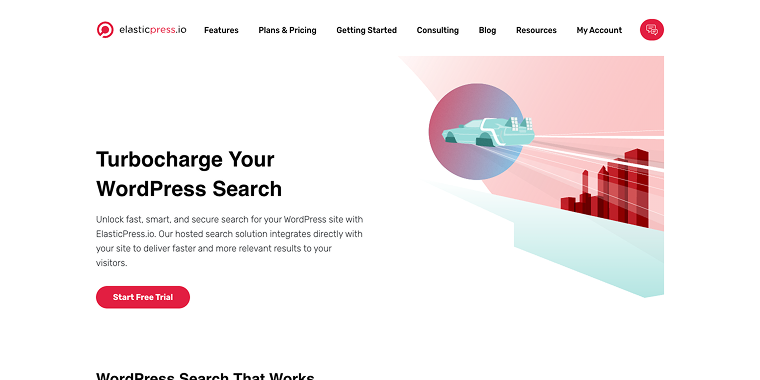
ElasticPress provides lightning-fast, highly relevant search results for WordPress sites. It’s particularly effective for large websites with thousands of posts or products, offering advanced search algorithms and instant results. The plugin provides a significant performance boost over WordPress’s default search.
Pricing: free version available; hosted solution starts at $79/mo.
Key features:
- Elasticsearch integration;
- instant search results;
- advanced relevancy scoring;
- faceted search capabilities;
- multi-language support;
- custom post type indexing;
- WooCommerce integration.
Pros:
- extremely fast search performance;
- highly relevant results;
- scales well with large content volumes;
- advanced search algorithms.
Cons:
- requires technical setup for self-hosted sites;
- may be overkill for small sites;
- complex configuration options;
- steep learning curve;
- requires ongoing maintenance.
Relevanssi (Freemium)
🏆 Best for content-heavy sites that need better search relevancy without a complex technical setup.

Relevanssi replaces WordPress’s default search with a more intelligent system that provides better search results through improved relevancy algorithms. It’s particularly effective for blogs, news sites, and content-heavy websites where finding the right content quickly is crucial. The plugin offers both free and premium versions with varying feature sets.
Pricing: free version available; Premium version costs $109 annually.
Key features:
- better search relevancy;
- fuzzy matching for typos;
- custom field searching;
- search result highlighting;
- excerpt customization;
- multi-language support;
- detailed search statistics.
Pros:
- significantly improves search quality;
- easy to install and configure;
- free version available;
- good documentation;
- lightweight and fast.
Cons:
- limited customization in the free version;
- no visual page builder integration;
- basic search result styling;
- limited filtering options;
- database indexing can be resource-intensive.
Ajax Search Lite – Live Search & Filter (Free)
🏆 Best for users who want instant search suggestions and live filtering without page reloads.
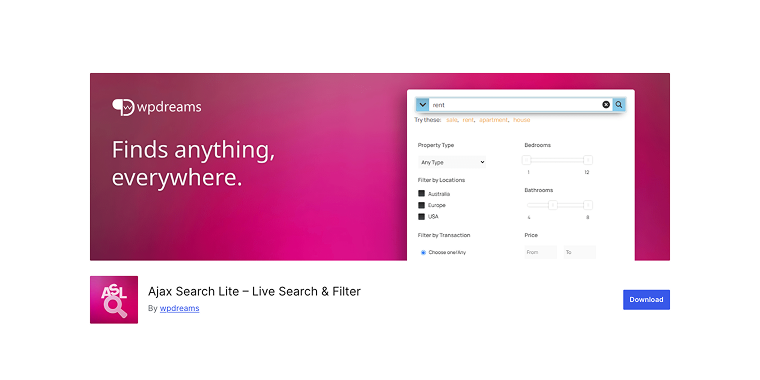
Ajax Search Lite provides real-time search functionality with instant results as users type. It creates a dropdown with live search results, making it perfect for improving user experience through instant feedback. The plugin is lightweight and focuses specifically on providing fast, AJAX-powered search functionality.
Pricing: free version available; Pro version starts at $25.
Key features:
- live search as you type;
- AJAX-powered results;
- customizable dropdown design;
- mobile-responsive interface;
- search result caching;
- multiple search sources;
- custom post type support.
Pros:
- instant search feedback;
- lightweight and fast;
- easy to implement;
- good mobile experience;
- affordable pricing;
- regular updates;
- minimal server impact.
Cons:
- limited customization in the free version;
- basic styling options;
- no advanced filtering;
- requires Pro for full features;
- simple functionality focus.
WP Extended Search (Free)
🏆 Best for users who need enhanced search functionality with custom field support at no cost.
WP Extended Search enhances WordPress’s default search by including custom fields, tags, categories, and other metadata in search queries. It’s a straightforward plugin that improves search comprehensiveness without adding complexity or changing the visual appearance of search results.
Pricing: completely free.
Key features:
- custom field searching;
- tag and category inclusion;
- author search capability;
- comment content searching;
- exclude specific content;
- search weight customization;
- simple configuration.
Pros:
- completely free;
- easy to install and use;
- improves search comprehensiveness;
- lightweight plugin;
- no visual changes required;
- compatible with most themes;
- regular updates.
Cons:
- no visual customization options;
- limited to search functionality enhancement;
- no AJAX or live search features;
- basic feature set;
- relies on theme for result styling;
- no advanced filtering options;
- limited support options.
FAQ
It depends on the plugin you select. Visual builders such as Elementor, JetThemeCore, and WP Grid Builder require minimal coding knowledge, whereas plugins like ElasticPress might need some technical setup. Most plugins offer user-friendly interfaces, but having basic CSS skills can help with more advanced customizations.
When properly configured, most of these plugins should enhance your site’s performance. AJAX-based plugins like Ajax Search Lite and ElasticPress can actually make search feel faster by removing the need for page reloads. However, visual builders may create some extra overhead, so it’s essential to optimize images and use caching.
While it’s technically possible, it’s generally not advised because plugins may conflict with each other. Choose one main search solution and add other plugins only if necessary. For example, you might use Relevanssi for search features and a separate plugin for visual customization.
Conclusion
Choosing the right WordPress search results page plugin can greatly enhance user experience and help visitors find content faster. Whether you need a simple improvement or a full results page overhaul, there’s a solution to fit your needs and budget.
For users seeking maximum customization, WP Grid Builder and JetThemeCore provide extensive design options. ECommerce sites will find JetWooBuilder useful for product search, while content-heavy sites benefit from relevance improvements by Relevanssi and ElasticPress.
Remember that the best search plugin is one that your users will actually use and benefit from. Focus on improving the user experience first, and the technical features will follow naturally.