A search functionality is essential for any WordPress website, especially if you want your visitors to find the content or products they need quickly. You can use different plugins to add search functionality. Among the most popular options are the search solutions from Elementor and Crocoblock.
In this article, we will compare Elementor’s Search widget and Crocoblock’s JetSearch and JetBlocks Search widgets to help you understand their differences, strengths, and weaknesses, and decide which one is best suited for your website’s needs.
What Is Elementor Search?

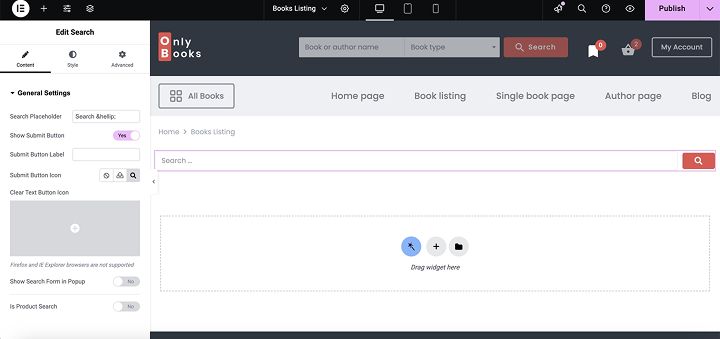
The Elementor Search widget is a simple tool included in Elementor Pro that allows you to add a search bar to your website. However, it’s important to understand that this widget does not provide its own search engine – instead, it simply triggers the default WordPress search functionality.
This means that when a user types a query into the Elementor Search widget, WordPress’s built-in search engine performs the search. While this makes it easy to add a search box, it also means the widget inherits all the limitations of the default WordPress search.
However, the Elementor Search widget does have live search results functionality introduced in Elementor 2.23 in summer 2024. It is a feature that shows search results instantly as you type, providing a fast and interactive search experience on your website.
Key features of the Elementor Pro Search widget:
- Live search capability. Elementor Pro supports live search – results can appear instantly as the user types. However, this requires manually creating a loop template.
- Supports different post types. You can select which post type to search through, including custom post types (CPT). However, you can’t select multiple post types at once; you can either search through all post types or limit it to just one.
- Filter by taxonomies and authors. Elementor allows you to include or exclude posts based on taxonomies (such as categories and tags) and specific authors.
- Sorting search results. You can sort results by different criteria, such as date or title, which helps improve how users see content.
- Styling. You have extensive design options and full control over the appearance of the search form.
What Is Crocoblock JetSearch?
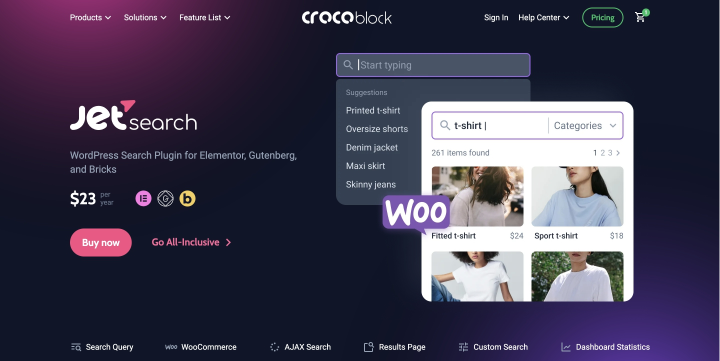
Crocoblock’s JetSearch is a powerful and fully-featured search plugin. Unlike the Elementor Search widget, JetSearch offers a much more customized, AJAX-based search solution, allowing you to build a modern, flexible, and highly accurate search form.
Key features of JetSearch:
- Search through custom fields and metadata. JetSearch allows you to index and search content stored in custom fields, including ACF, JetEngine meta fields, or any other metadata, making it ideal for dynamic websites with complex content structures.
- Search by taxonomies (categories, tags, custom taxonomies). Unlike the default WordPress search, JetSearch can search across categories, tags, and even custom taxonomies, giving your users more relevant and categorized results.
- Relevance-based results. JetSearch ranks results based on relevance rather than simple keyword matches or post date, helping users find what they’re actually looking for, faster.
- Search suggestions and highlighted keywords. There’s also a dedicated Search Suggestions widget with a number of settings that add much flexibility. While it doesn’t correct typos in queries, the suggestions help users find the results they’re looking for. You can also define the minimum number of characters a user must type before suggestions appear.
- Visual and functional control. Since JetSearch is made to work with page builders, you get full control over how your search form and results look and behave.
- Optimized for performance. Thanks to using modern REST API technology (which you can switch to default admin-ajax.php request if you purposely switch off REST API functionality on your website), you can save user search requests and then display them either in the main result window/search page, or as a specific section, e.g., “Users also search,” as well as display results of search in taxonomies this way.
Elementor Search Widget vs. JetSearch
At first glance, both Elementor’s Search widget and Crocoblock’s JetSearch provide a way to add search functionality to your website. However, their capabilities differ in purpose and performance.
The Elementor Search widget is simply a visual element that displays a search box. It does not add any search functionality itself; instead, it relies entirely on the default WordPress search engine, which has many limitations.
JetSearch, on the other hand, is a fully functional search engine with an AJAX-powered, highly customizable, and relevance-based system.
If your site is simple and you only need a basic search form, Elementor’s widget might be enough, especially if you’re already on Elementor Pro.
But for anyone working with dynamic content, custom fields, or needing a modern, user-friendly search experience, JetSearch is the clear winner. It offers speed, intelligence, flexibility, and, most importantly, it actually improves your site’s search functionality, rather than just displaying it.
What Is JetBlocks and Its Search Widget?

JetBlocks is a Crocoblock plugin designed to help Elementor users build dynamic and functional headers, footers, and sticky elements. It offers a variety of useful widgets – including login forms, navigation menus, breadcrumbs, and, of course, a Search widget.
The JetBlocks Search widget is similar in functionality to the Elementor Search widget, as it also triggers the default WordPress search engine. It does not replace the search logic like JetSearch does; instead, it acts as a styled input field that submits a query to WordPress core.
Key features of the JetBlocks Search widget:
- Responsiveness. The search widget is fully responsive, and you have control over how it appears on different devices. You can also add motion and sticky effects.
- Search in pop-up. If desired, you can place the search form inside a pop-up and apply any customizations you need. You can also create a full-screen pop-up and adjust its animation, size, colors, and more.
FAQ
No. The Elementor Search widget does not include a search engine. It simply displays a styled input field that relies on WordPress’s default search, which is limited in functionality.
JetBlocks Search widget is a visual search field that also uses the default WordPress search, just like Elementor’s widget.
JetSearch, however, significantly enhances the way the search engine operates and offers features such as live AJAX results, relevance-based ranking, custom field and taxonomy search, user-generated search suggestions, and more.
Yes, there is. It uses the default WordPress search functionality but improves the way it looks on the front end and helps to narrow the search query a bit.
Conclusion
If you’re building a WordPress site with Elementor, adding search functionality is essential, but choosing the right tool makes all the difference.
In this article, I explored three different approaches: Elementor’s Search widget, the JetBlocks Search widget, and a more advanced JetSearch plugin by Crocoblock. While all three serve the same general purpose, they do so in very different ways.
The Elementor Search widget is quite a simple solution. It places a search form on the page and relies entirely on WordPress’s default search engine, but offers some nice features, such as live search results and the ability to select post types and taxonomies within them.
The JetSearch plugin is on a completely different level. It significantly enhances the default search engine and introduces numerous features to a powerful AJAX-based system, which can search through custom fields, taxonomies, and custom post types, as well as user-generated or manually added suggestions, sentence search, and search within the current query, among others.
The JetBlocks Search widget uses the default WordPress search as well, but enhances it with options for full-page and popup-based layouts, along with a well-designed search bar.
If you’re building something simple and static, the Elementor or JetBlocks Search widgets may be enough. But if you want users to truly find what they’re looking for—fast, accurately, and with a polished experience—JetSearch is, hands down, the best choice.
Pick the best option for your needs.