Obviously, audio and video elements are not a novelty. So why do they matter on modern WordPress sites? In marketing and branding development, the role of audio and video materials is growing as content consumption increases. For brands, it is essential to be recognized by media, audio, and video elements. In the learning process, videos and audio are great supporting or alternative educational materials.
But here the issue arises – the default WordPress blocks might not be enough to provide an effective, customer-friendly solution. You may need a wider range of control or styling settings, or the site structure requires a more dynamic approach. To implement audio and video content in a flexible, design-friendly, and scalable way, experienced WordPress users often rely on dedicated video and audio plugins built for Elementor – such as JetElements.
Why Add Audio and Video Blocks to a WordPress Website
I have already mentioned that audio and video elements play a significant role in a modern, dynamic WordPress site. Now, let’s focus on the psychological context and business value, which are no less important than the technical aspect.
- Improve user engagement and time on page. Audio and video elements work especially well for storytelling, education, and demonstrations, which definitely simplifies the information reception. Humans’ brains prefer simplified data, so it’s easier to keep a site visitor’s attention longer and involve them in interaction. It is not about short, silly ads, but about smartly organized content presented in a more attractive way than a wall of text.
- Support different content formats. Video tutorials, recorded webinars, podcasts, interviews, and product demos are not just different ways to present information, but also a benefit for your site’s SEO data. Among the obvious advantages, the variety of content formats is always more appealing and encourages exploration of the info. Additionally, the ability to repurpose the same content across pages and layouts would be especially practical for educational platforms, helping students learn effectively in ways they prefer.
- Enhance accessibility and content flexibility. In the age of clip thinking, more and more users prefer watching a video to reading a long read. Another aspect is personalization: considering different users’ needs and preferences adds “+1000” to your site. It can simply be a choice to perceive information in a dedicated way, but it can also be a consideration for people with disabilities. Inclusive sites where you have a choice are not only about business or a perfect technical set, but also about contribution to a healthy society and democratic values.
When Audio and Video Blocks Are Most Effective: Use Cases
Now, let’s think about the cases where audio and video blocks are not an alternative or a supporting material, but are the main instruments for your site. Below, I have listed four realistic use cases in which audio and video blocks can demonstrate their full potential and be the most effective.
Online courses and educational platforms
The first thing that comes to mind is an educational platform for courses or classes. In this case, video lessons are embedded on lesson pages, along with audio explanations and supplementary materials. Audio can be especially useful for foreign-language learners, who need to listen to correct pronunciation.
For example, here is a lesson page from the beginner French courses, where the educational material is supplemented with an introduction video and audio for learners to listen to the words and phrases.
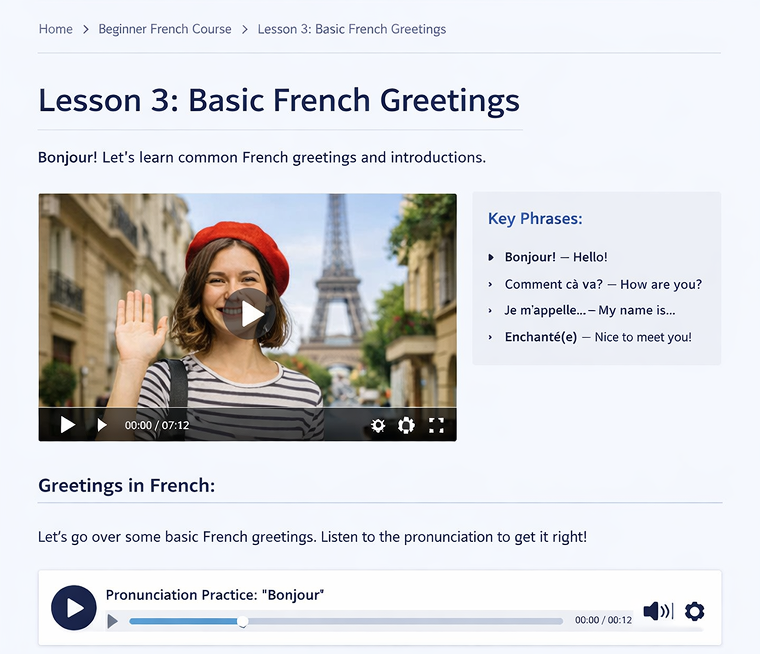
The structured learning experience within Elementor layouts effectively uses the WordPress audio and video blocks.
Podcast websites and audio blogs
Another way to get the full advantage of the audio blocks is to use them in a podcast website or an audio blog. Thus, you can list the episodes with embedded audio players and customize the player design that matches your site branding.
For example, consider a historical podcast website where users can listen to podcasts on their preferred topic without leaving the page.
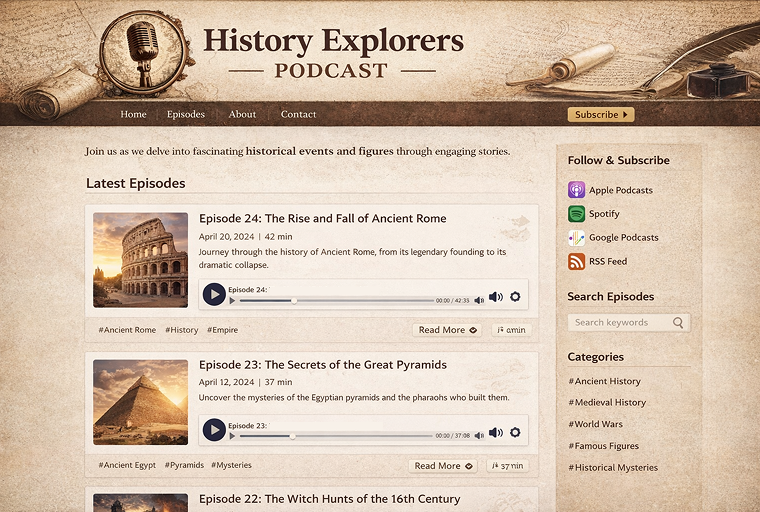
Video reviews and product demonstrations
Video reviews, unpackings, and product demonstrations have already become popular on Instagram and TikTok platforms. But if you own a site with similar logic, video blocks are an effective solution. Product overviews with embedded video players work well for landing pages and marketing funnels.
For instance, look at the landing page of the book’s review site, where video blocks are presented as separate reviews. Videos can be inserted from existing platforms, such as YouTube, or downloaded from users’ devices.
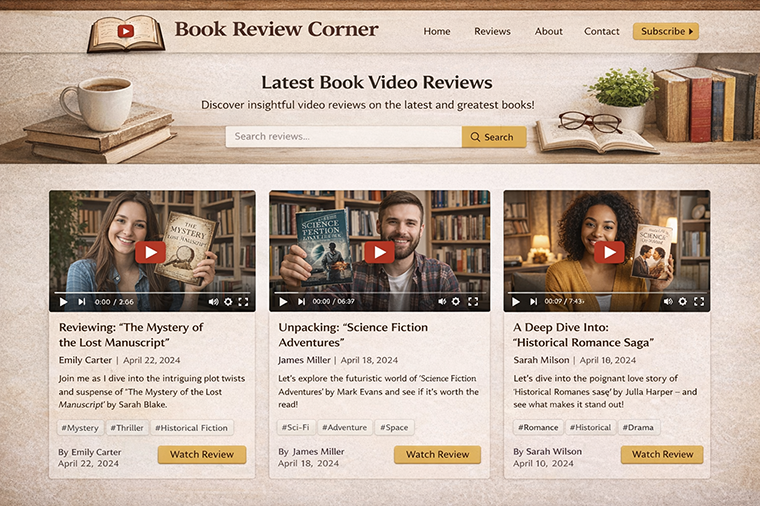
Creative portfolios and media-rich websites
For media-rich sites, you can also use video blocks to display showreels, interviews, or behind-the-scenes videos. Audio or video can be used as part of storytelling, not just static embeds.
Furthermore, on the employment site, you can offer users the option to upload a video self-introduction in addition to their portfolio.
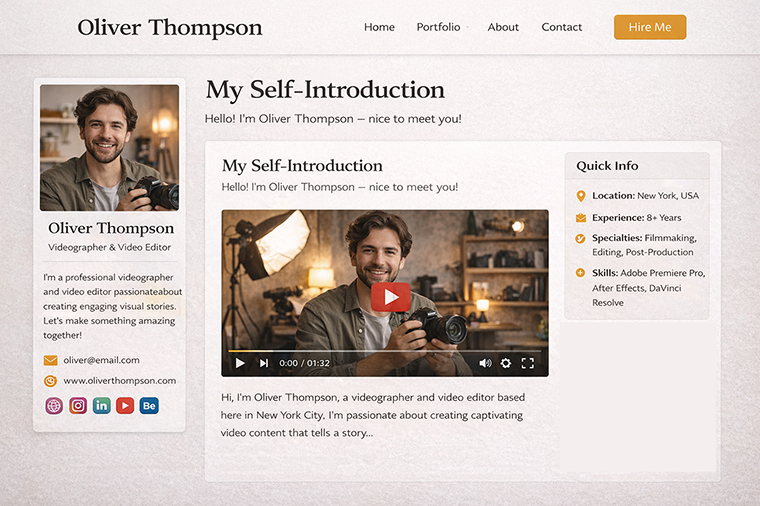
What Is JetElements?
After looking at the listed use cases, you might have a question about how to achieve the described functionality. One of the best video and audio plugins for WordPress is JetElements.
JetElements, a Crocoblock plugin for Elementor, offers 42 widgets to enhance your WordPress site’s capabilities. This plugin offers both audio and video players, enabling users to embed multimedia content directly onto their website pages.
The JetElements audio player is compatible with common formats, such as MP3, and offers features like autoplay and track management.
Similarly, the JetElements video player is powerful, supporting content from local files and services like YouTube and Vimeo, and allows for adding descriptions and titles. Every JetElements widget comes with broad customization options and advanced configurations for precise control over content presentation.
Below, I will take a closer look at both widgets to ensure you have a full understanding of their benefits and capabilities.
Video Player widget overview and capabilities
The Video Player widget for Elementor allows you to add and configure your personal, YouTube, and Vimeo videos without coding or scripts.
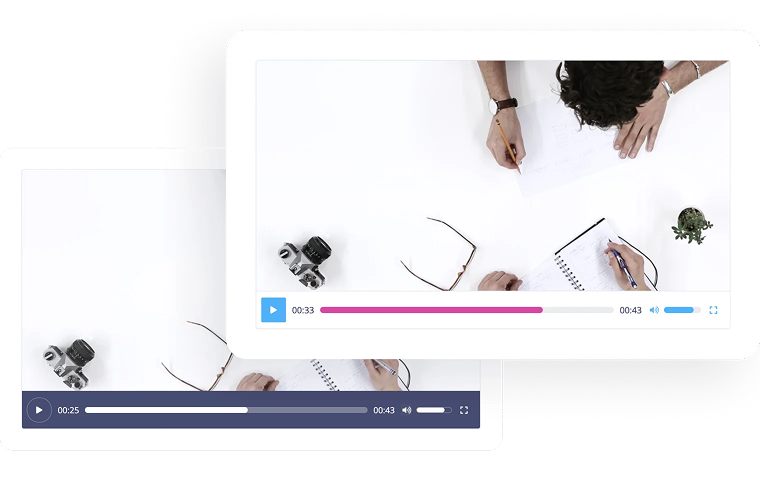
Talking about the main features of the Video Player widget, I need to emphasize the following:
- you can add video content directly to Elementor pages either from your device, the media library, YouTube, or Vimeo;
- responsive player behavior;
- custom controls and layout options;
- adaptive design (adapts to any screen size);
- ability to set automatic playback;
- integration with WooCommerce;
- suitable for: courses, product demos, video reviews.
📚 Read also: Video Player Widget Overview
Audio Player widget overview and capabilities
The Audio Player widget for WordPress allows you to embed audio files on your webpages and easily tweak style presets.
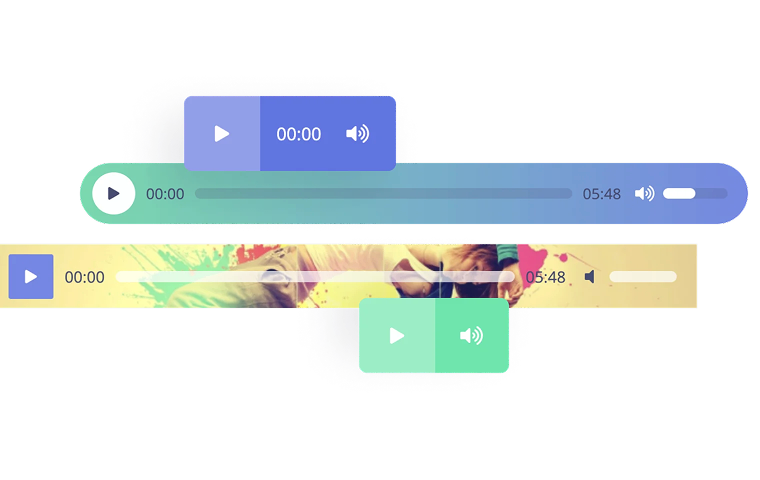
Pay attention to the following key points:
- designed specifically for audio content (not generic embeds);
- playlist support;
- custom player styling;
- autoplay and playback controls;
- Elementor compatibility;
- perfect for podcasts, audio blogs, and interview archives.
📚 Read also: How to Add Audio to Your Website
Why Use JetElements Instead of Default WordPress Blocks
Users can embed media content using WordPress’s basic audio and video blocks, which require minimal configuration. Although these blocks are appropriate for simple cases, more complex scenarios often require greater flexibility, design control, and improved scalability. For these scenarios, especially on Elementor-based platforms, JetElements provides a more dynamic solution.
One of the main benefits of the JetElements plugin is the ability to customize the Audio and Video widgets according to your needs without coding. Audio and Video widgets can be styled to match the page’s overall layout and site, ensuring visual consistency across sections. This level of customization makes it easier to integrate media players into complex page structures rather than treating them as standalone elements.
With JetElements, users can achieve a more refined experience by customizing media players. This means they can modify the player’s behavior, appearance, and position to fit different content types, such as lesson pages, podcast lists, or video displays, rather than being limited by standard settings.
Scalability is crucial for websites that host large volumes of content, including educational platforms, media libraries, and podcasts. JetElements widgets are engineered for efficient operation within expansive page designs and can be reused across multiple templates, ensuring consistency as audio and video content expands.
Overall, JetElements is well-suited for projects that go beyond basic media embedding and require greater flexibility, consistency, and long-term scalability when working with audio and video content in WordPress.
FAQ
We recommend using the JetElements plugin for advanced use of the Video and Audio elements. Feel free to check our article on the best WordPress audio and video player plugins to compare features and pricing across the available video and audio plugins and find the one that best suits your needs (the plugins presented in the article offer free, premium, and both pricing plans).
All JetElements widgets are built with responsive design in mind. Audio and video players automatically adapt to different screen sizes, helping maintain usability and layout consistency across desktop and mobile devices.
The JetElements Audio Player widget lets you embed audio files from your WordPress Media Library or from external links. It supports MP3 files, the current standard format for web audio content, and works across all modern browsers and devices.
The JetElements Video Player widget supports multiple sources: YouTube videos (via URL), Vimeo videos (via URL), and self-hosted video files from your Media Library (standard HTML5 playback). This means that common formats such as MP4 (H.264 codec) will play reliably in modern browsers. Because the widget uses native HTML5 video players when you upload local files, compatibility generally reflects the browser’s support, and MP4 is the most universally supported format for this purpose.
Final Thoughts
Audio and video are no longer optional for many WordPress projects. These are the most effective solutions for the educational platforms, audio or overview blogs, podcasts, brand-focused websites, and any site you aim to make interactive.
After reading this article, you know why the audio and video elements are important on modern WordPress sites. They are not only a practical way to increase your business income and an effective technical solution, but also a way to give your site users a choice and a little step to a supportive society.
JetElements is a perfect solution for the most advanced cases, when you need flexible controls and styling settings, and the ability to display local videos and audio as well as external ones, such as those from YouTube or Vimeo. Explore the widgets’ features and apply them to real use cases!