WooCommerce product tabs are essential features that help store owners organize and display additional product information in a clean, user-friendly manner. By default, Elementor provides a basic Tabs with nested elements. However, custom product tabs can significantly enhance the shopping experience by offering space for detailed specifications, sizing charts, shipping details, warranty information, and more.
The use of WooCommerce custom product tabs can enhance user engagement, decrease cart abandonment, and ultimately increase conversions. Whether you need to display installation instructions, care guides, compatibility details, or downloadable resources, the right WooCommerce product tabs plugin can transform your product pages into comprehensive information hubs that answer customer questions even before they are asked.
Most Popular Use Case for WooCommerce Tabs
At Zolden, a dynamic template for a clothing store, the Single Tabs widget turns product pages into neat, easy-to-navigate experiences. The widget adds product descriptions and extra information in organized tabs to individual WooCommerce product pages, using the Single Tabs widget, making it ideal for fashion retailers.

When customers view a designer jacket on Zolden’s site, they see three clear, user-friendly tabs: the Description tab highlights the garment’s story, fabric details, and style inspiration; the Additional Attributes tab presents size charts, care instructions, color options, and fit information; and the Reviews tab shows genuine customer feedback with photos of the jacket being worn.
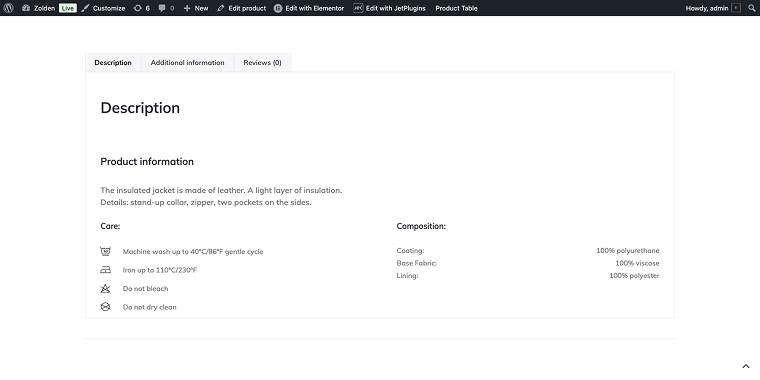
This tabbed layout helps shoppers avoid information overload and quickly find the specific details they need, whether checking if the jacket runs small, understanding fabric care, or reading real customer reviews before making a purchase.
Top 11 WordPress Tab Plugins Compared
Additional Custom Product Tabs for WooCommerce (Freemium)
🏆 Best for small businesses needing a simple solution with minimal setup.
This plugin is ideal for those seeking a single additional product tab that can be placed on any product, featuring its own unique tab name. Additional Custom Product Tabs for WooCommerce focuses on simplicity and ease of use for creating custom product tabs in WooCommerce. The plugin provides a straightforward interface for adding custom tabs to product pages without overwhelming users with complex features. It’s particularly suitable for businesses that need basic tab functionality without advanced features.
Pricing: free on WordPress.org, Pro version available.
Key features:
- easy single tab creation;
- product-specific tab assignment;
- simple content management;
- translation ready, WPML compatible.
Pros:
- completely free for basic functionality;
- simple and intuitive interface;
- lightweight and fast-loading;
- perfect for single tab requirements;
- easy setup and configuration.
Cons:
- limited to one tab in free version;
- basic styling options;
- no multimedia content support;
- limited customization capabilities.
JetWooBuilder by Crocoblock (Premium)
🏆 Best for Elementor users seeking comprehensive WooCommerce page building with advanced tab features.
JetWooBuilder is part of the Crocoblock suite and provides extensive WooCommerce page-building capabilities, including sophisticated WooCommerce product data tabs management. This plugin is great at designing custom product pages with advanced tab features built into a powerful page builder. It’s particularly powerful when combined with other Crocoblock plugins for complete site-building solutions. The plugin transforms every aspect of your WooCommerce store, offering drag-and-drop functionality and a range of powerful widgets.
Pricing: part of the Crocoblock subscription starting at $43/year.
Key features:
- built for Elementor;
- advanced tab styling options;
- template library access;
- dynamic content support.
Pros:
- comprehensive page-building capabilities;
- advanced tab customization;
- integration with Elementor;
- regular updates from an established developer;
- complete WooCommerce solution.
Cons:
- requires Crocoblock subscription;
- can be overwhelming for simple needs;
- learning curve can be steep for beginners.
WooCommerce Product Tabs by Barn2 (Freemium)
🏆 Best suited for professional stores that require enterprise-level tab management with advanced features.

The most advanced WooCommerce tab manager plugin, WooCommerce Product Tabs lets you add unlimited product page tabs with flexible content. This premium solution from Barn2 offers enterprise-grade tab management capabilities, featuring sophisticated features such as conditional display, advanced content management, and seamless integration with other Barn2 plugins. It’s designed for larger stores that require professional-level tab functionality, along with comprehensive support and regular updates.
Pricing: a free version is available on WordPress.org; the premium plugin starts at $69/year.
Key features:
- advanced tab scheduling;
- conditional display rules;
- professional support;
- comprehensive admin interface;
- enterprise-level features.
Pros:
- enterprise-grade features;
- professional support quality;
- advanced customization options;
- seamless plugin integrations;
- comprehensive documentation.
Cons:
- higher price point;
- may be excessive for small stores;
- complex setup for basic needs.
WP Tabs – Responsive Tabs and Custom Product Tabs (Freemium)
🏆 Best for websites needing versatile tab functionality beyond just WooCommerce products.

WP Tabs extends beyond traditional product tab WooCommerce functionality to provide site-wide tab solutions. While it works excellently with WooCommerce, it can also be used throughout your website for various content organization needs. The plugin offers responsive design, multiple styling options, and the ability to create tabs anywhere on your site using shortcodes. This makes it ideal for businesses that want consistent tab functionality across their entire website.
Pricing: a free version is available, with premium features requiring an upgrade.
Key features:
- site-wide tab creation;
- responsive design templates;
- shortcode-based implementation;
- multiple color schemes;
- animation effects.
Pros:
- site-wide tab functionality;
- responsive design;
- multiple styling options;
- shortcode support for flexible placement;
- works beyond just product pages.
Cons:
- less WooCommerce-specific features;
- basic free version limitations;
- premium features require subscription;
- learning curve for advanced usage.
JetTabs by Crocoblock (Premium)
🏆 Best for Elementor users seeking versatile tabs, accordions, and content switchers with dynamic features.
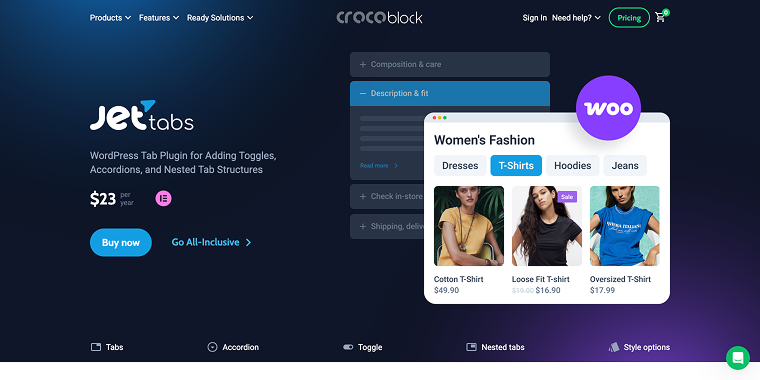
JetTabs is a content organization plugin for Elementor that offers compact layout options, including vertical and horizontal tabs, classic and image accordions, and switchers. The plugin facilitates efficient content management and supports dynamic content synchronization through JetEngine, enabling labels and content to update automatically across different pages. You can also embed Elementor templates directly into tabs and accordion blocks, making it ideal for organizing large amounts of content in an interactive and visually appealing format.
Pricing: $23/year for one website, $47/year for unlimited websites.
Key features:
- horizontal and vertical tabs with custom styling;
- classic and image accordion blocks;
- content switcher for comparing elements;
- dynamic content integration via JetEngine;
- WPML compatibility for multilingual sites.
Pros:
- affordable pricing for extensive functionality;
- seamless Elementor integration;
- multiple layout options (tabs, accordions, switchers);
- supports dynamic content and custom fields;
- regular updates from established developer.
Cons:
- requires Elementor page builder to function;
- limited to Crocoblock ecosystem features;
- annual subscription model only;
- may need JetEngine for advanced dynamic features.
WooCommerce Tab Manager by SkyVerge (Freemium)
🏆 Best for store owners needing professional, highly customizable product page tabs with advanced management features.

WooCommerce Tab Manager is a premium plugin that gives you full control over your product page tabs. It enables you to create professional, informative product pages using an intuitive tab management system, without requiring any coding. The plugin features a visual drag-and-drop interface for reordering tabs, global tab management that applies across products or specific categories, and the ability to override tab layouts for individual products. It can detect and manage tabs from third-party plugins, makes tab content searchable (including compatibility with Relevanssi), and supports shortcodes for embedding videos, forms, and other dynamic content.
Pricing: starts at $99/year.
Key features:
- visual drag-and-drop tab reordering;
- global tab management with category targeting;
- per-product customization and overrides;
- third-party plugin integration;
- searchable tab content with SEO benefits.
Pros:
- no coding required for comprehensive tab control;
- flexible global and individual product options;
- professional solution from established developer;
- user-friendly visual interface.
Cons:
- higher price point than free alternatives;
- annual renewal required for support;
- may be excessive for basic tab needs;
- free version available, but quite limited.
Tabs Responsive – With WooCommerce Product Tabs Extension (Freemium)
🏆 Best for stores prioritizing mobile-first design and responsive tab layouts.
Tabs Responsive specializes in creating mobile-optimized WooCommerce product data tabs that adapt seamlessly to different screen sizes. The plugin emphasizes responsive design, ensuring that your custom tabs look great on all devices. It includes various responsive templates and styling options that automatically adjust to provide an optimal viewing experience across desktop, tablet, and mobile devices. The WooCommerce extension adds specific functionality for product pages.
Pricing: a free version is available, premium starts at $9.
Key features:
- mobile-first responsive design;
- automatic device detection;
- touch-friendly interface;
- optimized loading performance;
- clean, minimalist styling.
Pros:
- excellent mobile responsiveness;
- multiple responsive templates;
- automatic device optimization;
- clean, modern design;
- good performance optimization.
Cons:
- limited advanced content types;
- fewer customization options;
- smaller user community.
Custom Product Tabs for WooCommerce (Free)
🏆 Best for businesses seeking basic tab functionality with standard WordPress content management.
This plugin focuses on simplicity and ease of use for creating WooCommerce custom tabs. It provides a straightforward interface for adding custom tabs to product pages without overwhelming users with complex features. The plugin supports basic content types and offers sufficient customization for most small to medium-sized stores. Individual product tabs are managed directly on the WooCommerce Edit Product screen and can be added on a per-product basis.
Pricing: free on WordPress.org.
Key features:
- easy tab creation interface;
- basic content management;
- product-specific tab assignment;
- simple shortcode support;
- translation ready.
Pros:
- simple and intuitive interface;
- lightweight and fast-loading;
- good for basic tab requirements;
- regular updates and community support.
Cons:
- limited advanced features;
- basic styling options;
- no multimedia content support;
- limited customization capabilities.
Custom Product Tabs Manager for WooCommerce by Addify (Premium)
🏆 Best for eCommerce stores requiring comprehensive tab customization with priority support.

Addify’s solution for WooCommerce custom product tabs offers extensive customization options with a focus on user experience. The plugin offers unlimited tab creation, supporting various content types and providing advanced styling options. It includes features like tab icons, custom CSS integration, and conditional display rules. The plugin is particularly strong in its ability to create product-specific tabs that can be easily managed from the product edit screen.
Pricing: $69 billed annually.
Key features:
- tab icon customization;
- advanced conditional display rules;
- custom CSS and styling options;
- product-specific tab management;
- WPML compatibility for multilingual sites.
Pros:
- one-time purchase model;
- comprehensive customization options;
- tab icon support;
- custom CSS integration;
- good documentation and support.
Cons:
- no free version available;
- limited third-party integrations;
- requires technical knowledge for advanced customization.
Sparks for WooCommerce by ThemeIsle
🏆 Best for store owners wanting an all-in-one WooCommerce enhancement suite with tab management.
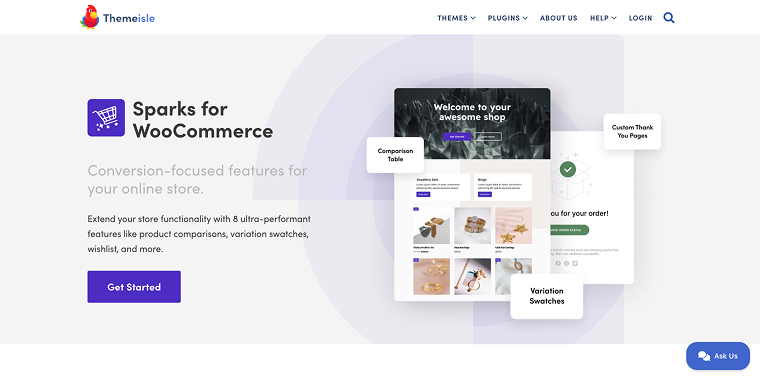
Sparks is a comprehensive WooCommerce toolkit, featuring tab plugin functionality and a range of other helpful tools. The plugin combines tab management with other useful features like wishlist functionality, product comparisons, and enhanced search capabilities. It’s designed to be a one-stop solution for improving various aspects of your WooCommerce store.
Pricing: freemium model with premium features starting at €79/year.
Key features:
- multi-feature WooCommerce enhancement;
- wishlist and comparison tools;
- enhanced search functionality;
- product filter options;
- performance optimization features.
Pros:
- all-in-one WooCommerce solution;
- multiple useful features beyond tabs;
- good value for comprehensive functionality;
- regular updates from an established developer;
- integration with other ThemeIsle products.
Cons:
- may include features you don’t need;
- tab functionality isn’t the primary focus;
- can slow down sites if all features are enabled;
- premium features require subscription.
YITH WooCommerce Tab Manager (Freemium)
🏆 Best suited for businesses that require flexible tab management with multimedia content support.
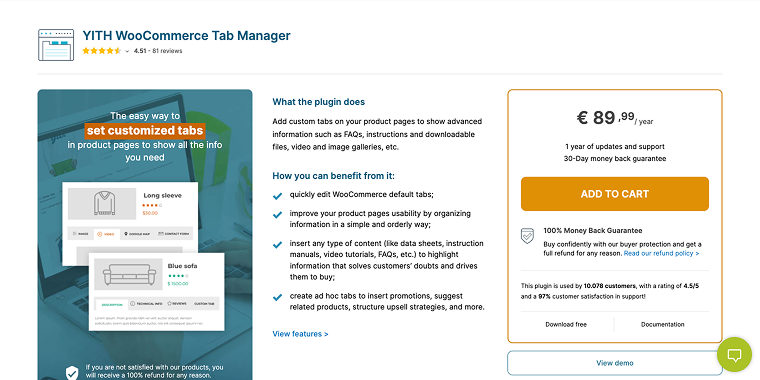
YITH WooCommerce Tab Manager allows you to add custom tabs to your product pages, displaying any additional information and files you need, such as manufacturer’s details, image and video galleries, and even maps. This versatile plugin excels at creating custom tab WooCommerce solutions with multimedia support. It offers both free and premium versions, making it accessible to users with varying budget levels. The premium version includes advanced features like tab scheduling, user role restrictions, and integration with other YITH plugins.
Pricing: a free version is available, with premium starting at €90/year.
Key features:
- video and image gallery support;
- Google Maps integration;
- contact form embedding;
- tab scheduling functionality;
- user role-based visibility.
Pros:
- free version with basic functionality;
- excellent multimedia content support;
- map integration capabilities;
- good integration with other YITH plugins;
- regular updates from established developer.
Cons:
- interface can be overwhelming for beginners;
- some advanced features locked behind premium;
- limited customization options in free version.
FAQ
WooCommerce product tabs are sections on product pages that organize information, such as descriptions, specifications, reviews, and additional details. Custom product tabs for WooCommerce enhance the user experience by organizing content logically, reducing page clutter, and providing easy access to various types of product information.
Yes, most WooCommerce product tabs plugins support global tabs that automatically appear on all product pages. This is useful for information like shipping policies, return policies, or care instructions that apply to multiple products.
Many advanced WooCommerce custom product tabs plugins support multimedia content, including images, videos, galleries, and interactive elements such as maps or contact forms. Check the specific plugin features to confirm multimedia support.
Conclusion
Choosing the right WooCommerce custom product tabs plugin depends on your specific needs, technical expertise, and budget. For comprehensive functionality with excellent support, JetWooBuilder and WooCommerce Product Tabs by Barn2 are top choices. Budget-conscious users might prefer the free Custom Product Tabs for WooCommerce, while enterprises should consider solutions like WooCommerce Tab Manager by SkyVerge.
The key to success with any WooCommerce tabs plugin is to prioritize user experience and provide valuable information that enables customers to make informed purchasing decisions. Remember that effective tab organization can significantly improve your store’s conversion rates and customer satisfaction levels.