WordPress forms are crucial for capturing leads, processing orders, conducting surveys, and engaging website visitors. However, static forms can be overwhelming and irrelevant to users. That’s where conditional form plugins come in, transforming how we interact with form data.
What Are Conditional Fields in WordPress Forms?
Conditional fields, also known as conditional logic or smart fields, are interactive form elements that show, hide, or change based on user responses. Instead of giving users long, irrelevant forms, conditional logic creates personalized experiences that adjust in real-time to user input.
For example, in my custom bookstore’s Partner with Us form, if a user selects “Distributor” collaboration type from a Select Field, additional fields are revealed, including:
- Company name;
- Preferred distribution model;
- List of represented publishers or authors.
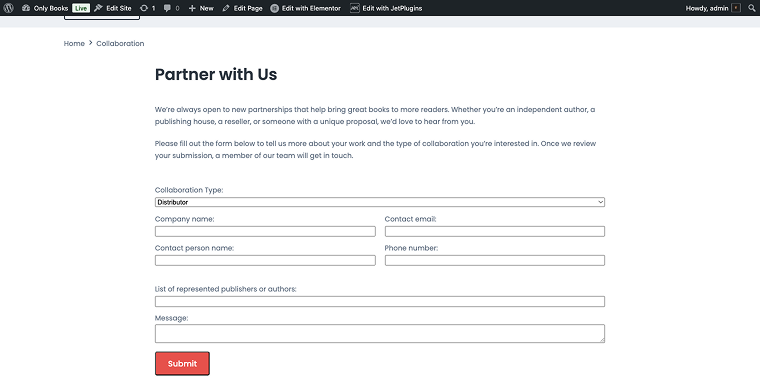
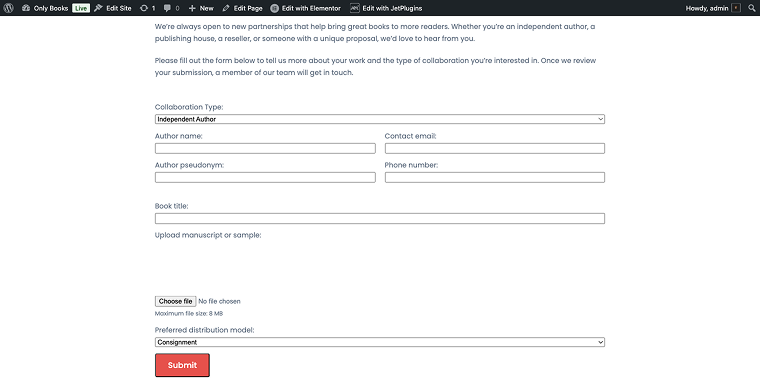
Alternatively, if they choose “Independent author,” these business-specific fields stay hidden, creating a cleaner, more relevant form experience, showing fields like:
- Author name;
- Author pseudonym;
- Book title;
- Upload the manuscript or samples.
Now, let’s examine the most effective ways businesses utilize conditional form logic to create smarter, more personalized user experiences across various industries and applications.
Most Popular Use Cases for Conditional Form Logic
Lead qualification and segmentation
Marketing teams can use conditional logic to segment leads by industry, company size, or specific pain points, ensuring each prospect gets tailored follow-up communications that resonate with their unique situation.
Multi-step registration processes
Break complex registration forms into simple steps, showing relevant sections based on user type, subscription level, or intended use case. Educational platforms can create student application forms that display different requirements for undergraduate versus graduate programs. At the same time, membership sites can display suitable payment options and access levels based on the chosen membership tier. This method reduces form abandonment by presenting information gradually and only when necessary.
Dynamic pricing and product configuration
E-commerce sites use conditional logic to display pricing tiers, add-on options, or customization fields based on product choices. An online printing service might show paper quality options only after a customer selects business cards, or a software company could present different feature sets and pricing based on team size needs. Restaurant ordering systems can display allergen information and customization options specific to each menu item chosen.
Survey and feedback collection
Create branching surveys that ask follow-up questions only when relevant, which improves completion rates and data quality. Market research firms can design surveys that explore specific product categories in more detail only if respondents show interest. Conversely, customer satisfaction surveys can ask detailed questions about particular services only if customers report using them. This targeted approach yields richer data while respecting respondents’ time and effort.
Customer support and service requests
Route support tickets to the appropriate departments and display relevant troubleshooting fields based on the selected issue type. SaaS companies can assign different priority levels and escalation options depending on subscription tiers, while eCommerce sites can show order-specific fields only when customers select “order issues” from their inquiry type. This ensures support teams receive properly categorized tickets with all necessary information.
11 WordPress Conditional Form Plugins
MetForm (Freemium)
🏆 Best for adding conditional logic to different form types.
MetForm is a flexible drag-and-drop WordPress form builder for creating contact forms, quizzes, and surveys with advanced features like multi-step forms, conditional logic, and calculations. It works directly inside Elementor, letting you design forms visually with full customization, from simple contact forms to booking systems, surveys, and WooCommerce checkout flows.
Its standout feature is smart conditional logic, which lets forms adapt to user input. Fields can appear or disappear based on responses, making forms shorter, more relevant, and easier to complete by revealing only what’s needed step by step instead of overwhelming users with everything at once.
Pricing: Premium plans start at $44/year. The Lifetime package starts at $132.30.
Key features:
- dynamic fields based on user input (conditional logic);
- visual form building in Elementor;
- multi-step forms for better UX;
- advanced fields like uploads, signatures, and maps;
- integrates Mailchimp, HubSpot, Zapier, Sheets, etc.;
- ability to accept Stripe and PayPal payments.
Pros:
- seamless Elementor integration with real-time preview;
- strong conditional logic for dynamic forms;
- multi-step forms for better usability and completion;
- integrates email, CRM, and automation tools easily.
Cons: advanced features are locked behind the Pro version.
Fluent Forms (Freemium)
🏆 Best for advanced form building, featuring comprehensive conditional logic and workflow automation.
Fluent Forms stands out as one of the most powerful plugins for creating WordPress forms with conditional logic, offering intuitive drag-and-drop functionality combined with advanced conditional logic features. The plugin excels at creating complex forms with multiple conditional branches, making it ideal for businesses that need sophisticated form workflows. Its clean interface and wide range of integration options make it suitable for both beginners and advanced users seeking professional-grade form solutions.
Pricing: premium plans start at $79/year. There are also lifetime packages available.
Key features:
- multi-step forms with conditional branching;
- payment integration with conditional pricing;
- advanced file upload with conditional visibility;
- email routing based on form responses;
- form abandonment tracking.
Pros:
- intuitive drag-and-drop form builder with live preview;
- advanced Fluent Forms conditional logic with multiple conditions and actions;
- extensive third-party integrations (CRM, email marketing, payment gateways);
- responsive design with customizable styling options;
- built-in form analytics and submission management.
Cons:
- limited functionality in the free version;
- some advanced features require higher-tier plans;
- learning curve for complex conditional setups.
JetFormBuilder (Freemium)
🏆 Best for Crocoblock ecosystem users who need advanced WordPress conditional forms with dynamic content capabilities.
JetFormBuilder is part of the Crocoblock ecosystem, offering powerful conditional logic features alongside advanced dynamic content options. This plugin excels at creating forms that work seamlessly with custom post types, meta fields, and other dynamic WordPress content, making it ideal for users building complex websites with conditional forms that must integrate deeply with WordPress data structures.
Pricing: available as part of Crocoblock All-Inclusive subscription at $199/year, or individual purchase starting at $49/year.
Key features:
- dynamic form population from WordPress data;
- advanced JetFormBuilder conditional logic with custom field integration;
- multi-step forms with conditional branching;
- front-end form submission with conditional processing;
- integration with JetEngine for advanced functionality.
Pros:
- advanced integration with WordPress custom fields and post types;
- powerful conditional logic with complex relationships;
- dynamic content population based on conditions;
- part of the comprehensive Crocoblock toolkit;
- regular updates and active development.
Cons:
- best suited for users already in the Crocoblock ecosystem;
- learning curve for advanced features;
- requires understanding of WordPress custom fields;
- premium pricing for full functionality.
Gravity Forms (Premium)
🏆 Best suited for professional websites that require robust form functionality and an extensive add-on ecosystem.

Gravity Forms’ conditional logic has long been regarded as the premier WordPress form plugin, offering unmatched flexibility and power for conditional form logic. This premium plugin delivers advanced conditional logic features capable of managing the most complex form needs, from simple contact forms to detailed application processes. Its wide range of add-ons and developer-friendly design make it the top choice for agencies and large organizations.
Pricing: plans start at $59/year for a single-site license, with higher tiers for multi-site and advanced features.
Key features:
- advanced conditional logic with multiple condition groups;
- user registration and login form capabilities;
- post creation from form submissions;
- advanced calculations and pricing fields;
- comprehensive add-on marketplace.
Pros:
- industry-leading conditional logic capabilities;
- extensive add-on ecosystem for specialized functionality;
- developer-friendly with hooks and filters;
- advanced user registration and post creation features;
- excellent customer support and documentation.
Cons:
- premium-only plugin with no free version;
- higher price point compared to competitors;
- can be overwhelming for simple form needs.
Formidable Forms (Premium)
🏆 Best for creating application-like experiences with advanced database functionality and conditional logic.
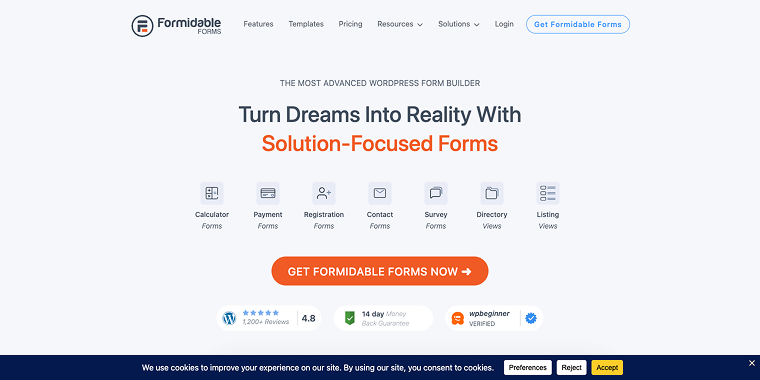
Formidable Forms bridges the gap between simple form builders and full application development, offering powerful conditional logic along with advanced database management features. This plugin excels at creating complex forms that operate more like mini-applications, enabling front-end posting, user-generated content, and refined data relationships that respond dynamically to user input.
Pricing: Pro plans start at $79/year for conditional logic features, with higher tiers for advanced functionality.
Key features:
- front-end post creation and editing;
- advanced conditional calculations;
- repeater fields with conditional logic;
- data visualization and reporting;
- user registration with conditional field display.
Pros:
- advanced application-building capabilities;
- front-end form editing and post creation;
- powerful Formidable Forms conditional logic with complex relationships;
- advanced calculations and data manipulation;
- built-in form styling and layout options.
Cons:
- steeper learning curve for advanced features;
- premium pricing for conditional logic features;
- can be overkill for simple WordPress conditional forms.
Ninja Forms (Freemium)
🏆 Best for users seeking a modular approach to form building with specific conditional logic add-ons.
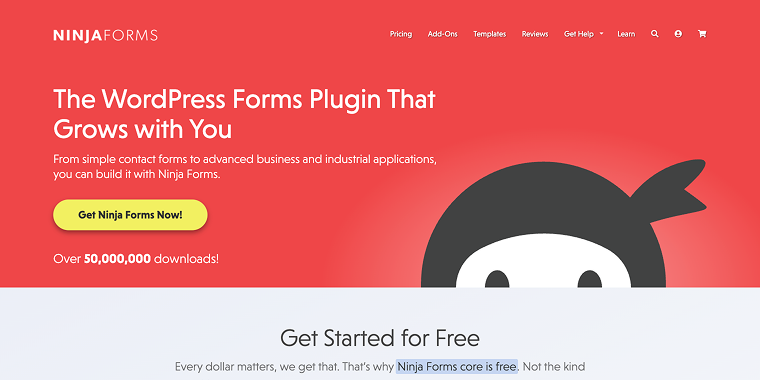
Ninja Forms utilizes a modular approach to form building, offering conditional logic as a separate add-on that integrates seamlessly with the core plugin. This setup lets users create exactly the functionality they want without paying for unnecessary features. The Ninja Forms conditional logic add-on provides robust field showing and hiding capabilities, working well with other Ninja Forms extensions.
Pricing: core plugin is free; Conditional Logic add-on starts at $99/year as part of the Plus plan.
Key features:
- show/hide fields based on user selections;
- conditional email notifications;
- integration with other Ninja Forms add-ons;
- multi-step form progression with conditional logic;
- field value calculations with conditions.
Pros:
- modular pricing allows paying only for the needed features;
- user-friendly drag-and-drop interface;
- good selection of field types and layouts;
- regular updates and active development;
- solid conditional logic implementation.
Cons:
- conditional logic requires a separate purchase;
- it can become expensive with multiple add-ons;
- limited advanced conditional features compared to competitors.
JotForm (Freemium)
🏆 Best for cloud-based form building with advanced conditional logic and an extensive template library.
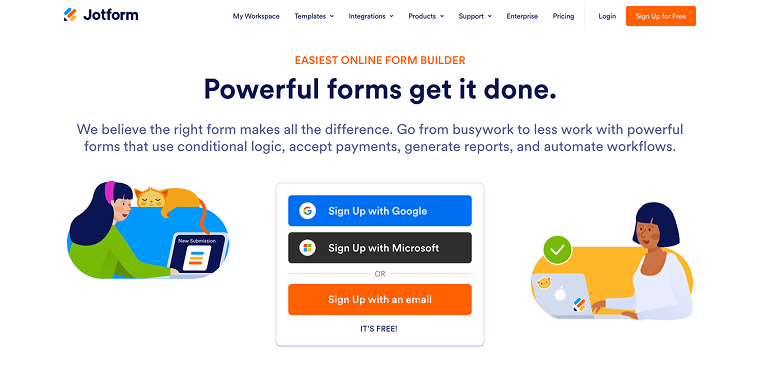
JotForm is a comprehensive cloud-based WordPress form with conditional logic. Although mainly a SaaS platform, its WordPress plugin enables seamless embedding of forms created on JotForm. It offers powerful conditional logic capabilities for WordPress sites, eliminating the need for server resources to process forms.
Pricing: free plan available with limitations; paid plans start at $34/month for advanced conditional logic features.
Key features:
- complex conditional branching with multiple paths;
- smart forms that adapt based on previous submissions;
- payment conditional logic for dynamic pricing;
- approval workflows with conditional routing;
- advanced form analytics with conditional insights.
Pros:
- extensive template library with pre-built conditional logic;
- advanced conditional logic with complex branching;
- cloud-based processing reduces server load;
- excellent mobile responsiveness;
- payment integration with conditional pricing.
Cons:
- subscription-based pricing model;
- data stored on JotForm servers;
- limited customization compared to self-hosted solutions.
Forminator (Freemium)
🏆 Best for comprehensive free conditional logic functionality with built-in security features.

Forminator by WPMU DEV offers impressive conditional logic features in its free version, making it a great choice for users who need advanced form capabilities without the high cost. This plugin offers a comprehensive form solution, complete with built-in security, spam prevention, and advanced conditional logic that rivals premium options.
Pricing: free version includes conditional logic; WPMU DEV membership starts at $15/month for premium features and integrations.
Key features:
- multi-condition logic with AND/OR operators;
- conditional email notifications and routing;
- quiz and poll forms with conditional branching;
- conditional field validation;
- integration with Zapier for workflow automation.
Pros:
- robust conditional logic is available in the free version;
- built-in security and spam protection;
- multiple form types (contact, poll, quiz);
- good performance and optimization;
- active development and regular updates.
Cons:
- the interface can be less intuitive than premium alternatives;
- advanced integrations require WPMU DEV membership;
- limited styling customization options.
CF7 Conditional Fields (Free)
🏆 Best for adding conditional logic to existing Contact Form 7 installations cost-effectively.

Contact Form 7 Conditional Fields enhances the popular Contact Form 7 plugin by adding conditional logic features, offering an affordable option for users already part of the Contact Form 7 ecosystem. This lightweight add-on is specifically designed for conditional field functionality, making it ideal for users who need basic to intermediate conditional logic without switching to a different form plugin.
Pricing: a free plugin is available on the WordPress repository.
Key features:
- show/hide fields based on selections;
- conditional required field validation;
- basic conditional email routing;
- simple conditional calculations;
- integration with Contact Form 7 extensions.
Pros:
- integrates seamlessly with Contact Form 7;
- lightweight and performance-optimized;
- simple setup and configuration;
- affordable compared to full-featured form plugins;
- maintains Contact Form 7’s simplicity.
Cons:
- limited to basic conditional logic functions;
- requires Contact Form 7 as a base plugin;
- fewer advanced features than dedicated form builders;
- limited styling and customization options.
WPForms (Premium)
🏆 Best for user-friendly form building with reliable conditional logic, suitable for small to medium-sized businesses.
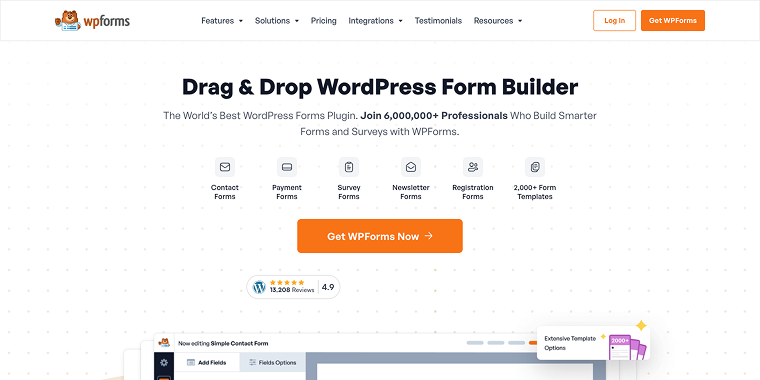
WPForms strikes a great balance between ease of use and features, providing solid conditional logic tools within an intuitive interface that doesn’t overwhelm beginners. Pro plans with conditional logic start at $99 per year (WPForms Basic). The plugin’s drag-and-drop builder, along with its conditional logic capabilities, makes it ideal for small to medium-sized businesses that need professional forms without complexity.
Pricing: paid plans range from $99 to $300 per year and unlock more advanced features, such as conditional logic and integrations with various payment and marketing tools.
Key features:
- smart WPForms conditional logic with visual setup;
- conditional payments and pricing;
- multi-step forms with conditional progression;
- conditional email notifications;
- survey and poll functionality with branching logic.
Pros:
- extremely user-friendly interface;
- pre-built form templates with conditional logic;
- good selection of field types and styling options;
- reliable performance and regular updates;
- excellent customer support.
Cons:
- conditional logic is only available in paid versions;
- limited advanced conditional features;
- fewer integrations compared to enterprise solutions.
Yeekit – Сonditional Logic for Elementor Forms
🏆 Best for Elementor users seeking to add conditional functionality to page builder forms.

This conditional logic Elementor form plugin is specifically designed for Elementor’s form widget, perfect for users who build their sites with Elementor and want to maintain design consistency while adding smart form functionality. The plugin integrates seamlessly with Elementor’s visual builder, allowing for real-time conditional logic setup within the familiar Elementor interface.
Pricing: Single Site – 1 year updates: $25.00, Single Site – lifetime updates: $29.00, Up to 5 Sites – 1 year updates: $39.00, Up to 5 Sites – lifetime updates: $49.00, Unlimited Sites license: $99.00.
Key features:
- visual conditional logic builder within Elementor;
- show/hide fields based on user selections;
- conditional form submission actions;
- integration with Elementor’s styling system;
- multi-step form support with conditional navigation.
Pros:
- native integration with Elementor page builder;
- visual conditional logic setup within Elementor;
- maintains Elementor’s design flexibility;
- lightweight and performance-optimized;
- affordable pricing for Elementor users.
Cons:
- limited to Elementor forms only;
- fewer advanced conditional features;
- requires Elementor Pro for the form widget;
- less suitable for complex conditional scenarios.
FAQ
Most conditional form plugins feature visual, drag-and-drop interfaces that require no coding experience. Plugins like WPForms, Fluent Forms, and Forminator offer user-friendly conditional logic builders where you can create rules using dropdown menus and simple selections.
Yes, conditional forms typically boost conversion rates by 15-25% because they shorten forms, remove unnecessary fields, and provide a more personalized user experience. Users are more likely to complete forms that seem relevant and tailored to their needs.
Yes, many plugins support conditional payment logic, allowing you to display different pricing options, payment methods, or additional charges based on user preferences. Gravity Forms, Fluent Forms, and WPForms all provide strong conditional payment features.
Conclusion
Conditional form plugins have revolutionized how WordPress sites gather and manage user data, enabling more engaging and personalized experiences that boost conversion rates. Whether you’re running a basic blog or a complex business site, there’s a conditional form solution that fits your needs and budget.
For beginners seeking user-friendly options, WPForms and Fluent Forms provide excellent conditional logic features with intuitive interfaces. Advanced users and agencies will notice that Gravity Forms and Formidable Forms provide the power and flexibility required for complex conditional workflows.
Budget-conscious users can begin with Forminator’s free conditional logic features or CF7 Conditional Fields for basic functionality. Elementor users should consider the Conditional Logic for Elementor Forms plugin for smooth page builder integration.
The key to success with conditional forms is understanding your users’ needs and designing logical, helpful progressions that guide them toward completion. Start simple, thoroughly test your conditional logic, and add complexity gradually as needed. With the right conditional form plugin, you’ll create more engaging user experiences and gather better, more relevant data for your business.