Big news for Divi users! 🔥
Crocoblock has officially released JetEngine and JetSmartFilters integration for Divi. That means you can now build fully dynamic, filterable websites directly inside the Divi 5 Builder.
Divi has always been strong on visual design. Layout control, styling flexibility, global elements – all of that works well. But when projects start requiring structured content, custom post types, relationships between content, or advanced filtering, things usually get complicated.
And this integration fills that gap – it brings Crocoblock’s dynamic content engine and filtering system into the Divi environment, so you don’t have to master a new interface or workarounds.
powered by Divi-5 dynamic?
What You Get With JetEngine in Divi 5?
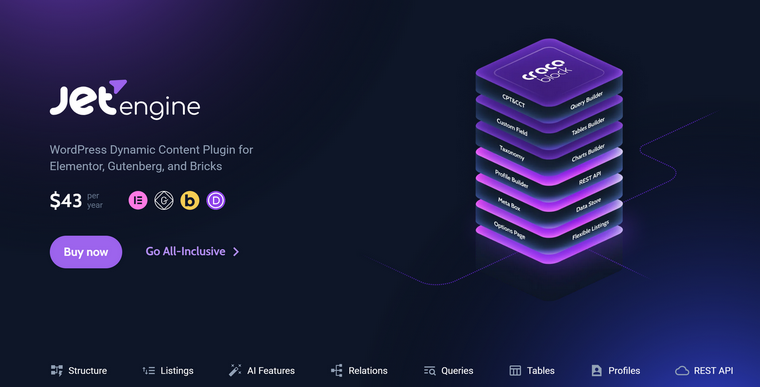
JetEngine is the core dynamic plugin in the Crocoblock ecosystem. Inside Divi, it unlocks proper content architecture. Here’s what that means in practice.
Custom post types and taxonomies
You can create custom post types for things like properties, listings, services, team members, events – anything structured.
🔑 Custom taxonomies allow you to group and classify content beyond simple categories and tags. For content-heavy or directory-style websites, this is foundational.
Custom meta fields
JetEngine lets you add custom fields to your post types – text, numbers, dates, media, switches, repeaters, and more.
So you don’t have to cram data into the main content editor, but store it properly and display it dynamically inside Divi layouts.
🔑 This is essential for listings, product-style pages, real estate data, or anything that needs consistency.
Dynamic listings
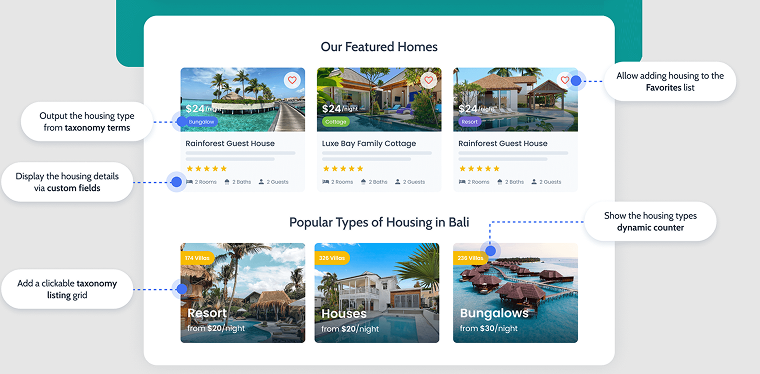
You can build listing templates and output dynamic content inside Divi. Listing template is a loop template, in other words, which can then be placed inside a grid or slider.
This allows you to design once and automatically populate layouts with data from any post type.
🔑 It turns Divi from a static page builder into a dynamic rendering system.
Relations between post types
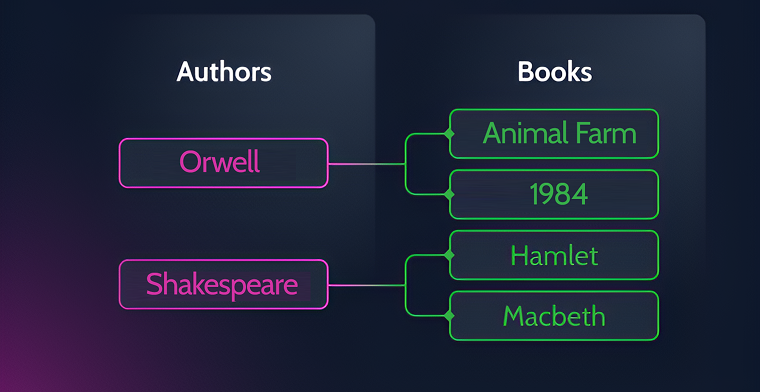
JetEngine supports creating custom relations of any complexity between posts, taxonomies, users, etc.
🔑 It’s an advanced way to organize your data, not only using taxonomies but 3D-level connections. For example, agents connected to properties, doctors connected to clinics, and so on.
Query Builder
Query Builder is an extremely powerful and unique tool that lets you create complex WordPress queries without writing code. You can query posts, users, or taxonomies, apply multiple conditions, and even pull data directly from the database, all using a visual interface.
🔑 Saved queries can be reused as dynamic data sources on the front end. JetEngine Query Builder is a tool that lets you “tell the site what to show” (e.g., specific posts, users, or listings with certain filters) so your pages automatically display the right content without manual updates or coding.
Custom Content Types
Custom Content Types (CCT) are designed for handling large datasets efficiently.
Unlike standard custom post types, which generate multiple database entries across core WordPress tables, CCTs store each entity in its own dedicated table.
🔑 This reduces database load and improves performance, especially for data-heavy projects that don’t require a dedicated page on the front end. For example, to store information about additional services or user submissions, and to display them on the front-end in a loop.
REST API and Custom Endpoints
This module allows you to connect external services, apps, or websites without needing a separate REST API plugin.
🔑 You can create custom endpoints, retrieve external data, and display it on the front end, all through a visual interface, without coding. For example, collecting data through forms on multiple websites and displaying the submitted information on another Divi 5 website, or pulling data to a Divi website from a remote CRM.
Data Stores
Data Stores let you save user-related data, such as bookmarks or wishlists.
🔑 It works for both logged-in users and guests, storing information via the database, cookies, or browser storage depending on the setup.
And that’s still not all. Read more about JetEngine’s features here.
What JetSmartFilters Adds
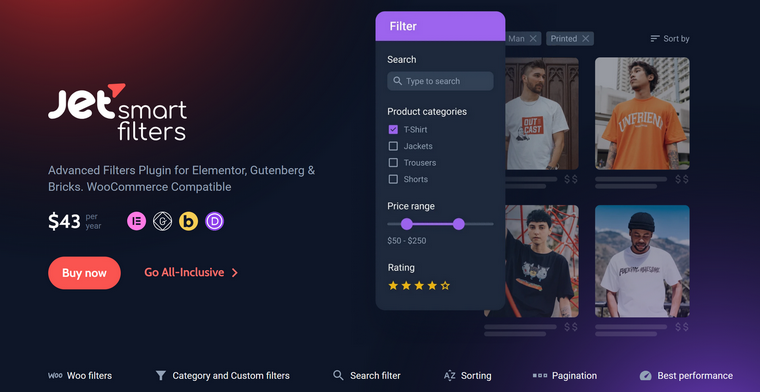
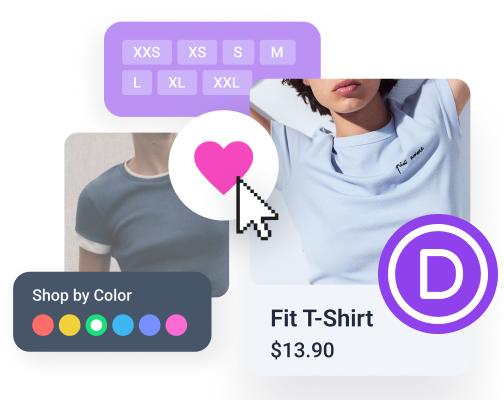
JetSmartFilters handles the interactive layer, which is extremely important for shops or other dynamic websites. It allows users to filter content dynamically without page reloads.
Advanced AJAX filtering
- taxonomies;
- meta fields;
- date ranges;
- numeric ranges;
- search terms;
- checkboxes, radios, selects;
- visual filters, and more.
This is what makes directories, property listings, job boards, and product catalogs usable.
Combined filters
Users can stack filters together. For example:
- filter properties by city,
- then by price range,
- then by the number of bedrooms.
And it’s all without reloading the page. So, it’s not basic category filtering. It’s structured, dynamic filtering based on real data fields.
How to Install JetEngine and JetSmartFilters for Divi 5?
To install JetEngine and JetSmartFilters on your Divi website, you need to have a dedicated package for Divi that includes these two plugins and the Divi Integration Addon. If you are an existing Crocoblock user, you will get this add-on as well.
The Crocoblock Divi development team created an additional extension that ensures seamless integration with Divi instead of including it in the core plugins, which makes it work even more efficiently.
This is how to boost your Divi website with Crocoblock:
- Install the JetEngine and JetSmartFilters plugins on your website.
- Install the Divi Integration Addon, like this:
Congrats! Now, the full functionality of one of the most powerful plugins on the market, JetEngine, is available for you. Also, you can build an advanced filtering system using a very powerful AJAX filter plugin, JetSmartFilters.
FAQ
Yes, but natively it’s very limited. Divi handles design well, but structured content, relationships, and advanced filtering require additional tools. With JetEngine and JetSmartFilters, Divi can handle directories, listings, and complex data-driven projects.
JetEngine is used to create and manage dynamic content. It allows you to build custom post types, taxonomies, meta fields, relations, and dynamic templates without coding. Also, you can create even the most complex queries using its unique Query Builder tool fully visually. It’s also a very powerful REST API plugin, which is so important if you want to build apps or AI-generated interfaces when WordPress acts as a backend.
No. All functionality is handled through a visual interface, including queries and data display. Advanced users can use SQL or Twig, but it’s optional.
Query Builder allows you to create advanced content queries visually. You can filter posts, users, or taxonomies with multiple conditions and reuse saved queries as dynamic data sources on the front end.
AJAX filtering lets users filter content without reloading the page. It improves usability and speed, especially for directories, shops, and listing websites. Filters can be combined and applied instantly.
No. While it works great for WooCommerce, it’s not limited to it. You can filter any dynamic content, e.g., posts, custom post types, listings, directories, or structured data created with JetEngine.
Yes, JetEngine has a very powerful AI website structure builder and offers an SQL query builder. Also, it has an MCP server support to allow external AI applications to connect to your website and receive some context from it or perform some actions.
Takeaway
If you’re building simple landing pages, Divi is more than enough. But once your project needs structure, e.g., displaying content dynamically to create data listings, flexible layouts, filtering, and large datasets, you need more than layout control but a proper website data structure.
JetEngine builds that structure, and JetSmartFilters makes it usable. Together, they turn Divi from a visual builder into a serious, dynamic website tool.