When building dynamic websites with Divi, the ability to efficiently filter and search through content becomes critical to user experience. Whether you’re creating an eCommerce store, a real estate directory, or a job board, implementing advanced filtering and search functionality can dramatically improve how visitors interact with your content. In this comprehensive guide, we’ll explore the best Divi filter plugin options available.
Why Adding Third-Party Divi Modules Matters
Divi includes a solid set of built-in modules, but many websites eventually need options beyond the default toolkit. Extra modules, especially those focused on content filtering and search, expand what Divi can display, how information is organized, and how visitors move through your pages.
As a site grows, the number of posts, products, or listings often becomes too large for simple categories to manage. Third-party modules address this by providing visitors with precise ways to sort, search, and refine content.
Solutions from Crocoblock also play an important part here. Plugins like JetSmartFilters offer advanced filtering and quick lookup options widely used on dynamic websites. When paired with JetEngine data structures, these tools help manage and present large sets of content more effectively. Even though they’re not Divi-native, they demonstrate how modern filtering and search tools shape users’ interactions with information.
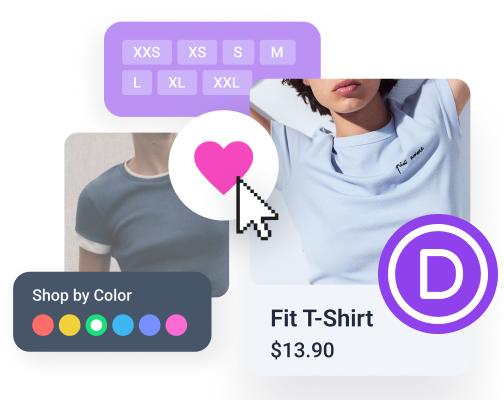
For creators and developers, these extra modules remove the need for custom builds. Instead of writing code for every scenario, you can rely on plugin features such as AJAX updates, taxonomy filtering, search through custom fields, or product refinement options for stores.
Top 10 Divi Filter and Search Plugins
Now let’s examine the best alternative plugins available for adding filtering and search functionality to your Divi websites, organized by primary function.
Filter plugins
Filter for Divi (Free)
🏆 Best for Divi users seeking a free, lightweight solution for basic module filtering needs.
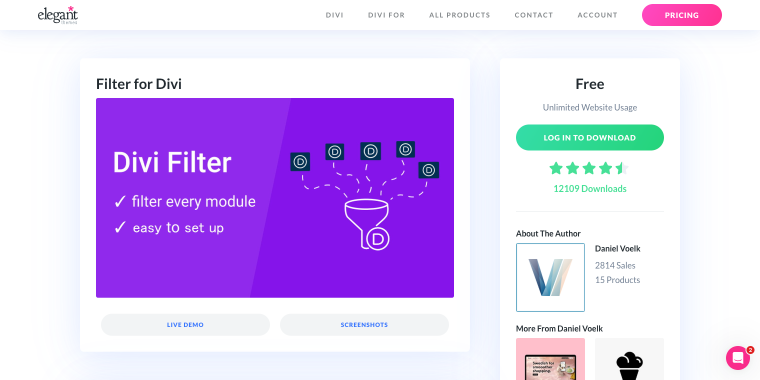
Filter for Divi is a free extension that enables content filtering directly within Divi modules. It provides straightforward filtering functionality for galleries, portfolios, and blog posts, making it accessible for users who need basic filtering without complex configuration.
Pricing: free with unlimited website usage.
Key features:
- native Divi module integration for seamless workflow;
- filter columns and module content without page reload;
- gallery and video gallery filtering support;
- simple setup with minimal learning curve.
Pros:
- completely free with no limitations;
- easy installation and configuration;
- lightweight with minimal performance impact;
- great for simple portfolio and gallery sites.
Cons:
- limited to basic filtering features;
- no advanced search capabilities;
- lacks WooCommerce integration;
- fewer customization options than premium alternatives;
- no dedicated customer support.
Divi Ajax Filter by Divi Engine (Premium)
🏆 Best for WooCommerce stores and agencies needing professional-grade filtering with lifetime updates.
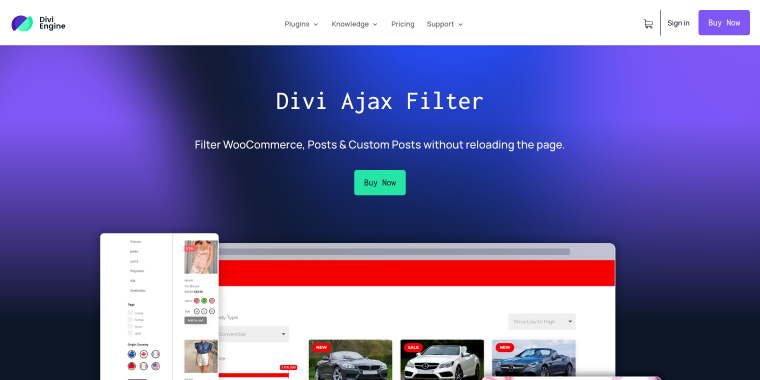
Divi Ajax Filter from Divi Engine is a premium solution designed specifically for filtering WooCommerce products, blog posts, and CPTs without page reloads. Built with the Divi Builder in mind, it offers seamless integration and extensive customization options for creating sophisticated filter interfaces.
Pricing: annual licenses start at £19.99 for one site, or £69.99 for a lifetime license for a single site, with unlimited-site packages available.
Key features:
- WooCommerce product attribute, price, and category filtering;
- AJAX-powered updates without page reloads;
- Advanced Custom Fields (ACF) compatibility;
- loop templates with list/grid view switcher;
- multiple filter layouts including checkboxes, dropdowns, and radio buttons.
Pros:
- native integration with Divi Builder;
- excellent WooCommerce support;
- fast and responsive performance;
- 14-day money-back guarantee;
- active development with regular updates.
Cons:
- requires annual renewal for continued updates;
- steeper learning curve for beginners;
- premium pricing compared to free alternatives;
- Divi 5 compatibility requires a stable release;
- requires quality hosting for optimal performance.
Divi Ajax Filter from Elegant Themes Marketplace (Premium)
🏆 Best for developers wanting a one-time purchase with unlimited site usage for client projects.
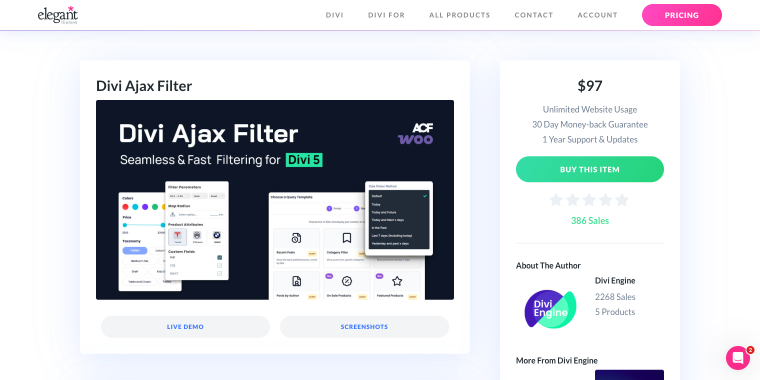
This marketplace version of Divi Ajax Filter offers comprehensive filtering for products, blog posts, and custom post types with AJAX functionality. The extension provides professional filtering capabilities with lifetime support and updates for a single payment.
Pricing: one-time payment of $97 for unlimited website usage with 1-year support and updates.
Key features:
- unlimited website deployment for agencies;
- blog and custom post type AJAX filtering;
- product filtering for WooCommerce stores;
- compatible with both Divi 4 and Divi 5;
- 30-day money-back guarantee.
Pros:
- excellent value for agencies managing multiple sites;
- no recurring subscription fees;
- Divi 5 compatible;
- GPL licensed;
- marketplace purchase protection.
Cons:
- support limited to the first year;
- fewer features than the DiviEngine version;
- requires a marketplace account;
- updates require an active support period;
- limited documentation compared to the standalone version.
Category Ajax Filter (Freemium)
🏆 Best for budget-conscious users needing versatile filtering across multiple page builders.
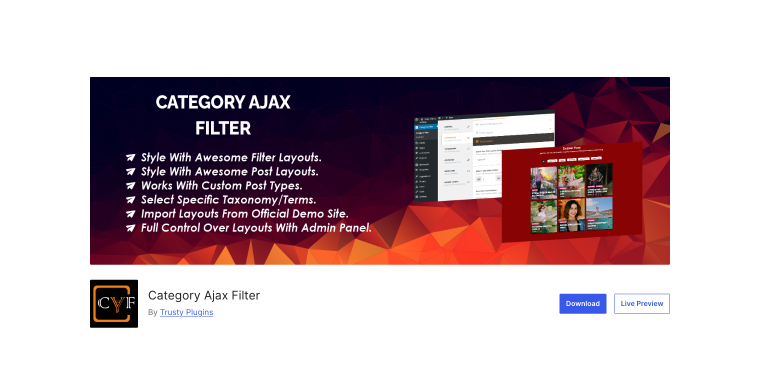
Category Ajax Filter is a WordPress plugin supporting Elementor, Divi, and WP Bakery builders. It filters posts and custom post types by categories, tags, and taxonomies without reloading pages, offering multiple pre-built layouts and extensive customization options through an intuitive admin panel.
Pricing: free core version available; Pro version starts at $33-$80 with lifetime licenses available.
Key features:
- multi-builder support (Elementor, Divi, WP Bakery);
- custom post type and taxonomy filtering;
- WooCommerce product filtering support;
- multiple pre-built filter and post layouts;
- analytics feature in Pro to track filter usage.
Pros:
- works across multiple page builders;
- strong free version with useful features;
- affordable Pro upgrade pricing;
- active development with regular updates;
- excellent support and responsiveness.
Cons:
- some licensing issues reported by users;
- Pro features require a separate purchase;
- occasional conflicts with other plugins;
- Divi support is less refined than dedicated solutions;
- requires plugin updates to remain active.
JetSmartFilters (Premium)
🏆 Best for power users building complex, data-driven websites with advanced filtering requirements.
JetSmartFilters is Crocoblock’s flagship filtering solution for Elementor, Gutenberg, and Bricks, providing 13+ filter widgets including alphabet filters, date ranges, rating filters, and visual filters. With deep integration into JetEngine for custom post types and ACF fields, plus the new Listing Filter Builder for creating filtered listings without page builders, it delivers unmatched flexibility for dynamic content filtering.
Pricing: $43 per year for a single site; the All-Inclusive subscription provides access to all Crocoblock products.
Key features:
- 13+ filter widget types for comprehensive filtering;
- seamless JetEngine and ACF integration;
- SEO rules and URL alias management;
- Indexer showing result counts per filter option;
- geolocation-based filtering capabilities.
Pros:
- most comprehensive filtering solution available;
- exceptional performance with large datasets;
- dedicated Crocoblock support community;
- regular updates and new features;
- works beautifully with dynamic content.
Cons:
- a steeper learning curve than simpler alternatives;
- annual subscription model;
- primarily designed for Elementor users.
Search plugins
Divi Smart Search (Premium)
🏆 Best for small to medium sites needing enhanced search for custom post types and custom fields.
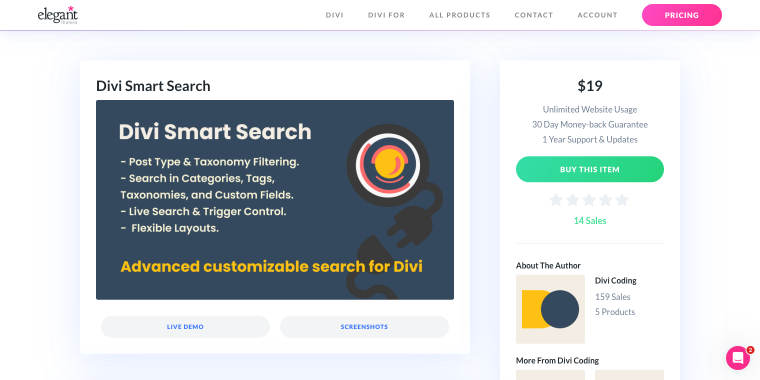
Divi Smart Search extends WordPress search functionality to include custom post types, custom fields, and ACF fields within Divi websites. It provides developers with enhanced search capabilities without the complexity of enterprise search solutions.
Pricing: $19 one-time payment for unlimited website usage with 1-year support and updates.
Key features:
- custom post type search integration;
- custom field and ACF search support;
- native Divi compatibility (4 and 5);
- simple implementation via Divi modules;
- lightweight performance footprint.
Pros:
- affordable one-time pricing;
- Divi 4 and 5 compatibility;
- easy setup and configuration;
- unlimited website usage;
- 30-day money-back guarantee.
Cons:
- limited to basic search functionality;
- no advanced filtering capabilities;
- minimal customization options;
- small user base means fewer resources;
- basic documentation.
Ajax Search Lite (Freemium)
🏆 Best for sites requiring fast, real-time search with live suggestions across posts, pages, and custom fields.
Ajax Search Lite is a comprehensive live search plugin offering AJAX-powered search for posts, pages, custom post types, and WooCommerce products. It delivers real-time results with smooth animations, mobile support, and extensive customization options through 10+ built-in templates, all without requiring monthly subscriptions or storing data on external servers.
Pricing: free core version with 50+ options; Pro version (starts at €39) available with 400+ options and advanced features.
Key features:
- search in posts, pages, custom post types, and custom fields;
- AJAX results with category and post type filters;
- WooCommerce product search support;
- GA integration for tracking searches;
- 10+ responsive templates with color customization.
Pros:
- powerful free version with extensive features;
- 80,000+ active installations with proven reliability;
- no monthly subscriptions or external data storage;
- WPML, Polylang, and qtranslateX compatible.
Cons:
- advanced features require the Pro version;
- customization may require CSS knowledge;
- can require cache clearing after updates;
- performance depends on hosting quality.
Plugins with search, filters, and miscellaneous modules
DiviFlash (Premium)
🏆 Best for agencies and developers needing an all-in-one Divi module pack with 60+ custom modules and advanced WooCommerce features.
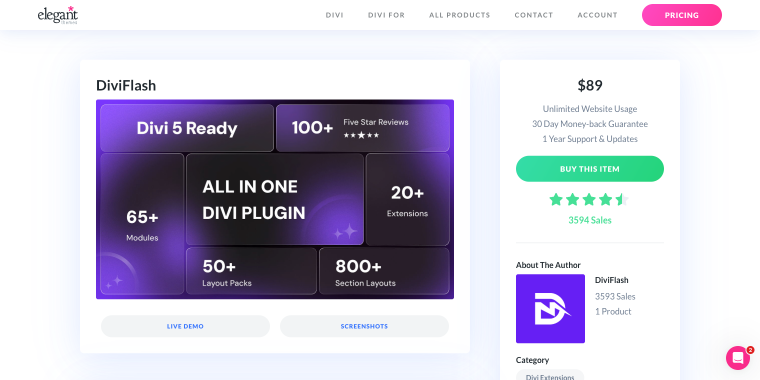
DiviFlash is the most comprehensive Divi extension plugin offering 60+ premium modules, 15+ extensions, 40+ layout packs, and 800+ section designs. It extends Divi’s capabilities with advanced carousels, filterable galleries, mega menus, pop-ups, WooCommerce modules, and CPT integration, making it ideal for creating conversion-focused websites without coding.
Pricing: $89 one-time payment for unlimited website usage with 1-year support and updates.
Key features:
- 60+ custom Divi modules including carousels, galleries, and advanced tables;
- filterable CPT module with taxonomy and ACF field support;
- Woo product grid and carousel modules with 11 elements;
- advanced mega menu builder with Divi layout integration;
- pop-up builder, form stylers, and ACF integration extensions.
Pros:
- most comprehensive Divi module collection available;
- includes both modules and powerful extensions;
- 3,500+ sales with proven reliability;
- lifetime access with one-time payment;
- 30-day money-back guarantee.
Cons:
- steep learning curve due to extensive features;
- requires time investment to master all modules;
- can increase page load times if many modules are used;
- premium pricing compared to single-purpose plugins.
Smart Slider 3 (Freemium)
🏆 Best for creating visual sliders and carousels with live editing.
Smart Slider 3 is a powerful, intuitive WordPress slider plugin with 900,000+ active installations. It offers live slide editing, responsive design, and beautiful templates for creating image sliders, layer sliders, video sliders, and post sliders, with smooth animations and extensive customization, all without any coding.
Pricing: free version with essential features; Pro version (starting at $49) available with advanced animations, extra layers, and dynamic slide generators.
Key features:
- live slide editor with default and absolute positioning modes;
- fully responsive with custom breakpoints for all devices;
- dynamic slides from WordPress posts and CPTs;
- 15+ free slider templates with multiple layout options;
- layer-based design with images, headings, text, buttons, and videos.
Pros:
- exceptional user interface and editing experience;
- 900,000+ active installations prove reliability;
- works with all page builders, including Divi;
- extensive free version with powerful features;
- excellent documentation and video tutorials.
Cons:
- primarily slider-focused, not filtering-specific;
- Pro required for WooCommerce product sliders;
- advanced layer animations only in the Pro version;
- it can be overkill for simple filtering needs;
- steeper learning curve for complex animations.
Cool Timeline (Freemium)
🏆 Best for displaying chronological content, company history, and project roadmaps.
Cool Timeline is an advanced WordPress timeline plugin with 20,000+ active installations, perfect for showcasing company history, product roadmaps, event highlights, and personal stories. It offers both Gutenberg blocks and shortcode-based timelines with vertical layouts, customizable designs, and multiple display options.
Pricing: free core version with vertical timeline; Pro version from $39 for horizontal timelines, advanced layouts, and multimedia support.
Key features:
- Gutenberg timeline block and classic shortcode support;
- vertical timeline with customizable colors, fonts, and animations;
- ASC/DESC story ordering with various date formats;
- icons or dots for timeline markers with content alignment;
- pagination support and works with major page builders.
Pros:
- specialized timeline plugin with focused features;
- easy to use with minimal setup required;
- responsive design works on all devices;
- free version adequate for basic timeline needs;
- compatible with Gutenberg and the Classic editor.
Cons:
- horizontal timeline only in Pro version;
- limited filtering capabilities compared to dedicated filter plugins;
- multimedia support requires a Pro upgrade;
- category-based filtering only in Pro;
- primarily designed for chronological content display.
FAQ
Filter for Divi and Category Ajax Filter both offer excellent free versions, but they serve different purposes. Filter for Divi is ideal if you’re working exclusively within Divi and need basic module filtering for galleries and portfolios. The Category Ajax Filter offers greater versatility, with broader builder support and more advanced filtering options in the free tier, making it the better choice for users who might expand beyond Divi or need custom post type filtering without an upfront investment.
Currently, JetSmartFilters is officially designed for Elementor, Gutenberg, and Bricks page builders and does not have native Divi support. While some developers have created workarounds, Crocoblock will announce support for Divi 5 integration after the stable release is announced. For Divi-specific filtering solutions, consider plugins explicitly built for Divi, like Divi Ajax Filter from Divi Engine or Category Ajax Filter, which includes Divi compatibility.
Not necessarily. Many modern filtering plugins, like Divi Ajax Filter, include basic search functionality alongside filtering features. However, if you need advanced search capabilities like typo tolerance, weighted results, or complex query building, you might benefit from dedicated search plugins. For most use cases, a comprehensive filtering plugin with built-in search features will suffice. Still, enterprise-level sites with extensive content libraries may require specialized search solutions to optimize the user experience.
Conclusion
Choosing the right Divi filter plugin depends on your specific project requirements, budget, and technical expertise. For simple portfolio sites or small blogs, the free Filter for Divi plugin provides adequate functionality. WooCommerce stores benefit immensely from Divi Ajax Filter’s commerce-specific features, while developers managing multiple client sites should consider the unlimited licensing options.
For maximum flexibility and power, Category Ajax Filter’s multi-builder support makes it future-proof. However, users exclusively committed to Divi should prioritize solutions built specifically for the Elegant Themes ecosystem. Whatever your choice, implementing proper filtering and search functionality will significantly enhance user experience, reduce bounce rates, and improve conversion rates on your Divi 5 websites.
Remember to test plugins on staging environments before deployment, ensure your hosting can handle AJAX requests efficiently, and always maintain regular backups before installing new extensions. With the right Divi filter plugin configuration, your visitors will enjoy seamless content discovery that keeps them engaged and converts browsers into customers.