Rémy Allard-Jacquin shares how he rebuilt his digital agency website made with Crocoblock to create a scalable SEO architecture powered by Custom Post Types (CPT), taxonomies, and dynamic templates, all while maintaining high performance with Elementor.
About Me
My name is Rémy Allard-Jacquin, and I am based in France. I am the founder of Expertize, a web agency focused on performance.
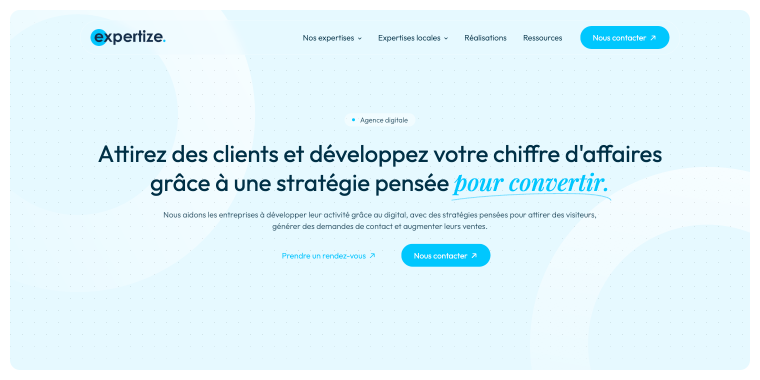
Our mission is to help businesses attract clients and boost their revenue through digital strategies designed to convert.
We assist companies in improving visibility, attracting qualified leads, and boosting sales by creating structured digital systems aimed at sustained performance.
Experience
I’ve been working with WordPress for several years, mainly using Elementor Pro with the Hello theme.
At first, like many developers, I focused on design and layout. But I realized that for agencies working on SEO-driven projects, structure is more important than visuals.
Businesses don’t just need a website. They need a scalable system that supports visibility, acquisition, and growth.
That’s when Crocoblock became a core part of my workflow. JetEngine, in particular, allowed me to move from static page building to real data architecture.
Favorite Types of Projects
I enjoy projects where WordPress is used not only as a CMS.
With Crocoblock, I’ve built SEO-driven agency websites that have multi-location service architectures, dynamic local landing page systems, testimonial sections connected to services, and dynamic-data content ecosystems.
I particularly like projects where scalability is essential. When content must grow without creating backend chaos, Crocoblock makes everything manageable.
The Website Project I’m Proud Of
The project I’m very proud of is the complete rebuild of our own agency website.
The goal wasn’t to create a typical agency showcase site. I wanted to build a structured acquisition system capable of scaling local SEO efficiently.
The architecture includes:
- main service pages;
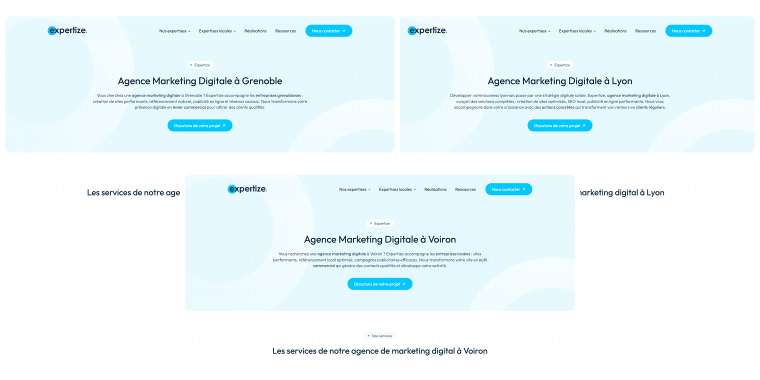
- location-based agency pages;
- dynamic combinations of services + cities;
- testimonials managed via Custom Content Types (CCT);
- blog posts connected to both cities and services;
- custom taxonomies for cities and expertise.
Instead of manually creating dozens of similar local SEO pages, everything is generated and structured dynamically. This allows us to scale content without duplicating layouts or breaking structure.
Challenges
The biggest challenge was scalability.
We wanted to target multiple cities with SEO-optimized pages that have structured content, clean backend management, and good performance.
Creating pages manually quickly becomes unmanageable. Default WordPress and Elementor alone wouldn’t provide the relational logic needed between services, cities, testimonials, and blog content. I needed a structured system, not just pages, and this is where the Relations feature of JetEngine became the savior.
Results and solution
Using JetEngine, I built the site around CPT for services, Custom Taxonomies for cities and expertise, CCT for testimonials, Dynamic Visibility for context-based sections, and structured templates for reusable layouts.
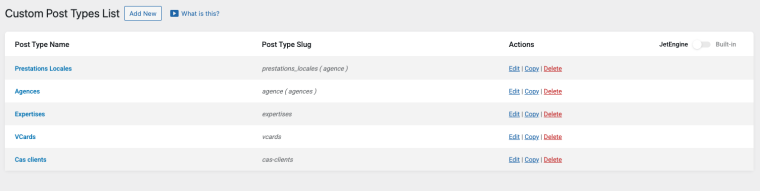
Now, adding a new city or connecting a service to multiple cities takes minutes.
Performance was also a priority. Despite using Elementor and Crocoblock, on a sunny day, the website can reach up to 100 PageSpeed points on desktop.
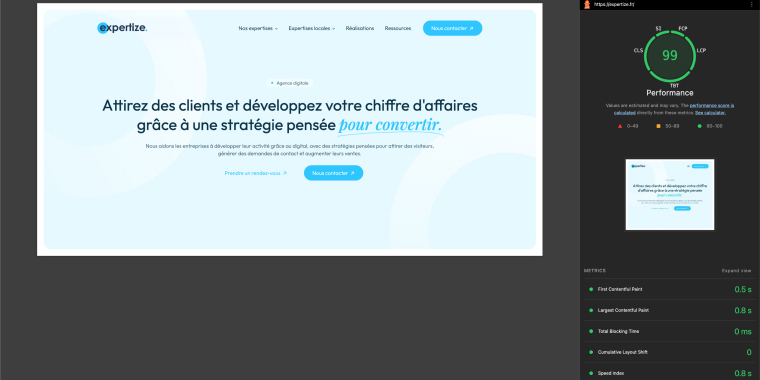
Stack used: Elementor Pro, Crocoblock, Hello Theme, FlyingPress, O2Switch hosting, and Rank Math for SEO.
This shows that Elementor and Crocoblock can be highly efficient when the architecture is clean and well-optimized.
Key challenges
What was tricky about this project? Managing multiple local SEO pages without duplication, maintaining a clean backend structure, connecting services, cities, testimonials, and articles logically, and preserving performance despite dynamic content.
What couldn’t be solved with default WordPress and Elementor? Structured relationships between services and cities, context-aware dynamic sections, and a scalable SEO architecture without manual duplication. JetEngine snapped these limitations.
How Crocoblock Helped
JetEngine changed how I create websites.
The features that saved the most time and simplified my workflow: CPTs and Taxonomies to structure services and locations, CCTs for testimonial management, Dynamic Visibility to display contextual sections, and reusable dynamic templates.
Instead of duplicating content or writing custom code, I structured relationships between services and cities using JetEngine’s native tools. This approach allowed me to treat WordPress as a structured data system rather than a collection of static pages.
For SEO-driven agencies, this makes a huge difference.
Other Websites Built with Crocoblock
Here’s a quick summary of some other websites we’ve created with Crocoblock and Elementor.
Anjos Ventilation
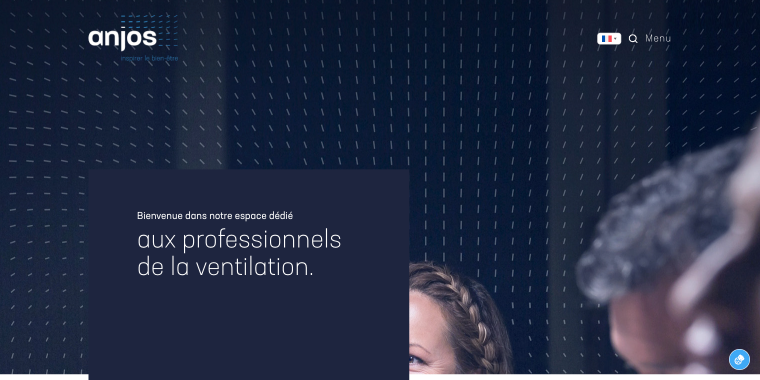
A product catalog website for Anjos Ventilation. The site needed to showcase a broad, well-organized range of product categories, including air inlets, exhaust vents, and network components to serve a professional audience.
JetEngine manages the product listing architecture, JetBlocks handles the global layout elements, JetElements powers the interactive UI components, and JetTabs organizes the technical product data into clean, navigable format sections.
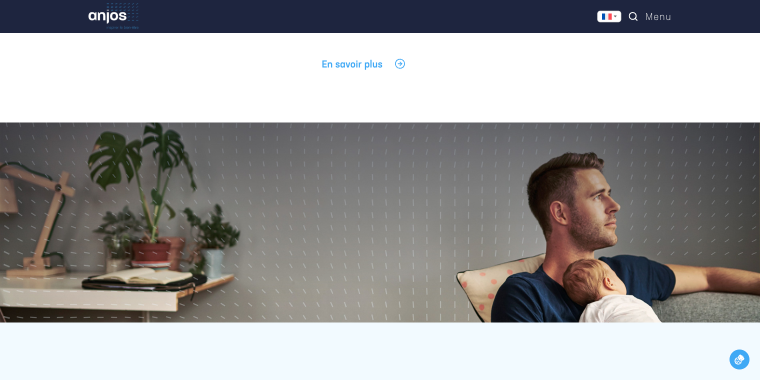
The homepage features a set of smooth-scrolling parallax effects sections.
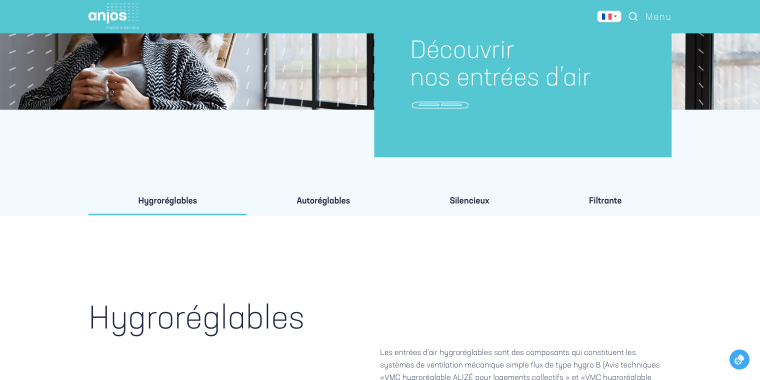
In the products section, we’ve used the Elementor menu with anchor links that scroll the page to the corresponding group of products.
To display each group of products, we’ve used a set of Listing Grid widgets by JetEngine.
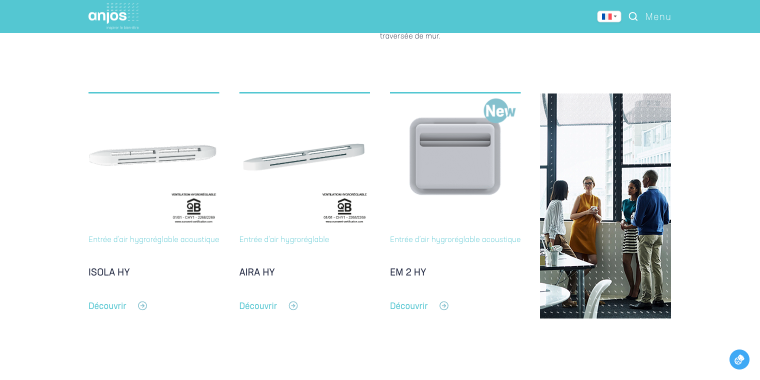
Product image, title, and link are the dynamic fields powered by JetEngine: Dynamic Field, Dynamic Image, and Dynamic Link, respectively.
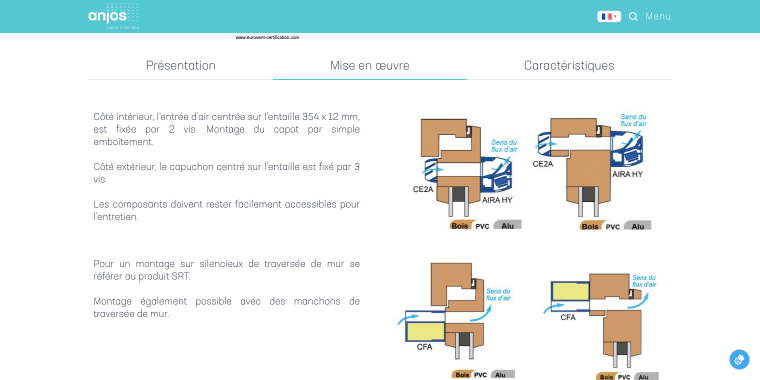
Each air filter single-page template, such as Aira Hy, also includes a Listing Grid widget with dynamic fields to fetch air filter data. There’s also a Tabs widget (by JetTabs) that dynamically displays the following information: Présentation (short description of the filter product), Mise en œuvre (how it works), and Caractéristiques (tech specs).
Stendh’arch
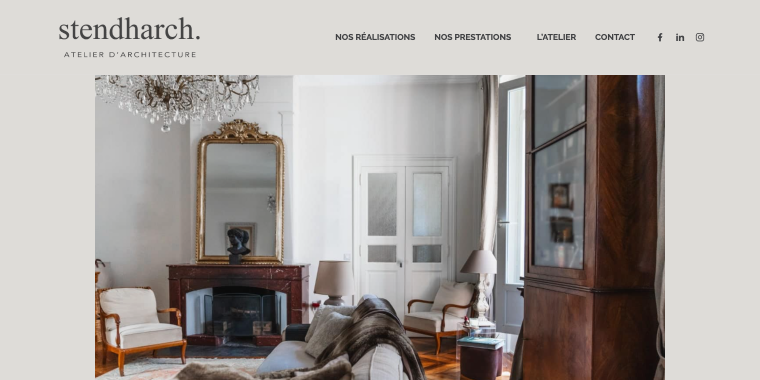
A portfolio and services website for Stendh’arch, a boutique architecture studio. The agency works in residential construction, renovation, interior design, and custom furniture, and needed a site that could showcase a diverse project gallery while clearly communicating their different service offerings.
JetElements manages the visual presentation, enabling a polished, editorial-style layout that reflects the studio’s design sensibility.
Unique-Intérieur
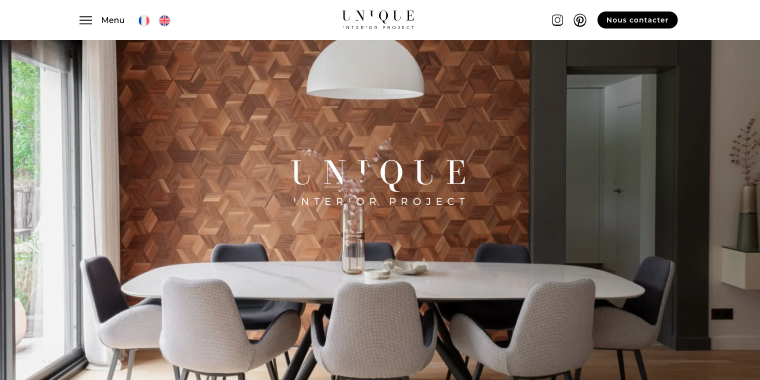
A high-end interior design agency with projects spanning private residences, luxury chalets, villas, and commercial spaces. The website needed to showcase sophistication and variety, highlighting services, achievements, and location-specific pages in a unified, visually striking manner.
JetBlocks and JetElements manage the layout and interactive components, while JetTabs keep service categories organized and easy to navigate.
What Do I Plan to Explore Next?
More advanced relational structures and enhanced front-end systems powered by dynamic logic. Because once your website is structured properly, scaling becomes natural.
Briefly
- Best organization tool — Notion, an all-in-one workspace app for notes, wikis, project tracking, and databases. I use it to keep tasks, client briefs, and project timelines in one place rather than juggling multiple tools.
- Hosting preference — O2Switch, a French hosting provider known for its unlimited NVMe storage, LiteSpeed infrastructure, and WordPress-optimized servers. All their data centers are based in France, which is great for performance and GDPR compliance.
- Must-have WordPress plugin — JetEngine.
- Editor — Elementor Pro + Hello Theme.
- Team members — small in-house team + collaborators.
- Wireframing tool — Elementor.
- Crocoblock plan — All-Inclusive gives access to the entire Crocoblock plugin suite under a single license, which makes sense for an agency building diverse project types.
- Go-to plugins:
- FlyingPress — a premium speed optimization plugin that handles page caching, CSS and JS minification, critical CSS generation, image optimization, and Core Web Vitals tracking all in one. It’s lightweight, straightforward to configure, and consistently outperforms bulkier alternatives like WP Rocket in real-world performance tests;
- Rank Math — a feature-rich SEO plugin with built-in schema markup, Google Search Console integration, on-page content analysis, XML sitemaps, and keyword tracking;
- WP Tiger — (O2Switch’s exclusive cPanel tool) + hosting-level backup, it lets you manage plugins, users, security rules, and HTTPS settings across all your WordPress sites directly from cPanel.
Advice for Newbies
Don’t try to replicate a complex architecture immediately. Start with a practical use case.
For example: create one CPT for services, add a City taxonomy, assign services to multiple cities, and build a single dynamic template that adapts based on taxonomy.
Once you understand how content relationships work, scaling becomes much easier.
Think in terms of data structure, not pages. JetEngine becomes powerful when you stop duplicating content and start organizing it properly.
Takeaways
Crocoblock allows you to turn WordPress into a structured, scalable system.
For agencies working on SEO-driven or multi-location websites, this approach simplifies growth, backend management, and long-term performance.
The combination of Elementor and Crocoblock, when configured correctly, can be both flexible and highly performant.