To add interactive maps with a map picker, pins, and geolocation to a WordPress site, the best approach is to use a mapping plugin that supports dynamic content and connects with your site’s database. JetEngine’s Map Listing module is a strong choice, offering advanced mapping features linked to custom post types and dynamic fields.
Adding interactive maps to your WordPress website is crucial for businesses looking to display location-based content, whether you’re running a real estate directory, a restaurant locator, or an event listing site. Many website owners struggle to find a solution that offers dynamic map features, easy-to-use management tools, and smooth integration with their existing WordPress setup.
The solution involves selecting the right mapping plugin that provides three main features: a map picker for easy location selection, dynamic pins connected to your content database, and geolocation functions that improve user experience. In this article, you’ll discover the top 5 ways to add interactive maps to WordPress, comparing their features, use cases, and setup tips to help you choose the right solution for your project.
JetEngine’s Map Listing Module (Premium)
🏆 Best for directory websites, real estate, job boards, or any site that already uses Crocoblock, this is the most seamless way to build feature-rich, interactive maps with full dynamic capabilities.
JetEngine’s Map Listing module is a powerful WordPress map tool that provides smooth integration with dynamic content, custom post types, and advanced filtering options offered by JetSmartFilters. With this module, you can create dynamic pins connected to your custom post types that display real-time content. The information in these pins will update automatically based on the chosen map location.
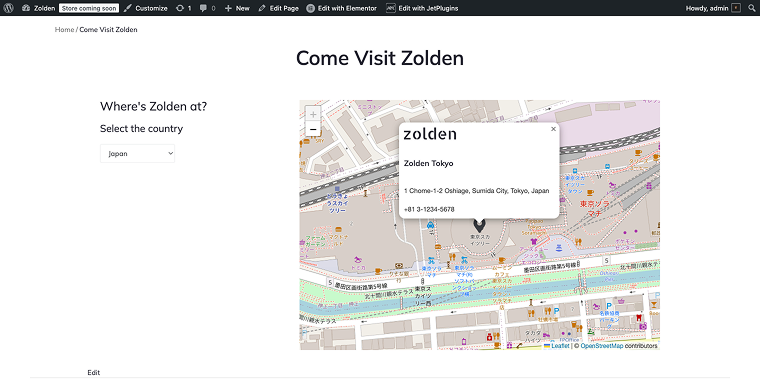
Since your locations will be created as Custom Post Types (CPTs), you can add as many meta fields as you want to your location entries, such as name, address, coordinates, phone number, photos, and more.
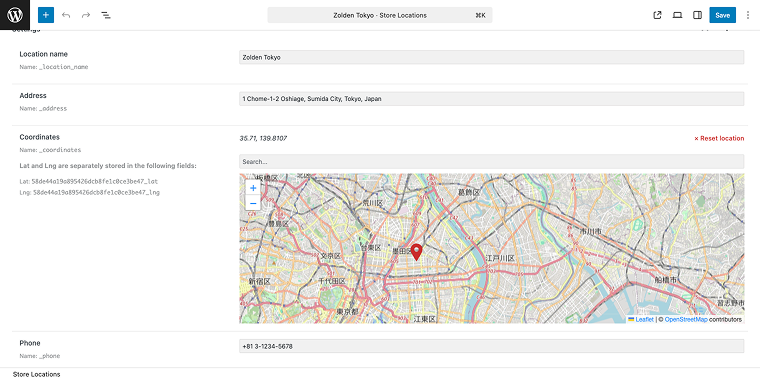
All these fields can serve as filtering options, helping users narrow down their search and find the best location to access your services.
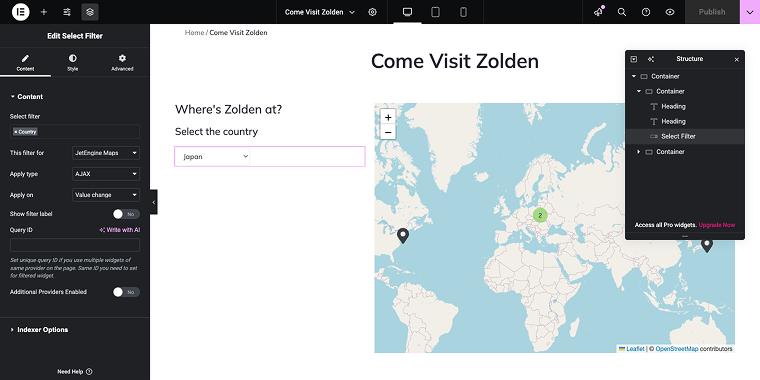
The Map Listing module allows creating advanced functionalities, including:
- User Geolocation search, where one can set up an automatic geo-search that detects visitors’ current location and displays nearby listings without manual input.
- Location & distance filtering that enables users to search within a specific radius distance from any address or point on the map.
- Geolocation-based listings that allow for filtering and displaying items dynamically based on the user’s geographic location for personalized results.
- Configure maps that automatically refresh and update markers as users pan, zoom, or change their location view.
- Using third-party plugins like Borlabs Cookie, you can create GDPR-compliant maps to manage location permissions properly.
What’s even better is that if you have a mini hotel, you can use the JetBooking plugin, which allows you to filter available rooms. The same approach works perfectly for coworking spaces, event venues, or equipment rental areas, enabling visitors to check availability, compare prices, and select the option that best fits their needs directly from the map.
You can improve the JetEngine Map Listing module by integrating it with other Crocoblock plugins. For example, JetFormBuilder enables you to add fully customizable booking or inquiry forms that users can access directly from map markers, making it quick and easy to reserve a space, book an event venue, or rent equipment. JetPopup can display these forms or special offers without navigating away from the map, while JetThemeCore guarantees that the listing layout blends seamlessly into your site’s design.
Leaflet Maps (Free)
🏆 Best for projects that want to avoid Google Maps billing and rely on open-source mapping.
Leaflet Maps addresses a common concern: the cost of the Google Maps API. It utilizes the open-source Leaflet.js library and OpenStreetMap data, offering mapping features without ongoing API fees. The plugin allows for custom markers, shapes, and layers using a set of customizable shortcodes.
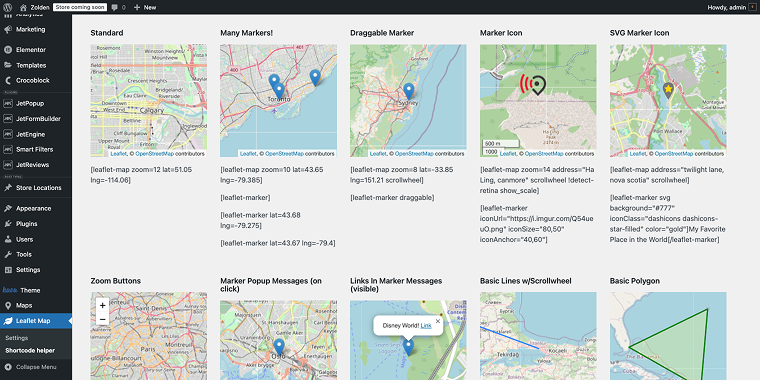
After adding the shortcode to the page, you’ll see a clean map on the front end that can show basic information.
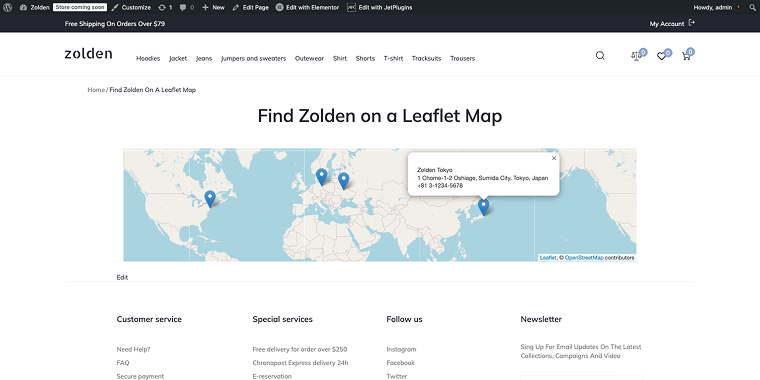
Example of shortcodes used to show the four pins, as shown in the above screenshot.
[leaflet-map zoom=10 lat=35.71 lng=139.8107 scrollwheel]
[leaflet-marker]
[leaflet-marker visible] Zolden Tokyo
1 Chome-1-2 Oshiage, Sumida City, Tokyo, Japan
+81 3-1234-5678[/leaflet-marker]
[leaflet-marker lat=52.5219 lng=13.4132]
[leaflet-marker visible] Zolden Berlin
Alexanderplatz 1, Berlin, Germany
+49 30 123456[/leaflet-marker]
[leaflet-marker lat=40.7484 lng=-73.9857]
[leaflet-marker visible]Zolden New York
350 5th Ave, New York, NY, USA
+1 212-736-3100[/leaflet-marker]
[leaflet-marker lat=50.4547 lng=30.4982]
[leaflet-marker visible] Zolden Kyiv
Prospekt Peremohy, Kyiv, Ukraine
+380 44 555 6677[/leaflet-marker]
Although a Leaflet-based map is free, it definitely lacks the flexibility of other solutions discussed in this review. However, it’s still a good choice for displaying lightweight maps anywhere on your website.
WP Go Maps (Free)
🏆 Best for small-to-medium projects that need a Google Maps-based locator without complex dynamic data.
WP Go Maps has built a reputation as a simple mapping option for WordPress. Although it doesn’t have the dynamic integration features of JetEngine, it’s an easy choice for basic mapping needs.
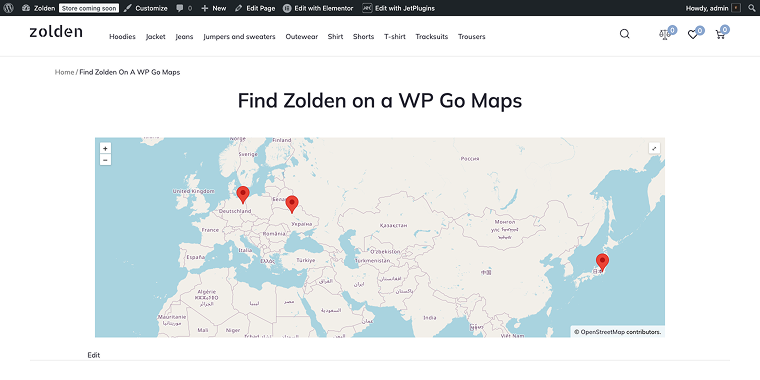
The plugin allows right-click pin placement, making it easy for users without technical skills. The drawback is that adding custom information to map pins isn’t available in the free version. The Pro version (starting at $59) includes a map picker feature for front-end submissions, though it’s not as advanced as JetEngine’s version.
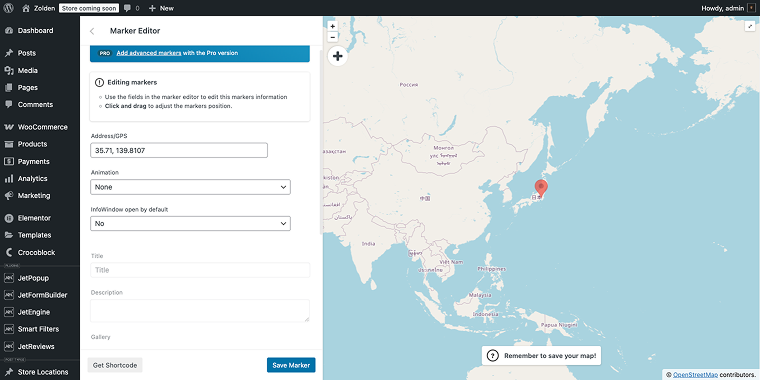
For small businesses or bloggers looking to add maps to travel posts, WP Go Maps provides enough features without overcomplicating things. However, websites that require integration with custom post types or dynamic content filtering will find its features lacking.
MapPress Maps for WordPress (Free)
🏆 Best for blogs or simple directories, especially when you want lightweight map integration.

MapPress adopts a content-oriented approach to WordPress mapping, making it especially suitable for editorial websites and blogs. The plugin integrates directly into the WordPress post editor, enabling content creators to add maps using a MapPress Map block.
Interactive pop-ups support HTML content, allowing for rich information display without leaving the map interface. To add a pin to the map, use the search field to find the desired location and customize it in a corresponding pop-up.

On the front end, the map widget looks quite simple and minimal.

MapPress is best for travel blogs, news sites covering local events, or any content-focused site where maps support storytelling rather than acting as the main interface.
Store Locator Plus (Freemium)
🏆 Best for retail chains, franchises, or service networks needing store locator features.
The plugin features a map picker for managing locations and offers strong search functionality. However, its focus means it has limited use outside the store locator scenario, and it requires a Google Maps API key to function.
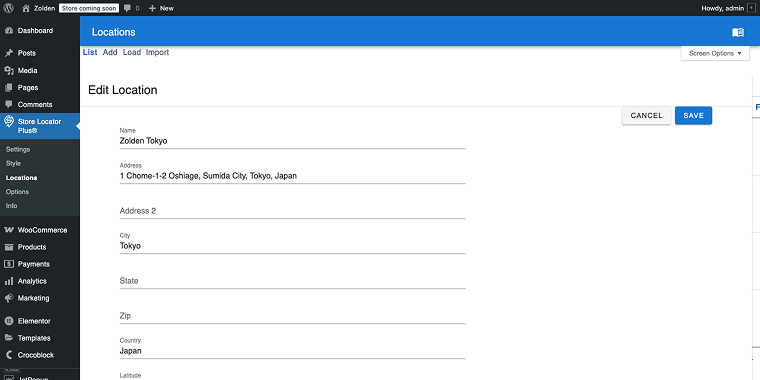
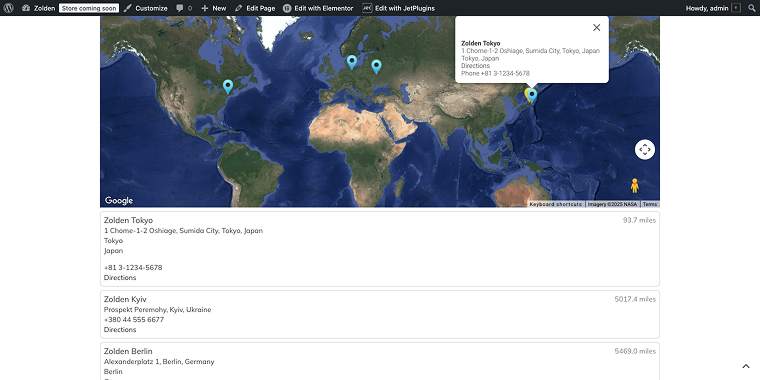
Store Locator Plus displays locations in a user-friendly interface and, with Google Maps, can generate directions with a single click from the customer’s location to yours.
This solution features a convenient geolocation search that displays the distance to the object in a clean interface.
FAQ
A map picker enables users to interactively choose locations by clicking directly on a map interface instead of manually entering addresses. This feature is essential for user-generated content sites where visitors need to add locations, such as property listings or business submissions. JetEngine’s map picker automatically geocodes the selected point and records both coordinates and address data, reducing location errors and enhancing the user experience. Standard map features typically only display existing locations without allowing interactive selection.
JetEngine’s Map Listing supports Google Maps, Leaflet, and Mapbox. Google Maps needs an API key and charges based on usage, while Mapbox offers flexible pricing and customization. You can choose providers based on budget, style, and features. Both offer map picker, pins, and geolocation.
Yes, JetEngine’s Map Listing Module is theme-independent and compatible with any properly coded WordPress theme. You can display maps using Elementor widgets, Gutenberg blocks, or shortcodes. The maps automatically inherit your theme’s styling while still allowing for custom CSS adjustments. JetEngine also offers pre-designed templates that can be customized to match your brand’s design.
Conclusion
The best mapping solution for your WordPress site depends on your goals and how maps integrate into your content strategy.
- If you need advanced location features, dynamic content, and complete integration with custom post types, JetEngine’s Map Listing Module is the ideal option.
- For quick and simple maps, WP Go Maps or MapPress Maps are easy to set up.
- If you prefer open-source options and want to avoid Google billing, Leaflet Maps is the perfect choice.
- For store locator functionality with geolocation search, Store Locator Plus provides a specialized toolset.
In most cases where mapping is a core feature rather than an add-on, JetEngine’s comprehensive approach will deliver the most effective and efficient results.