Content creation can be a powerful way to drive traffic to your website. However, finding and aggregating the best content for your audience isn’t always simple. In some cases, curating content can consume almost as much time as creating it, at least if you’re not using the right tool for the job.
Armed with the right aggregation tools, you’ll be able to curate content from multiple sources and even do it on autopilot. It’s all about finding the right options for your type of website and content. Fortunately, there are plenty of tools to pick from, particularly if you use WordPress. For WordPress users, Crocoblock offers a comprehensive suite of plugins that can streamline your entire site-building workflow.
In this article, I’ll break down the best content aggregation tools for bloggers, marketers, and publishers to help you save time, improve your content strategy, and keep your audience coming back for more. Let’s get to it!
Content Aggregation Tools for Bloggers
Coming up with new ideas for blog content and putting them together can be very challenging, and it takes a lot more time than most people realize. As a blogger, content curation saves me time in staying updated on industry trends, finding interesting articles to reference, and keeping knowledge resources organized.
The right content aggregation tools will improve your blogging workflow and reduce the time you’ll spend working on new content. Here are our favorite content aggregation tools and WordPress plugins.
WP RSS Aggregator

WP RSS Aggregator is the top-rated WordPress plugin for importing RSS feeds, used on over 60,000 websites with more than 2.9 million downloads. This aggregation plugin is designed specifically to help bloggers streamline their content curation process.
The plugin’s key features for bloggers include:
- Add RSS feeds from unlimited sources in seconds for news feeds, blog posts, or other content. Simply enter a website’s URL and let the plugin find the RSS feed automatically (or add the RSS feed URL manually).
- Group content sources by themes, topics, or other criteria in the plugin’s hub. This makes it simple to browse, manage, and curate content from multiple sources in one place.
- Configure what data and items it imports from external sources. You also have full control over how those items display on your website.
- Preview exactly how your feeds will look within the dashboard before you make any permanent changes to a display.
- Automatically credit original authors and content creators to maintain ethical curation practices.
What I particularly love about WP RSS Aggregator is how it lets you create custom feeds that combine multiple sources. This makes it easy to build topic-specific feeds that your audience will appreciate, helping position your blog as a go-to resource in your niche.
Feedly

Feedly is a powerful content discovery platform designed to help you stay informed about topics and trends that matter most to you. If you’re looking for a standalone tool that works across multiple devices, Feedly offers an excellent solution.
Here’s why you should consider using Feedly for content aggregation if you’re a blogger:
- Create personalized feeds by selecting specific sources and topics of interest.
- Group sources into categories like company executives, news outlets, and industry blogs.
- Feedly’s algorithm learns from your preferences and behavior to provide a tailored content feed.
- Access your feeds from any device, including iOS, Android, and web browsers.
Feedly is particularly useful if you prefer to consume content before deciding what to curate for your blog. I’ve found that spending 15-20 minutes browsing Feedly each morning helps me stay on top of industry news without getting overwhelmed (and to come up with new blogging ideas).
NOTE
Feedly also offers Threat and Market Intelligence services geared toward businesses. For content discovery and curation, stick with Feedly News.

Flipboard takes a different approach to content aggregation by focusing on visual appeal. This platform presents content in an attractive, magazine-style format that encourages reader engagement.
Like with Feedly, the focus here is on content discovery. You can fine-tune Flipboard to focus on the topics you like and then aggregate that content using a plugin like WP RSS Aggregator.
Key features that make Flipboard valuable for bloggers include:
- Create and share customized digital magazines on specific topics.
- Content is presented in an attractive, magazine-style format that encourages reader engagement.
- Follow other people’s magazines and discover new content through your network.
- The platform excels in curating content feeds based on user preferences.
Flipboard is ideal if your blog has a strong visual component or if you’re looking for inspiration on how to present your aggregated content more engagingly.
Content Aggregation Tools for Marketers
As a marketer, you need to use the right tools to stay ahead of industry trends, discover viral content, identify influencers, and efficiently share relevant content across channels.
In the previous section, we focused on content discovery tools for bloggers. This crop of aggregation tools is more focused on marketing and providing better insights to grow your brand.
WP RSS Aggregator for Marketers
While we discussed WP RSS Aggregator earlier for bloggers, it offers specific features that make it invaluable for marketers as well.
If you’re looking to use content aggregation as a marketing tool, here’s how WP RSS Aggregator will help you:
- Convert RSS feed items to WordPress pages, posts, and custom post types.
- Ensure only the most relevant content makes it to your site through advanced filtering with smarter automations and filtering options in the latest version of Aggregator.
- Leverage content from multiple sources to improve search engine visibility (with proper attribution).
- Get full control over which metadata fields to display, such as author, date, and time of the RSS feed.
The automation capabilities in WP RSS Aggregator will be a game-changer for marketing teams that need to maintain consistent content schedules without dedicating excessive time to manual curation.
BuzzSumo
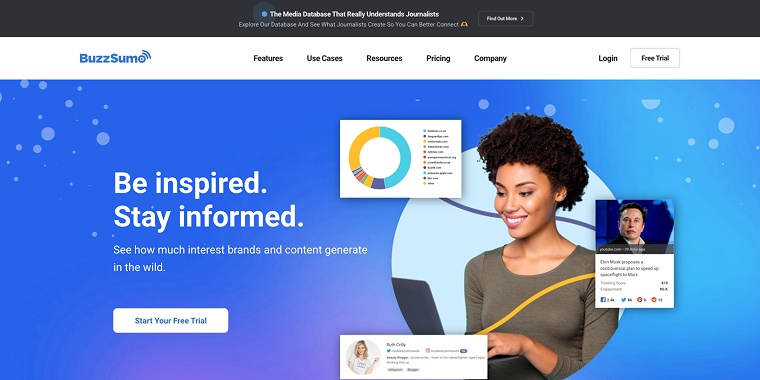
BuzzSumo is a content marketing powerhouse that helps businesses reach their KPIs by discovering trending content insights, researching competitors, and connecting with industry influencers.
This tool offers marketers several valuable features:
- Identify the most popular material in any industry over specific periods.
- Examine how competitors develop content strategies and backlink profiles. This can also help bloggers put together a growth strategy.
- Identify and connect with industry thought leaders based on topics, keywords, or other criteria.
- Set up alerts for brand mentions across the web.
- Categorize data according to social networks to determine which material performs best on each platform.
BuzzSumo is a powerful tool, but it doesn’t come cheap. The reason why we recommend BuzzSumo more for marketing teams rather than bloggers is that subscriptions start at $199/mo. If you don’t mind the price point, you can use BuzzSumo to help you identify the best sources for content curation.
UpContent
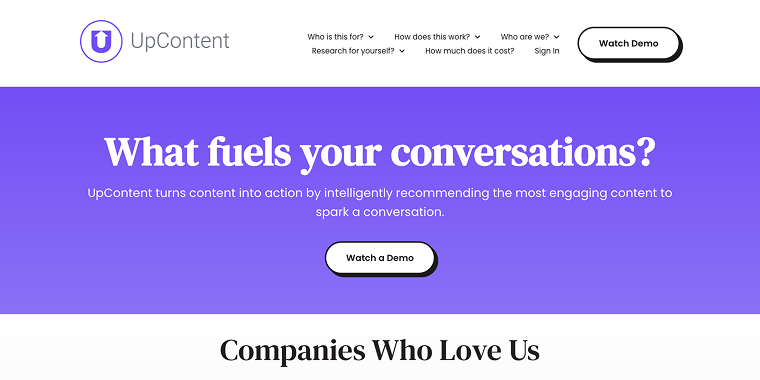
UpContent is a content curation platform designed to help marketing and sales professionals discover, organize, and distribute high-quality third-party content without creating it themselves.
That’s the quick pitch for the service, but here’s what makes UpContent valuable for marketers:
- The platform utilizes a proprietary crawler and machine learning algorithms to source relevant articles from over 260,000 publishers. This can help you find content you wouldn’t have seen otherwise (and it includes content from many niches).
- UpContent ranks curated articles based on relevance, credibility, and audience engagement potential. This can make it easier to curate content, as it’s pre-screened for quality.
- Allows individual team members to attach personalized calls-to-action (CTAs) to shared content. If you’re using Aggregator, you can leverage its features to customize the content you share, too.
- The platform seamlessly integrates with tools like HubSpot, Mailchimp, Hootsuite, Buffer, and WordPress.
UpContent offers several pricing tiers, including a “Free Forever” plan that lets you monitor articles for a single topic. Premium plans start at $95 per month, enabling you to monitor up to 50 topics, which can be overkill unless you want to aggregate content for many different niches.
Content Aggregation Tools for Publishers
As a publisher, curating large volumes of content comes with its challenges. These powerful bulk content curation solutions make it easier to uphold quality standards, keep everything neatly organized by topic, and streamline distribution across multiple platforms with ease.
WP RSS Aggregator for Publishers
For publishers using WordPress, WP RSS Aggregator offers enterprise-level capabilities that will transform your site into a comprehensive content hub.
Some of WP RSS Aggregator’s publisher-focused features include:
- Import and aggregate unlimited RSS feeds from unlimited sources for comprehensive coverage (even with the free version of the plugin).
- Used on 60,000+ websites, the system is robust enough for large publishing operations.
- Setting up new sources is simple, but the plugin also includes advanced options for mapping fields, automating content filtering, and dynamic previews. That last one lets you preview feed items and displays while configuring them.
- Set up RSS feeds once and let the system do the rest automatically for a constant flow of fresh content.
- Import and share YouTube videos or podcasts (so you don’t need a separate podcast plugin) if you don’t want to focus solely on text content.
WP RSS Aggregator is a highly versatile plugin for content aggregation. If you use WordPress, it’s worth testing, but keep in mind some features that we’ve mentioned, like Feed to Post, are only available with a premium license.
The free version of Aggregator can help you curate content from unlimited sources and lets you share it automatically on your website, which is perfect if you’re a blogger. If you’re a marketer or a blogger, consider upgrading to a premium license.
Curata
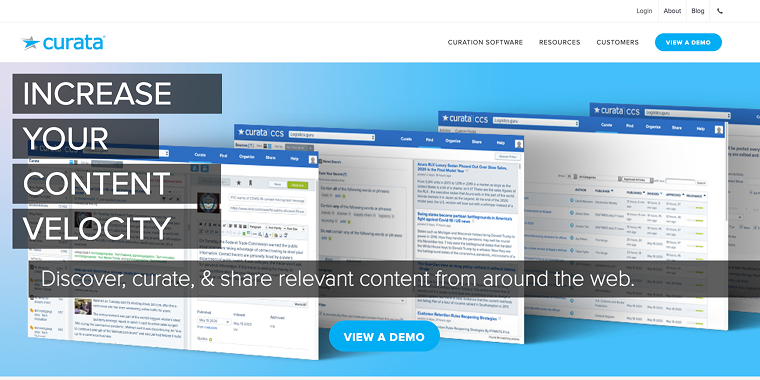
Curata is a comprehensive content curation and aggregation platform for businesses and marketers managing large content operations.
Key features that make Curata valuable for publishers include:
- Discover, curate, and distribute content from various sources within one system.
- Identify the most relevant and engaging content for specific audiences using advanced features.
- Measure the performance and impact of content aggregation efforts.
- Identify relevant content from across the web based on your set criteria.
- Fit workflows into existing content production and distribution processes.
Curata is particularly well-suited for larger publishing operations that need enterprise-level content curation capabilities. Curata also integrates with WordPress and other CMS, as well as social media, to help you share curated content at scale.
Scoop.it

Scoop.it enables users to create topic-based content hubs while integrating with various marketing channels, making it a versatile option for publishers.
If you’re a publisher, these Scoop.it features will make aggregating content a lot easier:
- Set up personalized feeds from RSS sources, Twitter users/lists, YouTube channels, and more.
- Edit titles and descriptions, add personal insights, and format content to match your brand voice.
- Create broad categories as high-level overviews, core topics as content hubs, and detailed segmentation with tags.
- Receive content recommendations based on keywords with additional filtering options.
- Curate content discovered while browsing using the Bookmarklet feature. This way, you won’t forget about it later on.
The platform’s strength lies in how it allows publishers to add their insights to curated content, helping to maintain a consistent brand voice across aggregated material.
FAQ
Content aggregation is the process of collecting related news items or data from various sources and displaying them in one centralized location. For example, you can republish content from other blogs on your site.
Aggregation typically refers to the automated collection of content from multiple sources, while curation involves a more selective process of choosing, organizing, and presenting that content.
When aggregating content, always provide proper attribution, add your insights, and ensure you’re not duplicating content. Many aggregation tools like WP RSS Aggregator offer features to help maintain SEO best practices, such as canonical tags and customizable content displays.
Depending on your current workflow, content aggregation tools can save you hours each week. Automating the discovery and organization of relevant content allows you to focus on adding value through your insights and creating original content.
Yes, several tools offer free plans with limited features. WP RSS Aggregator provides a free plugin that supports unlimited sources, and Feedly has a free plan for personal use.
Conclusion
There are many amazing content curation and aggregation tools you can use to get new content in front of your audience almost on autopilot. A big part of curation comes down to understanding your audience and figuring out what the best sources are (Feedly, Flipboard, and BuzzSumo can help with that).
Once you identify a great source, you can aggregate that content on your website using tools like Curata and WP RSS Aggregator. If you’re using WordPress, WP RSS Aggregator is the smart choice.