Filtering, sorting, and pagination might sound like similar website features, and for many people, the terms can feel interchangeable or even overwhelming. Do you really need all three? Which one does what? The truth is that these tools serve different but complementary purposes, and understanding their roles is crucial to creating a fast and user-friendly website.
In this article, we’ll break down what filtering, sorting, and pagination really mean, explain how each works, and show how they come together to help visitors quickly find the content or products they’re looking for.
What Is Filtering?
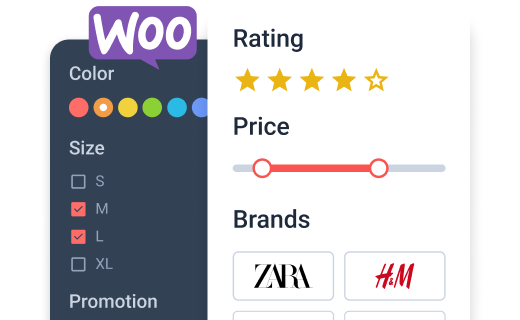
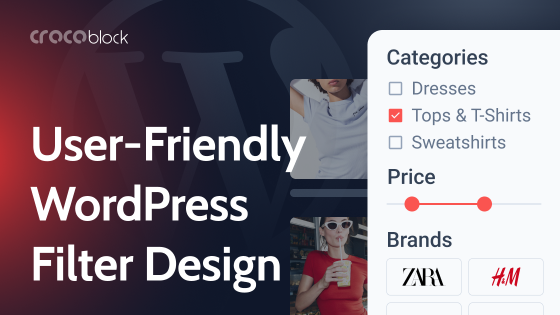
On a website, filtering is the process of narrowing down a large set of content so that visitors can quickly find what they need. In an online clothing store with hundreds of products, without filters, customers would have to scroll endlessly through the products to find what they are looking for. With filtering, they can simply choose criteria like size, color, or price range and straight away view only the items that match.
Filtering works by applying specific conditions to the page content. For example, if a user selects “black jeans” and a price range of “under $50,” they will only see products that meet both conditions. It not only saves time but also creates a smoother shopping or reading experience.
🔑 Key elements of filtering:
- Filter criteria – the attributes users can select, such as categories, tags, price, rating, or location.
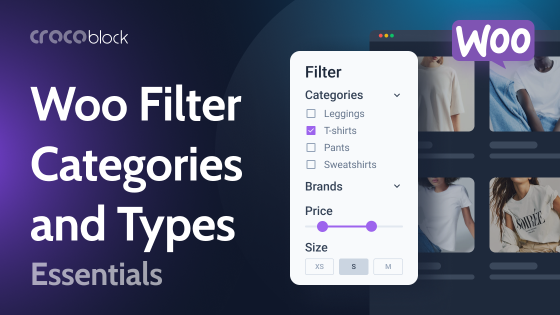
- Filter types – options like checkboxes, radio buttons, range sliders, or search boxes that define how users interact with filters.
- Logic rules – how filters combine: for example, AND logic (items must meet all selected criteria) or OR logic (items can meet any one of the selected criteria).
- Instant results (AJAX) vs. page reload – whether the page reloads or instantly updates results without a full refresh.
- Clear reset option – a simple way to remove filters and return to the full list of results.
Example in practice
If you run a WooCommerce store, you can set up product filters using JetSmartFilters. For instance, you could create a price range slider and category checkboxes, allowing visitors to view only “Sweaters under $50” in just a few clicks. First, set up filter criteria in the Dashboard by navigating to JetSmartFilters > Add new. Then, add the dedicated widget to the front end – the plugin works with Elementor, Block Editor, and Bricks.
What Is Sorting?
Sorting is the process of arranging website content in a specific order, helping visitors view items in the sequence that best suits their needs. Instead of reducing the number of results like filtering does, sorting keeps all items visible but changes how they are displayed.
For example, an online shop can allow customers to sort products by price (lowest to highest), popularity, new arrivals, or customer ratings. For example, a blog can allow readers to sort articles by latest posts, most commented, or alphabetical order. And product sorting makes it easier for users to browse in a way that matches their priorities.
🔑 Key elements of sorting:
- Sorting criteria – the rules for arranging content, such as price, date, popularity, alphabetical order, or custom fields.
- Order direction – whether items should appear in ascending (low to high) or descending (high to low) order.
- User-friendly controls – dropdown menus, clickable buttons, or tabs that allow visitors to change the sorting instantly.
- Dynamic updates – the ability to reorder results instantly without reloading the page.
Example in practice
With JetSmartFilters, you can create a “Sort by” dropdown for a WooCommerce store or a listing grid. For instance, you might add options such as “Price: Low to High,” “Price: High to Low,” or “Newest First.”
JetSmartFilter’s Sorting filter doesn’t require any prior settings; just add the Sorting widget to a page.
Difference Between Filtering and Sorting
Filtering and sorting may seem similar at first glance, as they both help users handle large sets of content, but they serve different purposes.
| Aspect | Filtering | Sorting |
| Purpose | Reduces results to show only items that match selected conditions. | Rearranges all results in a specific order without removing any. |
| Typical use | Show only black sneakers under $60. | Display all sneakers from lowest to highest price. |
| User action | Choose conditions (category, price range, size). | Choose order (newest first, alphabetical). |
What Is Pagination?
Pagination is a method for dividing a large set of content into smaller, more manageable sections or pages. Instead of loading hundreds of products or blog posts onto a single long page, pagination breaks them into separate parts, like Page 1, Page 2, and so on. This makes the site faster, more organized, and easier for visitors to navigate.
On a product catalog or blog, for example, a user might view 10 items per page and then click “Next,” select a page number, or use a “Load More” button to display additional results. A well-built pagination filter improves performance because the website loads only a portion of the content at a time, reducing server strain and speeding up page rendering.
🔑 Key elements of pagination:
- Page numbers or navigation buttons – the visible links or controls (Next, Previous, or numbered pages).
- Items per page – determines the number of products displayed at once.
- Load more or infinite scroll options – alternatives to classic numbered pagination for better browsing.
- Compatibility with filters and sorting – ensures that the chosen filters or sorting order remain intact while moving between pages.
Example in practice
In JetSmartFilters, there is also an option to set up pagination, which you can implement as numbered pages, a “Load More” button, or infinite scroll.
How Do Filtering, Sorting, and Pagination Work Together?
Filtering, sorting, and pagination are designed to create an effortless browsing experience, especially when a website contains hundreds or thousands of items. While each tool plays a different role, they complement each other when used in combination.
- Filtering lets users refine results by showing only the items that match selected conditions, such as product category, size, or price range.
- Sorting then organizes those filtered results in the desired order, for example, from lowest to highest price.
- Pagination ensures the page remains fast and easy to navigate by splitting the filtered and sorted content into smaller, manageable sections.
Together, these features help visitors move from a huge content list to exactly what they want, without overwhelming them or slowing down the site.
FAQ
You can add pagination using a WordPress pagination plugin solution. Many plugins, such as JetSmartFilters, also include advanced pagination types like “Load More” buttons or infinite scroll.
Yes. There are Elementor pagination plugin options that extend the functionality of post grids, galleries, and product archives.
A shopper might filter products by size or price, sort them by newest arrivals, and then browse through the results page by page using pagination. This combination ensures they find the exact product they want quickly and without frustration.
Bottom Line
I hope now it’s much clearer what filtering, sorting, and pagination mean and how they differ from one another. When combined, these three tools create an excellent experience that guides visitors from search to discovery, and ultimately to action. By implementing them thoughtfully, you not only make your website easier to use but also improve engagement, satisfaction, and conversions.