If you search for WordPress form builders or Custom Post Type (CPT) plugins in 2026, you’ll find JetFormBuilder and JetEngine not only in Crocoblock’s materials but also in various WordPress development blog reviews. We’ve gathered ten of these external materials, summarized their content, and provided context on the updates since then.
Third-party reviewers consistently rank JetFormBuilder as the top Gutenberg-native form builder for dynamic websites. At the same time, JetEngine is recognized as the only CPT plugin offering a comprehensive front-end display framework.
Common criticisms, such as the steep learning curve and reliance on Elementor, have either been addressed or are currently being worked on.
JetFormBuilder: What Independent Reviewers Are Saying
| Source | Rating | What They Praise | Our 2026 Edge |
|---|---|---|---|
| WPCrafter | Recommended | Gutenberg-native, 12 post-submit actions, dynamic population from CPT | AI Form Generator, JetBooking integration |
| DiviFlash | Best dynamic Gutenberg form builder | Fully native to Gutenberg, strong for dynamic content | Bricks + Elementor front-end styling, 18 PRO add-ons |
| WPMayor | Recommended | Versatile, budget-friendly, advanced features with simple UI | Generate with AI option added since the review |
| JetFormBuilder blog | Best for advanced form-building | Native blocks + conditional logic, deep plugin integration | Bricks/Elementor compatibility |
| Paperform blog | Listed among the best WordPress form plugins | Noted for advanced capabilities, dynamic content | AI form generation, Stripe/PayPal and WooCommerce payments |
WPCrafter: “JetFormBuilder Review 2026”
WPCrafter praises its feature-rich free version, Gutenberg-native interface, and compatibility with Elementor and Bricks. Their detailed review emphasizes four key advantages:
- support for dynamic content with multiple data sources for form fields;
- 12 post-submit actions available in the free version;
- 18 PRO add-ons for more advanced features;
- smooth integration with JetEngine.
This review highlights the Generate with AI feature, as well as JetBooking integration, which allows users to create booking forms directly within JetFormBuilder, removing the necessity for an additional plugin stack.
DiviFlash: “10 Best WordPress Form Plugins 2026”
DiviFlash labels JetFormBuilder as the top choice for Gutenberg, emphasizing its seamless integration within the Block Editor and its focus on dynamic, action-driven forms. The roundup highlights its suitability for creating or updating posts, registering users, building profile update forms, and managing CPTs directly from form submissions, all within Gutenberg.
The key comparison point is that most form plugins on the DiviFlash list are contact-form-first tools, while JetFormBuilder is classified differently as a form-based workflow engine. DiviFlash’s roundup comes before both JetFormBuilder’s expanded Bricks widget support and its AI form generation. Bricks users now enjoy full front-end styling parity with Elementor.
WPMayor: “JetFormBuilder Review: An Affordable and Efficient Form Builder”
WPMayor’s perspective is balanced and pragmatic: JetFormBuilder is a great option for a flexible, affordable form builder with advanced capabilities. Creating forms is straightforward yet robust, and user support is highly praised. However, they mention two drawbacks: limited styling choices and some difficulties integrating with Elementor.
The styling limitation has been resolved. JetStyleManager, available for free in the WordPress repository, allows for styling control on a per-field basis within the Block Editor. The friction mentioned by WPMayor with Elementor occurs on the front end; however, the plugin itself is built using Gutenberg, with Elementor and Bricks used solely for styling the display layer.
JetFormBuilder blog: “Best Gutenberg Forms”
The JetFormBuilder blog positions JetFormBuilder as the top choice for advanced features, offering a robust and universal tool suitable for anything from basic contact forms to complex multi-step forms. They highlight that its conditional logic with dynamic content enhances user interaction and flexibility, while seamless integration with popular plugins makes it a comprehensive solution.
It’s worth noting that the JetFormBuilder blog recognizes the honest trade-off, a steeper learning curve for beginners. We’ve addressed this matter with the Welcome block that includes a set of pre-created form patterns as well as a Generate with AI feature.
Paperform blog: “7 Best WordPress Form Plugins in 2026”
Paperform is a competing product, making its support for JetFormBuilder noteworthy. Its inclusion among top options is highlighted in their roundup, which praises its smooth integration with the WordPress editor and its support for both basic and advanced contact forms, conditional logic, pre-made form templates, a variety of forms, payment processing, user authentication, user-generated content, multi-step workflows, and any form type imaginable. Their overall judgment: suitable for most scenarios. Users can quickly and easily create simple forms with the free version and upgrade to Premium for more complex options.
A competitor recommending your plugin in their roundup is worth reading twice.
JetEngine: What Independent Reviewers Are Saying
| Source | What They Praise | Critical Note | Our 2026 Edge |
|---|---|---|---|
| DiviFlash | 19 modules, user-friendly CPT/taxonomy management | No free version | AI Website Structure Builder, Divi 5 integration |
| Classic Templates | “Fully data-driven content management,” agency-grade scalability | Pricing | AI SQL Query Builder, MCP server |
| Oddjar | Wins on “dynamic front-end display” vs. ACF, Meta Box, Pods, Toolset | Heavier footprint than field-only plugins | Custom Content Types (CCTs) |
| Technoven | Good Elementor integration, form-to-CPT workflows | Mostly Elementor-focused | Now fully supports Bricks, Gutenberg, and Divi 5 |
| Mark Szymanski | AI features save hours on every build | Need an OpenAI API key for Command Center | MCP server for external AI chats |
DiviFlash: “Best WordPress Custom Post Type Plugins 2026”
DiviFlash review characterizes JetEngine as a powerful WordPress plugin equipped with 19 modules for handling CPTs, advanced loops, and queries. They highlight its user-friendly interface and ability to support dynamic content creation without coding, featuring tools like the Query Builder, Listings, and CCTs. Additionally, it offers support for post relations, glossary options, and front-end submission forms.
DiviFlash fits seamlessly into the Divi ecosystem, making its relevance clear. At the same time, JetEngine is now natively compatible with Divi 5 as of March 2026. It is available for Divi 5, with all modules in the Divi 5 Module Library, offering server-side rendering and complete Design panel support, features that no earlier DiviFlash roundup could mention.
Classic Templates: “Top 5 CPT Plugins”
Classic Templates presents JetEngine as a sophisticated, dynamic content plugin that turns WordPress into a comprehensive, data-focused platform for progressive websites. It integrates CPTs, custom fields, taxonomies, Relations, and dynamic listings within one environment.
Their write-up emphasizes agency use: agencies value how JetEngine reduces development times and enhances customization for clients, supported by continual updates, dependable support, and an expanding ecosystem of tools that offer unmatched flexibility for scalable content systems.
This review omits any mention of the AI features introduced in 2025–2026, specifically the AI Website Structure Builder, which creates complete data models from text prompts, and the AI SQL Query Builder.
Oddjar: “WordPress Custom Fields Plugins 2026 Comparison”
Oddjar comparison stands out as one of the most technically accurate external reviews, comparing JetEngine with ACF, Meta Box, Pods, and Toolset. Their conclusion is quite clear: JetEngine shines in dynamic front-end display. It manages CPTs, custom fields, taxonomies, Relations, listings, custom queries, and front-end presentation within a single interface.
They also recognize a valid limitation: JetEngine has a larger footprint compared to field-focused plugins such as ACF or Meta Box because it includes a wide range of features. This is true. JetEngine isn’t a field plugin; it functions as a comprehensive framework. Its design allows users to disable specific modules, and the ability to store CPT data in separate database tables is a key factor influencing its performance.
The Oddjar comparison predates the AI Website Structure Builder, which greatly reduces planning effort. What used to involve manual configuration of CPTs, taxonomies, relations, queries, and filters now begins with a simple text prompt.
Technoven: “Crocoblock Review 2026”
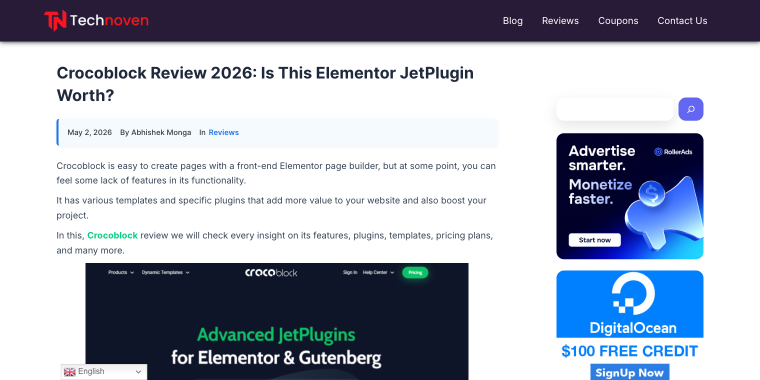
Technoven review examines the whole Crocoblock suite, emphasizing JetEngine as a key component. Their main conclusion is that Crocoblock offers a collection of plugins that ease website building and can perform remarkable tasks with WordPress builders. This makes it ideal for developers and highly valuable for beginners. They particularly praise JetFormBuilder’s form-to-CPT workflow: combined with Elementor and JetEngine, users can easily create contact, registration, order, and booking forms.
The review focuses on Elementor, highlighting Crocoblock’s position in the wider market. Both the Bricks integration and Divi 5 compatibility were added after the review publication.
Mark Szymanski: “JetEngine AI Features Save Me Hours on Every Build” (YouTube)
This is the sole video review in the roundup, highlighting the four AI features introduced in JetEngine in 2025:
- AI Website Structure Builder;
- AI Query;
- Command Center;
- MCP Server.
For the narrator, it only took a few minutes to set up a complete directory of local Pittsburgh businesses. Meanwhile, AI Query enhances this by transforming plain text into advanced SQL, such as JOIN queries, aggregate functions, and relational filters, all without manual SQL coding.
The Command Center links JetEngine to OpenAI with a dedicated developer key, enabling backend management via chat in a pay-as-you-go model. The MCP Server extends this further: JetEngine allows external AI tools like Claude Code and VS Code to access WordPress data structures directly. AI can examine CPTs, generate new structures, and alter the backend without logging into wp-admin. No other CPT plugin offers this capability.
Value Gap Analysis: Where We’ve Gone Further
This section answers the question reviewers couldn’t address because these developments occurred after most of the reviews were written.
| Review Source | Top Praise | What’s Changed Since |
|---|---|---|
| WPCrafter (JetFormBuilder) | Dynamic fields, 12 post-submit actions | AI Form Generator now ships with a free core; JetBooking integration. |
| DiviFlash (JetFormBuilder) | Gutenberg-native | Bricks front-end styling, 18 PRO add-ons, Elementor widget parity. |
| WPMayor (JetFormBuilder) | Budget-friendly, advanced features | AI form generation added, Welcome block with pre-created form patterns. |
| DiviFlash (JetEngine) | 19 modules, CPT management | Divi 5 native integration (March 2026); AI Website Structure Builder. |
| Classic Templates (JetEngine) | Agency-grade scalability | AI SQL Query Builder; separate DB table storage for large datasets. |
| Oddjar (JetEngine) | Best for dynamic front-end display | MCP Server for external AI tools; Command Center for conversational backend management. |
How We’ve Addressed the Criticism
Every plugin category faces recurring objections. Here’s what reviewers flag and where things have already changed.
- “Too complex for beginners” — the Welcome block with pre-created form patterns in JetFormBuilder and the AI Website Structure Builder in JetEngine both directly reduce friction for first projects. The AI tools don’t eliminate the learning curve, but they significantly shorten the time to first working build.
- “Expensive for freelancers” — JetFormBuilder is free on WordPress.org. The standalone Pro plan begins at $49 annually, while JetEngine starts at $75 yearly. Neither needs a full Crocoblock subscription to function. The All-Inclusive plan costs $199 per year and includes both plugins plus 20 more.
- “Elementor-only” — this was true in 2021–2022. It’s not true anymore. JetFormBuilder works natively with Gutenberg, Elementor, and Bricks. JetEngine supports the same three builders, plus, as of March 2026, Divi 5.
FAQ
No. JetFormBuilder works independently, with its own field types, post-submit actions, and payment integrations. JetEngine extends it by adding dynamic field population, CPT-linked workflows, and relation-based logic, but it’s optional.
For pure field storage and developer API use, ACF remains the more established choice. JetEngine is the better option if you also need front-end display templates, listing grids, query building, or filtering, especially if you’re building with a visual page builder.
The AI Website Structure Builder and AI Query Builder are built into JetEngine and don’t require a separate API key. The Command Center feature uses your OpenAI API key and is billed to your OpenAI account.
Yes. The MCP Server feature makes JetEngine readable and writable by external AI coding tools, which is especially useful in headless or decoupled setups where you manage the backend architecture outside the WordPress Dashboard.
In the End
Ten independent sources reviewed the same two plugins over two years. The following consistency is notable:
- JetFormBuilder is the WordPress form builder for sites that need forms to do more than collect a name and email;
- JetEngine is the only CPT plugin that makes dynamic front-end display a first-class feature rather than an afterthought.
The critical ideas reviewers have pointed out (steep learning curve, Elementor dependency, price) were fair for their time. But most of those reviews were written before AI Website Structure Builder, Command Center, MCP server, and Divi 5 support were introduced. The gap between what reviewers critiqued and where the plugins stand in 2026 is real.
What reviewers can’t measure due to the limits of a standard review is how these tools collaborate. JetEngine manages data structure, and JetFormBuilder takes care of form workflows. Combined, they address most use cases that would otherwise need five separate plugins from different developers and support teams.
The 2026 updates strengthen the positions of these plugins, making their use more difficult to dispute.