Static product images alone are no longer enough to capture customer attention and drive conversions. Product videos have become essential for online retailers, offering a dynamic way to showcase products, demonstrate functionality, and build trust with potential buyers.
WooCommerce store owners across all niches can benefit from adding product videos to their galleries:
- a fashion store can showcase fabric movement and fit from multiple angles;
- an electronics store can demonstrate product features and setup processes;
- home decor shops can display items in real-world settings;
- beauty brands can share application tutorials and before-and-after transformations.
Product videos are also invaluable for building brand storytelling, showcasing your unique value proposition, and creating shareable content that extends your reach beyond your website.
Don’t Have Product Videos? Create Them With AI
AI technology has made creating professional product videos incredibly simple and affordable, even if you only have static product images. Services like Nim can transform your existing product photos into engaging animated videos in minutes, with no filming or editing experience required.
The transformation can be dramatic. Let’s take the Iridescent organza blouse product page from the Zolden dynamic template, as an example.
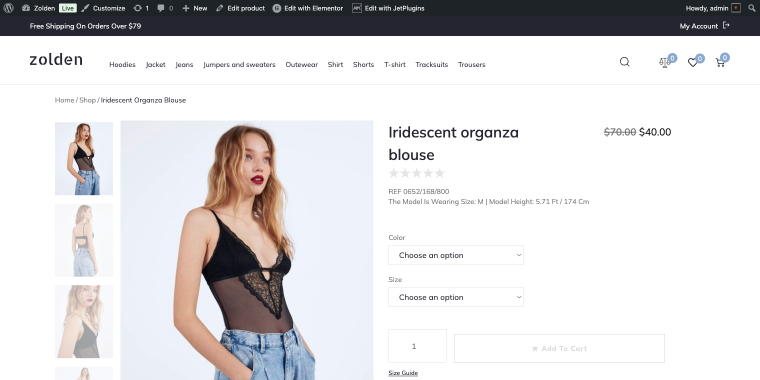
Without a video, the product relies solely on static images that cannot fully capture the model’s movement while wearing it. Let’s try to make a dramatic change to this product page. After registering at the Nim.video website, we’ll find an AI generative interface most of us are used to:
- a “Plus” button to add the image we’re going to animate;
- a Prompt field where we describe how exactly to animate it.
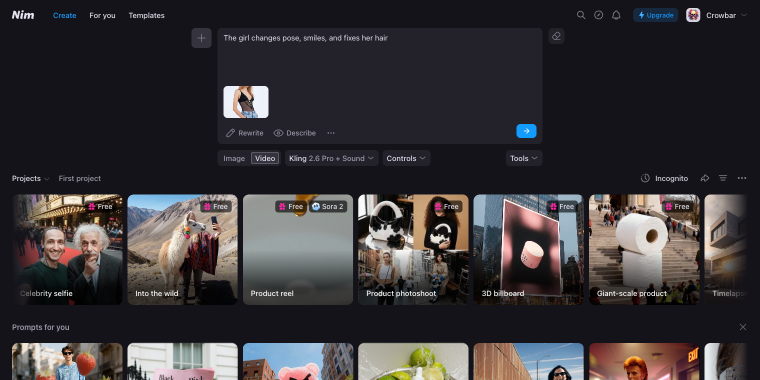
I’ll add a simple prompt: “The girl changes pose, smiles, and fixes her hair.” Before clicking the generate button, aka “→”, we need to choose the generative model. The following three are the best for replicating accurate human movements:
- Veo – focuses on cinematic visuals and realistic motion. It can create complex scenes, camera movement, and lighting, making it suitable for storytelling, ads, and short films.
- Kling – a model with strong results for people, animals, and natural scenes. It balances speed and quality, supports sound, and works well for social media clips and quick concept visuals.
- Sora – an advanced model that can generate coherent scenes with strong temporal consistency.
For my video, I’ll use the Kling model, and here’s the generated result:
The rest of the product shot can be animated the same way.
Since we have a freshly-generated AI product video, I’ll log in to the store backend to edit the Iridescent organza blouse product. Once in, I’ll click the “Edit product” button on the top panel to access the product editor.
As a heavy Crocoblock user, I’ll enjoy the benefits of the JetProductGallery plugin, which adds a separate block for the product video. There, we can use a Video Poster and the Video field to add relevant files. In the Video Type field, don’t forget to select the “Self-Hosted” option to use a video file instead of a “Vimeo” link.
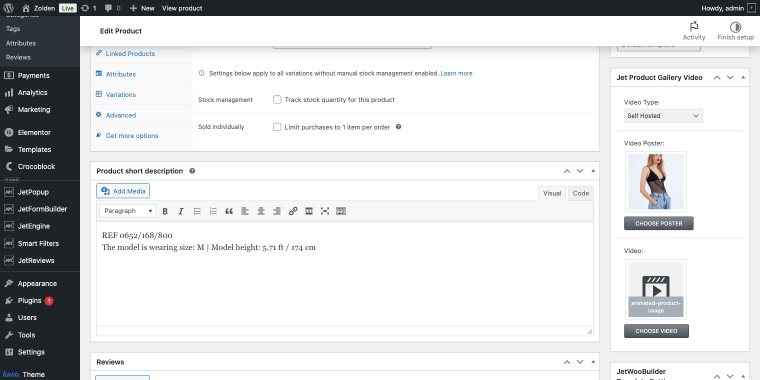
Now let’s see how the product page looks on the front end.
Since I’m using the free Nim account, there’s a watermark in the upper-right corner of the video. Switching to the Pro tier for $30/month removes the watermark and gives you 4500 credits to generate 64 product videos (using the Kling model, 70 credits per video). I think it’s a fair deal. Imagine how much this may cost when hiring a videographer and a model for a shoot.
AI can give you much more than generating one video at a time. There’s a fully automated system that can scrape product images from your inventory and generate product videos.
Top 8 WooCommerce Product Video Plugins
Now that you understand the value of product videos and how to create them, let’s explore the best plugins for adding video galleries to your WooCommerce store. Each plugin offers unique features and capabilities to help you showcase your products in the most engaging way possible.
Product Video for WooCommerce (Premium)
🏆 Best for WooCommerce stores seeking an official, reliable solution with seamless integration and ongoing support.
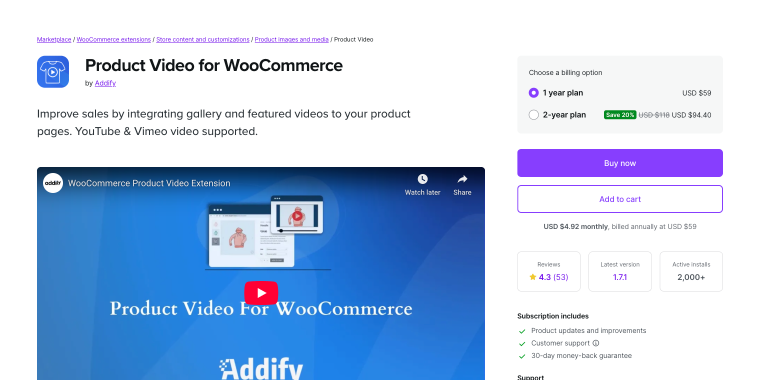
This official WooCommerce extension provides a straightforward way to add product videos to your store. Developed by the WooCommerce team, it ensures compatibility with core updates and follows WordPress standards. Supporting YouTube, Vimeo, and self-hosted videos. Its clean interface integrates seamlessly with the product gallery, displaying videos alongside images without disrupting the shopping experience. The intuitive setup requires minimal technical knowledge while still offering customization options.
Pricing: available with a WooCommerce.com subscription, typically starting around $59/year for a single site.
Key features:
- supports YouTube, Vimeo, and self-hosted video formats;
- seamless integration with default WooCommerce product galleries;
- mobile-responsive video playback with touch controls;
- video thumbnail customization options;
- automatic video sizing to match gallery dimensions.
Pros:
- official WooCommerce product with guaranteed compatibility;
- regular updates aligned with WooCommerce releases;
- clean, lightweight code that doesn’t slow down your site;
- straightforward setup process suitable for beginners;
- reliable support from the WooCommerce team.
Cons:
- requires a WooCommerce.com subscription rather than a one-time purchase;
- fewer advanced customization options compared to specialized plugins;
- limited video placement options beyond the product gallery;
- no built-in video analytics or tracking features;
- basic styling options may not suit highly customized themes.
WooCommerce Product Feature Video (Premium)
🏆 Best for store owners who want extensive video placement options and advanced customization without coding.
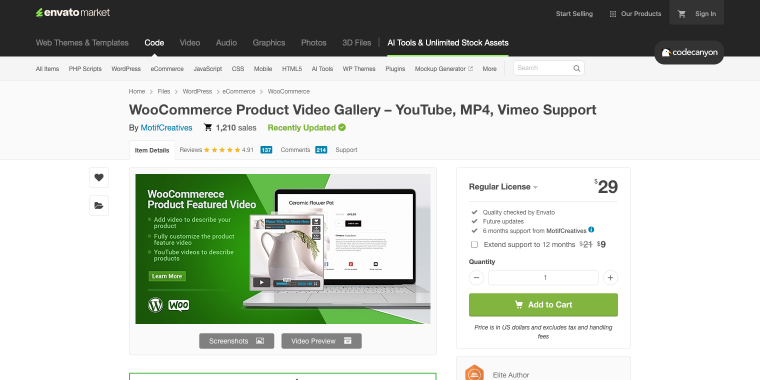
This CodeCanyon plugin offers flexibility in displaying product videos. You can place videos in custom locations, create pop-ups, and add videos to category pages. It features a lightbox overlay, supports multiple sources, and allows unlimited videos per product. Visual customization options include player appearance, button styles, and thumbnails that match your brand.
Pricing: one-time purchase of $29 with six months of included support, extended support available.
Key features:
- unlimited videos per product with custom placement options;
- lightbox pop-up functionality for immersive viewing;
- supports YouTube, Vimeo, self-hosted, and Dailymotion videos;
- custom video thumbnail selection from any frame;
- responsive design with mobile optimization.
Pros:
- extensive customization options for video appearance and behavior;
- video placement flexibility beyond standard galleries;
- well-documented with helpful setup tutorials;
- active development with regular feature additions.
Cons:
- interface can feel overwhelming for users wanting a simple setup;
- some advanced features require familiarity with plugin settings;
- support limited to six months unless extended separately;
- occasional compatibility issues with heavily customized themes.
JetProductGallery (Premium)
🏆 Best for Elementor users who want stunning video galleries with advanced design capabilities and visual editing.
JetProductGallery, as a part of the Crocoblock ecosystem, is for Elementor users seeking full control over product galleries. It enables creating stunning video galleries with slider, grid, and anchor navigation. Its visual interface allows intuitive customization without coding. Users can blend images and videos, add badges, enable zoom, and tailor layouts to match their store. The plugin offers a range of widgets and advanced styling options beyond simple video embedding.
Pricing: available as a stand-alone product for $23/year, or as a part of the Crocoblock All-Inclusive plan at $199/year.
Key features:
- visual Elementor-based gallery builder with drag-and-drop;
- multiple gallery layout options, including slider and grid;
- video and image mixing in unified galleries;
- anchor navigation for quick gallery browsing;
- advanced styling controls for every gallery element.
Pros:
- exceptional design flexibility for Elementor users;
- creates visually stunning product galleries;
- excellent value as part of the Crocoblock subscription;
- smooth animations and professional transitions;
- responsive galleries that work beautifully on all devices.
Cons:
- requires Elementor to function;
- learning curve for users new to Elementor;
- can add page weight if galleries are media-heavy;
- it may be overkill for stores wanting simple video embedding.
VideographyWP Pro – Product Video (Premium)
🏆 Best for professional videographers and agencies managing multiple client stores with extensive video content.
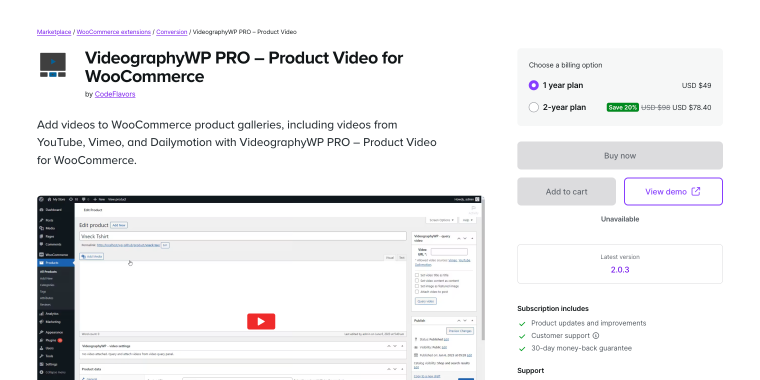
VideographyWP Pro serves users focused on product videos, offering professional tools for managing and presenting them. It organizes large libraries with categorization, tagging, and search, supports video schema markup for SEO, tracks performance with analytics, and allows advanced player customization. Users can create playlists, add chapters, and develop complex video strategies beyond basic demos. The interface is tailored for handling extensive video content across multiple products or clients’ sites.
Pricing: available through WooCommerce.com; typically $49/year for a single-site license.
Key features:
- advanced video management with categories and tags;
- video schema markup for enhanced SEO;
- built-in analytics for tracking video engagement;
- playlist creation for grouped product demonstrations;
- chapter markers for longer product videos.
Pros:
- professional features for serious video marketing;
- SEO-optimized with proper schema implementation;
- analytics help measure video ROI;
- excellent for managing large video catalogs;
- professional-grade player with advanced controls.
Cons:
- more expensive than simpler alternatives;
- the feature set may be excessive for basic needs;
- steeper learning curve due to advanced functionality;
- requires WooCommerce.com subscription;
- the interface assumes familiarity with video management concepts.
Product Video Gallery Slider for WooCommerce (Freemium)
🏆 Best for stores wanting an attractive video slider interface with image gallery integration at no cost.
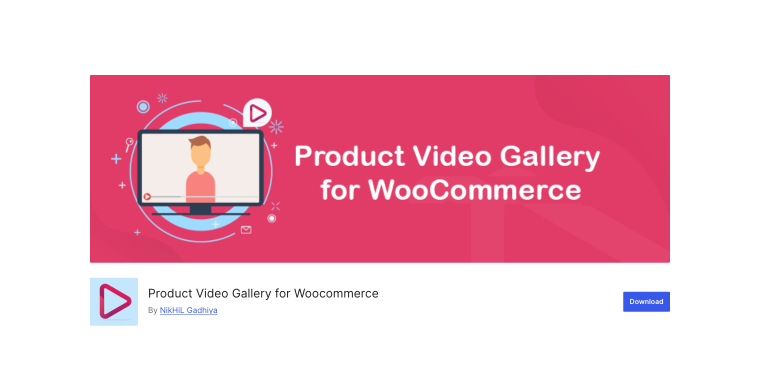
This free plugin creates a sleek slider gallery combining product images and videos from YouTube, Vimeo, and self-hosted sources, with navigation arrows, thumbnails, and swipe gestures. It offers customization for speed, effects, and thumbnails, handles multiple videos well, and is regularly updated for WooCommerce compatibility versions.
Pricing: a fully functional free version available; the Premium version starts at $25/year.
Key features:
- slider-style gallery combining images and videos;
- supports YouTube, Vimeo, and self-hosted videos;
- thumbnail navigation with smooth transitions;
- touch and swipe gestures for mobile devices;
- customizable slider speed and transition effects.
Pros:
- attractive slider interface at no cost;
- better visual presentation than basic video embedding;
- mobile-optimized with intuitive touch controls;
- relatively easy setup for a free plugin;
- works with the most popular WooCommerce themes.
Cons:
- a slider-only layout may not suit all store designs;
- limited styling options compared to premium alternatives;
- occasional compatibility issues with custom themes;
- support limited to WordPress.org forums;
- documentation could be more comprehensive.
Video WC Gallery (Freemium)
🏆 Best for minimalist store owners who want clean, distraction-free video integration with zero configuration.

Video WC Gallery offers simple video integration with a straightforward URL input field that automatically embeds videos in galleries. It has no complex settings, a minimal footprint, and won’t slow your site, making it ideal for owners who prefer uncomplicated video display fuss.
Pricing: free version has a solid set of features; Premium starts at $69 (single-time fee).
Key features:
- extremely simple video URL input system;
- automatic video embedding in product galleries;
- supports major video platforms;
- minimal code footprint for fast loading;
- zero configuration required.
Pros:
- easiest setup of any video plugin available;
- absolutely no learning curve;
- tiny plugin size won’t affect site speed;
- works reliably with minimal maintenance;
- perfect for non-technical users.
Cons:
- very limited customization capabilities;
- no advanced features or styling options;
- minimal documentation due to simplicity;
- no support for advanced video requirements.
YITH WooCommerce Featured Audio & Video Content (Freemium)
🏆 Best for stores needing a versatile solution that handles both video and audio content in product galleries.
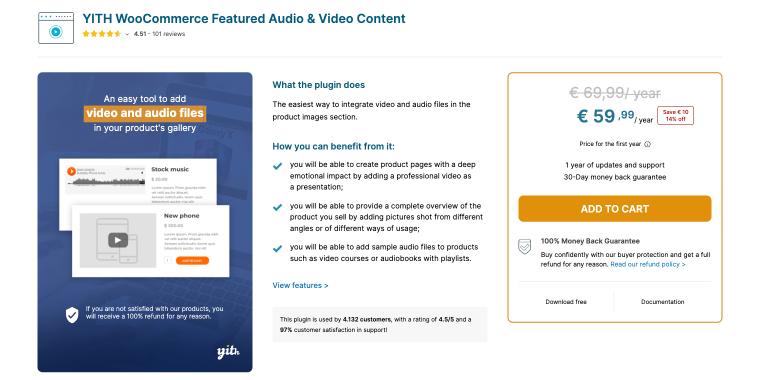
The YITH plugin supports both video and audio, making it ideal for stores selling music, audiobooks, courses, or products that require sound demos. It replaces or adds embedded media to your product image, creates engaging previews, supports all major platforms, and includes autoplay, looping, and player controls. The premium version offers video galleries, custom thumbnails, and multiple videos per product. Known for quality WooCommerce extensions, YITH ensures reliable, regularly updated performance.
Pricing: free version available; Premium version starts at $59.99/year for a single-site license.
Key features:
- supports video and audio content in product galleries;
- YouTube, Vimeo, and self-hosted video integration;
- autoplay, loop, and mute controls for videos;
- replaces featured image or adds to gallery;
- mobile-responsive media players with touch controls.
Pros:
- unique audio support for music and sound-based products;
- free version provides solid basic functionality;
- clean integration with YITH’s other WooCommerce plugins;
- regular updates from an established plugin developer;
- simple interface suitable for non-technical users.
Cons:
- free version limited to a single video per product;
- premium pricing is an annual subscription rather than a one-time fee;
- fewer video-specific features than dedicated video plugins;
- customization options are more limited than specialized alternatives.
Gallery Slider for WooCommerce (Freemium)
🏆 Best for stores needing an enhanced gallery slider that gracefully handles mixed image and video content.
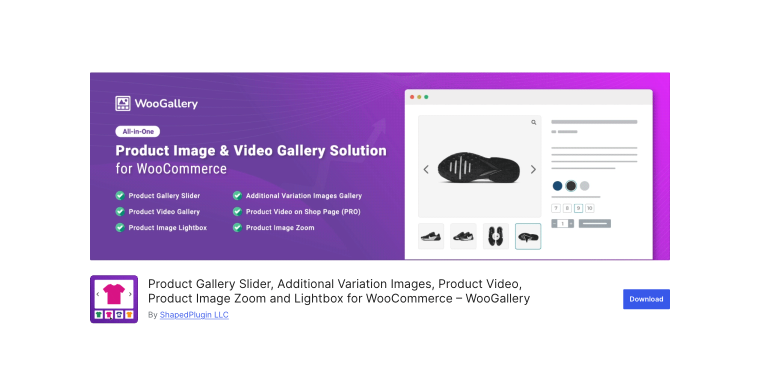
This plugin transforms your WooCommerce gallery into a versatile image and video slider, offering layouts such as standard, thumbnail, and gallery grid. It supports video embedding from popular platforms and ensures smooth playback. Customization options include speed, autoplay, navigation, and transitions. Its responsive design ensures professional-looking galleries on all devices with optimized mobile touch controls for shoppers.
Pricing: free with an optional Pro version for advanced features starting at $208 (single-time fee).
Key features:
- multiple slider layout options for galleries;
- smooth video and image integration;
- customizable navigation and transition effects;
- responsive design with mobile optimization;
- thumbnail gallery option for quick browsing.
Pros:
- versatile gallery layouts beyond basic sliders;
- handles video content without performance issues;
- the free version offers substantial functionality;
- works well with most WooCommerce themes;
- active development with regular updates.
Cons:
- some advanced features require the Pro version;
- configuration options can be overwhelming initially;
- occasional conflicts with certain slider plugins;
- support primarily through forums for the free version;
- video-specific features are more limited than dedicated plugins.
FAQ
Most modern product video gallery plugins support multiple sources like YouTube, Vimeo, and self-hosted videos. This offers flexibility to select the best hosting option: YouTube for easy embedding, Vimeo for high-quality, ad-free playback, or self-hosting for control. Many plugins allow mixing sources, maximizing showcase options for products.
Adding videos to product pages doesn’t slow down your store if done correctly. Most plugins use lightweight iframe code that loads on view, with videos hosted on YouTube or Vimeo. To keep performance optimal, select lightweight plugins, avoid autoplay, and use thumbnails instead of embedded players on category pages. Properly implemented videos usually have minimal impact on page load times.
Product video gallery plugins are fully responsive and mobile-friendly, as mobile shopping now accounts for over half of eCommerce traffic. They automatically adjust video sizes, support touch gestures, and optimize loading for mobile data. When selecting a plugin, ensure it has mobile-optimization features and test on real devices to ensure smooth playback and easy navigation for customers.
Conclusion
Adding product videos to your WooCommerce store is no longer optional in today’s visual-first eCommerce environment; it’s essential for staying competitive and providing the rich shopping experience modern consumers expect. Whether you choose a simple free plugin for basic video embedding or invest in a premium solution with advanced features, the right product video gallery plugin can transform your product pages from static catalogs into dynamic, engaging shopping experiences that build customer confidence and drive conversions.
The plugins covered in this guide offer solutions for every budget, technical skill level, and business requirement. Take time to evaluate your specific needs, consider your technical capabilities, and choose a plugin that aligns with both your current situation and future growth plans. Remember that even with limited resources, tools like Nim.video make creating professional product videos accessible to everyone, removing the last barrier between you and enhanced product presentations.
Start small if needed, test the impact of videos on your most popular products, and scale your video strategy as you see results. Your customers, and your conversion rates, will thank you.