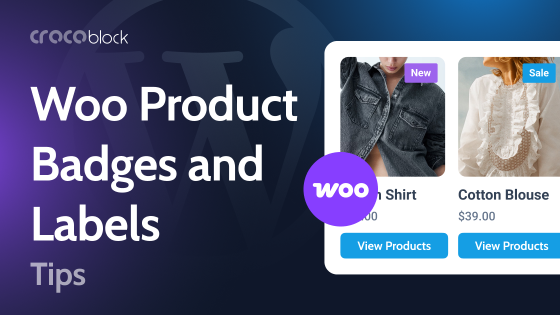
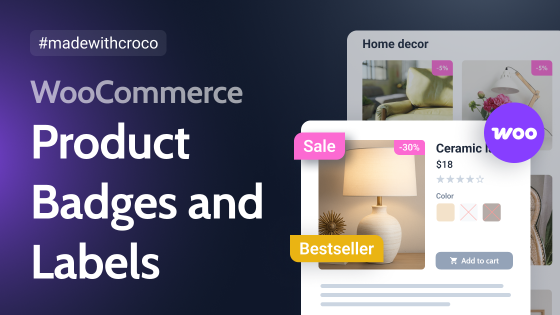
In online retail, grabbing customers’ attention in just seconds can determine whether a sale occurs. WooCommerce product badges and labels serve as powerful visual cues that guide shoppers toward the products and deals that matter most. These simple UI elements do far more than beautify your store; they influence purchasing decisions through proven psychological principles.
Why Product Badges Matter for Your WooCommerce Store
Product badges and labels work as green flags on your product pages, instantly communicating value, urgency, and exclusivity. Studies have shown that implementing an effective badge system can boost conversion rates. When a shopper lands on your store, they’re immediately drawn to badges displaying 50% OFF, Limited Stock, or Best Seller, creating a sense of urgency that motivates action.
Psychological impact on visitors
Badges tap into several powerful psychological triggers. Scarcity badges, like Only 3 Left, activate the FOMO, while social proof badges, such as Trending or Customer Favorite, leverage the bandwagon effect. Discount badges create immediate perceived value, while New Arrival labels satisfy customers’ desire for novelty and staying current with trends.
Types of stores that benefit most
WooCommerce product badges are essential for virtually any online store. Still, they’re particularly effective for fashion retailers showcasing seasonal collections, electronics stores highlighting deals and specifications, food and beverage shops promoting organic or specialty items, and stores with large inventories where products need clear differentiation. Membership-based businesses also benefit from badges highlighting trial offers or exclusive member products.
Perfect occasions for badge usage
Deploy your WooCommerce on sale badge during promotional periods, such as Black Friday, Cyber Monday, or end-of-season sales, to maximize visibility. Use the WooCommerce new badge when launching products to build excitement. An out-of-stock badge for WooCommerce helps manage customer expectations while maintaining interest. Custom badges are perfect for highlighting product features such as Eco-Friendly, Handmade, or Local that align with your brand values.
Now, let’s explore the nine best WooCommerce product badge plugins that can transform your store’s visual appeal and sales performance.
Top 9 WooCommerce Label Plugins
Advanced Product Labels for WooCommerce (Freemium)
🏆 Best for stores needing extensive customization with 50+ ready-to-use templates and advanced conditional logic capabilities.
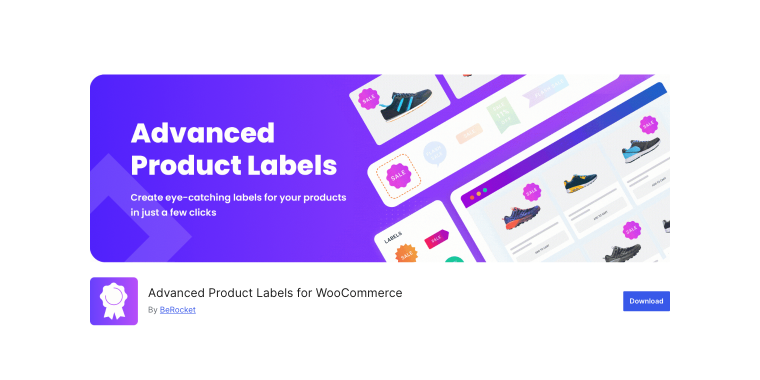
Advanced Product Labels for WooCommerce delivers exceptional flexibility for creating sophisticated product badge implementations in WooCommerce. The plugin includes over 50 ready-to-use templates spanning CSS designs, image formats, and advanced multi-line text styles. The comprehensive conditional display system enables precise targeting based on product parameters, including stock status, sale status, taxonomy, price ranges, and bestseller metrics.
Pricing: free version available on WordPress.org with premium features starting from subscription-based pricing.
Key features:
- 50+ ready-to-use templates including CSS, image, and advanced formats;
- conditional logic based on product type, age, sales number, taxonomy, and attributes;
- text variables for displaying price, discount percentage, SKU, quantity, and stock status;
- discount timers with customizable styling to create promotional urgency;
- gradient backgrounds, shadows, rotation, and size multiplier for advanced styling.
Pros:
- exceptionally comprehensive template library with diverse design options;
- powerful conditional display rules for precise targeting;
- dynamic text variables automatically update with product data changes;
- excellent integration with the BeRocket plugin ecosystem;
- regular updates and strong theme compatibility.
Cons:
- can be overwhelming for users seeking simple solutions;
- premium version required for advanced templates and image labels;
- steeper learning curve compared to simpler alternatives;
- some advanced features have subscription costs;
- extensive options may require configuration time.
Product Badge, Label, Countdown Timer for WooCommerce (Freemium)
🏆 Best for an all-in-one solution combining badges, countdown timers, trust badges, and promotional tools for comprehensive sales optimization.
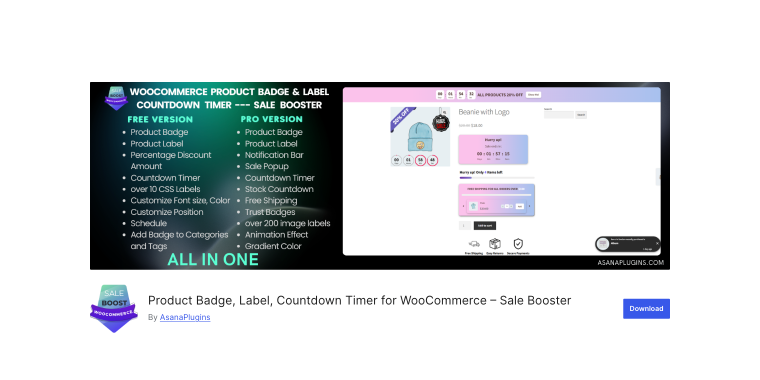
Product Badge, Label, and Countdown Timer for WooCommerce plugin is a complete WooCommerce product badges solution that goes beyond basic labeling. This plugin combines product badges with countdown timers, sale pop-ups, order notifications, free shipping progress bars, trust badges, payment icons, and social sharing buttons (creating a comprehensive conversion optimization toolkit). The CSS label system offers extensive customization with animation effects, while the image badge library provides hundreds of pre-designed options.
Pricing: free version available on WordPress.org with a Pro version offering advanced features and lifetime license options.
Key features:
- comprehensive toolkit including badges, countdown timers, trust badges, and promotional tools;
- 8 countdown timer templates with extensive styling controls;
- dynamic placeholders for price, discount, quantity, and product data;
- animation effects for both CSS and image badges;
- multi-language support with translation capabilities.
Pros:
- all-in-one solution reduces the need for multiple plugins;
- countdown timer functionality effectively creates urgency;
- extensive pre-designed badge collection saves design time;
- trust badges and payment icons build customer confidence;
- responsive design works perfectly on all devices.
Cons:
- advanced features like countdown timers require the Pro version;
- can feel feature-heavy for stores needing only basic badges;
- some users report theme compatibility requiring adjustments;
- learning curve for mastering all available modules;
- premium pricing higher than some badge-only alternatives.
JetEngine (Premium)
🏆 Best for advanced users needing dynamic, condition-based badges that automatically respond to custom fields, user profiles, and complex product states.
JetEngine is a powerful WordPress plugin that transforms WooCommerce badge creation through its dynamic content capabilities and custom post type functionality. While primarily known as a comprehensive dynamic content solution, JetEngine can create dynamic product badges that respond to custom fields, taxonomies, and product attributes. Through its Dynamic Field widget and conditional logic system, you can create badges that automatically update based on real-time product states without manual work.
Pricing: the plugin is available as a standalone solution for $43/year, or through Crocoblock subscription, starting at $199 per year for all Crocoblock plugins.
Key features:
- dynamic badges based on custom fields, meta fields, and database queries;
- profile completeness badges for user engagement and gamification;
- advanced conditional visibility with multiple operators and parameters;
- integration with custom post types and taxonomies for unlimited flexibility;
- REST API support for dynamic badge data from external sources.
Pros:
- unmatched flexibility for complex, data-driven badge systems;
- seamless integration with the entire Crocoblock ecosystem;
- dynamic content automatically updates without manual changes;
- powerful for membership sites and user-based product displays;
- extensive documentation and active community support.
Cons:
- steeper learning curve requiring technical understanding;
- requires Crocoblock subscription for access to full features;
- overkill for stores needing only basic product badges;
- not specifically designed for WooCommerce badge use cases;
- may require custom development for advanced implementations.
Advanced Woo Labels (Freemium)
🏆 Best for stores seeking intelligent, data-driven WooCommerce product label implementations with comprehensive conditional logic and unlimited customization.
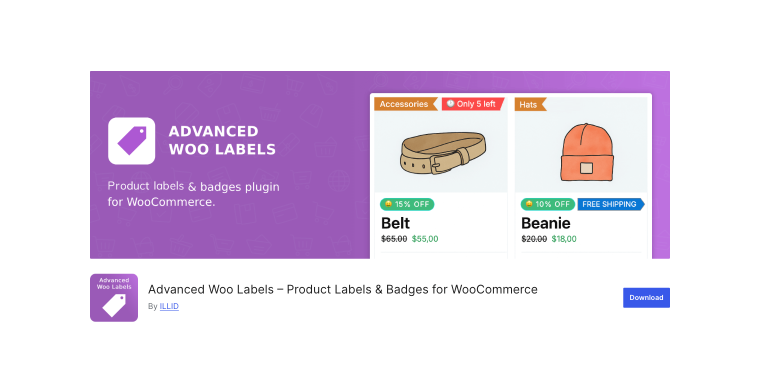
Advanced Woo Labels stands out for its sophisticated approach to dynamic product labeling that automatically adjusts to real-time product data. The plugin can generate intelligent badge content, including exact discount percentages, days since product release, product ratings, and live stock quantities (all without manual updates). The robust conditional display system supports complex AND/OR operators, enabling precise targeting based on products, categories, user roles, pages, and various product attributes.
Pricing: a free version is available on WordPress.org, with Premium upgrades starting at $49 per year for a single site.
Key features:
- dynamic text variables automatically display product-specific data;
- conditional logic with AND/OR operators for complex targeting;
- unlimited label creation with two display positions and alignment options;
- built-in templates with extensive styling customization;
- integrations with ACF, WCFM, Dokan, and WooCommerce Memberships.
Pros:
- intelligent automation reduces manual label management;
- dynamic content updates automatically as products change;
- flexible conditional display rules for precision targeting;
- strong compatibility with popular WooCommerce plugins;
- lightweight plugin with minimal performance impact.
Cons:
- some advanced features are limited to the premium version;
- fewer pre-designed templates compared to some competitors;
- learning curve for mastering conditional logic;
- image labels require a premium upgrade;
- documentation could be more comprehensive.
JetWooBuilder (Premium)
🏆 Best for Elementor users seeking pixel-perfect WooCommerce product page designs with native sale badge widgets and complete layout control.
JetWooBuilder brings professional-grade product page building capabilities to WooCommerce through its Elementor integration and dedicated Single Sale Badge widget. This plugin transforms the standard WooCommerce product template system, enabling complete visual customization of shop pages, product archives, and single-product layouts. The Single Sale Badge widget provides streamlined badge placement with styling controls for typography, colors, borders, and positioning, ensuring badges integrate perfectly with custom product page designs. JetWooBuilder’s template system lets you create unique layouts for different product categories or types, each with contextually appropriate badge styling that matches your design vision.
Pricing: the plugin is available through Crocoblock subscription, as a stand-alone solution for $43/year, or as a part of an All-Inclusive subscription starting at $199/year.
Key features:
- dedicated Single Sale Badge widget with comprehensive styling controls;
- visual product page builder for Elementor with drag-and-drop interface;
- separate templates for shop pages, archives, and single products;
- category-specific templates allowing unique badge designs per product type;
- real-time preview showing exact badge appearance during design.
Pros:
- seamless Elementor integration for intuitive visual design;
- complete control over product page layouts and badge positioning;
- create unique badge styles for different product categories;
- professional templates accelerate the design process;
- part of the comprehensive Crocoblock eCommerce solution.
Cons:
- requires Elementor and Crocoblock subscription investment;
- focused on sale badges rather than diverse badge types;
- limited badge automation compared to specialized badge plugins;
- may require additional Crocoblock plugins for advanced features;
- not ideal for stores without an existing Elementor workflow.
Product Labels for WooCommerce (Freemium)
🏆 Best for stores focused on sales promotions needing 700+ pre-designed badges, sale timers, and exceptional visual variety.
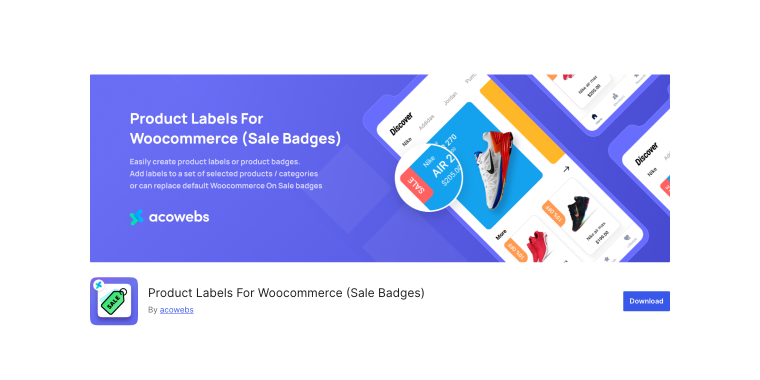
The Product Labels for WooCommerce plugin offers an impressive arsenal of over 700 predefined badge designs covering every imaginable promotional theme and style. This extensive library makes launching professional campaigns remarkably fast; simply select from categories such as sale badges, clearance events, seasonal promotions, stock alerts, new arrivals, and exclusive offers. The live preview lets you make real-time positioning and styling adjustments, eliminating guesswork and ensuring perfect placement.
Pricing: a free version is available on WordPress.org, with a Pro version starting at $43 per year for a single site.
Key features:
- 700+ predefined badge designs covering comprehensive promotional themes;
- sale timers with customizable styling for countdown functionality;
- live preview for real-time positioning and styling adjustments;
- product lists for targeting specific groups, categories, and tags;
- integration with Acowebs Dynamic Pricing plugin for coordinated campaigns.
Pros:
- largest pre-designed badge library on the market;
- countdown timer functionality effectively drives urgency;
- user-friendly interface ideal for beginners;
- strong focus on sales optimization features;
- responsive customer support with quick resolutions.
Cons:
- primarily focused on sales badges rather than diverse badge types;
- fewer advanced conditional logic options than premium competitors;
- some users report compatibility issues with certain themes;
- premium version required for advanced scheduling features;
- animation effects are limited compared to some alternatives.
Custom Product Badges for WooCommerce (Freemium)
🏆 Best for quick deployment with 100+ pre-made badges, extensive scheduling capabilities, and stock-based dynamic messaging.
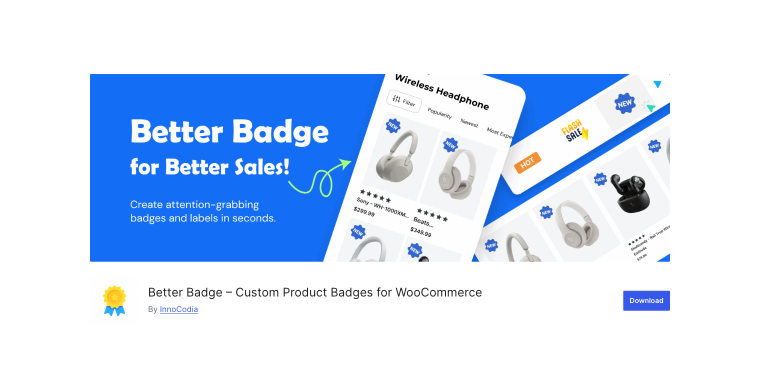
The plugin can deliver immediate value with its collection of 100+ built-in product badges covering popular options, including Best Seller, On Sale, Limited Stock, New Arrival, Free Shipping, Clearance, such as Promotions, and Holiday Specials. The plugin offers multiple badge types, including text labels, image badges, SVG with text, and custom HTML, providing creative flexibility without requiring design expertise. The easy-to-use interface with live preview styling makes badge creation and adjustment remarkably straightforward.
Pricing: a free version is available on WordPress.org, with a Pro version offering additional features and custom image uploads.
Key features:
- 100+ pre-made badges covering common promotional and informational needs;
- scheduling functionality for automatic badge display during specific dates;
- stock quantity rules for dynamic urgency badges like Only X Left!;
- multiple badge types, including text, images, SVG, and custom HTML;
- attribute-based labels for product features and certifications.
Pros:
- extensive pre-made collection enables quick setup;
- scheduling feature automates seasonal campaigns;
- dynamic stock-based badges create real-time urgency;
- user-friendly interface suitable for beginners;
- multiple labels per product for comprehensive messaging.
Cons:
- custom image uploads limited to Pro version;
- conditional logic is less sophisticated than some competitors;
- free version lacks some advanced styling options;
- gradient and shadow effects require a Premium upgrade;
- smaller feature set compared to premium alternatives.
Elegant Labels for WooCommerce (Freemium)
🏆 Best for small businesses seeking elegant, visually appealing WooCommerce custom badge designs with straightforward implementation.
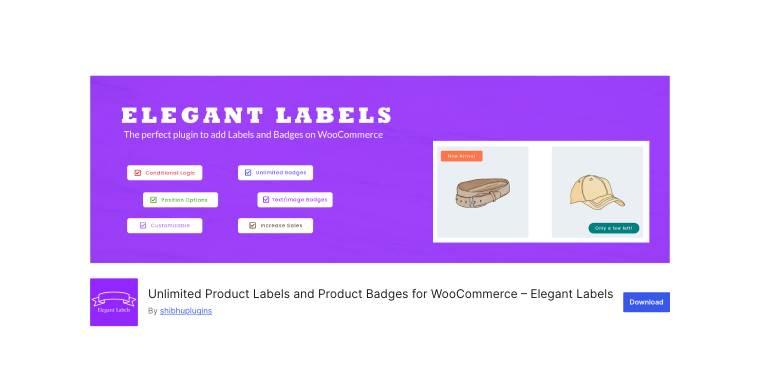
Elegant Labels for WooCommerce focuses on delivering visually sophisticated badge designs that elevate store aesthetics. The plugin emphasizes elegant styling with professionally designed templates that blend seamlessly with modern WooCommerce themes. The straightforward implementation process makes it accessible to users without technical expertise, allowing quick deployment of attractive product labels that enhance visual appeal.
Pricing: a free version is available on WordPress.org, and a Pro version includes extended features.
Key features:
- elegant, professionally designed badge templates;
- straightforward implementation requiring no technical expertise;
- essential customization controls for colors, fonts, sizes, and positioning;
- product and category-based targeting;
- display on product pages and archive listings.
Pros:
- visually sophisticated designs elevate store aesthetics;
- simple implementation ideal for non-technical users;
- clean interface focusing on essential features;
- lightweight plugin with minimal performance impact;
- good balance of simplicity and functionality.
Cons:
- smaller feature set compared to comprehensive alternatives;
- limited conditional logic capabilities;
- fewer pre-designed badges than some competitors;
- advanced features require pro upgrade;
- less frequent updates compared to larger developers.
WooCommerce Advanced Product Labels (Premium)
🏆 Best for stores requiring enterprise-grade badge management with global and individual product label control from the official WooCommerce marketplace.
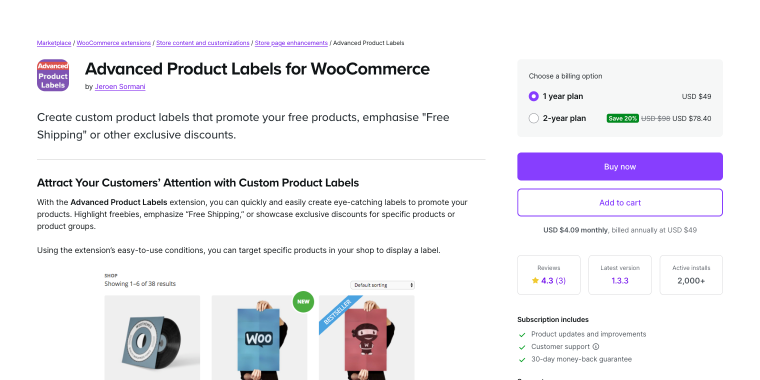
WooCommerce Advanced Product Labels, available on the official WooCommerce marketplace, provides enterprise-level badge functionality with two main interfaces: global labels and single labels. The global labels system targets product groups using comprehensive conditions, including product categories, types, sale status, stock levels, shipping classes, tags, total sales, and featured status. These conditions can be easily extended through hooks for custom requirements.
Pricing: the Premium plugin is available exclusively from the WooCommerce.com marketplace, with annual subscription pricing starting at $49/year.
Key features:
- dual interface system with global and individual product label control;
- comprehensive targeting conditions easily extendable with hooks;
- smart labels with automatic variable population for prices and discounts;
- six different label types for diverse use cases;
- live preview showing exact appearance before saving.
Pros:
- official WooCommerce marketplace plugin ensures compatibility;
- enterprise-grade functionality with professional support;
- comprehensive targeting system with extensibility;
- dual control system provides maximum flexibility;
- regular updates aligned with WooCommerce releases.
Cons:
- higher price point compared to some alternatives;
- premium-only availability with no free version;
- may require technical knowledge for advanced customization;
- learning curve for mastering both interface systems;
- fewer pre-designed templates compared to some competitors.
FAQ
The terms “product badges” and “product labels” are often used interchangeably in WooCommerce, treated as equivalent features by most plugins. Both are visual markers on product images or pages, highlighting info like discounts, stock, or features. Some use “badge” for small icons and “label” for text markers, but both aim to attract attention to key product attributes and influence buying decisions.
Running multiple badge plugins simultaneously is not recommended as it can cause conflicts, performance issues, and clutter. Plugins may overlap badges, slowing your site due to extra code and queries. Instead, select a comprehensive plugin that covers all badge needs, as most modern options support multiple badge types within a single solution.
Product badges can affect loading speed, but well-coded plugins minimize this impact. The effect depends on badge count, conditional rules, image optimization, and plugin quality. To reduce impact, use text badges over large images, optimize custom images, limit conditional rules, and select well-reviewed plugins. Most quality badge plugins are lightweight and shouldn’t significantly slow page loads when properly configured.
Conclusion
Selecting the right WooCommerce product badges plugin depends on your store’s specific requirements, technical expertise, and growth objectives. For stores needing extensive customization, Advanced Product Labels for WooCommerce and Product Badge, Label, and Countdown Timer for WooCommerce deliver comprehensive solutions with powerful features. Elementor users invested in the Crocoblock ecosystem will find that JetEngine and JetWooBuilder offer unparalleled integration and design flexibility. Meanwhile, options like Advanced Woo Labels, Product Labels for WooCommerce, and Custom Product Badges strike an excellent balance between features and usability for mid-sized stores. At the same time, the Elegant Labels plugin provides sophisticated aesthetics for businesses prioritizing visual appeal.
Ultimately, the best plugin aligns with your store’s workflow, technical capabilities, and marketing strategy. Start by identifying your primary badge use cases:
- whether it’s sales promotions;
- stock urgency;
- new arrivals;
- or custom product attributes.
Choose a plugin that performs well and allows future growth. Effective badge implementation relies on strategic placement, clear messaging, and testing to maximize conversions without overwhelming visitors.