Did you know that more than 4 million stores are running on WooCommerce? In such a saturated market, email isn’t just another communication channel but the bridge between a one-time visitor and a loyal customer. According to statistics, more customers made a purchase from an email (50%) than from a social media post (43%) or a banner ad (21%).
WordPress freelancers and web agencies often focus on building amazing stores and seamless user experience, which is crucial, but helping clients actually boost their sales is just as important. When done right, email marketing is a key to turning abandoned carts into completed (and repeated) purchases and random browsers into loyal customers.
In this article, I’ll explain why email marketing matters for WooCommerce, share core strategies for boosting sales and engagement (including personalization and seasonal campaigns), and offer best practices for effective WooCommerce email design.
Why Email Marketing Matters for WooCommerce
Launching a WooCommerce store is an important step, but just the first one. The real challenge is making it attract loyal customers and bring revenue. Many store owners quickly discover that while traffic comes in, sales don’t always follow.
Here are two common reasons for it:
- Abandoned carts: over 70% of people never complete their orders.
- Low repeat purchases: even when a customer places their order, they rarely return for a second purchase.
With email marketing done right, WooCommerce store owners can solve this challenge:
- Recover lost sales with professional abandoned cart emails.
- Talk to recipients through personalized messages (not just by addressing customers by name, but also by using data like their location, behavioral patterns, pain points, and preferences).
- Retain subscribers with seasonal offers and loyalty programs.
Without email marketing, a WooCommerce store is like an attractive shop with a wide range of goods where people walk in, window-shop, and walk out without anyone inviting them back. Email can keep your clients’ brands in customers’ inboxes, right where decisions are made.
But there’s another layer many store owners overlook: how their email marketing system is set up.
Most WooCommerce stores rely on third-party tools like Mailchimp, which means customer data, automations, and costs are tied to an external platform. As your store grows, this setup can quietly become expensive and harder to control.
📚 If you’re exploring a more scalable approach, this breakdown explains why you don’t need Mailchimp for WooCommerce email marketing.
Now let’s talk about actionable strategies to use email marketing for WooCommerce for maximum results.
Strategy 1: Master Abandoned Cart Emails
Well, we’ve all been there: added items to a cart, got distracted, closed the tab, and never returned to that store again. For WooCommerce stores, this moment is a goldmine. Each abandoned cart is already a warm lead that just needs a gentle nudge to convert.
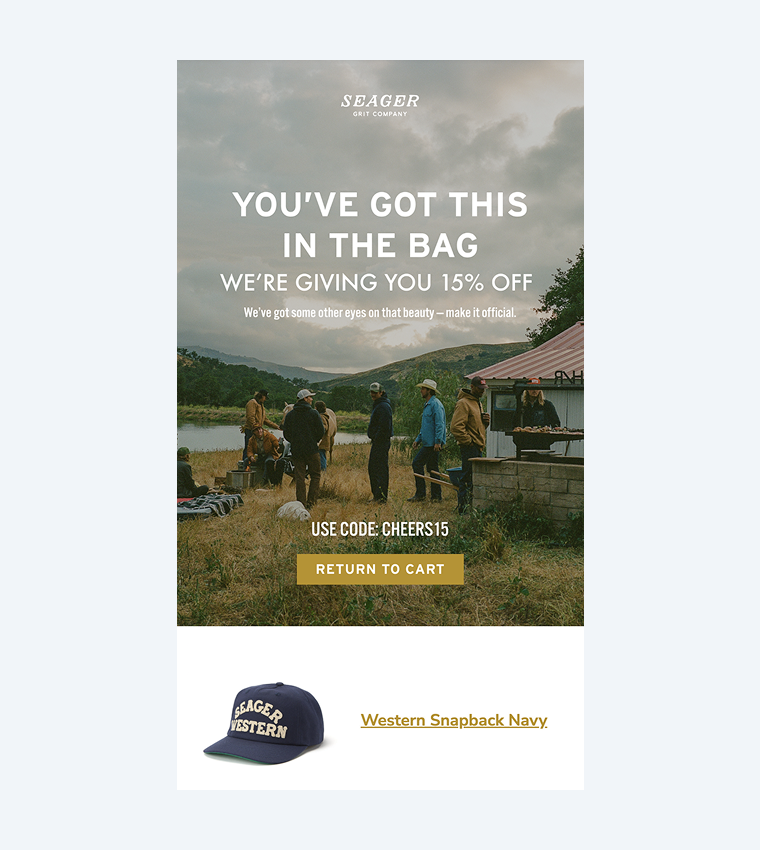
For example, you can implement a three-step sequence into an email marketing strategy:
- Reminder: send this email a few hours after a user abandoned their cart. Show an order they didn’t complete with a clear “Complete Your Order” button.
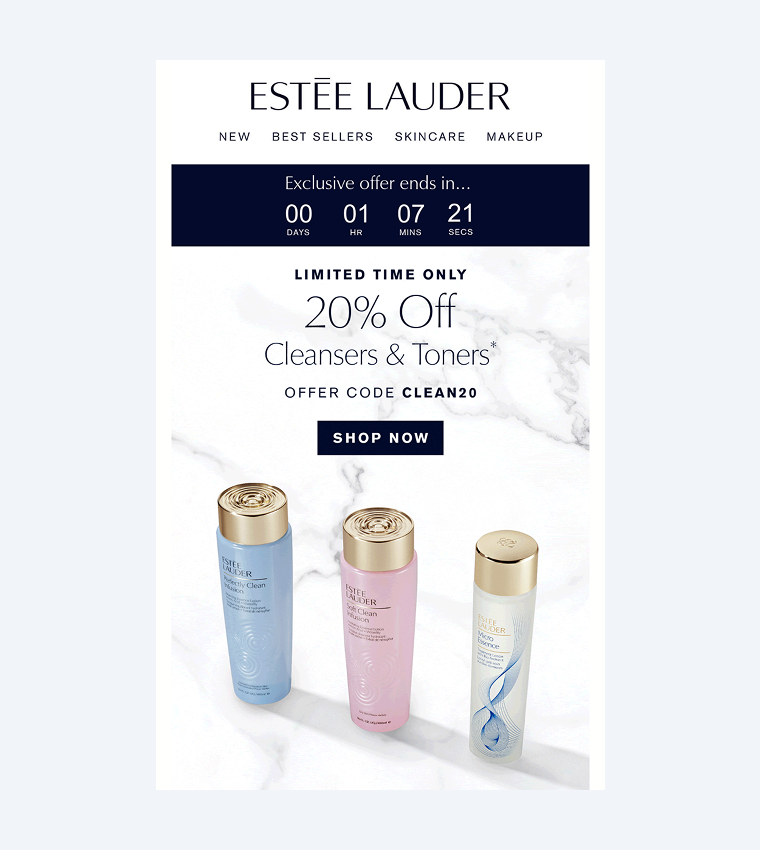
- Urgency: send it 24 hours later, highlighting low stock or limited-time availability. A countdown timer will be a great addition to this email, attracting attention and displaying urgency.
- Incentive: send the last email after 48-72 hours and offer a small discount, free shipping, or an extra item as a gift (for example, a belt complementing the jeans a customer wanted to order).
Key elements to include in a cart abandonment email
- product image and name (to remind recipients about the product they browsed);
- one clear call-to-action button;
- contact details in case the customer didn’t place an order due to issues at checkout.
Strategy 2: Use Transactional Emails to Drive Engagement
People expect to receive transactional emails, so they get 80-85% open rates, compared to 20-25% for regular marketing emails. But you can still tweak these emails to drive more engagement.
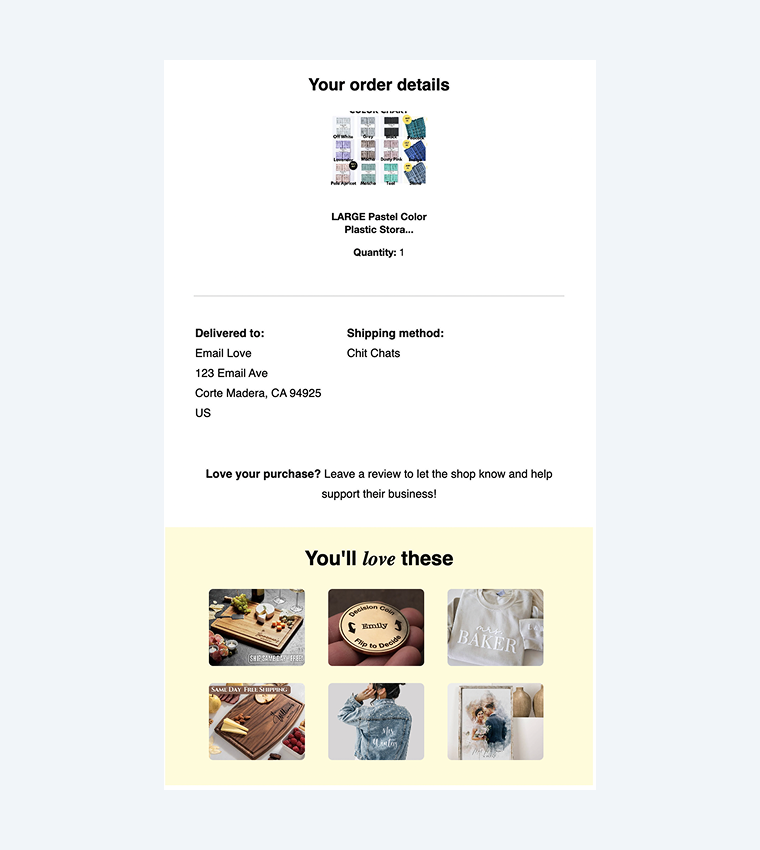
What can you add to an order confirmation email
- Offer related products: “Customers who bought this also loved…”
- Invite recipients to benefit from a loyalty program: “Earn x2 points on your next purchase.”
- Share helpful or educational content: “Here are styling tips for the dress you just ordered.”
You can also give your shipping updates a bit of an upgrade. Think about adding tracking info, estimated delivery, and even a cross-sell: “Need matching accessories or shoes? They could arrive with your order.” This strategy will help you bring value to traditional transactional emails.
Strategy 3: Segment and Personalize Like a Pro
Do you know the fastest way to underperform in email marketing? Send the same message to everyone. Imagine walking into a store and hearing a salesperson offering the same pitch to every customer, from young startup owners to retired travel lovers.
With WooCommerce, we have access to valuable customer data: past purchases, browsing behavior, location, and more. This allows us (and our clients) to create highly personalized, relevant campaigns that actually convert and speak to unique customer needs.
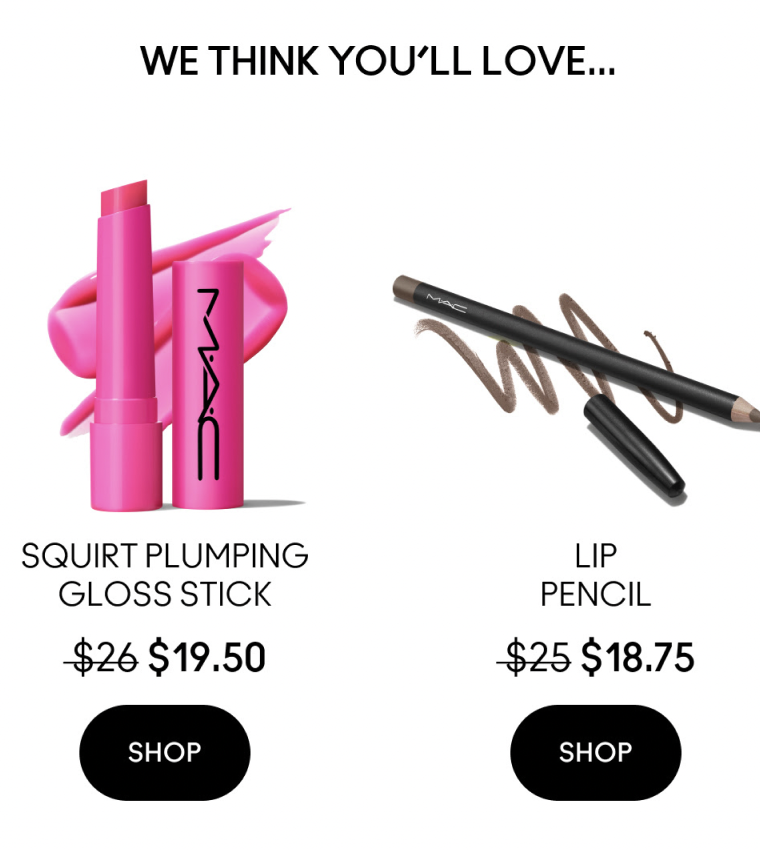
Here is a personalization example for a WooCommerce fashion store. Instead of blasting a generic fall collection announcement, they can send:
- women’s coat promo to female customers in colder regions;
- “You might also like” email to shoppers who bought summer dresses last month;
- re-engagement email to those who haven’t purchased in 90+ days, offering a personalized discount.
Take a look at a few more email personalization tricks you can apply (besides addressing customers by their first name, it’s a timeless classic already):
- offer products based on previous purchases or behavior;
- send location-based offers (free shipping to specific regions);
- celebrate birthdays or anniversaries with exclusive perks;
- adjust send times based on customers’ time zones or engagement patterns;
- highlight recently viewed items as gentle nudges;
- use dynamic content blocks to show different messages to different segments.
Strategy 4: Use Seasonal Campaigns
Holidays are a “golden hour” for WooCommerce stores to grow sales and reconnect with their subscribers. Such campaigns feel relevant and helpful because who doesn’t want to save some money before holidays or get some last-minute gift ideas?
Depending on the niche, seasonal campaigns could include Women’s Equality Day, Video Game Day, back-to-school, local holidays (Bastille Day, Diwali, Ferragosto), or even industry-specific events (Dentists’ Day, Programmers’ Day, Teachers’ Day). The goal is to meet customers when they’re already in a shopping mindset.
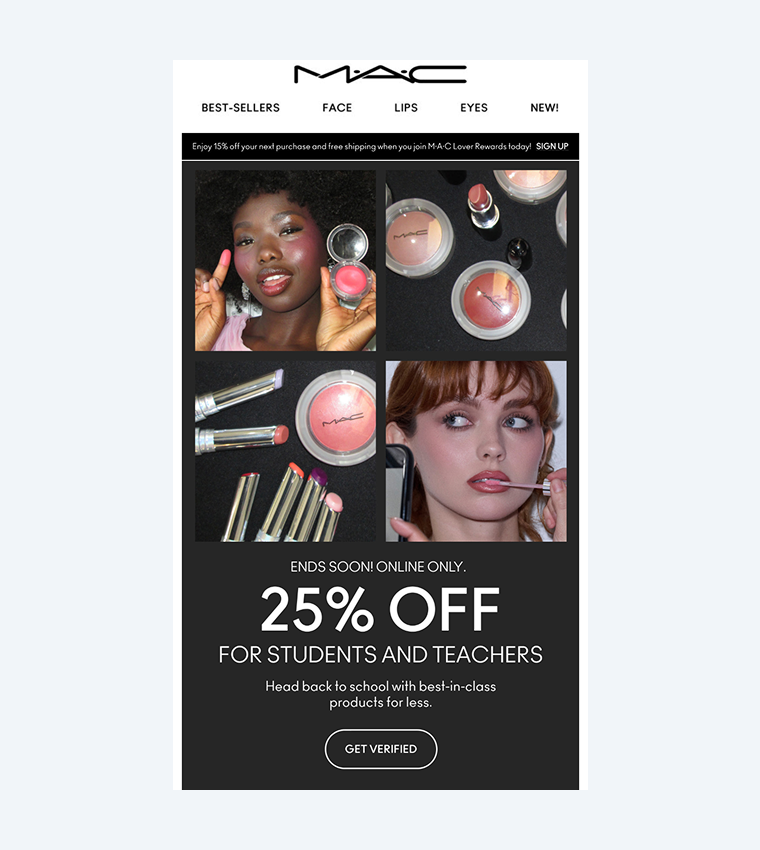
For instance, a WooCommerce home decor store can send a countdown email series leading up to Black Friday:
- Email 1: “Get ready! Our biggest sale of the year starts in 5 days.”
- Email 2: “It’s here! Shop the sale before items sell out.”
- Email 3: “Last chance. Black Friday ends tonight.”
Add variety like new collection teasers, gift guides, or early-access offers for loyal brand fans. Agencies and freelancers can also benefit from modular email design, so once the seasonal templates are built, clients can reuse their parts (headers, footers, countdown timers, product cards) every year with just minor updates.
Best Practices for WooCommerce Email Design
Even when your strategy is strong and well-thought-out, email design can make or break your efforts. WooCommerce store emails should be clear, responsive, and easy to act on.
- Keep your emails responsive. Did you know that 46% of smartphone users would like to get communications from brands through email? Don’t forget to preview and test emails across devices, use only web-safe fonts (Arial, Verdana, Tahoma, Times New Roman, etc.), add high-resolution images, maintain a clear vertical hierarchy, and keep the size of clickable elements at least 44×44 pixels.
- Ensure your email is accessible. According to the WHO, 1.3 billion people experience significant disability, and you or your clients’ subscribers are likely among them. It’s important to treat the audience not just like a list of email addresses but as real people who want to interact with emails comfortably. Remember to add descriptive alt text to images, make link text meaningful, set the line spacing to about 150%, use a single color background, and minimize excessive bolding or italics.
- Test before sending. Check how emails render in different inboxes and ensure all links, images, and dynamic content work properly.
- Make your copy brief and scannable. With the average attention span of 8.25 seconds (less than the goldfish’s, mind you), it’s not such a good idea to offer busy subscribers large text blocks in emails. Opt for more consumable chunks, such as short paragraphs, bullet points, and bold highlights, to make content easier to digest.
- Stick to GDPR/consent rules. Always get permission before sending emails and include a visible unsubscribe option to ensure consent and avoid reputational damage and fines.
FAQ
It depends on the niche, but consistency is the key, not volume. Start with one email per week, then adjust based on engagement and unsubscribe rates.
Your bare minimum includes welcome emails, abandoned cart reminders, transactional emails (order/shipping confirmations), and post-purchase follow-ups.
Monitor crucial metrics such as open rates, click-through rates, conversion rates, and revenue per email.
Wrapping Up
As freelancers and agencies, you can achieve more than just creating a beautiful WooCommerce store. By helping clients set up email strategies that actually drive sales, you position yourself as a true growth partner. And you don’t even have to reinvent the wheel: optimize one email flow, benefit from reusable modules, and measure results. As a result, email will turn from “just another channel to manage” into a consistent source of revenue and engagement.