A common feature of website design, dropdown menus are popular for good reason. They provide an organized, clean way to present many links, helping maintain efficient, easy-to-use navigation on your WordPress site.
In this article, I will investigate the best and most popular WordPress dropdown menu plugins available on the market. I will compare their key features, pros and cons, and pricing, and share the best solutions for your sites. Additionally, I will discuss the criteria you should consider when selecting the best dropdown menu plugin for your WordPress site. Let’s get started.
What Is a Dropdown Menu and Why Do You Need It?
A dropdown menu is a common user interface element that displays a hidden list of options beneath a button, link, or navigation item. When a user clicks or hovers over the trigger (depending on the design), the menu expands downward to reveal additional choices. This approach allows users to access multiple options from a single control without overwhelming the interface.
On websites, dropdown menus are most often used for navigation. They help group related pages, categories, or features into logical sections, keeping the main menu clean while still providing quick access to deeper content. This makes them especially useful for content-rich or multi-level websites.
In WordPress, dropdown menus play a key role in improving both usability and structure. They allow site owners to organize complex navigation paths efficiently, making it easier for visitors to find what they’re looking for with fewer clicks. By hiding secondary options until they’re needed, dropdown menus also make better use of screen space, which is particularly important for responsive and mobile-friendly designs.
As your website grows, dropdown menus scale effortlessly. New pages or categories can be added to submenus without requiring a complete redesign of the navigation. When thoughtfully designed, they also encourage user engagement by offering a clear, intuitive browsing experience that helps visitors move smoothly between related sections.
Finally, well-structured dropdown menus can support SEO efforts. Clear navigation hierarchies help search engines understand your site’s structure, making it easier to crawl and index your content effectively.
How to Choose a Dropdown Menu
Choosing the right dropdown menu plugin is essential for building clear, scalable, and user-friendly navigation. Before installing a plugin, it’s worth evaluating it against the following criteria to determine which one best suits your needs.
- Ease of use and setup. The plugin should be intuitive to configure, even for non-technical users. Look for a clear interface, visual builders, or drag-and-drop controls that reduce reliance on custom CSS or JavaScript.
- Compatibility with your theme and page builder. A good dropdown menu plugin should work seamlessly with your current WordPress theme. If you’re using a page builder such as Elementor or Gutenberg, native integration is a major advantage and can significantly speed up your workflow. It is a good practice to test the plugin in the staging environment to ensure it is compatible with your current setup.
- Support for multi-level and mega menus. Consider how complex your navigation needs are. Some plugins support only simple dropdowns, while others support multi-level structures, columns, widgets, images, and even dynamic content inside menus.
- Mobile responsiveness. Responsive behavior is non-negotiable. The plugin should offer mobile-friendly menus, touch support, and the option to switch layouts (e.g., hamburger or off-canvas menus) at specific breakpoints.
- Customization and styling options. Check how much control you have over the design. Typography, colors, spacing, animations, and hover effects should be adjustable without heavy custom coding, allowing the menu to match your site’s branding.
- Performance and reliability. Menus load on every page, so performance matters. A well-optimized plugin should generate clean markup, avoid unnecessary scripts, and not noticeably slow down your site – especially for large or content-heavy menus.
- Accessibility support. Accessibility is increasingly important. Look for features such as keyboard navigation, proper ARIA labels, and screen reader compatibility to ensure your menus are usable by all visitors.
- Scalability and flexibility. As your website grows, your navigation will likely evolve. Choose a plugin that scales with your content, letting you add new menu items, sections, or layouts without rebuilding everything from scratch.
- Support, updates, and documentation. Regular updates, clear documentation, and responsive support are signs of a reliable plugin. This is especially important for long-term projects or business websites that require stability and ongoing maintenance.
- Pricing and licensing model. Finally, consider whether the plugin offers a free version, premium plans, refunds, or one-time licensing. Make sure the pricing aligns with your project’s scope and the features you actually need.
Top 6 Dropdown Menu Plugins for WordPress
Now, when you know how to choose the plugin you need, let’s have a closer look at the most recommended drop-down menu plugins.
Max Mega Menu (Free & Premium)
🏆 Best for feature-rich mega menus.
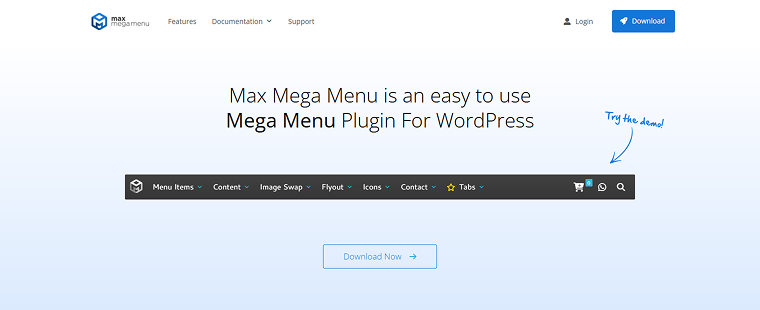
Max Mega Menu extends the default WordPress menu system to support mega menus, flyouts, and responsive behavior. It’s easy to set up, and a large, free feature set makes the plugin appealing to many non-technical users.
Max Mega Menu has a high rating on WordPress (4.8/5 ⭐️) and more than 400K active installations.
Key features:
- drag-and-drop grid layout builder for submenus;
- supports widgets inside menus;
- responsive/mobile toggle integrated;
- multiple triggers (hover, click);
- keyboard navigation and accessibility support;
- custom icons and styling tools;
- WooCommerce and Easy Digital Downloads support is included in the Pro version.
Pros:
- feature-rich free version;
- strong accessibility and clean code;
- integrates with default WordPress menus;
- easy to learn backend interface;
- integrates with multiple themes.
Cons:
- some advanced customizations require the Pro version.
Pricing:
- Personal Licence – $29;
- Business Licence – $49;
- Developer Licence – $99;
JetMenu (Premium)
🏆 Best for highly customizable mega menus with rich multimedia and dynamic content.
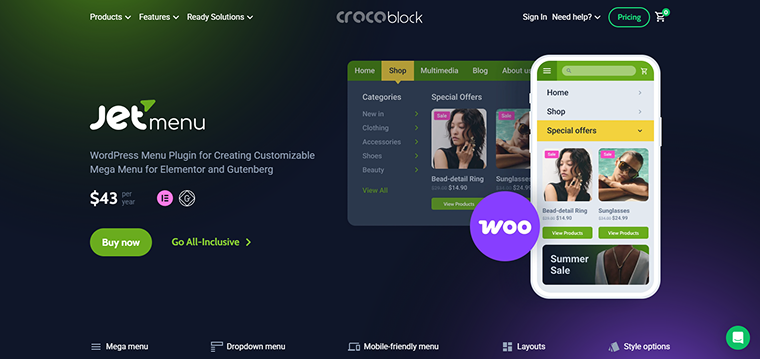
JetMenu is a premium WordPress mega and pull-down menu plugin that integrates tightly with Elementor and WordPress Block Editor. It lets you craft fully custom navigation panels with grid layouts, images, products, videos, and almost any content element you can place with your page builder.
On Trustpilot, JetMenu maintains a rating of at least 4.6/5 ⭐️ and reviews mention the high quality of the support services.
Key features:
- visual mega menu builder with Elementor/Gutenberg support;
- horizontal, vertical, and hamburger menu layouts;
- drag-and-drop content inside menus (images, links, widgets);
- mobile-optimized menus with breakpoint control;
- AJAX navigation and caching for performance;
- preset styles and templates;
- dynamic content integration (e.g., WooCommerce products).
Pros:
- works visually with page builders – no coding;
- highly flexible (menu sections can include media, widgets, and templates);
- good mobile customization options;
- useful for eCommerce menus (product cards, featured items);
- supports complex multi-level menus easily.
Cons:
- can add extra DOM/containers that may slightly impact performance on large menus.
Pricing: the JetMenu plugin costs $43/year for one site. You can also get JetMenu as part of a Crocoblock subscription, which costs $199/year and includes 20 additional website creation plugins.
UberMenu (Premium)
🏆 Best for a powerful, standalone mega menu solution.
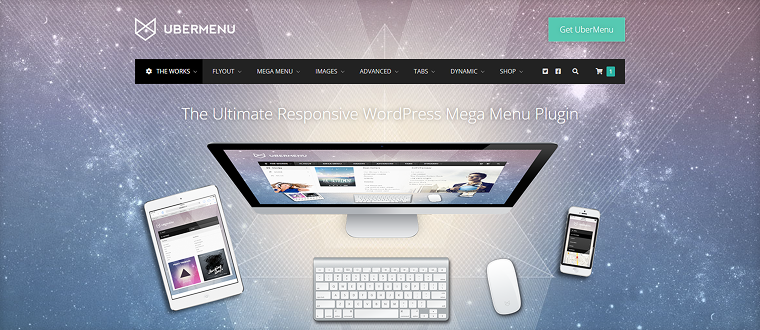
UberMenu is a well-established premium WordPress mega menu plugin that lets you create complex, responsive menus with numerous design options, rich content, and advanced trigger behaviors. UberMenu suits best for sites that want a powerful, standalone mega menu solution with deep customization and dynamic submenu options – without relying on a page builder.
Key features:
- grid-based mega menus;
- dynamic item generation (posts, taxonomies);
- shortcodes and widgets inside menus;
- multiple menu triggers (hover, click);
- responsive design;
- tabs and columns in menu panels;
- WooCommerce support.
Pros:
- robust customization and deep structure control;
- works with most themes and builders;
- no dependency on Elementor/Gutenberg;
- good choice for large or complex navigation.
Cons:
- many settings can feel overwhelming for beginners;
- some themes can interfere with the UberMenu plugin.
Pricing: the $29 subscription plan is provided.
QuadMenu (Free & Premium)
🏆 Best for flexible mega menus with page builder support.
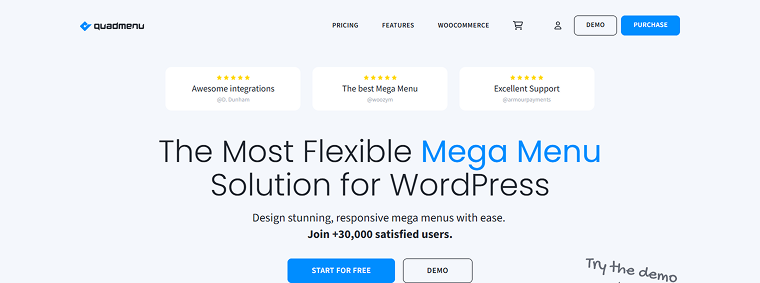
QuadMenu is a responsive WordPress mega and pull-down menu plugin that’s designed to be both beginner-friendly and powerful enough for advanced navigation, offering multiple menu layouts and extensive customization options. QuadMenu is a good choice for users who want a flexible mega and responsive menu with drag-and-drop ease and compatibility with both standard themes and builders like Elementor.
On WordPress, QuadMenu has a 4.5/5 ⭐️ rating.
Key features:
- intuitive drag-and-drop builder;
- horizontal, vertical, and off-canvas layouts;
- works with WooCommerce and popular themes;
- touch-optimized menus;
- theme and Elementor integrations;
- custom animations and styling;
- developer hooks and filters.
Pros:
- flexible for both simple and advanced menus;
- works well on mobile devices and touchscreens;
- beginner-friendly interface;
- integrates with WooCommerce;
- good theme compatibility.
Cons:
- some advanced features may require a Pro upgrade.
Pricing:
- free;
- Annual Subscriptions vary between $49-$149;
- Lifetime Subscriptions cost from $129 to $299.
Responsive Menu (Premium)
🏆 Best for sites that primarily need a mobile-friendly and responsive menu.
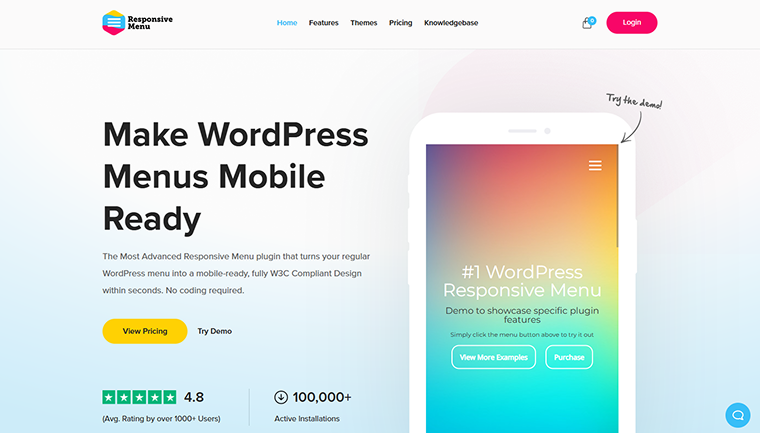
Responsive Menu focuses on turning your existing WordPress menu into a clean, interactive responsive menu with lots of animation and customization options, ideal when mobile experience matters most.
Responsive Menu has a rating of 4.5/5 ⭐️ on WordPress and 4.8/5 ⭐️ on Trustpilot.
Key features:
- mobile-optimized menu with slide and push effects;
- 20+ button animations;
- unlimited levels and customizable icons;
- header bar and search integration;
- multilingual support (WPML/Polylang);
- cross-browser compatible;
- extensive style controls (colors, fonts).
Pros:
- great out-of-the-box responsive behavior;
- no coding required;
- plenty of animation options;
- works with multiple themes;
- good for basic navigation needs on all devices.
Cons:
- not a mega menu builder (focuses mainly on responsive display).
Pricing:
- Essential – $49;
- Advanced – $79;
- Expert – $95.
Happy Addons for Elementor (Free & Premium)
🏆 Best for general Elementor enhancements.
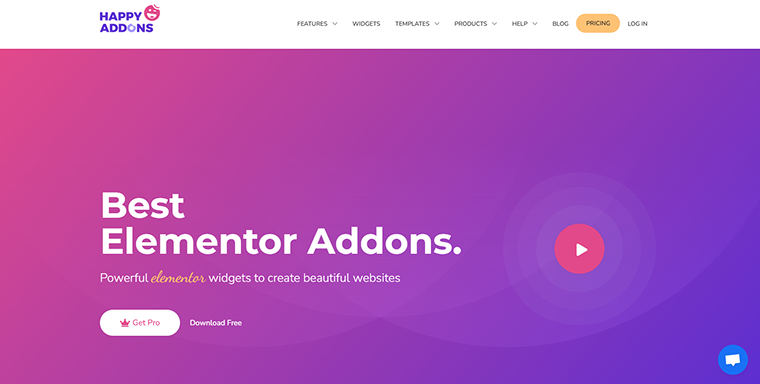
Happy Addons is a comprehensive Elementor add-on pack that dramatically expands Elementor’s capabilities with 143+ widgets, templates, and site-building features. It’s not a dedicated menu system, but it does include tools for designing headers and navigational sections. The plugin suits best for users who want a wide set of Elementor widgets and features – including header/footer and header navigation blocks – not just menus.
Happy Addons has a rating of 4.8/5 ⭐️ on WordPress and 400K+ active installations.
Key features:
- 140+ widgets and design elements;
- header/footer builder tools;
- 70+ page templates and 500+ blocks;
- gradient headings, image comparisons, reviews, carousels;
- display conditions and dynamic features;
- cross-domain copy/paste;
- theme builder integrations.
Pros:
- huge library of widgets;
- helps build headers and navigation areas visually;
- works with free Elementor;
- templates and blocks speed up design workflow;
- regular updates and a strong community.
Cons:
- not specifically a menu-building plugin – menus are done via Elementor, not enhanced like dedicated mega menu tools.
Pricing:
- Annual Subscriptions – from $39 to $189;
- Lifetime Subscriptions – from $149 to $549.
FAQ
A standard dropdown menu usually displays a simple vertical list of links. A mega menu, on the other hand, can include multiple columns, headings, images, widgets, and even dynamic content like products or posts, making it suitable for large or content-heavy websites.
Not necessarily. Well-optimized plugins generate clean markup and load scripts conditionally. However, complex mega menus with images, widgets, and dynamic content can add extra DOM elements, so performance should always be tested – ideally in a staging environment.
Indirectly, yes. Clear, well-structured dropdown menus help search engines understand your site’s hierarchy and internal linking, thereby improving crawlability and indexing. Poorly structured or overloaded menus, however, may have the opposite effect.
Conclusion
After reading this article, you know what makes the WordPress dropdown menu plugins effective, what pull-down menu plugins are available, and how to choose the right one for you. Based on the integrations you need and the site’s complexity, you can choose the best solution for your case.
Use this quick decision guide to choose the right dropdown or mega menu plugin based on your website’s goals, tools, and experience level. 👇
Choose Max Mega Menu if:
- you want a strong free plugin with essential mega menu features;
- you prefer working with WordPress’s native menu system;
- accessibility and clean structure are high priorities;
- you need broad theme compatibility.
Choose JetMenu if:
- you use Elementor or Gutenberg and want full visual control over menus;
- your menu needs rich content (images, videos, product cards, dynamic listings);
- you’re building content-heavy or eCommerce websites;
- you want menus to scale visually as your site grows.
Choose UberMenu if:
- you want a classic, powerful mega menu without a page builder;
- you need deep structural control and dynamic menu generation;
- you prefer a one-time purchase rather than an annual subscription.
Choose QuadMenu if:
- you want a balance between ease of use and advanced features;
- you need both mega menus and responsive layouts;
- you use Elementor but don’t want full dependency on it;
- you want a free starting point with upgrade options.
Choose Responsive Menu if:
- your main priority is mobile navigation;
- you need a simple, responsive menu without complex mega menu layouts;
- animations and mobile UX matter more than content-rich submenus.
Choose Happy Addons for Elementor if:
- you already rely heavily on Elementor for layout and design;
- you’re building custom headers and navigation areas, not just menus;
- you want a broader design toolkit, not a dedicated menu plugin.