Building dynamic, content-rich websites with Divi goes beyond the theme’s built-in features. While Divi provides excellent native support for dynamic content and custom post types (CPTs), the right plugins can turn your site into a powerful, flexible content management system that meets any business need.
Whether you’re building a portfolio site, an eCommerce store, or a complex business website, combining Divi with specialized plugins for custom post types and dynamic content opens up endless possibilities. These tools enable you to create custom fields, manage complex data structures, and display content in ways that would otherwise require extensive custom coding.
In this article, we’ll explore the top 9 best Divi plugins 2026 to boost your dynamic content features and simplify Divi CPT management.
What’s Dynamic Content and Why We Need it?
Dynamic content refers to website elements that automatically retrieve information from your WordPress database and display it based on specific conditions or user interactions. Unlike static content, which remains unchanged for every visitor, dynamic content adjusts based on factors such as user behavior, time, location, or database queries.
Divi’s Dynamic Content is a powerful feature that makes adding and updating post data much easier, enabling you to create custom layouts for blog posts or custom post types with creative layouts using the Divi Builder. This content is retrieved from your WordPress database, child themes, or plugins, website titles, logos, page titles, featured images, excerpts, and custom fields.
The importance of dynamic content becomes clear when you consider:
- automating content updates so it changes automatically and appears on multiple pages;
- customizing content for different users to increase engagement and conversions;
- reducing maintenance time by allowing the system to handle repetitive content updates;
- ensuring consistent data formatting across your whole website;
- supporting advanced features like filtered listings, conditional visibility, and interactive content.
For Divi users, dynamic content integration allows you to build advanced websites without coding, using the visual builder and powerful data management plugin, or even using AI.
Top 9 Dynamic Content Divi Plugins
Advanced Custom Fields (ACF)
🏆 Best for developers and designers who need the robust and flexible custom field solution.
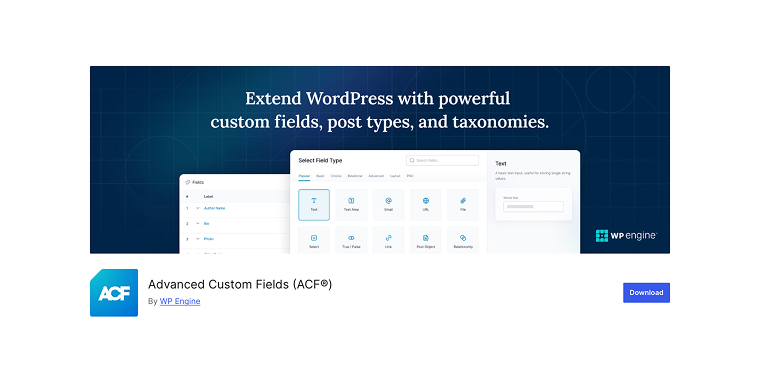
Advanced Custom Fields enables customization of WordPress with powerful, professional, and intuitive fields, proudly supporting over 2 million websites. ACF is the standard choice for adding custom fields to WordPress, providing seamless integration with Divi’s dynamic content system. The plugin transforms your WordPress admin area into a flexible content management interface, allowing you to add nearly any type of custom field to posts, pages, users, or custom post types.
Pricing: Both free and premium options are available, with the paid plan starting at $49 per year.
Key Features:
- 30+ field types;
- visual field group builder with drag-and-drop interface;
- conditional logic to show/hide fields;
- location rules for targeting specific posts, pages, or user roles;
- validation and formatting options for data integrity;
- export/import functionality for easy site migration and backup.
Pros:
- strong docs and large community;
- frequent updates, active dev;
- works with most themes/plugins;
- supports conditional logic.
Cons:
- Pro needed for features like repeaters;
- learning curve for complex setups;
- pricey for multiple sites;
- some features may need coding.
JetEngine
🏆 Best for users who need an all-in-one solution that combines CPTs, meta fields, and powerful content display capabilities with extensive customization options.
JetEngine is a powerful WordPress plugin that provides comprehensive tools for custom post types, meta fields, and dynamic content management in one package. Combining multiple functionalities in a single solution, it offers both basic field creation and advanced features for users who need extensive customization options. JetEngine is fully compatible with Divi 5 via an official Divi Integration Addon. All JetEngine modules (Dynamic Field, Dynamic Image, Listing Grid, Maps Listing, and more) are available natively in the Divi 5 Module Library with server-side rendering and full Content / Design / Advanced panel support.
Pricing: Starts at $43 per year as a stand-alone purchase, or as a part of an All-Inclusive plan, which includes access to other JetPlugins.
Key Features:
- Divi CPT with advanced configuration options;
- Meta Boxes for posts, taxonomies, or users;
- Options Pages for managing global content and site-wide settings;
- Shortcode Builder for displaying anything anywhere with custom callbacks;
- Query Builder for creating complex database queries and content filters;
- native Divi 5 modules via Divi Integration Addon.
Pros:
- all-in-one solution that replaces multiple plugins;
- built-in shortcode generator to insert customized meta fields anywhere if the built-in Divi dynamic field support is not enough;
- part of the Crocoblock ecosystem;
- visual field setup, no coding required;
- flexible output with customization;
- full Divi 5 compatibility with native module experience.
Cons:
- requires Crocoblock subscription;
- overkill for simple field needs;
- steep learning curve for beginners.
powered by Divi-5 dynamic?
JetSmartFilters
🏆 Best for users who need flexible, AJAX-powered filtering for any content source – posts, custom queries, or WooCommerce.
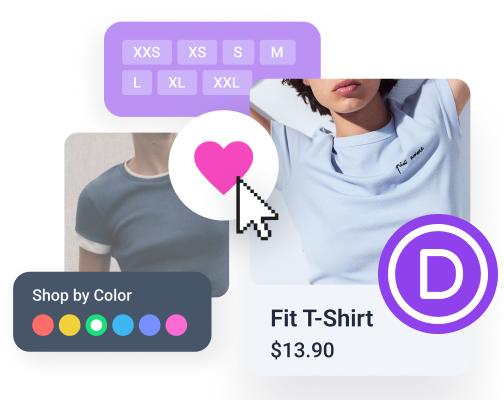
JetSmartFilters is a dedicated WordPress filtering plugin from Crocoblock that adds a comprehensive set of front-end filter controls to any content listing. It works seamlessly alongside JetEngine and WooCommerce, supporting a wide range of filter types (including Checkboxes list, Select, Check Range filters, and so on). Thanks to the official Divi Integration Addon by Crocoblock, all JetSmartFilters modules are now fully accessible in the Divi 5 Module Library, making it an excellent choice for Divi plugins-based projects.
Pricing: Available as a stand-alone purchase or as part of the Crocoblock All-Inclusive plan.
Key Features:
- 15+ filter types: Checkboxes list, Radio, Range, Date Range, Date Period, Rating, Search, Sorting, Alphabet, and more;
- AJAX-powered filtering with no page reload;
- Active Filters and Remove Filters controls for clear UX;
- Apply and Apply Button modules for flexible filter behavior;
- native Divi 5 modules via Divi Integration Addon.
Pros:
- a wide variety of ready-made filter types;
- works with JetEngine, WooCommerce, and custom queries;
- part of the Crocoblock ecosystem;
- no coding required for setup;
- full Divi 5 compatibility with native module experience.
Cons:
- requires Crocoblock subscription;
- full potential is unlocked only in combination with JetEngine or WooCommerce;
- can be complex to configure for advanced filter logic.
Meta Box
🏆 Best for users who want a comprehensive custom fields solution with built-in custom post type creation and competitive pricing.
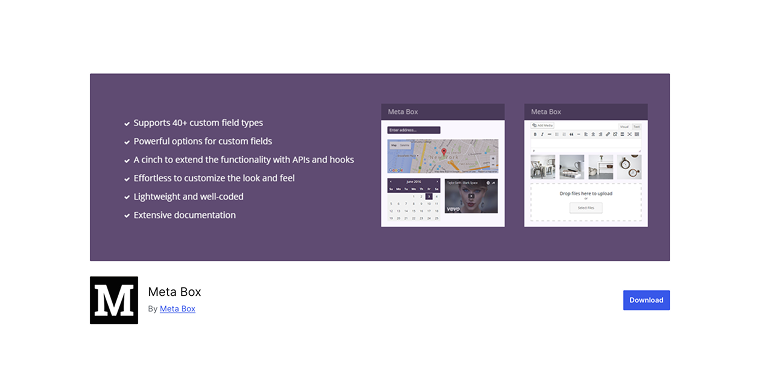
Meta Box is a feature-rich alternative to ACF that combines custom field creation with custom post type management in one plugin. It offers a unique approach by providing both free and premium extensions, making it highly customizable to fit your specific needs. The plugin stands out for its integration capabilities and includes advanced features like custom taxonomies, user meta fields, and term meta fields.
Pricing: Starts at $49 per year, with a lifetime option available starting at $299.
Key Features:
- 40+ field types including maps;
- built-in CPT and taxonomy creation;
- frontend submission forms for user-generated content;
- advanced conditional logic for field display;
- import/export functionality for field configurations;
- integration with popular page builders, including Divi.
Pros:
- wide range of field types;
- built-in Divi custom post type creation;
- strong docs and examples;
- active community, frequent updates;
- includes frontend forms.
Cons:
- interface can overwhelm beginners;
- many features need premium;
- less popular than ACF;
- some integrations need extra setup.
Custom Post Type UI
🏆 Best for beginners who need a simple, free solution to create and manage custom post types without complexity.
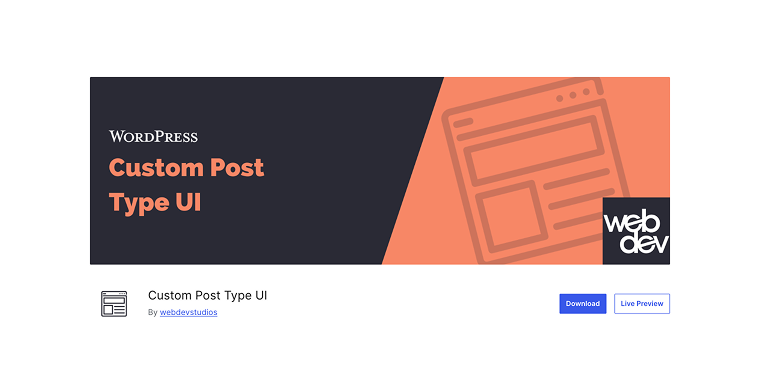
Custom Post Type UI is the most popular free plugin for creating custom post types and taxonomies in WordPress. With over 1 million active installations, it offers a simple interface for users who need basic custom post type features without the complexity of more advanced solutions. The plugin focuses only on post type and taxonomy creation, making it lightweight and easy to use.
Pricing: The plugin is completely free with no premium version or upsells.
Key Features:
- simple custom post type creation with intuitive interface;
- custom taxonomy management and creation;
- export/import functionality for easy site migration;
- supports all WordPress custom post type arguments;
- built-in help text and documentation links;
- clean, user-friendly admin interface.
Pros:
- free, no premium limits;
- lightweight and fast;
- beginner-friendly;
- regular updates;
- big community and lots of tutorials.
Cons:
- only basic CPT creation;
- no front-end forms;
- may need extra plugins for complex setups.
If-So Dynamic Content
🏆 Best for marketers and business owners who need advanced content personalization and conditional display capabilities.
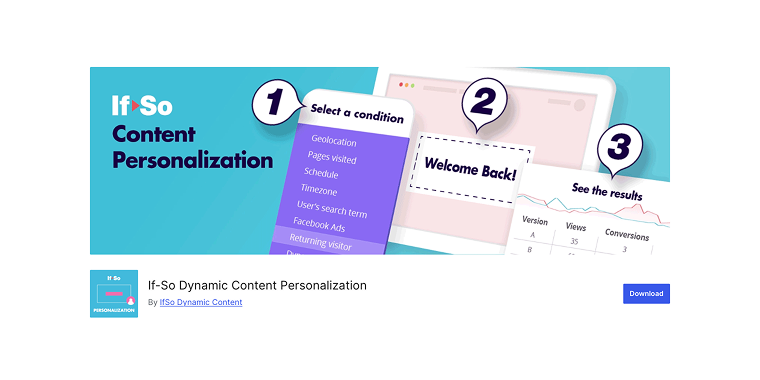
If-So is a specialized plugin focused on dynamic content personalization and conditional logic. It goes beyond traditional custom fields by allowing you to show different content to different users based on various triggers and conditions. The plugin excels at creating personalized experiences, A/B testing scenarios, and targeted content delivery, making it ideal for marketing-focused websites built with Divi.
Pricing: Starts at $97 per year for a single-site license, with higher-tier plans available for agencies.
Key Features:
- geo-based content targeting by country, state, or city;
- time and date-based content scheduling and display;
- device-specific content for mobile, desktop, and tablet users;
- referral source targeting for different traffic sources;
- user role and login status conditional content;
- URL parameter and cookie-based personalization;
- integration with popular analytics and marketing tools.
Pros:
- advanced personalization options;
- visual condition builder;
- integrates with marketing/analytics tools;
- regular updates and support.
Cons:
- pricier than standard field plugins;
- focused on personalization, not general fields;
- needs planning to implement well;
- learning curve for advanced logic;
- limited to personalization, not data management.
OptinMonster
🏆 Best for businesses focused on lead generation and conversion optimization through dynamic opt-in forms and targeted campaigns.
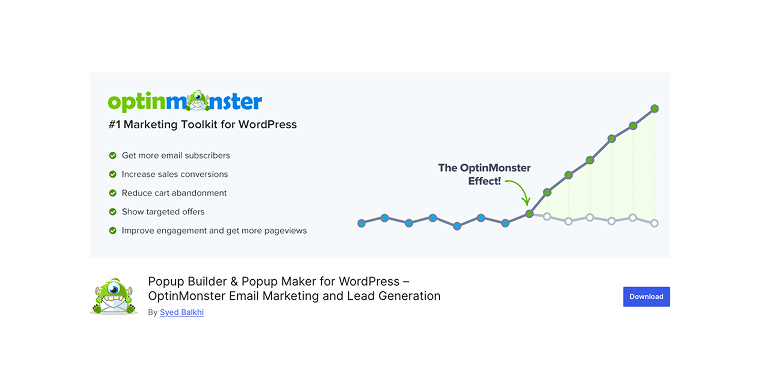
OptinMonster is a premium platform that focuses on optimizing conversions by creating high-converting opt-in forms, pop-ups, and lead generation campaigns. Although it is not a traditional custom post type plugin, it offers dynamic content features through targeted messaging and personalized user engagement experiences. The plugin easily integrates with Divi sites, allowing the creation of advanced marketing campaigns without affecting site performance.
Pricing: Starts at $7 per month for the Basic plan, with more advanced features available in higher-tier plans.
Key Features:
- drag-and-drop campaign builder;
- advanced targeting based on behavior, geolocation, and referrer;
- exit-intent technology to capture abandoned visitors;
- A/B testing capabilities;
- integration with major email marketing services;
- mobile-specific campaigns and responsive designs;
- analytics and conversion tracking.
Pros:
- great for lead gen and email lists;
- premium templates, easy to customize;
- advanced targeting and personalization;
- solid analytics and reports;
- frequent updates and new features;
- strong support and docs.
Cons:
- subscription can get pricey;
- marketing-focused, not for content management;
- requires ongoing subscription;
- can slow sites if unoptimized;
- limited to marketing/conversion use.
Pods
🏆 Best for developers and advanced users who need maximum flexibility and want complete control over custom content types and relationships.
Pods is a comprehensive framework for creating custom content types, fields, and relationships in WordPress. It stands out by offering advanced features like content relationships, custom database tables, and extensive developer hooks. The plugin provides both an easy-to-use interface for basic tasks and powerful APIs for complex custom development, making it ideal for everything from simple custom fields to intricate web applications.
Pricing: Pods is completely free and open-source, with optional premium support and services available.
Key Features:
- custom post types, taxonomies, and user fields creation;
- advanced content relationships and connections;
- custom database tables for performance optimization;
- template system for displaying custom content;
- REST API integration for headless WordPress setups;
- advanced field types, including relationship and file upload fields;
- extensive developer hooks and customization options.
Pros:
- free, no premium version;
- very flexible for complex projects;
- advanced content relationships;
- big developer community, great docs;
- handles large, complex data;
- open-source, actively developed.
Cons:
- steep learning curve;
- cluttered for simple tasks;
- needs more technical know-how;
- overkill for basic fields;
- less user-friendly than paid tools;
- docs can be too technical.
CubeWP Framework
🏆 Best for users who want a modern, all-in-one solution that combines custom post types, advanced fields, and frontend functionality with a contemporary design.
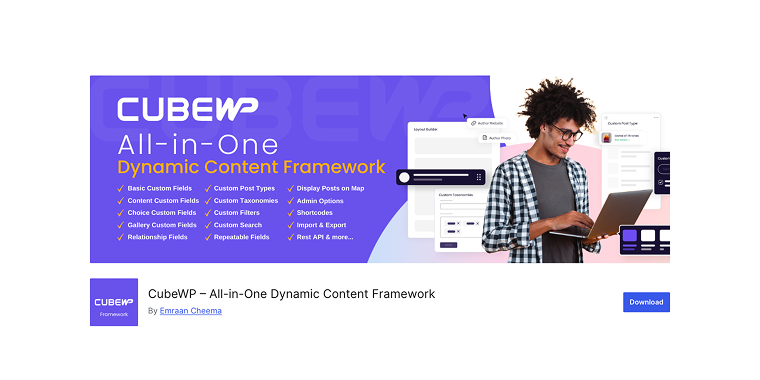
CubeWP Framework is a modern, all-in-one solution for custom post types and advanced content management in WordPress. It blends traditional custom field features with contemporary options like frontend submissions, user dashboards, and advanced search functions. The plugin aims to create complete content ecosystems rather than just adding fields, making it ideal for directory sites, marketplaces, and community-driven platforms.
Pricing: The plugin offers both free and premium versions, starting at $36 per year for the Personal plan.
Key Features:
- custom post types and taxonomies with advanced options;
- frontend post submission and user dashboard functionality;
- advanced search and filtering capabilities;
- map integration and location-based features;
- user registration and profile management;
- payment integration for paid submissions;
- modern, responsive admin interface.
Pros:
- modern, clean interface;
- all-in-one feature set;
- strong frontend tools for user content;
- active development with new features;
- solid docs and tutorials;
- fair pricing.
Cons:
- new plugin, smaller community;
- possible theme/plugin conflicts;
- advanced features behind a paywall;
- fewer third-party integrations;
- growing documentation;
- shorter track record than competitors.
FAQ
Your content usually stays in the database even if you remove the plugin. However, it may no longer show up on your website. If it’s a Divi custom fields plugin, the data is still there, but won’t display without the best Divi plugins 2026. If it’s a custom post type plugin, the posts are still stored but become hidden until the post type is registered again. Always make a backup before removing any plugin.
While it’s possible to use multiple Divi dynamic content plugins together, it’s generally best to choose a primary solution to prevent conflicts and keep things simple. For example, if you select ACF for custom fields, you might pair it with Custom Post Type UI for creating post types.
Migration is possible, but can be complicated depending on the plugins used. It’s best to select the proper solution from the beginning. Always back up your site before trying any plugin migration.
Conclusion
Choosing the right plugin for dynamic content and custom post types with Divi depends entirely on your project’s complexity, budget, and long-term goals.
- Advanced Custom Fields and JetEngine remain the top choice, providing the perfect balance of power, usability, and Divi integration;
- JetSmartFilters offers powerful front-end filtering and full native Divi 5 support through the Divi Integration Addon, making it easy to integrate into any Divi-based workflow;
- Custom Post Type UI is an excellent free option for creating basic post types;
- Meta Box offers a more feature-rich alternative for users looking for an all-in-one plugin;
- If-So and OptinMonster excel in their specific areas, though they serve different purposes than traditional custom field plugins;
- Pods one of the Divi dynamic content plugins that appeals to developers who need maximum flexibility and don’t mind a steeper learning curve;
- CubeWP Framework presents a modern approach for users building community-driven or directory-style websites.
Whichever Divi plugin you choose, careful planning of your content structure before implementation will save you a lot of time and effort. Use each plugin’s documentation and community resources, and don’t hesitate to start with simpler setups before moving on to more complex ones.
Using the right mix of Divi dynamic content plugins, you can build dynamic, content-rich websites that adapt to your users’ needs while staying easy to manage and update.