Content loops are the foundation of any dynamic website. They control how posts, products, listings, and other types of data are retrieved and displayed on a page.
In WordPress, this usually means working with queries. But building custom queries and loops manually can quickly become complex, especially when the layout or filtering logic goes beyond the basics.
That’s why many tools now offer visual loop and query builders. They help structure dynamic content and control how it appears on the front end without writing everything from scratch. In this article, we’ll look at three popular options and compare how they approach this task:
- how the loop and query builder functionality work;
- personal feature rating.
What Is Content Loop and WordPress Query?
At the core of WordPress content rendering are two closely related concepts: the query and the loop. They determine what content is retrieved from the database and how it is displayed on the page.
A WordPress query defines the criteria used to fetch content from the database. Every time WordPress needs to display posts, pages, products, or any custom post type, it runs a query. The query can specify many parameters, such as post type, taxonomy terms, publication status, sorting order, number of items, or meta field conditions.
For example, a query may request:
- the latest blog posts;
- products from a specific WooCommerce category;
- custom post type items with a particular meta field value;
- posts published within a certain date range.
Once WordPress retrieves the matching items, the content loop processes them one by one. The loop iterates through each item returned by the query and outputs its data using template tags or dynamic fields, such as the title, featured image, excerpt, or custom metadata.
This is a principle almost every website uses, regardless of the CMS.
Let’s look at this example:

Here, I’ve selected the “Womenswear” category and “Prada” as a filter. So, this is the query – a request, following which the website shows content for me.
I’m at the template, which would be called Archive in WordPress, with many goods displayed, not only one product.
You can see that each bag product card uses the same template: it shows an image, category, brand, product name, and a price.
This is what’s called a loop template.
So, the website sends this request every time: “show me womenswear, Prada brand,” and the database sends the portion of content that is framed in a loop template – each product one by one, until all matching items have been shown.
To sum it up:
- The query retrieves the dataset from the database.
- The loop iterates through that dataset and renders each item.
This mechanism has been part of WordPress since its earliest versions. It remains the foundation of how content is displayed across the entire system, from blog archives and category pages to custom templates and complex dynamic listings.
Top 3 Advanced Query and Loop Builders
WordPress has queries and loops as its foundation – this is how it displays the latest posts, products, and so on. But to create your custom one, you need to modify the code of each template.
A good part is that you can do it fully visually using the plugins I discuss in the next section.
JetEngine by Crocoblock
🏆 Best plugin for dynamic content in projects of any complexity.
⛏️ Works with Elementor, Block Editor, Bricks, and Divi builders and Twig.

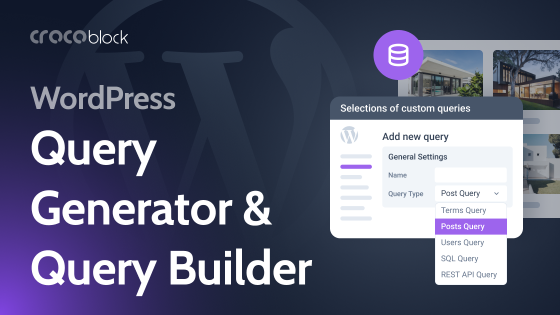
JetEngine is one of the most powerful plugins on the market that can replace a dozen premium plugins. It has over 20 modules that you can switch on and off, plus the full functionality for working with default and custom posts, taxonomies, relations, and custom fields. But that’s not all: it has Query Builder, a unique instrument for creating queries of any complexity, fully visually, without coding.
Here is how it works:
- Creating a query
You create a new query in Query Builder. There, you select what you need to be displayed on the front end – e.g., Articles post type, with author – Admin, published only from October 2025 to January 2026, that belongs to the Book Reviews category with the “Book Rating” custom field more than 3 and the number of comments over 5. You can go on with selecting additional criteria to refine the results further.
You can even select only the posts that have certain related items, where the author is the current or queried user, you name it. This tool allows thousands of combinations.
But I’ve only mentioned the Post query type – actually, it’s just one of 12+ possible types, as there are Taxonomy, User, SQL, Data Store, API endpoints, and other query types. And, depending on what you are working on, you can choose the query type. In addition, if you have other supported plugins installed – WooCommerce, JetBooking, JetAppointment, JetFormBuilder – you will have a dedicated query type to work with their data.
💡 Cool articles to learn more about Query Builder:
- 25 Cool Query Builder Features
- Cases for Query Builder SQL Query
- Setting Up a Membership Website With JetEngine (Multiple Use Cases for Query Builder)
- Creating a loop.
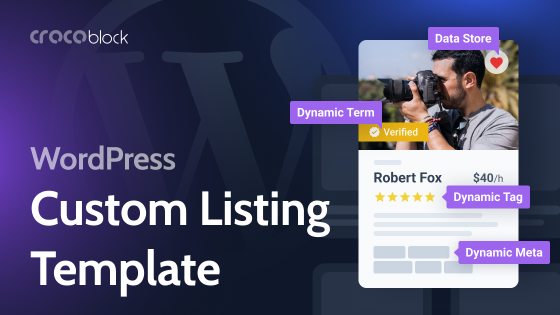
When the query is ready, create a basic loop – in JetEngine, a loop template is called a listing template. The process is quite simple – in JetEngine > Listings/Components, add a new listing, choose a source (posts, users, etc.), and design a layout for one item that will be repeated in the grid, carousel, or another layout – when you display all the posts.
Place all the required elements using Dynamic Field, Dynamic Image, and other JetEngine’s dynamic widgets, and choose an object or meta field to fetch the content from. Style them the way you want.
Finally, open the page you want to see your loop grid, add the Listing Grid widget, and choose the listing template you’ve just created – you will see all the posts/taxonomy terms/users. But we need only the particular elements we’ve specified when creating the query, right? So, in the Custom Query toggle, select that query – and voila, you see only the elements you want.
Remember, we’ve created a query for Articles with a lot of criteria, including the star rating of more than “3.” What if you want to show a star rating of more than “5” on the Best Sellers page? Just duplicate the query, change the particular condition – star rating, in our example, and save it. Then, on that page, add the Listing Grid with the same listing template, and simply apply this new query – and you will see another selection of posts.
It’s because we’ve created a basic listing template to reuse.
NOTE
You can see query options right in the Listing Grid settings, where you can choose taxonomy, author, etc. They work as well, but they are legacy features, and using Query Builder is strongly recommended instead, as it offers much more flexibility, tools, and works properly with JetSmartFilters.
💡 You are not limited by grid layout when using JetEngine – you can turn it into a carousel, a dynamic table, a calendar, a diagram, or even a map.
🔎 If you are just beginning to work with JetEngine or building a large website with many post types, custom fields, and relations, have a look at the AI Website Structure Builder. It’s not your average AI chat – it’s a specifically trained model designed to handle these tasks efficiently. It can generate not only post types and fields, but also basic listing templates and queries. You can edit them from a convenient dashboard.
Pricing: starting at $43 a year for the JetEngine plugin.
Feature rating:
- Query tool rating – 10/10.
- Loop designer tool rating – 10/10.
Rating explained:
Both tools are extremely effective and flexible. The Query Builder is the most powerful on the market. Talking about the loop tool – Listing Template builder, its Dynamic Field supports not only displaying content as it is, but over 20 callbacks to modify it (e.g., display image by ID or array as a list), and a Dynamic Tag to show data using the builder’s native widgets/blocks.
Also, the plugin supports the four most popular builders and Twig and offers many more features and modules.
Bricks Builder
🏆 Best for building post loops, from simple to quite complex.
⛏️ Requires Bricks builder.
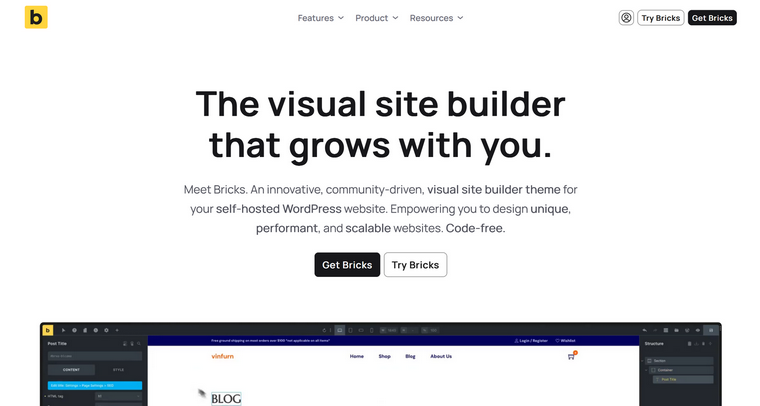
Bricks was pretty much a game-changer for some website developers when it first appeared on the market a few years ago. And I absolutely understand the hype – it’s a really efficient, developer-oriented builder that offers good performance.
It has a quite advanced query loop builder and nice loop layout builder tools. Let’s have a look at them.
Here is how it works:
- Creating a loop
In Bricks, you first create a loop right in the page container, where you add elements like Title, Image, and others, choosing the source for them – objects or meta fields.
There, you style it and, depending on the page, you can see a preview of the current items for your dynamic elements or no preview, if it’s for a query that doesn’t include the current page.
What is also cool here is that any element that is inside the section that is populated using the query loop dynamic tool can be populated – e.g., accordions, tabs.
- Creating a query
Now, switch on the Query toggle, and you can set up conditions for the query. There, you can choose a post type, taxonomy, and meta fields’ values to filter particular posts, users, terms, API endpoints, or even cart content (if WooCommerce is installed).
However, I was really surprised that it doesn’t support filtering by post author and date.
What can be helpful in such situations is a PHP query editor support, where you write code, and thus, you can create a query with more arguments, it supports posts, terms, and users – so, it’s cool, but you can’t use $wpdb, for example, to query the database directly.
Long story short: the query tool is suitable for many common use cases, but it’s not especially advanced.
💡 Useful resources:
- As JetEngine fully supports Bricks, you can join forces. Other Crocoblock plugins have this integration as well – read here about what you can do.
- Read about building a booking system in Bricks.
Pricing: starting at $79 a year.
Feature rating:
- Query tool rating – 7.5/10.
- Loop designer tool rating – 9/10.
Rating explained:
Bricks has quite useful query builder functionality – you can set up meta fields and taxonomies. Why did I give it 8 stars instead of 10? Because it doesn’t support advanced queries, e.g., from related items, there’s no filtering by post author (which is a very popular and important argument), and time period. Also, it would be great to have the “avoid duplicates feature” – e.g., when you implement the related posts functionality, to exclude the current post.
However, the PHP query editor can help with many of these cases – although it requires some PHP knowledge.
Elementor Pro Loop Builder
🏆 Best for building simple post loops for blogs or similar pages.
⛏️ Requires Elementor Pro builder.

Elementor is definitely a super popular builder, the most popular in the WordPress ecosystem. It’s easy to use, flexible, and has recently been doing a good job in improving performance and efficiency even more.
One of the long-awaited features was Loop Grid. But is it worth the hype? Let’s check.
Here is how it works:
In Elementor Pro editor, add the Loop Grid widget, and it will offer you to create a loop template. Click this button and create a loop template, using dynamic widgets made for this.
Then, save it and get back to the grid – now, you will see it populated.
Open the Query section in the editor and select a post type you want to be in your grid. Also, you can add a taxonomy term or an author for the posts.
💡 Useful resources:
- These add-ons may be helpful when working with Elementor, as some of them support dynamic content.
- JetEngine vs. Elementor Pro Loop Grid comparison.
- Check these Elementor dynamic templates.
Pricing: starting at $84 a year.
Feature rating:
- Query tool rating – 3/10.
- Loop designer tool rating – 7/10.
Rating explained:
Querying options are extremely limited, as you can only select a post type and filter it by taxonomy or author. In practice, this may be enough for simple blogs, but even in those cases, it is often insufficient.
The loop template builder is acceptable in terms of layout design, as Elementor is generally good at building page structures. However, it lacks tools for handling dynamic content.
A simple example: imagine a blog where posts do not have manually written excerpts. In the loop, you may want to display only the first two sentences of the post content. With the Elementor Pro Loop builder, this is not possible, as it does not even provide a basic “trim content” option, let alone more advanced dynamic controls.
In practice, this means fewer possible use cases and more manual work. In the example above, the only workaround would be creating excerpts for every post manually.
FAQ
A content loop is the mechanism WordPress uses to display posts, products, or other items retrieved from the database. It iterates through the results of a query and renders each item using a template. This is how archive pages, blog listings, and product grids are generated.
A WordPress query defines the criteria used to retrieve content from the database. It can filter items by post type, taxonomy terms, meta fields, authors, or date ranges. The query provides the dataset that the loop later displays.
A loop builder is a tool that lets you design dynamic content layouts visually.
Yes. Many modern WordPress builders include visual loop and query tools that allow you to configure dynamic content without writing PHP. However, advanced use cases may still require custom logic or coding knowledge.
A dynamic content loop displays multiple items using a single template layout. The template is repeated automatically for every item returned by the query, such as posts, products, or custom post types.
Wrapping Up
I think loop builders can’t be overstated, as even for simple projects, you actually need them, and for many years, WordPress developers had to use code generators and dig into PHP templates to get what they wanted. With visual loop builders, the process comes down to selecting query parameters from dropdowns and designing the layout.
Here, I discussed three loop builders:
- JetEngine is the most advanced and flexible, and it works with most of the popular builders.
- Bricks’ Query Loop tool is solid, but to create more advanced queries, you will have to use code.
Finally, Elementor Pro’s Loop Grid functionality is handy, but when it comes to querying, it’s not very advanced.