A shopping cart today is more than just a digital basket for goods—it’s a critical bridge between browsing and buying. Understanding what a shopping cart is and how to choose the right one can make all the difference between abandoned checkouts and successful sales.
In this article, we’ll break down the concept of a shopping cart, explore the different types, and share best practices to optimize the experience for your customers. Let’s dive in!
What Is a Shopping Cart?
A shopping cart, in eCommerce, is a digital tool that allows customers to select and store items they intend to purchase while they continue browsing an online store. Just like a physical shopping cart in a brick-and-mortar store, it holds a collection of chosen products until the shopper is ready to proceed to checkout.
Beyond its basic function of gathering items, a shopping cart plays a role in the online shopping experience. It allows users to:
- review their selections before making a purchase;
- adjust quantities or remove items as needed;
- calculate the total cost, including taxes, discounts, and shipping fees;
- initiate the checkout process, where payment and shipping details are entered.
For businesses, a shopping cart is much more than a storage bin—it’s a crucial step in converting casual visitors into paying customers. A well-designed cart can reduce cart abandonment, build trust, and create a seamless path to purchase.
Exploring Shopping Cart Options
Let’s explore the main types of shopping carts you might encounter, along with how plugins can supercharge your setup:
- Hosted shopping carts. These are all-in-one solutions hosted on external platforms, like Shopify or BigCommerce. While powerful, they don’t always integrate seamlessly with WordPress unless you embed or connect them via APIs.
- Self-hosted (licensed) shopping carts. With WordPress, this usually means installing a plugin that gives you full control over your shopping cart. Popular choices include WooCommerce, which transforms your WordPress site into an online store.
- Open-source shopping carts. These are highly customizable solutions that are perfect for WordPress users who want to tinker with code. WooCommerce itself is open-source, allowing you to extend its functionality with themes and plugins.
- Headless shopping carts. These decouple the front end from the back end, offering flexibility and lightning-fast performance. They’re often API-driven and can be integrated into a WordPress site, but typically require advanced developer knowledge.
Shopping cart plugins for WordPress

The beauty of WordPress is that you can improve your shopping cart with powerful plugins. WooCommerce is the gold standard, but additional plugins like JetWooBuilder make customizing product grids, single product pages, and even the cart and checkout process easier and more visually stunning, without touching a line of code.
JetWooBuilder, in particular, offers dynamic widgets, custom templates, and seamless integration with Elementor, giving you total design freedom. This means you can craft a unique, engaging shopping experience that keeps customers engaged all the way through checkout.
In short, WordPress users have a wealth of options for creating the perfect shopping cart, from simple plugin-based solutions to fully customized experiences.
Best Practices for Shopping Carts
A well-designed shopping cart is a crucial part of the buying journey that can make or break your conversions. Here’s how to ensure your WordPress-powered store provides a seamless, user-friendly shopping experience:
- Keep it simple and clear
Your shopping cart should be intuitive, with a clean layout that avoids clutter. Use clear labels for “Add to Cart,” “View Cart,” and “Checkout” to guide users effortlessly through the process. Plugins like WooCommerce and JetWooBuilder offer user-friendly widgets and templates that make cart design simple and effective.
- Show cart contents at all times
Consider adding a mini cart or a cart icon in the header so users can see what’s in their cart at a glance. Many WordPress themes and plugins support dynamic cart widgets that update in real time.
- Enable easy updates
Allow users to easily adjust quantities or remove items without needing to reload the entire page. WooCommerce supports AJAX functionality out of the box, and JetWooBuilder can help you design these interactive elements visually.
- Display transparent pricing
Show item prices, taxes, shipping costs, and total amounts clearly. Plugins let you customize checkout pages to highlight these details and build trust.
- Streamline checkout
A long, complicated checkout is a surefire way to lose customers. Use one-page checkout or progressive checkout to make the process quick and user-friendly. WooCommerce offers extensions to simplify checkout, and JetWooBuilder lets you design customized checkout pages with Elementor.
- Prioritize security
Make sure your site uses SSL encryption and displays trust badges to assure customers their data is safe. Most WordPress eCommerce plugins support secure checkout with payment gateways like PayPal, Stripe, or Klarna.
- Optimize for mobile
With more shoppers browsing on their phones, ensure your cart and checkout are fully responsive.
Combining best practices with the power of WordPress and plugins can transform your shopping cart from a simple container into a high-converting sales tool. Focus on clarity, transparency, and seamless design to give your customers a shopping experience that keeps them coming back.
Top 5 WordPress Plugins for Creating Great Shopping Carts
Choosing the right shopping cart plugin can make all the difference when building a successful online store with WordPress. Let’s look at some of the top examples and why they stand out.
WooCommerce
Arguably the most popular eCommerce plugin for WordPress, WooCommerce transforms your site into a fully functional online store. It’s highly customizable, offers a vast library of extensions (for payments, shipping, marketing, and more), and is supported by a huge community. With features like AJAX cart updates, product variations, and extensive checkout options, WooCommerce covers everything from small shops to enterprise-level stores.
JetWooBuilder
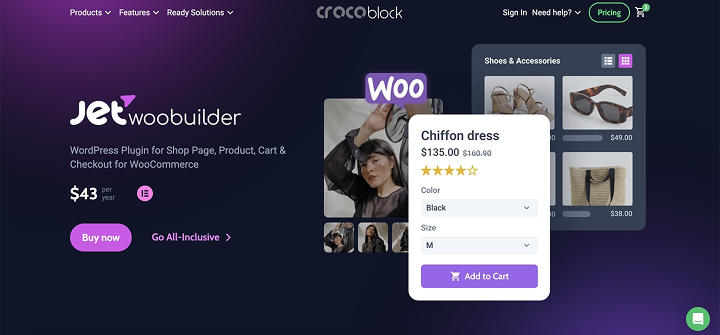
Part of the Crocoblock suite, JetWooBuilder is a must-have for Elementor users who want to design visually stunning shop and cart pages. It lets you build custom product grids, single product pages, and checkout flows without touching a line of code. With dynamic widgets like Add to Cart, Cart Totals, and Checkout Forms, you can create a personalized, high-converting shopping experience that looks great on any device.
CartFlows

CartFlows is a powerful sales funnel builder that integrates with WooCommerce. It’s ideal for creating optimized checkout processes, order bumps, upsells, and thank-you pages that can dramatically increase your average order value. Its visual flow builder makes it easy to design user-friendly, high-converting cart and checkout experiences.
Easy Digital Downloads (EDD)
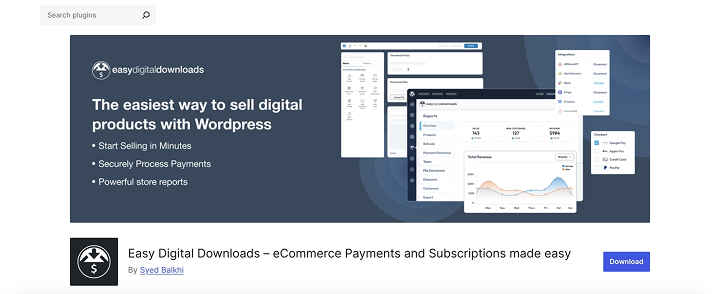
If you’re selling digital products like software, music, or e-books, EDD is a fantastic shopping cart plugin. It offers clean, simple checkout pages, customizable cart functionality, and plenty of add-ons for payment gateways and marketing.
ShopEngine

ShopEngine is another Elementor-based solution that extends WooCommerce’s capabilities. It lets you design advanced cart and checkout pages, product layouts, and dynamic filters, making it a flexible choice for stores that want a tailored shopping experience.
FAQ
A shopping cart is a digital feature that allows customers to collect, review, and manage products before checking out. It plays a key role in guiding shoppers through the buying process and helps ensure a smooth transaction.
WooCommerce is the most popular and versatile option for WordPress users. For additional design and customization, JetWooBuilder is highly recommended, especially for those using Elementor.
Absolutely! WordPress plugins like WooCommerce and JetWooBuilder allow extensive customization. You can design everything from product pages to checkout forms, using dynamic widgets and templates that match your brand’s style.
Conclusion
Understanding the fundamentals of a shopping cart, the different types available, and best practices for creating a seamless experience can make all the difference between a sale and an abandoned cart.
We’ve explored what a shopping cart is and why it’s so essential for converting browsers into buyers. We’ve looked at the different types of shopping carts you can use with WordPress, from plugin-based solutions to headless and open-source options that offer even greater flexibility.
Building a great shopping cart experience with WordPress doesn’t have to be complicated. By combining the right tools, thoughtful design, and proven best practices, you can transform your online store into a high-converting, customer-friendly destination.