After checking out different WordPress theme builders, I’ve learned that not all builders are created equal. Some promise full theme control but lock you into rigid templates. Others are powerful but bloated. Before exploring specific items, it’s crucial to understand the distinction between page builders and theme builders; many users confuse the two, and selecting the wrong one can limit your website’s potential.
Page builders let you design individual pages and posts using drag-and-drop interfaces. They’re great for creating custom landing pages, blog posts, or product pages, but they don’t give you control over your site’s structural elements. You’re still dependent on your active WordPress theme for headers, footers, archive layouts, and overall site structure.
WordPress theme builders go much deeper. A proper WordPress theme builder gives you complete control over every aspect of your site’s design, including headers, footers, single post templates, archive pages, search results, 404 pages, and even WooCommerce product layouts. Essentially, a WordPress theme builder plugin transforms your site into a fully customizable canvas where theme limitations disappear.
Some WordPress theme builder software solutions are standalone products, while others are premium add-ons for existing page builders. For example, Elementor offers basic page building for free, but the Elementor theme builder functionality requires the Pro version. Similarly, the Divi theme builder plugin is integrated into the main Divi product, while tools like JetThemeCore add theme-building capabilities to Elementor’s free version.
💡 The key distinction: if you want to design website builder themes from scratch with complete control over every template and structural element, you need a true theme builder, not just a page builder.
What to Look for in a WordPress Theme Builder?
Here’s what actually matters when choosing the best WordPress theme builder for your needs.
Complete template control
The best WordPress theme builder should let you design every template type: headers, footers, single posts, archive pages, search results, 404 pages, and WooCommerce elements. Some builders claim to be theme builders but offer only partial template control, forcing you to rely on your base theme for certain elements.
Conditional display logic
Professional theme builders need robust conditional logic. You should be able to show different headers for different post types, display specific footers on certain pages, and create unique layouts for different user roles or device types. This is what makes a builder theme truly flexible.
Dynamic content integration
Your WordPress theme builder plugin must handle dynamic content elegantly: custom fields, taxonomies, user data, and post metadata. Without this, you’re limited to static designs that don’t scale for blogs, directories, or membership sites.
Learning curve
Consider your skill level honestly. Some theme builders, such as Bricks, prioritize power and clean code but require an understanding of web development concepts. Others, such as Elementor and Beaver Builder, are more beginner-friendly but may sacrifice some performance or flexibility.
Ecosystem and support
The size of the community matters. Popular options like the Elementor theme builder offer extensive third-party add-ons, templates, and tutorial resources. Smaller builders may offer less support when you encounter problems.
Now, let’s examine how the top builders perform.
Top 7 WordPress Theme Builders
Divi (Premium)
🏆 Best for users who want an all-in-one WordPress theme builder solution with extensive pre-made layouts and don’t mind a learning curve.

Divi Visual Builder looks impressive at first, but the interface has a steep learning curve. The front-end and back-end editing modes can be confusing for beginners. Building a header from scratch may take longer than expected because of the nested structure of sections, rows, and modules. Once you understand the logic, though, it becomes easier.
Design flexibility is where Divi shines. You can customize virtually everything through the Divi theme builder, including headers, footers, product pages, and archive templates. The dynamic content options are robust, and WooCommerce integration is solid. I appreciated the ability to create conditional display rules for different templates.
Pricing: the upfront cost for annual plans starts at $89 for unlimited sites, and Divi PRO is available for $888/year.
Key features:
- full theme builder with conditional logic;
- extensive library of pre-made layouts and modules;
- built-in split testing and conversion tools;
- visual editing with front-end and back-end modes;
- WooCommerce builder included.
Pros:
- unlimited design flexibility with granular control;
- large community and extensive documentation;
- regular feature updates and improvements;
- no coding required for complex layouts;
- split testing is built in for marketing sites.
Cons:
- performance impact noticeable on larger sites;
- steeper learning curve than advertised;
- can create database bloat with extensive edits;
- occasional plugin conflicts;
- interface feels cluttered with too many options.
Elementor (Freemium)
🏆 Best for designers who prioritize visual control and want the most popular builder with the largest ecosystem.
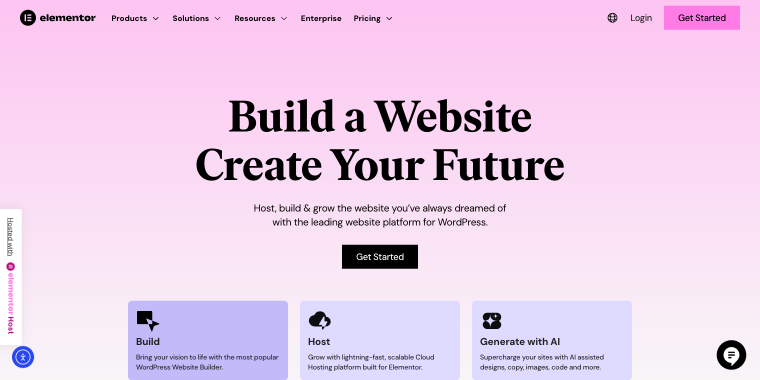
The Elementor interface is the most polished among all builders. Beginners can build attractive pages within hours. The drag-and-drop interface feels natural, and the live preview updates instantly. Creating theme templates with Elementor Pro is similarly straightforward, though understanding the template hierarchy takes some learning.
With Elementor Pro, you get complete theme control. The Elementor theme builder covers every template type, and the widget ecosystem is extensive. Custom CSS and HTML widgets provide escape hatches for edge cases. Dynamic content options are excellent, and WooCommerce Builder is one of the best implementations I’ve used.
Global widgets, theme styles, and the template library create an efficient workflow. The ecosystem of third-party add-ons means there’s usually a widget for whatever you need. Copying and pasting styles between elements works well. However, managing dozens of templates across large sites can become a bit challenging.
Pricing: the Essential plan at €4.99/month covers 1 site, and the Advanced Solo plan starts at €6.99/month.
Key features:
- intuitive drag-and-drop with live preview;
- comprehensive Elementor theme builder (Pro version);
- massive widget library and third-party ecosystem;
- excellent WooCommerce builder integration;
- pop-up builder and form builder included.
Pros:
- most intuitive interface for beginners;
- largest community and third-party support;
- regular updates and new features;
- excellent documentation and tutorials;
- WooCommerce integration is top-tier.
Cons:
- performance impact is heavier than alternatives;
- generates more code and divs than needed;
- can feel bloated with unused features;
- annual renewal required for continued updates;
- memory-intensive on complex pages.
JetThemeCore (Premium)
🏆 Best for Elementor users who want WordPress theme builder functionality without switching to Elementor Pro.
If you’re already comfortable with Elementor, JetThemeCore feels immediately familiar. Creating header and footer templates is straightforward using the same drag-and-drop interface. The learning curve is minimal because it’s essentially adding theme-level functionality to the Elementor you already know. JetThemeCore gives you full control over templates for headers, footers, single posts, archives, and 404 pages.
It integrates seamlessly with other Crocoblock plugins for dynamic content. The workflow is efficient if you’re already in the Crocoblock ecosystem; templates work across your theme elements.
Pricing: available individually at $43/year or as part of the Crocoblock subscription, starting at $199/year for multiple plugins.
Key features:
- seamless Elementor integration for theme templates;
- header, footer, and archive template creation;
- conditions system for template display rules;
- works with other Crocoblock dynamic content plugins;
- lightweight compared to full theme builders.
Pros:
- very affordable for theme building functionality;
- familiar interface for Elementor users;
- stable and reliable in production;
- integrates perfectly with the Crocoblock ecosystem;
- minimal performance overhead beyond Elementor.
Cons:
- requires free Elementor as a foundation;
- limited compared to dedicated theme builders;
- no built-in template library for theme parts;
- WooCommerce requires an additional plugin;
- the best value comes from a full Crocoblock subscription.
Bricks (Premium)
🏆 Best for performance-focused developers and designers who want the best WordPress theme builder with clean code and complete control.
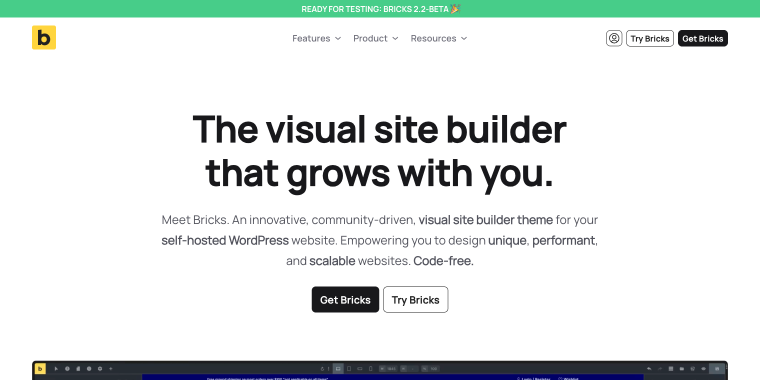
Bricks site builder has a learning curve, especially if you’re coming from traditional builders. The interface is developer-oriented, and you need to understand concepts like query loops and dynamic data from the start. However, once these concepts click, Bricks becomes incredibly powerful, especially with add-ons. Building something from scratch may take some time on your first attempt, but later, once you grasp the concepts, you’ll be able to do it in half the time.
In Bricks, design flexibility is unmatched. Bricks gives you complete control over every element without fighting theme restrictions. The query loop builder is phenomenal for creating dynamic content. WooCommerce templates are fully customizable. I’ve built things with Bricks that would be impossible or extremely difficult with other builders. The CSS control is granular, and you can write custom code anywhere.
Pricing: one-time payment of $79 for a single site with subscription-long updates.
Key features:
- clean, semantic HTML with minimal markup;
- powerful query builder for dynamic content;
- global classes system for consistent styling;
- no jQuery dependencies for better performance.
Pros:
- complete design freedom without restrictions;
- a lifetime license is an exceptional value;
- fast, responsive builder interface;
- excellent for developers who know CSS.
Cons:
- steeper learning curve for beginners;
- no built-in template library;
- smaller community than Elementor or Divi;
- the interface is less polished than the competitors;
- requires an understanding of web development concepts.
Beaver Builder (Premium)
🏆 Best for agencies and enterprises prioritizing stability, clean code, and long-term reliability with a proven Beaver Builder theme solution.
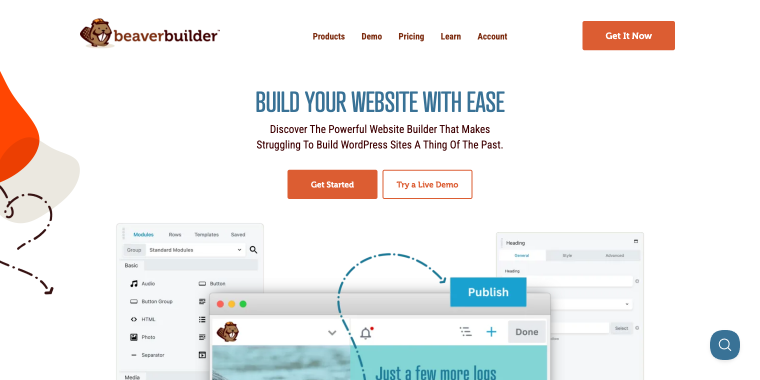
Beaver Builder has the gentlest learning curve of any builder out there. The interface is clean and uncluttered. Beginners can create cool pages within an hour. The Themer add-on for theme building is similarly straightforward, though it lacks some visual feedback during template creation. Everything works as expected without surprises.
Beaver provides solid theme control with header, footer, and content templates. It’s not as flexible as Bricks or Elementor for complex designs, but the Beaver theme builder covers 90% of typical use cases. WooCommerce support is functional but basic compared to dedicated solutions. The module selection is smaller, though third-party add-ons fill gaps.
Pricing: Pro version at the Starter plan for $89/year for a single site; the Unlimited plan for $546/year unlocks white-labeling and multisite support.
Key features:
- exceptionally stable and reliable;
- clean code with good performance;
- front-end editing with clear visual feedback;
- Beaver Themer add-on for theme templates;
- white-label options for agencies.
Pros:
- the most stable builder tested;
- clean, accessible code output;
- beginner-friendly interface;
- excellent customer support;
- white-label and multisite capabilities.
Cons:
- fewer features than competitors;
- interface feels dated compared to newer builders;
- smaller module library;
- WooCommerce support is basic.
Visual Composer (Premium)
🏆 Best for users migrating from the classic Visual Composer who want a familiar drag-and-drop experience with both front-end and back-end editing.
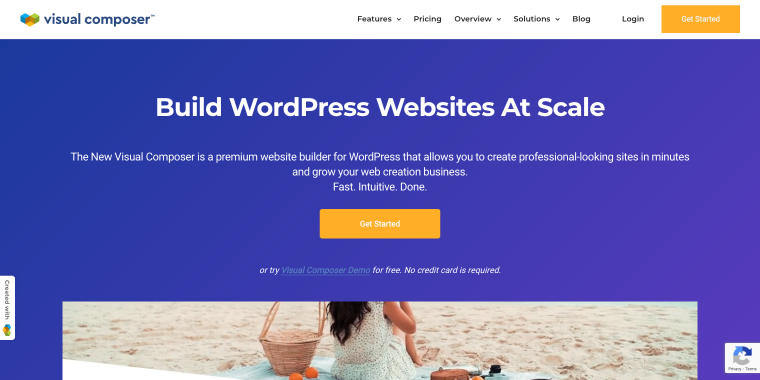
Visual Composer Website Builder (the new version, not the classic plugin) has two editors: front-end and back-end. This dual approach is initially confusing. Building theme templates requires the premium Hub, and the process isn’t as intuitive as competitors. With Visual Composer Hub Premium, you get theme template control and access to professional templates and elements.
The customization options are comprehensive, though they are organized differently from those of other builders. WooCommerce support is available, but it requires specific elements. Dynamic content is available, but not as straightforward as Elementor or Bricks. Support response is adequate but not exceptional.
Pricing: starts at $49/year for one site; Plus at $99/year includes five sites.
Key features:
- dual front-end and back-end editing modes;
- hub system with templates and elements library;
- theme builder with Premium hub subscription;
- design templates and blocks included;
- cloud-based template storage.
Pros:
- extensive template library in the hub;
- back-end tree view is helpful for structure;
- both front and back-end editing options;
- cloud storage for templates across sites;
- regular template additions to the hub.
Cons:
- dual-editor approach creates workflow confusion;
- performance not as good as top competitors;
- steeper learning curve than expected;
- the builder can feel sluggish on complex pages;
- smaller community than Elementor or Divi.
SiteOrigin (Premium)
🏆 Best for developers and WordPress purists who want a free WordPress theme builder with clean code and no vendor lock-in.
SiteOrigin‘s interface is bare-bones by modern standards. It uses a row-and-widget approach that feels dated compared to visual builders. Back-end editing requires more imagination because there’s no true live preview. However, for developers comfortable with WordPress, it’s straightforward. Creating a basic layout takes longer than with visual builders, but you understand exactly what’s being created.
The workflow feels like old-school WordPress. You’re essentially creating layouts with widgets in a grid. Global styling requires the separate SiteOrigin CSS plugin. No real template system, no design libraries, no global elements. You’re building page by page with limited reusability. Efficient if you value simplicity, frustrating if you want modern conveniences.
Pricing: the free version is genuinely free. Premium add-ons are $29/year for expanded widgets.
Key features:
- completely free core plugin;
- lightweight with minimal code output;
- row and widget-based layout system;
- works with any theme;
- no vendor lock-in.
Pros:
- best performance of any free builder;
- genuinely free with no feature gates;
- extremely stable and compatible;
- clean, semantic code output;
- content remains after deactivation.
Cons:
- dated interface compared to modern builders;
- very limited design flexibility;
- no theme builder functionality;
- small widget library;
- requires custom CSS for advanced designs.
FAQ
A page builder focuses on designing individual pages, while a theme builder controls the entire site structure. With a theme builder, headers, footers, archives, and system pages can all be customized from one place.
Most modern theme builders work without code and rely on visual editors. That said, tools like Bricks offer deeper control if you are comfortable with CSS or development concepts.
Elementor Pro and Beaver Builder are usually the easiest to start with because of their clear interfaces and extensive learning resources. They allow building full site layouts without needing prior technical experience.
Conclusion
After building dozens of sites with these WordPress theme builder plugins, here’s the recap:
- Choose the Bricks builder theme if you’re a developer or designer who values performance and clean code above all else. The learning curve pays off quickly, and the lifetime license is an unbeatable value for a professional builder theme.
- Choose the Elementor theme builder if you want the largest ecosystem and the most intuitive interface, and aren’t concerned about some performance overhead. It’s the safe choice with the best community support and arguably the best WordPress theme builder for beginners.
- Consider JetThemeCore only if you’re already invested in Elementor and the Crocoblock ecosystem.
- Choose the Beaver Builder theme if you need rock-solid stability for client sites and prefer reliability over cutting-edge features. Agencies, in particular, will appreciate the white-label options in this Beaver theme builder.
- Choose the Divi theme builder plugin if you want an all-in-one solution with extensive pre-made content and don’t mind the performance impact. The lifetime license makes sense for agencies building many sites.
- Avoid Visual Composer and SiteOrigin unless you have specific legacy reasons or extremely basic needs.
The truth is, the “best” theme builder depends entirely on your specific needs, skill level, and priorities. Based on project requirements, different builder WordPress theme solutions suit different projects, but Elementor + JetThemeCore may become your daily driver for new projects, offering unlimited control.
Whether you need a theme builder for WordPress, a free option or a professional paid solution, understanding your priorities, performance, ease of use, design flexibility, or cost, will guide you to the right choice.