Building a booking system and looking for the best booking plugin in WordPress? JetBooking is an effective solution for any kind of booking system. In this article, I will examine which types of sites can be built with the JetBooking plugin alone, what can be created for a full accommodation booking website with the JetBooking plugin and the Crocoblock suite, and how to integrate JetBooking with WooCommerce.
Since JetBooking is the focus today, I will break down what makes it special, outline its main features, and demonstrate how they work across different booking scenarios. These use cases will help you understand exactly what kind of functionality you can achieve, which projects JetBooking is best suited for, and what results you can expect when choosing it as your WordPress booking plugin.
What Is the JetBooking Plugin?
Let’s start from the very beginning. JetBooking is a Crocoblock plugin that offers a robust solution for both complex and simple booking systems. This is a booking plugin for WordPress and WooCommerce, and serves as an online booking plugin that WordPress users can set up without coding. The plugin is designed for daily hotel and apartment bookings, which integrates seamlessly with Elementor, Gutenberg, and Bricks builders, and can be adapted for workflows common to plugin Booking.com WordPress installations.
JetBooking allows you to use seasonal and weekend prices, as well as variable pricing per person, making the booking system dynamic and flexible. It follows a similar pricing model to solutions like Booking.com.
Shall we look through the key features of the JetBooking:
- No code needed – the entire booking system can be built without code. All required functionality is built in, along with styling settings.
- Booking dashboard – on the backend, the admin can select the most appropriate and convenient view for bookings: calendar, timeline, or list.
- Backend booking management – admin can create, edit, and delete bookings in the admin panel.
- Flexible checkout rules – choose whether to include or exclude the checkout day when calculating the total booking cost.
- Booking sorting and filtering – quickly organize bookings on the backend using search, filters, and sorting tools.
- Booking export tools – export reservation data to CSV for reporting, accounting, or external management.
- Cross-platform synchronization – sync availability with external platforms via iCal to prevent double bookings.
- Fully translatable – works seamlessly with multilingual setups, ensuring all booking-related texts can be translated.
Why Choose JetBooking?
Most of the plugins, including many WordPress booking plugin free solutions, have the listed features, so it is not surprising. So let’s have a look at the advantages of JetBooking to understand why one should choose it:
- Dynamic pricing rules – you can create advanced pricing logic that is rare to find in a typical plugin for booking, and that adapts to stay length, custom conditions, or additional services. Perfect for rentals and accommodations that require flexible, context-aware cost calculations.
- Seasonal and special-day pricing – the plugin allows you to set different prices for peak seasons, weekends, holidays, or custom workdays. This gives you full control over how availability and demand affect your rates.
- Built-in booking cancellation – let customers or admins cancel reservations per your policies. This gives businesses more flexibility and reduces backend workload.
- WooCommerce integration – connect bookings to WooCommerce products to unlock secure payments, invoices, taxes, coupons, and support for dozens of payment gateways like Stripe, PayPal, and Klarna.
- Time-picker management – define exact booking timeframes, set available time slots, block specific hours, and tailor booking durations for services that need hourly or partial-day scheduling.
3 Practical Scenarios for JetBooking
So, let’s examine the application scenarios for the JetBooking plugin. As I mentioned before, JetBooking is flexible enough to work on its own – just imagine that one plugin is enough to build a whole site, even for those needing a WordPress booking activities plugin approach. And what kind of site can be built by the entire Crocoblock ecosystem with all the webhooks and integrations? Let’s have a closer look at each case and see how they work.
Use case 1: Rental site with JetBooking only
The JetBooking plugin is more than enough for building a simple rental site, such as for equipment, cars, or bike rentals, and it works as a reliable online booking plugin that WordPress site owners can scale. To be fair, I need to mention that you need a page builder such as Elementor, the Block Editor (Gutenberg), or Bricks. In this case, I use Elementor.
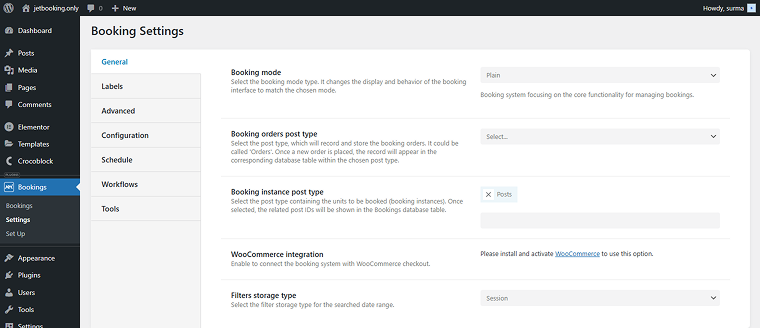
So, what can be done with JetBooking only? As the instance booking post type, I use the default WordPress posts:
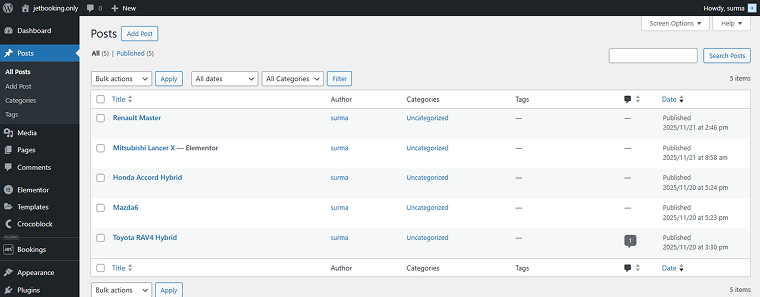
Units can be managed from the backend, so I added several post-service options that can be booked.
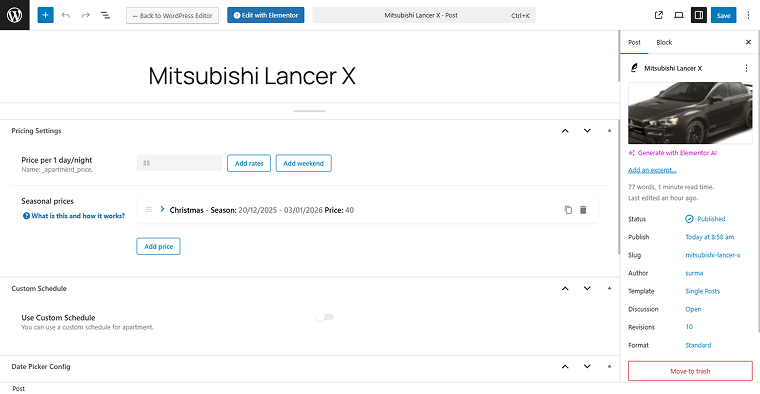
The prices are flexible: you can set custom prices per day and per period, and apply extra fees for additional services. For example, I’ve applied custom pricing for the Christmas period for this service:
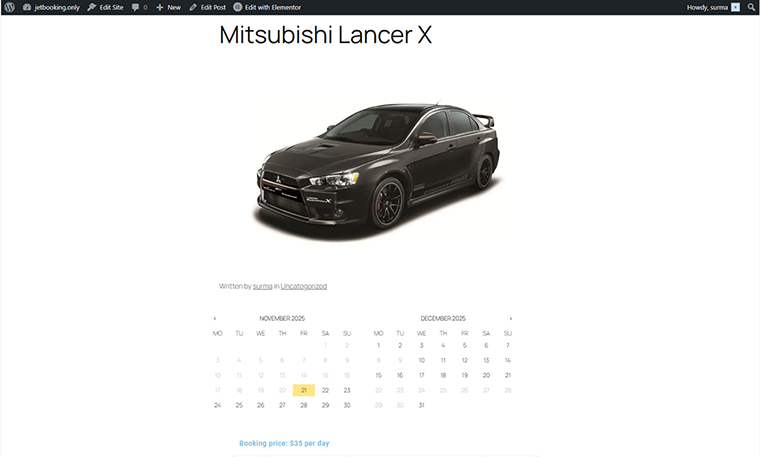
The availability calendar is accessible on the single posts. So customers can see exact rental dates available with a dynamic front-end calendar.
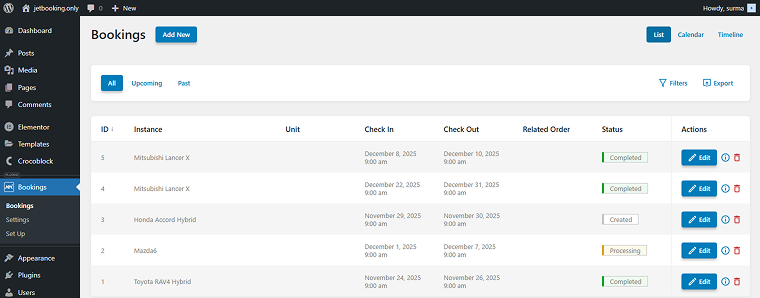
Admins can easily manage reservations in the backend dashboard by selecting a calendar, timeline, or list view.
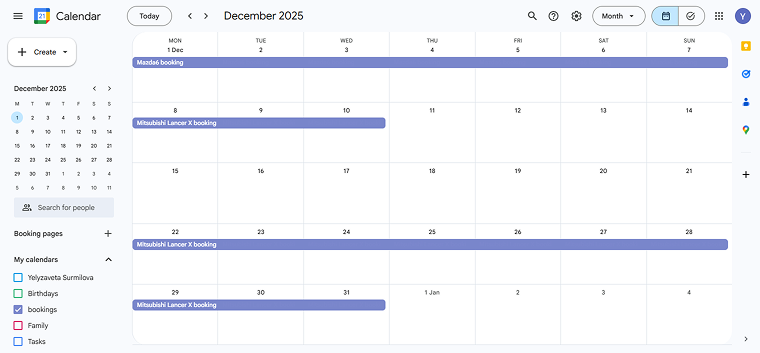
The external calendar sync is available – I have synchronized bookings with my Google Calendar.
We can agree that this is a simple example of the booking system, which is mostly managed by the admin. Of course, the functionality you choose primarily depends on your needs. Still, here I demonstrated the basic site features, which can be extended with different widgets, add-ons, and other plugins.
Use case 2: Full hotel rental website with Crocoblock ecosystem
Now, let’s move on to a more complicated booking system. In this example, I use the full power of Crocoblock plugins to create a highly dynamic, functional booking site. When used alongside JetEngine, JetSmartFilters, JetFormBuilder, and JetThemeCore, JetBooking allows you to create full-featured booking platforms — for instance, hotel or apartment sites — much like Booking.com or Airbnb.
The first functionality I’d like to mention is the ability to create custom templates and styling – JetThemeCore lets you design attractive, branded service pages, archives, and detail pages without coding.
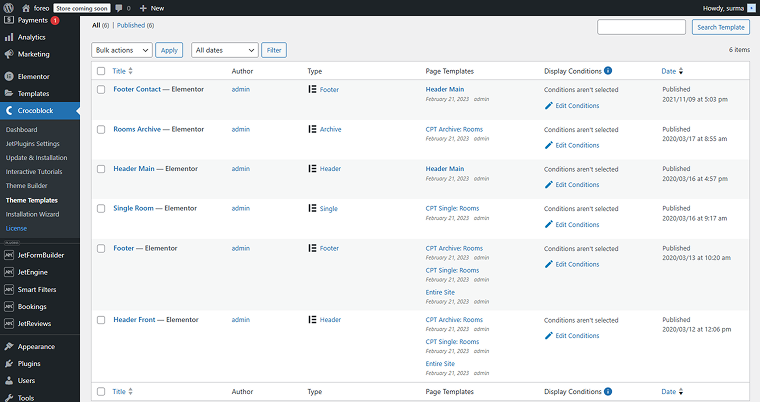
Here, I created a single service post template, an archive page, and other custom page parts, such as headers and footers, using JetThemeCore.
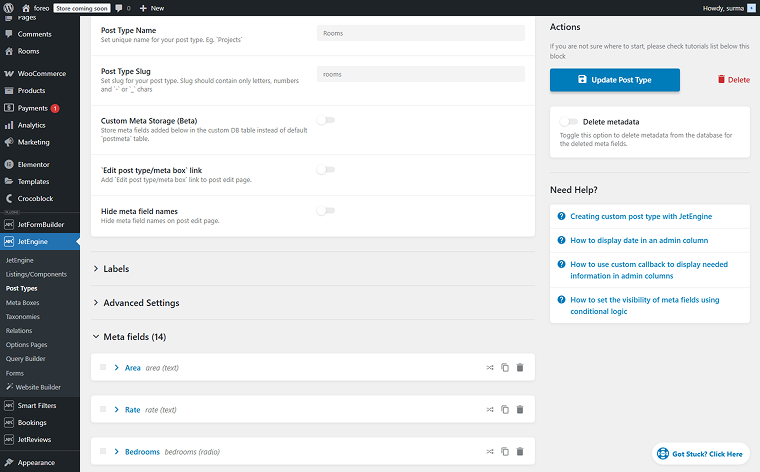
JetEngine creates Custom Post Types (CPTs) for rooms or apartments, with detailed metadata (price, occupancy, amenities).
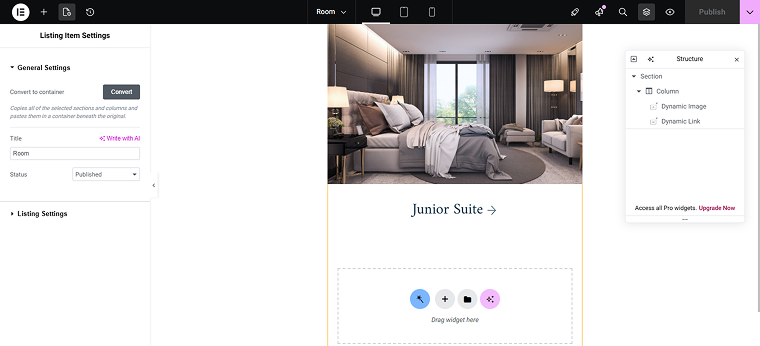
Additionally, with JetEngine, you can create dynamic listings and query them by any parameter.
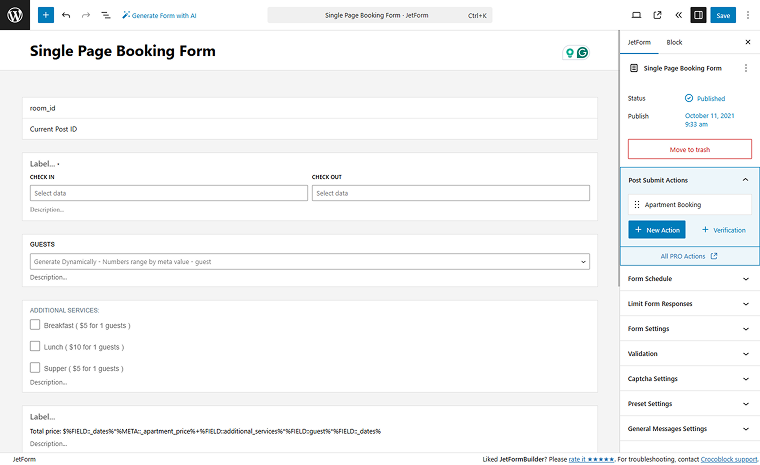
JetFormBuilder integrates with JetBooking, allowing admins to create front-end booking forms and for customers to book rooms directly on the site.
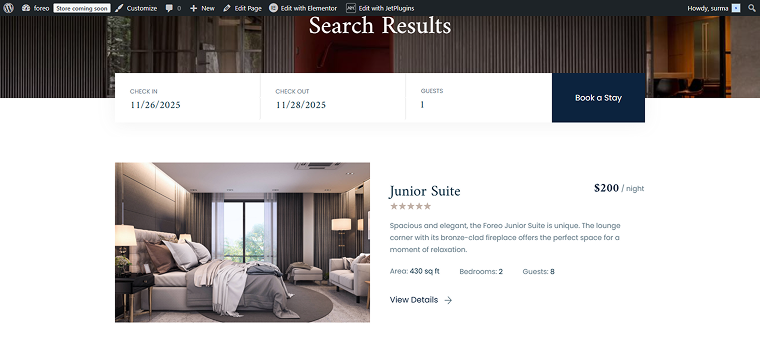
JetSmartFilters lets you create advanced filters to search by availability, date, room type, location, price, or amenities.
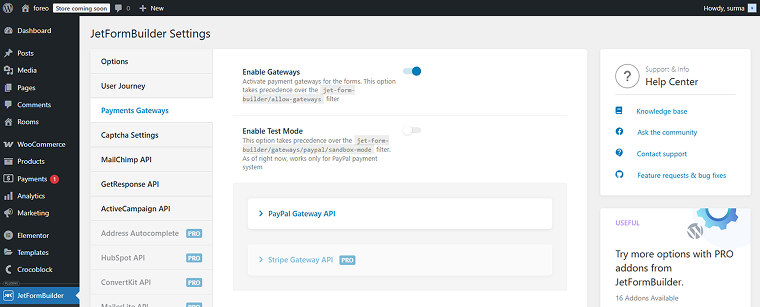
Using the JetFormBuilder add-ons, you can set up payment integrations, such as Stripe, PayPal, or WooCommerce Checkout.
Additionally, you can avoid double bookings across Google Calendar, iCal, and external booking platforms, including setups similar to Booking.com workflows, with the multi-calendar sync.
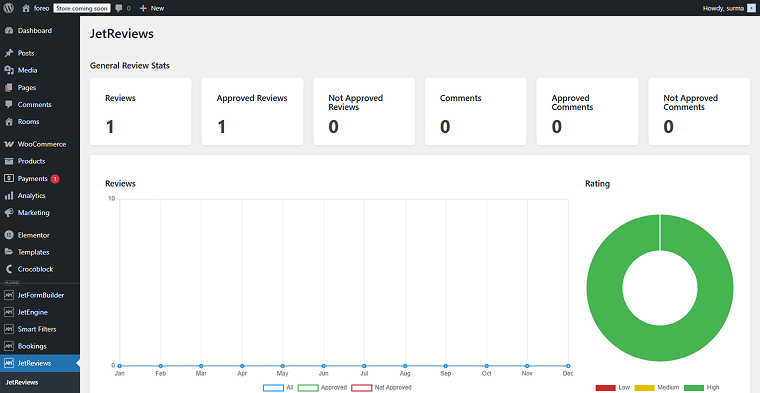
JetReviews allows customers to leave service reviews and for admins to organize and easily manage these comments.
Of course, you can add more features or widgets from JetElements, JetTricks, JetMenu, or JetBlocks plugins to increase the booking site functionality. You can also connect it to other platforms, such as Booking.com or Airbnb. All in all, you can customize your booking system to your heart’s content with no coding required.
Crocoblock provides Dynamic Templates as a ready-up solution for various use cases, including booking systems. These templates are fully functional cheat sheets that can be installed in a couple of minutes and customized to your needs. Dynamic Templates is a good orientation with all the features, templates, and widgets in the correct place, for users who want to create a site by themselves.
Use case 3: Tours booking site with JetBooking and WooCommerce integration
In addition to the usual payment and other calendar tools integrations, the JetBooking plugin can be integrated with WooCommerce, enabling a powerful booking + eCommerce solution for monetizing services and rentals. Let’s have a look at the benefits included. This setup also works for activity-based sites that usually require a WordPress booking activities plugin.
In this case, I have the dynamic template for the Travengo tour booking site, where bookings are WooCommerce products.
This means orders can be managed via the JetBooking and WooCommerce dashboards. Tracking bookings as WooCommerce orders allows integration with inventory, notifications, and reporting.
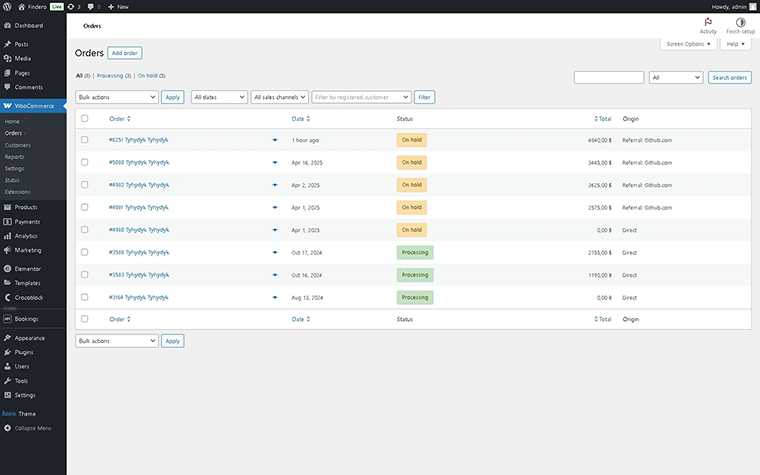
The “WooCommerce based” mode, described herein, allows users to enter the product’s metadata without creating booking forms.
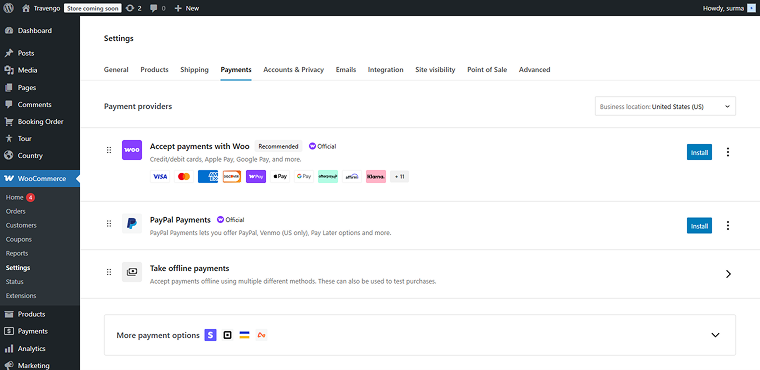
The JetBooking system accepts all WooCommerce-supported payment gateways, including credit cards, PayPal, Stripe, and Klarna.
Additionally, we can create extra services and guest options.
You can apply WooCommerce coupon codes or discounts for early bookings, long stays, or special promotions.
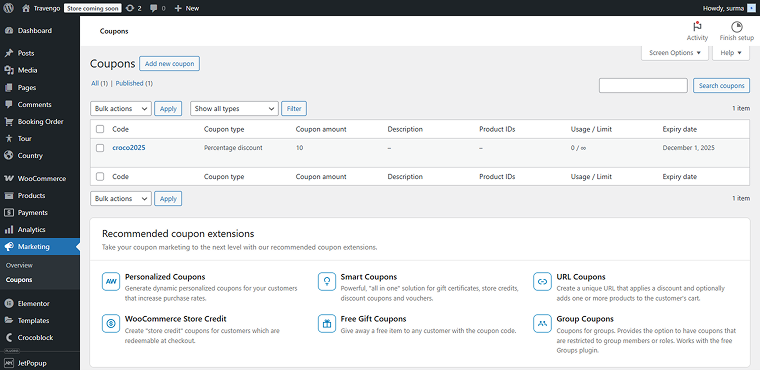
The JetBooking integrated with WooCommerce setup is ideal for businesses that want full control over payments, promotions, and reporting, while keeping the powerful JetBooking system for scheduling and availability.
FAQ
Yes. JetBooking supports booking cancellation, with rules you can configure. You can decide whether users can cancel from their account, how far in advance they can cancel, and whether cancellation triggers a refund (handled through WooCommerce if payments are used).
Yes. JetBooking includes time-picker controls, allowing you to offer check-in/check-out times, hourly rentals (e.g., bikes, equipment), and combined date-and-time bookings. You define the time intervals and availability.
Yes. JetBooking supports iCal synchronization, letting you import and export calendars. This helps prevent double bookings across platforms such as Airbnb, Booking.com, TripAdvisor, and Google Calendar when using a WordPress booking plugin with the Airbnb structure.
Yes. JetBooking is fully translatable and compatible with popular multilingual plugins, such as WPML or Polylang. You can translate fields, labels, emails, and booking details to serve customers in multiple languages.
To Sum Up
After reading this article, you know the key features of the JetBooking plugin and what distinguishes it from other top plugins for WordPress bookings on the market. Additionally, I examined three realistic JetBooking use cases. Now, you know that the site can be built using JetBooking only, JetBooking with the Crocoblock ecosystem, or JetBooking integrated with the WooCommerce plugin. Obviously, your choice depends on your requirements: you can either use a simple rental site to manage a small business, combine an eCommerce system with booking functionality, or even add WooCommerce integration to the full Crocoblock toolset. I hope this article made it a bit easier to choose the approach that best suits your case.