If you search “AI tools for web designers 2026” right now, you’ll find lists with 40, 60, or even 100 entries. Most of them are useless as practical guides, too broad to act on, and too surface-level to tell you whether a tool fits your workflow.
This list covers 15 tools, organized by what designers do: research, generate visuals, prototype, build quickly, and code. Some are tailored for graphic designers, some for UI/UX designers, and many are useful for both, as noted in each entry.
If you’re new to the best AI tools for web design, this article addresses your biggest concerns. If you’re already using some, use the table of contents to identify what’s missing in your AI website builders vs design tools stack.
Mapping the Website Architecture with AI
Every tool on this list has certain restrictions:
- AI website builders generate usable websites;
- prototyping tools create wireframes or Figma components;
- coding assistants speed up coding tasks.
Unfortunately, this is less applicable to WordPress because it still requires additional steps, especially for creating WordPress content architecture.
Here’s a possible scenario in a hypothetical agency: a designer may use Relume to create wireframes for website pages.
If the structure looks correct and the client approves it, a WordPress developer must rebuild the content model from scratch, including Custom Post Types (CPTs), categories, Relations, archive templates, and submission forms. Tools like Relume are great for providing a site outline, but the developer still has to breathe some life into it.
This distinguishes AI web design workflows from dynamic WordPress development.
Where AI stops, and JetEngine starts
AI tools for web designers 2026 speed up tedious, low-value web design tasks, including sitemap creation, wireframing, placeholder copy, and color palettes. They will reduce the time from brief to review from days to mere hours.
For a WordPress build with JetEngine dynamic content, this is the key conversation for designers or developers to have before using Relume or Figma Make. The Crocoblock AI Website Structure Builder is designed to support this process, providing WordPress-native output from the start, creating a blueprint for the whole website, including all of its dynamic parts.
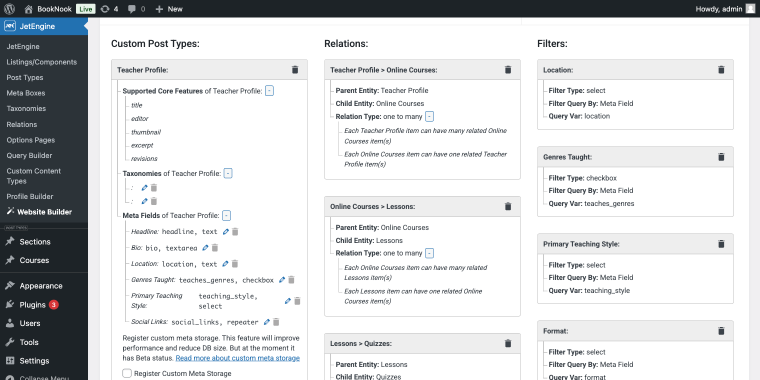
AI tools accelerate the design process, while JetEngine, JetFormBuilder forms, JetAppointment, JetBooking, and JetThemeCore help build scalable, dynamic layers. Now let’s take a look at some of the tools the IT crowd might find helpful for their routine tasks.

Research Tools for Web Designers
Before sketching a wireframe, we need to understand the client’s needs, competitors, and site content. These tools help both graphic and UI/UX designers work faster.
Google NotebookLM
🏆 Best for designers who need to synthesize briefs, reference docs, and client materials into a single queryable workspace.
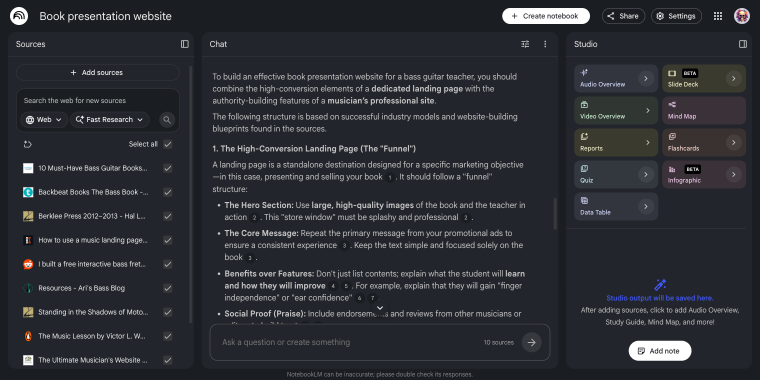
NotebookLM differs from typical AI chatbots by letting you upload sources like PDFs, Google Docs, YouTube links, and websites. It only answers from these inputs, ideal for designers to input client briefs, competitor analyses, and brand guidelines, then extract key design info without hallucinating. Both graphic and UI/UX (user research, content audit) designers will find it useful. The Audio Overview feature can convert the documents into podcast summaries, aiding in quick, brief reviews.
Pricing: free tier available; NotebookLM Pro is included in the Google AI Pro plan at $19.99/month.
Key features:
- source-grounded answers;
- support for PDFs, Docs, URLs, YouTube transcripts;
- Audio Overview for two-host podcast summary;
- mind map generation;
- shared notebooks for collaboration.
Pros:
- generous free tier;
- no hallucination answers stay within your sources;
- Google Drive integration.
Cons:
- 50 daily chat queries on the free tier;
- requires a Google account.
Google Gemini
🏆 Best for designers who want a general-purpose AI assistant with strong multimodal input and deep Google ecosystem integration.
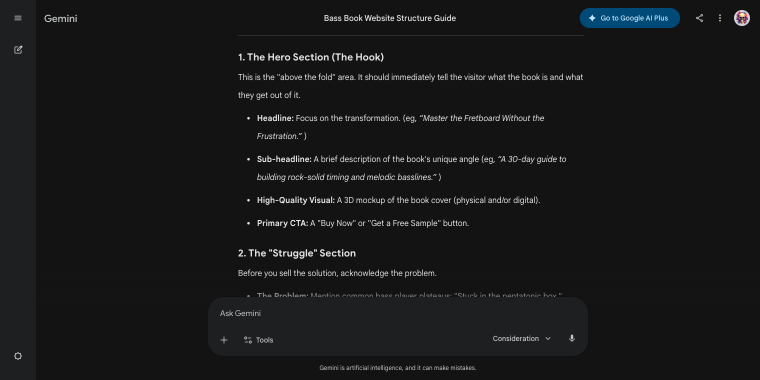
Gemini is Google’s conversational AI, similar to ChatGPT, handling text, images, and documents in one interface. Designers might paste a competitor’s UI screenshot for critique, upload a logo to view on different backgrounds, or draft a wireframe copy. UI/UX designers use Gemini’s reasoning and writing, while graphic designers benefit from its image understanding for visual analysis. The Deep Research feature (paid plans) browses sites and compiles reports, aiding competitive research before projects.
Pricing: free tier available; the Google AI Pro plan at $19.99/month unlocks Gemini Advanced.
Key features:
- accepts text, images, PDFs, and files in a single prompt;
- Deep Research mode;
- integration with Gmail, Docs, Sheets, and Slides;
- 1-million-token context window for analyzing large documents;
- image generation via the Gemini interface.
Pros:
- strong at analyzing uploaded images, making it useful for visual reference work;
- Deep Research saves hours on competitive analysis and industry reports;
- bundled into Google Workspace.
Cons:
- less precise than NotebookLM;
- image generation is not as advanced as in Midjourney or Firefly.
Perplexity
🏆 Best for designers who need fast, cited web research without manually browsing ten tabs at once.
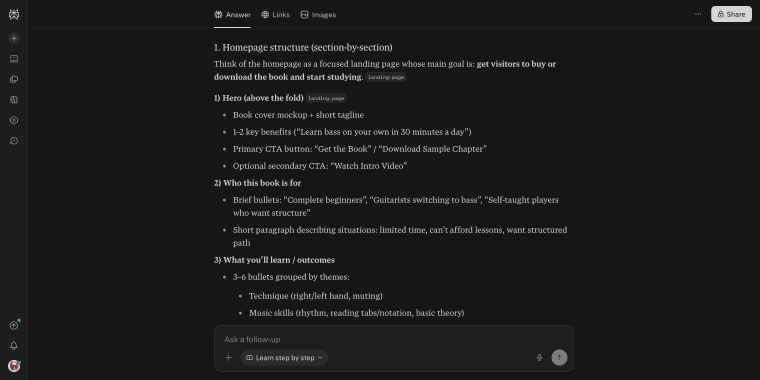
NOTE
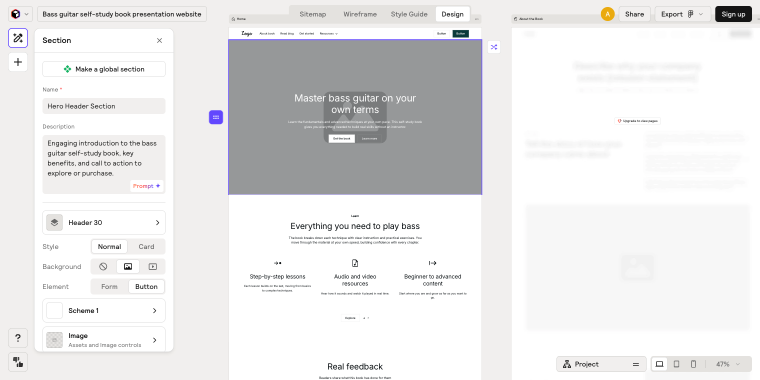
The screenshot displays the description of the homepage layout for a book presentation website. I will use it to create outputs using various prototyping and AI website builder tools. Make sure you don’t miss the videos below.
Perplexity is an AI-powered search engine that provides source citations for verification. It supports designers by quickly finding UX stats, accessibility guidelines, industry reports, and client research before calls. While it doesn’t analyze uploaded files as effectively as NotebookLM, it’s faster and more reliable for open-ended, web-based research. Graphic designers might use it for trend and visual research; UI/UX designers for mapping the structure of site pages, user psychology, and case studies.
Pricing: free tier with limited daily Pro searches; Pro plan at $17/month.
Key features:
- real-time web search;
- Focus modes (Academic, Reddit, YouTube, and others);
- file uploads for PDF analysis;
- multi-model access on Pro.
Pros:
- every answer is sourced and verifiable;
- faster than manual research;
- free tier covers casual research.
Cons:
- not suited for document-specific research;
- less useful for creative or generative tasks as it’s a research tool, not a writing assistant.
AI Image Generators
This group is helpful for graphic designers creating concept art, mood boards, banners, and references. UI/UX designers mainly use these for mood boards, hero prototypes, and placeholders before photography. While not replacing art direction, these tools shorten the gap between ideas and tangible references.
Google Flow
🏆 Best for designers who need a single workspace to generate, edit, and animate images.
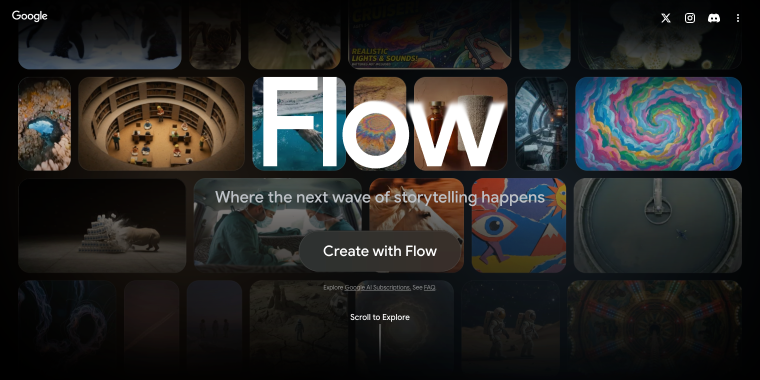
Flow started as a video creation tool using Google’s Veo models. By early 2026, it combined Google’s image generators, Whisk and ImageFX, into one interface. This benefits graphic and UI/UX designers: producing high-quality images with Imagen 4, integrating them into short videos, removing objects, and organizing assets in one library without switching tools. The image-to-video feature lets graphic designers convert visuals into cinematic clips for presentations. UI/UX designers find asset management and quick iteration more useful than video. Image generation is free; video uses credits, which can become expensive at high volumes.
Pricing: image generation is free; video generation requires a Google AI Pro plan ($19.99/month, ~100 video credits/month) or Google AI Ultra ($249.99/month for higher limits).
Key features:
- unified workspace;
- Veo 3.1 for cinematic video generation with native audio;
- scene editing tools;
- asset library with collections.
Pros:
- image generation is genuinely free;
- tight integration with Gemini and NotebookLM;
- strong cinematic output quality.
Cons:
- video generation credits run out quickly;
- the credit system is opaque;
- not suited for designers who need high-volume video output.
Midjourney
🏆 Best for graphic designers who need consistently high-quality, stylized imagery for mood boards, concept art, and client-facing visual references.
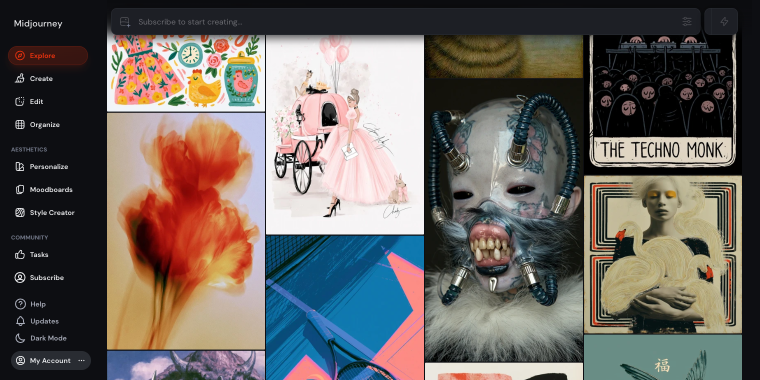
Midjourney remains a leader in AI image quality, known for producing stylized, cinematic, and detailed images that focus on aesthetic appeal rather than photorealism. It’s ideal for mood boards, visual concepts, and standout design images, especially useful for graphic designers. UI/UX designers use it mainly for inspiration and mood setting. Currently, Midjourney no longer offers a free tier; privacy protections for client work are available only on the Pro plan ($60/month) with Stealth Mode.
Pricing: no free tier; plans start at $10/month (Basic), with the Standard plan at $30/month being the practical entry point for regular use.
Key features:
- high-quality stylized image generation;
- multiple parameter controls;
- Relax Mode for unlimited slower-queue generations;
- Stealth Mode (Pro and Mega plans) to keep generated images private.
Pros:
- strongest output for conceptual imagery;
- commercial rights included at every paid tier;
- active community with shared prompts.
Cons:
- no free plan;
- operates through a web interface and Discord.
Adobe Firefly
🏆 Best for designers already working in Adobe Creative Cloud, as generation is built directly into Photoshop, Illustrator, and Express.
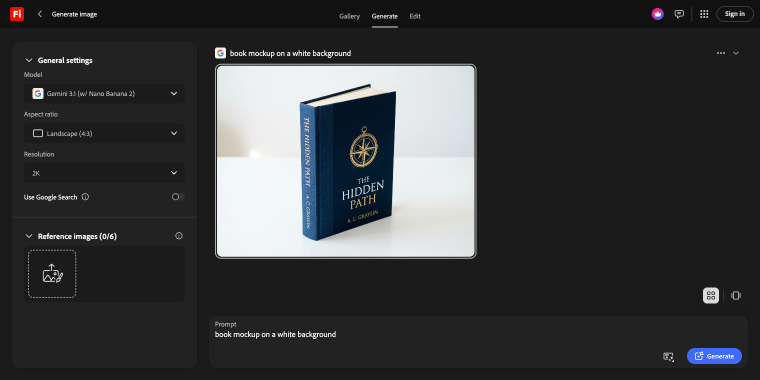
Firefly’s value isn’t just the web app. Its AI features, like Generative Fill and Expand, are integrated into Photoshop and Illustrator for Creative Cloud subscribers. Graphic designers can remove objects with a text prompt in Photoshop, and Illustrator’s Generative Recolor quickly manages palette variations. Firefly is trained only on Adobe Stock and licensed content, ensuring clear rights and avoiding IP issues, something Midjourney and others can’t always guarantee.
Pricing: free tier with 25 credits/month; standalone plans from $9.99/month (Standard, 2,000 credits); Creative Cloud All Apps at $59.99/month includes 1,000 Firefly credits.
Key features:
- Generative Fill and Generative Expand are integrated into Photoshop;
- text-to-image, image-to-video, and sound effect generation in one platform;
- commercially safe outputs;
- partner model access (Google Gemini, OpenAI, Flux, and others).
Pros:
- in-app generation inside Photoshop and Illustrator;
- free tier lets you test the core features before committing;
- for Creative Cloud users, Firefly credits are available at no extra cost.
Cons:
- credits deplete faster than expected;
- credits don’t roll over monthly;
- standalone plans offer limited value.
Concepts and Prototyping
UI/UX designers benefit from AI in wireframing and layout tasks, which are time-consuming and repetitive. AI doesn’t replace strategy or style but helps turn client briefs into tangible drafts for feedback.
Relume
🏆 Best for UI/UX designers working in Webflow or Figma who need production-ready sitemaps and wireframes.
Relume AI site builder begins at the web design planning stage. You describe your project, like a SaaS landing page or eCommerce site, and it creates a detailed, multi-page sitemap with components from 1,000+ sections. One click converts this into wireframes with placeholder text. Components follow Tailwind CSS and export to Figma or Webflow, providing more than a mockup; it’s a structural foundation. The Style Guide Builder lets you define colors and typography, exporting directly to Figma or Webflow, saving initial setup time. Note: Relume isn’t a website publisher but a design tool for use with Webflow or Figma. If you don’t use these, they may not suit you.
Pricing: free plan with 30 components and limited AI usage; Starter at $18/month per user; Pro at $40/month per user with mobile variants and advanced collaboration.
Key features:
- AI sitemap generation with multi-page structure output;
- one-click conversion from sitemap to wireframe;
- Style Guide Builder for rapid visual system setup.
Pros:
- the fastest path from a client brief to a reviewable wireframe;
- components are human-designed and consistent;
- export to both Figma and Webflow;
- the free plan is sufficient to evaluate Relume.
Cons:
- no support for WordPress;
- the Starter plan limits AI generations;
- requires a separate Webflow or Figma subscription.
Figma Make
🏆 Best for Figma UI/UX designers to create interactive prototypes, UI components, and app mockups.
Figma Make is an AI design generator that lets you describe what to create and watch it build on a Figma canvas. Unlike manual design, Figma AI generates multi-screen flows, forms, dashboards, or prototypes that you can interact with and refine. It’s valuable for UI/UX designers during exploration, enabling quick drafts and reducing hours to minutes, so designers can focus on decisions AI can’t handle, like hierarchy and user flow. In 2026, its limitation is a credits-based pricing model: all AI features require credits, which can run out quickly. Professional users get 3,000 credits monthly, about 45 minutes of advanced Make usage.
Pricing: included with Figma paid plans; Professional at $16/editor/month (annual) with 3,000 AI credits/month; overage billed at $0.03/credit.
Key features:
- natural language UI generation inside the Figma canvas;
- interactive prototype generation from text prompts;
- integration with Cursor and Windsurf;
- AI image generation, background removal, and resolution boost.
Pros:
- generation happens inside the Figma workflow;
- prototypes are interactive from the start;
- coding agent integration;
- ideal for exploring multiple layouts.
Cons:
- the credit system can’t always be predicted;
- maintaining consistent structure requires manual cleanup;
- AI image generation is worse than in Midjourney or Firefly.
Crocoblock AI Website Structure Builder
🏆 Best for WordPress designers and developers who want to generate a full site structure and page hierarchy directly inside a Crocoblock build.
The Crocoblock AI Website Structure Builder differs from tools like Relume or Figma Make, as it operates within WordPress rather than inside a design program. It creates a site blueprint from your description, simplifying workflow for WordPress devs by removing manual conversion of wireframes. The structure integrates with Crocoblock plugins, transforming pages into templates, post types, and dynamic content via plugins like JetEngine, JetThemeCore, JetSmartFilters, and JetFormBuilder. This combines AI planning with dynamic features, unlike standalone wireframing tools that lack WordPress content understanding.
Pricing: included with any active Crocoblock subscription starting at $199/year, or an individual JetEngine license for $75/year.
Key features:
- creates a site structure based on the prompt;
- direct integration with Crocoblock’s plugin suite;
- output is WordPress-native from the start;
- available inside the JetEngine dashboard section.
Pros:
- outputs WordPress-native architecture;
- no additional cost for existing Crocoblock subscribers;
- the structure is implemented with JetPlugins functionalities in one click.
Cons:
- only useful if your build stack includes Crocoblock;
- doesn’t export to Figma or Webflow;
- best suited for developers or designer-developer hybrids.
AI Website Builders
This category is often misunderstood. These tools don’t create static pages or Figma mockups; they build and deploy full-stack applications based on text prompts. For web designers, they are useful for concept validation and rapid prototyping, delivering a clickable version for clients.
Lovable
🏆 Best for designers and non-technical founders who want to build a web application from a prompt, without writing code.
Lovable creates complete React web apps from prompts. You specify what to build, like a client portal, booking page, or SaaS dashboard, and it delivers a functional app with a front end, Supabase backend, user authentication, and live URL. Web designers use it to make client demos and interactive prototypes; instead of static Figma mockups, stakeholders get a URL to a working product. It has two modes, Plan and Build, where you can discuss site details and features before proceeding to generate. Projects sync to your GitHub repo for easy collaboration.
Pricing: free plan (30 credits/month, public projects only); Pro at $25/month (100 credits/month + 5 daily bonus credits); Business at $50/month (SSO and data privacy controls); top-up credits at $15 per 50 on Pro.
Key features:
- full-stack app generation;
- Visual Edits mode for layout and spacing changes;
- GitHub sync on all plans;
- Stripe integration for payment and subscriptions.
Pros:
- the fastest path from a prompt to a shareable URL;
- code ownership via GitHub;
- credit costs are more predictable;
- free plan is generous enough to validate a concept.
Cons:
- 100 monthly Pro credits burn fast in debugging cycles;
- finishing production-quality design still requires a designer’s hand;
- React/TypeScript output customization needs a developer.
Bolt
🏆 Best for developers and designer-developer hybrids who want to generate front-end components and full applications in the browser.
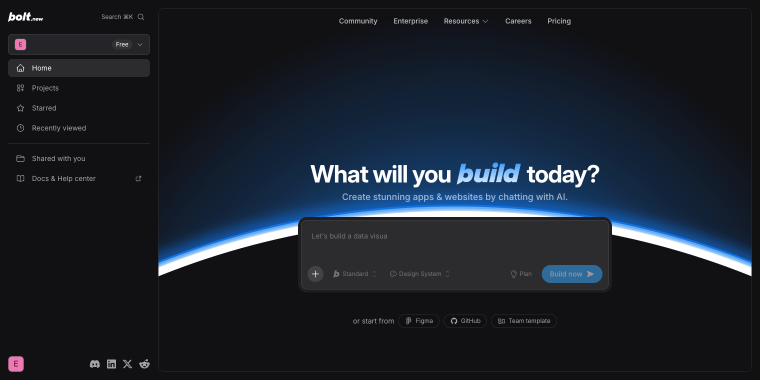
Bolt is a browser-based development environment where AI creates and edits front-end code like React or Vue components in the same tab. Unlike Lovable, which hides code behind a chat interface, Bolt always displays and allows code edits, ideal for designers or sharing with developers without leaving the platform. Its token-based pricing means larger projects cost more per message, unlike Lovable’s flat-credit system. Bolt’s free tier offers one million tokens monthly with no daily limits on public projects. Projects can be exported to Vercel, Netlify, or custom hosting.
Pricing: free plan (1M tokens/month, public projects, Bolt branding); Pro at $25/month (10M+ tokens, custom domains, no branding, token rollover); Teams at $30/user/month.
Key features:
- browser-based IDE with live preview;
- React and Vue component generation;
- unused tokens carry over for one month;
- one-click deployment to Vercel, Netlify;
- SEO features and AI image editing are included on Pro.
Pros:
- code is always visible and editable;
- most generous free tier in this category.
Cons:
- less polished onboarding experience than Lovable for non-technical users;
- Bolt branding on all free-tier deployments.
Base44
🏆 Best for designers and product teams who need to quickly build functional internal tools, client portals, or lightweight SaaS prototypes.
Base44, acquired by Wix in June 2025 for about $80 million, has become a comprehensive AI app builder. It offers features like mobile publishing, Superagent mode for autonomous tasks, and a model selector for Claude, GPT, or Gemini. For designers, a key feature is the dual credit system: message credits are used during app generation, and integration credits are used when the app is live for user actions. Monthly costs depend on build activity and app usage. Visual edits are free and don’t use credits, allowing layout fine-tuning without extra cost.
Pricing: free plan (25 message credits/month, 5/day, 500 integration credits); Starter at $16/month; Builder at $40/month (custom domains, GitHub integration); Pro at $80/month; annual billing saves 20%.
Key features:
- choose between Claude, GPT-5, or Gemini Pro per project or per prompt;
- dual credit system separating build-phase and live-app-use costs;
- visual editing for layout and design changes;
- mobile app publishing to iOS and Android.
Pros:
- model flexibility is unique;
- visual edits are free;
- mobile publishing sets it apart from Lovable and Bolt for cross-platform projects;
- Wix backing provides stability and ongoing development.
Cons:
- integration credits on live apps generate high ongoing costs;
- expensive relative to Lovable and Bolt use cases;
- unused credits are lost at the end of each billing cycle.
AI Design-to-Code Tools
All tools are for working within an existing codebase. For designers, these include tweaking custom CSS, adjusting component logic, writing small utilities, or preparing files for developer review without waiting in a ticket queue.
Claude Code
🏆 Best for designers and developers who want an autonomous AI coding agent.
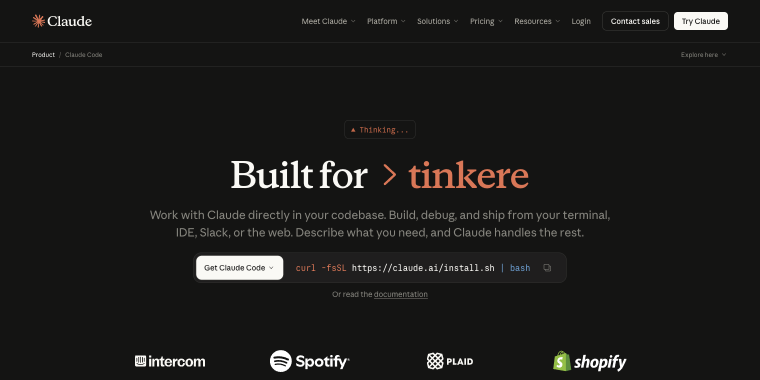
Claude Code is Anthropic’s command-line coding assistant that handles project-wide modifications, executes shell commands, and performs complex refactors, simplifying coding tasks. It’s useful for designers with coding skills to manage WordPress or front-end codebases independently of developers. Describe your needs, and Claude Code will locate and update files, showing results. It operates via a terminal with any editor, not within an editor.
Pricing: included with Claude Pro at $20/month ($17/month annual); Max 5x at $100/month and Max 20x at $200/month for heavier usage; no free plan.
Key features:
- terminal-native agentic coding;
- one-million-token context window for holding codebases/documentation sets;
- MCP (Model Context Protocol) for connecting to external tools and services;
- works alongside any IDE.
Pros:
- no IDE lock-in;
- MCP integrations extend it to databases;
- Pro plan at $20/month is a cost-efficient entry point.
Cons:
- no free plan for Claude Code;
- agentic sessions burn token budget fast;
- a terminal-based workflow has a learning curve.
GitHub Copilot
🏆 Best for designers who work inside VS Code and want an AI assistant that’s embedded in their existing editor.
GitHub Copilot has evolved beyond autocomplete by 2026, managing multi-file edits, pull reviews, cloud tasks, and chat explanations. For designers who code, it offers VS Code integration with Claude, GPT, and Gemini models, enabling easy switching without multiple subscriptions. Starting June 1, 2026, billing shifts to usage-based via GitHub AI Credits. Code completions and Next Edit Suggestions stay unlimited on paid plans, but workflows, reviews, and chat will use credits. Light to moderate users on the $10/month Pro plan are unaffected, but heavy users should track the new billing dashboard in early May.
Pricing: free plan available; Pro starts at $10/month, and Pro+ starts at $39/month.
Key features:
- multi-model support;
- cloud coding agent for background tasks;
- available in VS Code, JetBrains IDEs, Visual Studio, Xcode, Vim, and Eclipse.
Pros:
- the lowest entry price of any serious AI coding tool;
- deep GitHub integration;
- free plan is genuinely usable for occasional coding work.
Cons:
- less deep codebase awareness than Cursor or Claude Code;
- new individual plan sign-ups were temporarily paused in April 2026.
Cursor
🏆 Best for designers and developers who want a full AI-native code editor.
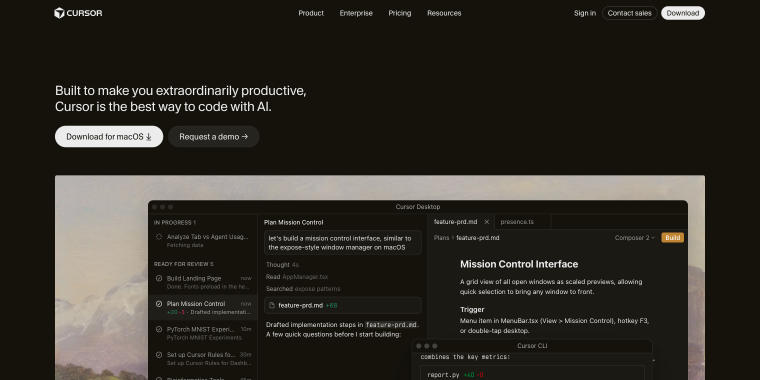
Cursor is an AI-enhanced editor, not just an extension. It features Composer mode for multi-file changes via natural language and codebase-aware context, understanding your entire project. Ideal for designers coding or managing front-end in WordPress or custom setups, it’s the most powerful on this list, but it requires switching from your current editor, which has an adoption cost. Since June 2025, pricing shifted from a fixed 500-request model to usage-based credits, with the Pro plan at $20/month. Premium requests dropped from 500 to 225, leading to backlash and an apology from the CEO.
Pricing: Hobby (has free credits), Pro starts at $20/month, Pro+ at $60/month.
Key features:
- Composer mode for multi-file editing;
- AI understands relationships between files, types, and functions;
- multi-model access (Claude, GPT-5, and Gemini);
- Cloud Agents for background tasks;
- privacy mode is available.
Pros:
- the deepest codebase awareness;
- Composer mode saves hours on multi-file refactors;
- free Hobby plan includes a two-week Pro trial.
Cons:
- requires replacing your current editor;
- heavy agentic sessions can exhaust the monthly budget in days.
FAQ
AI tools don’t replace designers; they handle low-value tasks like wireframes and placeholder copy. Critical decisions, such as information architecture, user flow, and visual hierarchy, still need a designer’s judgment.
AI web design workflows like Relume and Figma Make help plan and visualize sites, producing wireframes, sitemaps, and mockups that still need building. AI website builders such as Lovable, Bolt, and Base44 create deployable apps from prompts, including front-end, backend, database, and hosting. Design tools integrate into workflows; website builders offer shortcuts to potentially production-ready products based on complexity.
Most tools in this list, like research, image generators, prototyping, and AI website builders, work without coding. Coding tools such as Claude Code, GitHub Copilot, and Cursor require basic coding knowledge; they assist developers but don’t replace understanding code.
Conclusion
This list of tools isn’t exhaustive; the AI tools for web designers 2026 are rapidly evolving. They cover research, image generation, structuring, prototyping, and coding. Most designers won’t use all. The key is identifying your workflow’s biggest time sink and beginning there.
Remember, AI web design workflows speed up execution but don’t replace strategic thinking. The best designers use these tools to save time for client strategy, UX, content architecture, and judgment calls that ensure a site truly serves its users.
For WordPress work, top AI tools for UX designers manage the design, and Crocoblock plugins handle the dynamic layer. Knowing where one ends and the other begins separates a fast prototype from a scalable site.