Clear navigation is one of the most important aspects of any website. One way to ensure your website is easy to navigate is to add a well-structured menu. Mega menus are a frequently used website design element, and not for nothing. They offer a well-ordered, neat way to display numerous links, supporting streamlined, user-friendly navigation for your WordPress site.
In this article, I will explore and compare the best WordPress mega menu plugins available on the market. I will compare their key features, pros and cons, and pricing, and share the best solutions for your sites. Additionally, I will discuss the criteria to consider when selecting a mega menu plugin for your WordPress site. Let’s get started.
What Is a Mega Menu and Why Do You Need It?
A mega menu is an advanced type of website navigation menu that expands into a large, multi-column dropdown panel displaying multiple categories, subcategories, links, and sometimes additional content, such as images, icons, search fields, or promotional banners. Unlike a standard dropdown menu that shows a simple vertical list of links, a mega menu presents structured content in a visually organized layout, often grouped by topic. It is commonly used on content-rich websites and eCommerce platforms.
A mega menu is recommended when:
- the website has many categories or subcategories;
- the site structure is complex;
- users need quick access to multiple content sections;
- standard dropdown menus feel cluttered or overwhelming.
For small websites with only a few pages, a mega menu may be unnecessary and could even complicate navigation.
When it comes to reasons to use mega menus, the first and foremost is improved navigation for large websites. Websites with many pages, categories, or product types can quickly become difficult to navigate. A mega menu lets users view multiple navigation levels at once without clicking through multiple pages. Faster access to content and fewer clicks.
Mega menus organize links into clear groups with headings, spacing, and visual hierarchy. This reduces cognitive overload and helps users quickly scan available options. Large eCommerce sites, educational platforms, marketplaces, and media portals often have dozens or hundreds of categories. A mega menu supports category grouping, highlighted featured content, promotional blocks, and visual elements (icons and thumbnails).
Because more links are visible at once, users may discover sections they wouldn’t otherwise find through a traditional dropdown. That leads to improved internal traffic and deeper engagement. Mega menus can include images, banners, featured products, or styled layouts, making navigation both functional and visually engaging. It also supports visual branding.
How to Choose a Mega Menu Plugin?
Choosing the right mega menu plugin involves evaluating both functionality and fit for your particular site’s goals. To determine the most suitable plugin for your needs, evaluate it against these criteria before installation to make a confident decision.
- Ease of use and setup. Look for drag-and-drop builders or visual editors if you need more than the WordPress native menu. You may consider a plugin that lets you build menus without coding. Pre-built templates help speed up setup. Especially helpful for non-developers or teams without design support.
- Compatibility and integration. Ensure the plugin works with your current theme. Check if the plugin supports multilingual plugins (WPML, Polylang), page builders (Elementor, Gutenberg, Bricks, Beaver Builder), and other plugins used on your website. Remember that incompatible plugins can break layouts or cause display issues. It is a good practice to test the plugin in the staging environment to ensure it is compatible with your current setup.
- Customization options. A good mega menu plugin should allow: multiple columns, icons, images, and banners, custom fonts and styles, background colors, and custom HTML or widgets. The more flexible the design options, the better you can match your brand.
- Performance and speed. Mega menus can be heavy – so performance matters. Look for lightweight code, check whether the plugin lazy-loads images in menus, and pay attention to speed benchmarks or user feedback. Slow menus negatively affect UX and SEO.
- Mobile friendliness. An effective WordPress mega menu plugin should collapse seamlessly on mobile, offer touch-optimized navigation, and allow alternative mobile menu designs. Check for responsive behavior, so menus work on mobile and tablet. A menu that works well on desktop but fails on mobile can frustrate users and reduce engagement.
- SEO and accessibility. Consider important features such as structured HTML for search engines, ARIA attributes for screen readers, and keyboard navigation support. Accessibility and SEO aren’t optional – they’re a sign of a good tone of modern websites that help all users and improve rankings.
- Support and documentation. Choose plugins that offer clear setup guides, video tutorials, support forums, or professional help. Good support saves time and prevents costly mistakes.
- Pricing. Consider free vs. premium plans, one-time fees vs. subscriptions, and which features are included at each price tier. This point is more personal: how much money you are willing to pay and what features you expect. Paid plugins usually offer more design options and updates, but consider free alternatives as well; they may be sufficient for some cases.
- User reviews and ratings. You might find this obvious, but I’d like to emphasise that it’s worth checking ratings, recent reviews (quality, support responsiveness), and update frequency. Active communities and positive feedback usually mean a reliable product.
7 Best Mega Menu Plugins for WordPress
Now, when you know what a mega menu is and how to choose the right plugin for your case, let’s have a look at the selected plugins.
ElementsKit (Free & Premium)
🏆 Best for advanced header builder combined with mega menu functionality.
ElementsKit is a comprehensive, all-in-one add-on for Elementor that includes a highly flexible Mega Menu Builder. Rather than forcing you to learn a new backend interface, ElementsKit allows you to use the familiar Elementor drag-and-drop editor to design your dropdown panels.
Because it works directly inside Elementor, you can place any widget, such as WooCommerce product carousels, Google Maps, or contact forms, straight into your navigation. It is designed to handle complex navigation structures. It offers both vertical and horizontal mega menu layouts alongside dedicated mobile off-canvas controls.
ElementsKit has a 4.9/5 ⭐️ rating on WordPress.org and more than two million active installations.
Key features:
- offers a drag-and-drop visual editor dashboard;
- supports both horizontal and vertical mega menu layouts;
- show off-canvas sliding panels and customizable hamburger icons;
- add custom badges (e.g., “Sale”) and stylish icons;
- support AJAX loading to keep page speeds fast;
- display shop categories and live products directly in the menu.
Pros:
- no learning curve;
- mobile responsive with precise breakpoint controls;
- disable any unused widgets or modules to maintain lightning-fast page speeds;
- bundled with a Header/Footer builder and over 110+ other Elementor elements.
Cons:
- strictly requires Elementor;
- it might be overkill with the extra 100+ widgets.
Pricing:
- Personal – $49;
- Professional – $119;
- Agency – $249.
Max Mega Menu (Free & Premium)
🏆 Best for building a native WordPress menu system.
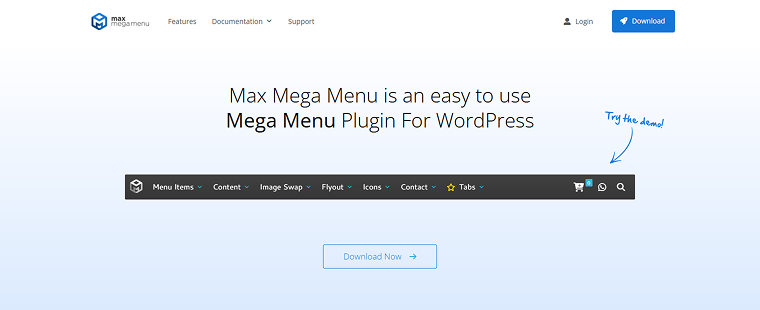
Max Mega Menu is one of the most popular mega menu plugins in the WordPress repository. It enhances the default WordPress menu functionality and allows users to convert standard menus into fully functional mega menus with widgets and advanced layouts. It is a good solution for websites using the native WordPress menu system (without Elementor) that need a powerful, stable, and performance-oriented mega menu solution.
Max Mega Menu has a high rating on WordPress (4.8/5 ⭐️) and more than 400K active installations.
Key features:
- seamless integration with WordPress native menu system;
- drag-and-drop mega menu builder;
- ability to add WordPress widgets inside menu panels;
- responsive and mobile-ready menus;
- animation effects and transitions;
- sticky menu functionality;
- icon support (Dashicons, Font Awesome);
- keyboard navigation and accessibility support;
- custom CSS styling options;
- Google Fonts integration (Pro).
Pros:
- free version is feature-rich;
- lightweight and performance-focused;
- works without page builders;
- strong accessibility support;
- large user base and regular updates.
Cons:
- some advanced customizations require the Pro version;
- design customization can require CSS knowledge.
Pricing:
- Personal Licence – $29;
- Business Licence – $49;
- Developer Licence – $99.
JetMenu (Premium)
🏆 Best for advanced mega menus with dynamic content.
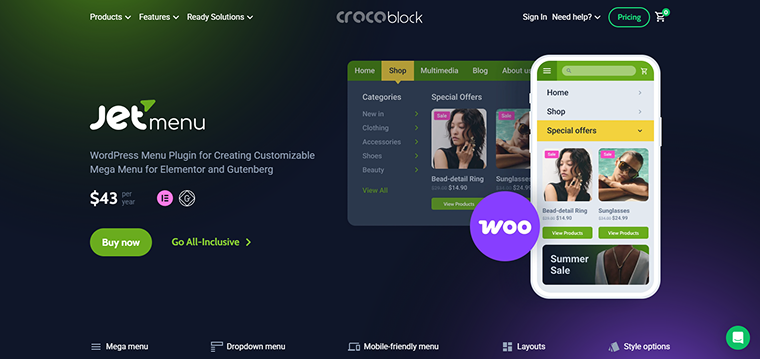
JetMenu is a premium mega menu plugin developed by Crocoblock. It is compatible with Elementor and Gutenberg builders and allows users to create highly customizable mega menus with dynamic templates.
On Trustpilot, JetMenu maintains a rating of at least 4.6/5 ⭐️ and reviews mention the high quality of the support services.
Key features:
- deep integration with Elementor;
- drag-and-drop mega menu builder;
- vertical, horizontal, and hamburger menu layouts;
- custom templates inside mega menu panels;
- mobile menu builder;
- sticky menu functionality;
- custom icons and badges.
Pros:
- fully visual building experience;
- dynamic data integration;
- clean UI and structured controls;
- great for complex directory or listing websites;
- part of the Crocoblock ecosystem.
Cons:
- no free standalone version.
Pricing: the JetMenu plugin costs $43/year for one site. You can also get JetMenu as part of a Crocoblock subscription, which costs $199/year and includes 20 additional plugins for website creation.
Mega Menu Builder from Royal Addons for Elementor (Free & Premium)
🏆 Best for Elementor users looking for a lightweight all-in-one add-on package.
Royal Addons for Elementor is a multipurpose add-on plugin for Elementor. It includes a mega menu builder in its widget collection. It allows you to build any type of WordPress mega menu with menu badges and icons, uses any Elementor widgets in the mega menu content, and supports AJAX loading of mega menu items to maximize page load speed.
On the WordPress site, Royal Addons has a rating of 4.8/5 ⭐️ and 600K active installations.
Key features:
- Elementor-based mega menu builder;
- horizontal and vertical menu layouts;
- custom templates inside dropdown panels;
- responsive controls;
- sticky header support;
- custom styling options;
- advanced animation effects;
- WooCommerce support;
- conditional display options.
Pros:
- high rating in WordPress repository;
- all-in-one Elementor extension;
- modern UI design;
- flexible layout options;
- good performance optimization.
Cons:
- mega menu is not standalone, but part of the add-on suite;
- some features are limited to the Pro version.
Pricing: free. The Pro version costs $39.99 annually, and the Expert version is $49.99/year.
Premium Addons for Elementor (Free & Premium)
🏆 Best for advanced UI elements.
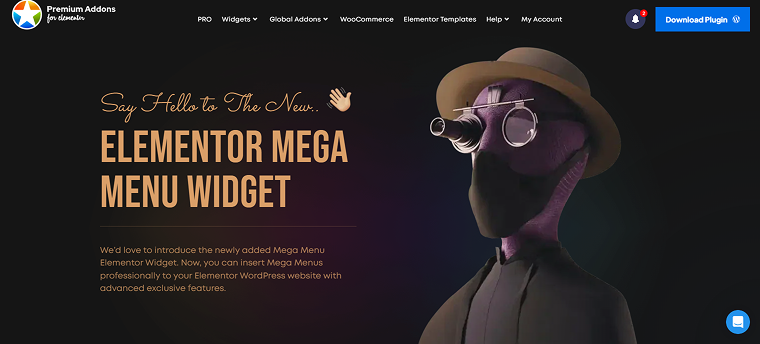
Premium Addons for Elementor is a well-known add-on set offering advanced widgets, including a Mega Menu widget for custom navigation layouts. It provides widgets, add-ons, and templates, and is known for its advanced UI capabilities.
On the WordPress site, Premium Addons keep a high rating of 4.9/5 ⭐️ and have 700K+ active installations. On TrustPilot, it has a 4.7/5 ⭐️ rating.
Key features:
- horizontal and vertical menu layouts;
- custom styling options;
- sticky header compatibility;
- multi-level dropdown support;
- advanced animations;
- performance optimization options.
Pros:
- highly polished UI;
- excellent design flexibility;
- WPML compatibility;
- copy and paste Elementor content cross-domain;
- responsive controls for different devices and browsers.
Cons:
- the mega menu requires the Pro version.
Pricing:
- free license;
- single Site license – $146;
- unlimited license – $299.
Responsive Menu (Free & Premium)
🏆 Best for responsive menu behavior.
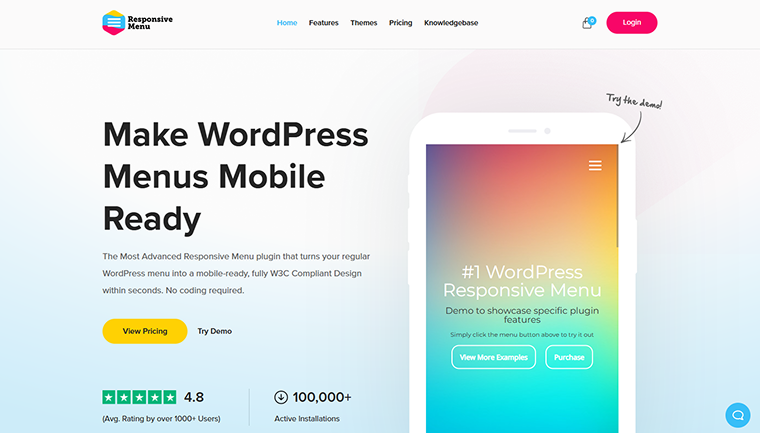
Responsive Menu is a WordPress plugin focused on building mobile-friendly and highly customizable responsive menus. It is a good choice for websites that prioritize mobile navigation and responsive menu behavior.
Responsive Menu has a rating of 4.5/5 ⭐️ on WordPress and 4.8/5 ⭐️ on Trustpilot.
Key features:
- mobile responsive menu builder;
- custom breakpoints;
- slide-in and overlay menu styles;
- animation effects;
- sticky navigation;
- custom CSS integration;
- WooCommerce support;
- multi-level menu support;
- touch gesture support.
Pros:
- excellent mobile UX;
- highly customizable;
- lightweight;
- works without Elementor;
- flexible trigger options.
Cons:
- limited traditional mega menu grid layouts;
- advanced features require Pro.
Pricing:
- Essential – $49;
- Advanced – $79;
- Expert – $95.
Mega Menu from Happy Addons (Free & Premium)
🏆 Best for animated, visually engaging mega menus.
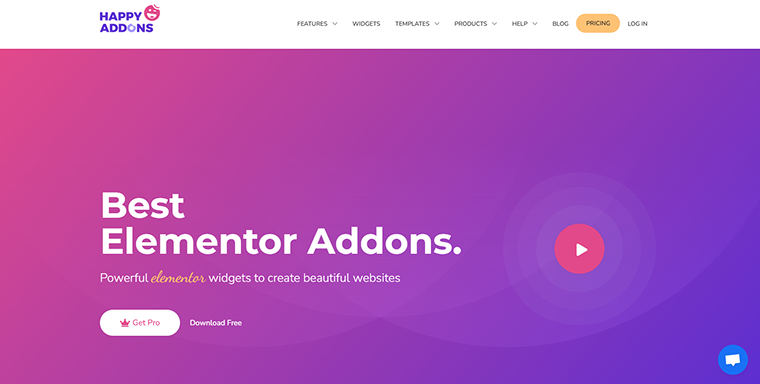
Happy Addons for Elementor is a popular Elementor extension plugin offering creative widgets and a Mega Menu module in its Pro version. This plugin significantly enhances Elementor by offering more than 143 widgets, templates, and site-building features. While it doesn’t function as a standalone menu system, it does provide tools for crafting headers and navigation areas. It is a good choice for users seeking a broad array of Elementor widgets and features, such as header/footer and navigation blocks, rather than just menu-specific options.
Happy Addons plugin has a rating of 4.8/5 ⭐️ on WordPress and 400K+ active installations.
Key features:
- 140+ widgets and design elements, 70+ page templates, and 500+ blocks;
- multi-level dropdown support;
- advanced animation effects;
- responsive controls;
- custom styling;
- WooCommerce compatibility;
- sticky header support.
Pros:
- creative design flexibility;
- smooth animation options;
- modern UI;
- regular updates;
- cross-domain copy/paste.
Cons:
- mega menu available only in Pro;
- requires Elementor.
Pricing:
- Annual Subscriptions – from $39 to $189;
- Lifetime Subscriptions – from $149 to $549.
FAQ
Yes. Many mega menu plugins support WooCommerce integration, allowing you to display product categories, highlight featured products, add promotional banners, and include cart or search widgets. Elementor-based solutions such as JetMenu, Royal Addons for Elementor, and Happy Addons for Elementor offer WooCommerce-compatible mega menu options.
They can, especially if you add images, animations, or dynamic content. To maintain performance, choose lightweight plugins, avoid overloading menus with media, enable lazy loading if available, and test page speed after installation. Performance-optimized plugins and careful design choices help prevent slow loading times.
Free versions may be sufficient for basic navigation. For example, Max Mega Menu offers robust functionality in its free version. However, advanced features such as dynamic templates, animations, WooCommerce integration, and design flexibility often require a premium version.
Final Thoughts
After reading this article, you know what the WordPress mega menu is, which mega menu plugins are best, and how to choose the one that best suits your website’s needs. Here is a short checklist to help you choose the best mega menu plugin for your WordPress website.
👉 If you use the native WordPress menu, choose:
- Max Mega Menu;
- Responsive Menu.
👉 If you need dynamic content (CPTs, listings, directories), choose:
- JetMenu.
👉 If you want an all-in-one Elementor add-on, not just a menu plugin, choose:
- ElementsKit;
- Premium Addons for Elementor;
- Royal Addons for Elementor;
- Happy Addons for Elementor.
👉 If mobile navigation is your top priority, choose:
- Responsive Menu;
- JetMenu.
👉 If you need WooCommerce integration, choose:
- JetMenu;
- ElementsKit;
- Royal Addons for Elementor;
- Happy Addons for Elementor.