Are you looking for the best way to organize the bookable events or appointments?
While WooCommerce does not have built-in bookings functionality, you can achieve it with the right plugin. In this article, I’m going to explore what makes the WooCommerce booking plugin effective, what booking plugins for WooCommerce are available on the WordPress market, and how to select the one that suits your needs the best.
With the rise in popularity of online booking systems, WooCommerce has established itself as a preferred platform for offering bookable products. Given the extensive selection of WooCommerce booking plugins, how do you choose the right one?
Let’s take a look at the popular WooCommerce booking plugins and find out what to pay attention to when choosing the best one. Let’s get started.
What Makes a WooCommerce Booking Plugin Effective
To begin with, let’s find out what defines an effective WordPress booking plugin for WooCommerce. On the market, you can find thousands of booking plugins. But what makes the WordPress booking plugin really efficient in integration with WooCommerce?
Let’s have a look at the parameters that define the reservation plugin as a good one:
- Flexible booking logic. The plugin can either support multiple booking types, such as time slots, full days, multi-day bookings, recurring appointments, events, rentals, etc., or be specified for a particular booking logic. Additionally, it’s a great benefit if the plugin allows configuration of buffer times, lead times, and minimum/maximum booking durations.
- Real-time availability management. The basic booking plugin should automatically update availability after each confirmed booking and prevent double bookings across products, staff members, rooms, or services.
- Resource and staff allocation. The ability to assign bookings to specific services (rooms, equipment) or staff (instructors, therapists). The plugin should support resource capacity, scheduling, pricing variations, and availability rules.
- Pricing rules and dynamic rates. A good booking plugin offers dynamic pricing based on season, time of day, number of people, or resource, along with coupons, discounts, deposit payments, and custom pricing logic.
- Calendar and scheduling tools. Availability and booking calendars should be available for both customers and administrators. Admin should have tools to add, edit, and cancel bookings manually.
- Easy integration with WooCommerce. The plugin should work seamlessly with WooCommerce products, checkout, payment gateways, and order management, and support tax rules, shipping settings (if relevant), and WooCommerce email notifications.
- Customizable front-end booking experience. To be customer-friendly, the plugin needs to be intuitive in booking forms and calendars, and to have a mobile-friendly UI with clear availability indicators. It’s essential to be able to customize labels, steps, and form layout.
- Automation options. For the modern booking system, automatic confirmation emails, reminders, and follow-ups are required, as well as automated cancellation and rescheduling, and customer notifications.
- Compatibility with page builders and add-ons. The plugins should work with the page builder you work with, such as Elementor, Gutenberg, Divi, or shortcodes. The plugin should integrate with additional plugins, such as translation, SEO, performance, or payment add-ons.
- Strong administrative tools. The booking plugging can include a dashboard with filtering, search, and detailed booking logs. It would be beneficial to have export options (CSV, ICS, Google Calendar) and clear reporting on occupancy, revenue, and utilization.
- Performance and scalability. An efficient database structure for handling large volumes of bookings is essential for any plugin, and it should be caching-friendly and optimized for high-traffic environments.
Top 10 WooCommerce Booking Plugins Compared
Of course, all the plugins presented below meet the requirements of a high-quality and highly effective WordPress booking plugin for WooCommerce. Some of them fit more specific use cases, some are more comprehensive. Let’s have a closer look at their features, pros and cons, and the pricing.
Eventin (Free & Premium)
🏆 Best for managing event products.
Eventin is the event and ticketing system booking plugin offering schedules, speakers, registrations, Zoom integration, and WooCommerce-based ticket sales for WooCommerce. The Eventing plugin fits best for managing events, conferences, webinars, multi-speaker events, recurring events, and event tickets.
The Eventin has quite a high rating on WordPress (4.6/5 ⭐️) and Trustpilot (4.9/5 ⭐️). The plugin has more than 10k+ active installations and won the WordPress Weekly Silver Award 2023 in the “Events, Booking, & Planning Plugins” category.
Key features:
- event schedule builder;
- multi-speaker profiles and sessions;
- WooCommerce ticketing;
- other platforms integrations (Google Calendar, iCal, Outlook, Zoom, etc.);
- supports recurring event support;
- front-end event submission;
- multi-event management.
Pros:
- event RSVPs;
- powerful AI capability;
- supports online, hybrid, and offline events;
- solid ticketing with QR validation;
- highly customizable with multiple display layouts.
Cons:
- it is a narrowly focused product, so it will not suit various cases.
Pricing:
Three plans are available, where you can select the plan for the desired number of domains:
- Free;
- Annual – from $99 to $599;
- Lifetime – from $199 to $1499;
- Mega Bundle – from $299 to $999.
JetBooking (Premium)
🏆 Best for property and equipment rentals, and any date-based booking.
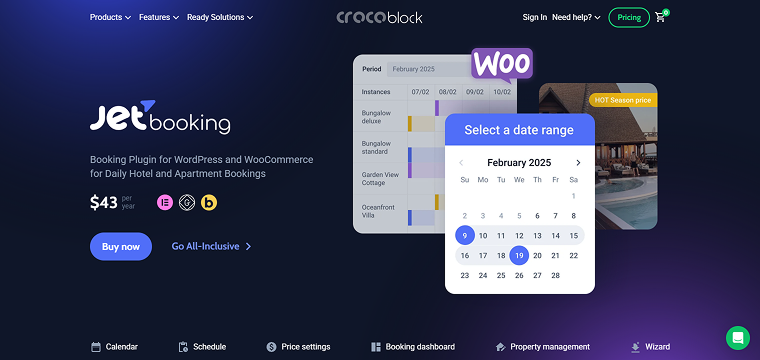
JetBooking is a lightweight booking engine designed to work directly with JetEngine and Elementor, Gutenberg, and Bricks. It creates structured booking systems with check-in/check-out dates, automatic order creation, and flexible form connections. JetBooking provides a highly dynamic and flexible pricing system that lets you use seasonal and weekend pricing, as well as variable per-person pricing, making it a perfect room-booking plugin for WooCommerce.
On Trustpilot, JetBooking maintains a rating of at least 4.6/5 ⭐️. Additionally, JetBooking has received positive feedback from WordPress experts such as Haim Benisty, Abdul Muqsit, and Yannick García.
Key features:
- booking dashboard: calendar/timeline/list views;
- step-by-step booking wizard;
- ability to create bookings for admin;
- include/exclude checkout day from the booking total;
- price per day/night;
- ability to filter and sort bookings;
- export bookings;
- synchronization with different platforms;
- integration with WooCommerce.
Pros:
- dynamic pricing rates for advanced booking calculation;
- support for seasonal pricing, custom workdays, weekends, and holiday pricing;
- ability to implement booking cancellation;
- supports Custom Post Types and complex dynamic data;
- automated notification system;
- time-picker management.
Cons:
- needs an additional plugin for the booking forms;
- there is no free version.
Pricing: the JetBooking plugin costs $43/year for one site. You can also obtain JetBooking as part of a Crocoblock subscription, which costs $199/year and includes 20 more plugins for website creation.
Webba Booking Calendar (Free & Premium)
🏆 Best for appointment scheduling.
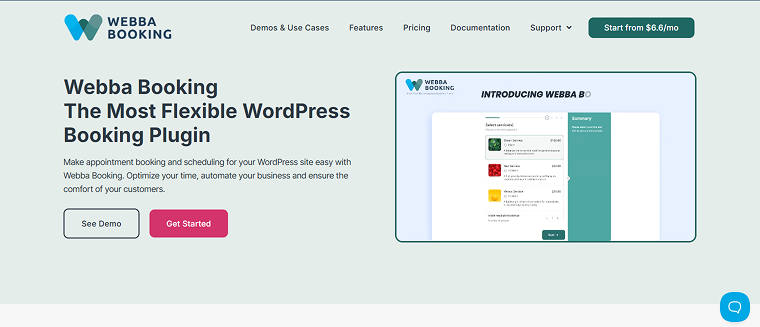
Webba Booking focuses on appointment slots, staff scheduling, and service-based bookings. It provides customizable forms and integrates with payment gateways and calendars, making it a perfect service-booking plugin for WooCommerce. Webba allows businesses to accept and manage appointments, reservations, and hourly bookings for a variety of services, rentals, and spaces.
On WordPress, Webba Booking has a 4.9/5 ⭐️ rating, and on Trustpilot, it has a 4.6/5 ⭐️ rating. Reviewers also mention the high quality of support services.
Key features:
- provides unlimited services and booking capabilities;
- allows customers to book several services or multiple time slots in a single reservation;
- comes with an integrated form builder;
- offers adjustable schedule and pricing rules;
- delivers automatic email and SMS notifications to both users and administrators;
- supports integrations with payment and other tools;
- features data export and handling instruments.
Pros:
- supports a wide range of booking types: appointments, multi-services, group bookings, rentals;
- modern UI and ease of setup;
- the free “Lite” version allows many features;
- many user reviews highlight very responsive support.
Cons:
- to access essential features like payments, calendar synchronization, and Zoom integration, an upgrade to the Pro version is frequently needed;
- overly complicated for straightforward scenarios.
Pricing: free. Subscription prices vary based on the number of sites the license applies to. Additionally, you can choose from monthly, yearly, or lifetime subscriptions.
For one site, you can select a subscription from $19 to $299. For three sites, choose a subscription from $39 to $749. For five sites, subscriptions are available from $69 to $999.
Event Booking Manager (Free & Premium)
🏆 Best for in-person events, ticket sales, and basic event scheduling.
Event Booking Manager turns WooCommerce into an event ticketing platform, allowing seat-based events, recurring events, and simple ticket management. Payment and ticketing management is made easy by the Event Booking Manager plugin, which integrates seamlessly with WooCommerce.
Event Booking Manager has a rating of 4.6/5 ⭐️ on WordPress and 4.9/5 ⭐️ on Trustpilot. The plugin has 8k+ active installations.
Key features:
- WooCommerce-based ticketing;
- recurring events;
- seat selection (Pro);
- ticket QR codes;
- multi-event management;
- front-end event submission;
- email notifications;
- custom templates for event display.
Pros:
- supports all WooCommerce payment gateways;
- works well for simple ticket events;
- good seat-management options;
- straightforward setup;
- wide range of event layouts.
Cons:
- not strong for appointments or multi-day rentals.
Pricing: three plans are offered, and the price varies based on the number of domains the license applies to:
- Free;
- Annual – from $75 to $399;
- Lifetime – from $149 to $699;
- Bundle – from $199 to $599.
Amelia (Free & Premium)
🏆 Best for professional appointment systems.
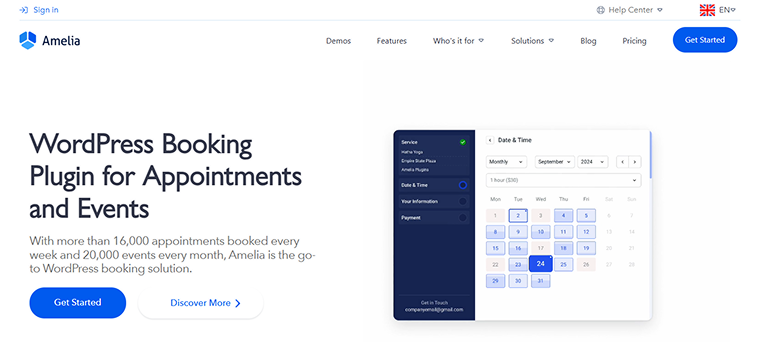
The Amelia plugin offers a complete booking management system, going beyond basic time-slot reservations to cover both appointments and events. It’s particularly useful for businesses with diverse booking needs, such as clinics, salons, agencies, fitness studios, and coaching. It is a polished, enterprise-style appointment and event booking plugin with a strong focus on automation, employee schedules, and payment handling.
The Amelia plugin has more than 90k active installations. On WordPress, the rating is 4.6/5 ⭐️. On Trustpilot, reviewers mention the high quality of customer service.
Key features:
- intuitive, guided reservation system;
- accommodates single or multi-day events, offering ticket sales and display options like lists or calendars;
- booking form and its appearance can be tailored;
- accepts online payments and deposits;
- enables scheduling of staff/agents and service allocation to employees at various business sites;
- provides email and SMS alerts, with customizable templates and follow-up options for scheduled appointments or events;
- supports multiple languages and time zones.
Pros:
- full-stack system;
- polished user interface for the front end and backend;
- flexibly handles both appointment booking and event booking;
- strong integrations: payments, staff and location support, multiple services, and builder compatibility;
- free “Lite” version is available for basic use.
Cons:
- too complex for simple use cases;
- many features are available only in paid versions.
Pricing: free. The cost of annual subscriptions ranges from €49 to €799. There are three options for the Lifetime subscription:
- Standard – €232;
- Pro – €599;
- Elite – €1,598.
FluentBooking (Free & Premium)
🏆 Best for appointment scheduling with custom durations.
FluentBooking is the modern appointment tool with tight integration into the Fluent ecosystem (CRM, Forms, SMTP). Great for lead generation and automated workflows. It’s designed to make it easy to manage your availability and clients, from scheduling personal services to managing business events.
The FluentBooking plugin has a 4.7/5 ⭐️ rating on WordPress and more than 10k active installations.
Key features:
- simplified availability management;
- appointment scheduling with custom durations;
- different platforms sync;
- custom booking forms;
- buffer times, availability windows;
- group meetings and multiple hosts.
Pros:
- native automation with FluentCRM;
- strong email and notification system;
- ideal for coaches and consultants;
- lightweight but powerful.
Cons:
- not designed for rentals or event ticketing.
Pricing: free. The Annual plan costs $79 – $399, and the LTD plan costs $249 – $749.
Booking Activities (Free & Premium)
🏆 Best for multi-session booking systems.
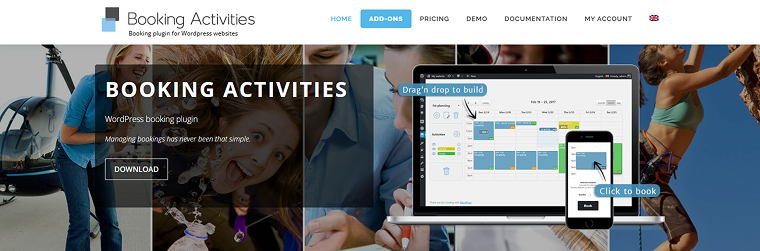
Booking Activities specializes in multi-session calendars, online classes, and group activities. It supports attendance limits, recurrent weekly schedules, and passes.
The Booking Activities plugin has a 4.9/5 ⭐️ rating on WordPress.
Key features:
- multi-session booking calendar;
- drag-and-drop schedule builder;
- recurring activities;
- customer notifications;
- activity series and multi-day booking;
- WooCommerce integration;
- instructor assignment.
Pros:
- perfect for weekly classes or group activities;
- class passes and membership logic;
- strong capacity management;
- flexible schedule builder;
- supports passes and bundle logic.
Cons:
- it is a narrowly focused product, so it will not suit various cases.
Pricing:
- Free;
- Essentials Pass – 99€ the first year and then 129€/year;
- Advanced Pass – 199€ the first year and then 259€/year;
- Complete Pass – 289€ the first year and then 349€/year.
Travelly (Free & Premium)
🏆 Best for tours, excursions, travel packages, and multi-day trips.

Travelly enables travel agencies to offer tours with different durations, pricing tiers, schedules, and group sizes. It allows you to manage bookings, itineraries, and availability.
The Travelly plugin maintains a 4.9/5 ⭐️ rating on WordPress. Additionally, many reviewers mention the excellent customer support.
Key features:
- fixed-date or recurring tour schedules;
- group pricing and minimum/maximum places;
- inquiry and booking forms;
- WooCommerce checkout;
- availability calendar;
- PAP integration (Pro);
- extra add-ons.
Pros:
- best suits for tour operators;
- good itinerary structuring;
- group management built-in;
- supports custom flexible pricing.
Cons:
- not suitable for hourly appointments.
Pricing: three plans are available, where you can select the plan for the desired number of domains:
- Free;
- Annual – from $69 to $299;
- Lifetime – from $139 to $499;
- Bundle – from $225 to $599.
E-cab Taxi Booking Manager (Free & Premium)
🏆 Best for taxi services, shuttle booking, and airport transfers.
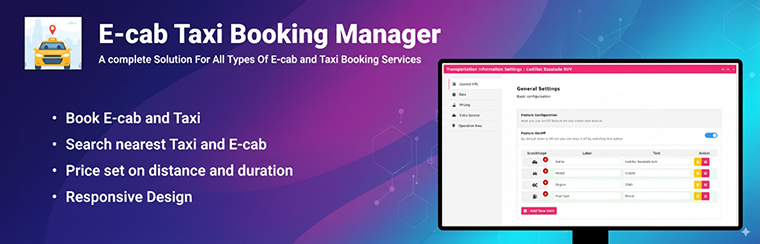
The E-cab Taxi Booking Manager plugin adds a distance- or route-based taxi booking system to a WordPress site. Users can select pickup and drop-off locations, calculate prices, and schedule rides, which makes it a perfect niche-service booking plugin for WooCommerce.
On WordPress, the E-cab Taxi Booking Manager plugin has a 5/5 ⭐️ rating and 4.9 ⭐️ on Trustpilot.
Key features:
- location-based ride requests;
- pickup time selection;
- driver assignment;
- route display;
- WooCommerce checkout;
- fare rules and surcharges.
Pros:
- strong map integration;
- suits for taxi and transfer services;
- distance-based price calculation;
- supports multiple vehicle classes;
- optional extra service option.
Cons:
- it is a narrowly focused product, so it will not suit various cases.
Pricing: there are three plans available, allowing you to choose the one that accommodates your desired number of domains.
- Free;
- Annual – from $39 to $199;
- Lifetime – from $99 to $299;
- Bundle – from $99 to $299.
Easy Booking (Free & Premium)
🏆 Best for simple per-day product rentals.

Easy Booking adds a date-based booking interface to WooCommerce products. It is basic, simple, lightweight, and focused on daily or nightly use. The Easy Booking plugin is suitable for simple product rentals, equipment rentals, tool rentals, clothing rentals, or per-night stays without complex logic.
On WordPress, the Easy Booking plugin has a 4.7/5 ⭐️ rating.
Key features:
- per-day or per-night pricing;
- availability management;
- booking status and order flow;
- availability calendar;
- simple WooCommerce product integration;
- multi-language compatible.
Pros:
- straightforward setup;
- inventory control;
- dynamic price rules and discounts;
- manual booking imports.
Cons:
- not suitable for complex bookings or schedules.
Pricing: free. Premium versions cost between $79 and $249.
How to Choose the Right Plugin
That can be overwhelming, I know. Now, let’s focus on the aspects you need to pay attention to to select the right WooCommerce booking plugin for your specific use case. When comparing booking plugins, pay attention to the following features:
- Type of booking you need. Identify the booking model your project uses (appointment-based, rental-based, event-based, tour or travel bookings, or taxi/transport bookings). Different plugins specialize in different models, so the match matters. Sometimes, the niche plugin works much better than the full-stack option.
- Integrations with WooCommerce. Ensure the plugin integrates smoothly with WooCommerce products, WooCommerce cart and checkout, WooCommerce emails, payment gateways, and refunds. Some plugins use WooCommerce fully, while others use it only partially.
- Calendar and availability management. Check if the plugin supports real-time availability updates, buffer times and lead times, multiple schedules per staff/member/resource, blackout days and holidays, and multi-day or recurring bookings. This determines how flexible your booking system can be.
- Front–end user experience. Evaluate mobile responsiveness, clean and intuitive booking forms, calendar design, load speed, and multi-step booking flows. Poor UX leads to abandoned bookings.
- Staff, services, and location management. If applicable, check the ability to manage multiple staff members, multiple locations, individual schedules, and service assignments. Not all plugins support complex structures.
- Multi-person bookings. That might be important for tours, classes, events, and gyms. Look for group pricing, capacity settings, and attendee info fields.
- Payment and deposit options. Check for partial payments, deposits, coupons, and variable pricing. This is essential for travel, rentals, and high-ticket services.
- Automation and notifications. Look for built-in email reminders, SMS notifications, follow-ups, and booking status workflows. This saves manual work.
- Integrations and add-ons. Consider what the plugin connects to: Google Calendar, Zoom, CRM tools, form builders, page builders (Elementor, Gutenberg), and multi-vendor plugins (e.g., WCFM, Dokan).
- Ease of setup and customization. Some plugins require configuration knowledge. Evaluate the setup wizard, template, and form editors, how shortcodes/widgets/blocks work, and styling control.
- Performance and loading speed. Booking engines can be heavy. Check how quickly calendars load, whether dynamic scripts are optimized, and whether calendars are compatible with caching plugins.
- Multilingual and multisite support. That can be essential for international sites. Check WPML or Polylang compatibility, multi-currency support, and whether multisite setups are available.
- Support, documentation, and update frequency. If these aspects are important to you, look for active development, fast support response times, clear documentation, high ratings, and recent reviews. (In this article, I did it for you – all the mentioned plugins meet these requirements).
- Pricing and licensing structure. Compare free vs. pro features, annual renewals, required add-ons, and per-site costs. Some plugins seem cheap but require many expensive extensions.
FAQ
Some plugins (Amelia, Webba, FluentBooking, JetBooking) support Google Calendar sync. Others require add-ons or third-party integrations.
Booking calendars and availability logic can be heavy. Choose a plugin with good caching compatibility, optimized scripts, and lightweight rendering – especially if you expect high traffic.
Some plugins support this natively (Amelia, Travelly), while others rely on WooCommerce deposit plugins or extensions.
Conclusions
After reading this article, you know what makes the WordPress booking plugin for WooCommerce effective, what WooCommerce booking plugins are available, and how to choose the right one for you. According to the type of services you provide, the integrations you need, and the complexity of the required site, you can choose the best solution for your particular case.
To sum up briefly:
- If you are a beginner, start with plugins with guided setup and simple booking flows, such as FluentBooking, Easy Booking for WooCommerce, or Eventin.
- If you are looking for the best plugin for rentals or multi-day bookings, consider plugins designed for rental models, such as JetBooking, Travelly, or Easy Booking for WooCommerce. They offer multi-day calendars, seasonal pricing, and availability control that suit accommodation or equipment rentals.
- Webba Booking, Amelia, and FluentBooking are the best for appointments and services.
- If you need plugins that support group bookings or classes, check Booking Activities, Eventin, and Amelia.
- E-cab Taxi Booking Manager is a perfect solution for taxi and transfer services.
- If you need complex custom data structures, check JetBooking. It is the best fit because it integrates with JetEngine’s CCTs, relations, custom forms, and dynamic logic.
- If you need enterprise-level automation, consider FluentBooking or Amelia.
I hope I helped you understand the key features of the best WooCommerce booking plugins and that you can now decide which one best fits your needs.