Adding booking functionality to your WordPress website changes how you manage appointments, reservations, and rentals. Whether you’re running a spa, managing vacation rentals, offering consulting services, or coordinating equipment rentals, the right booking system eliminates scheduling chaos, reduces no-shows, and delivers a smooth experience for your clients.
WordPress utilizes numerous booking solutions, each with different strengths, limitations, and price points. Some require WooCommerce integration, while others operate independently. Some specialize in appointment scheduling, whereas others are better for property rentals. Additionally, there are external platforms that handle everything off-site.
The Crocoblock ecosystem definitely stands out among WordPress booking systems for its combination of power, flexibility, and value. Depending on what you’re building, you may choose JetAppointment, ideal for hourly services such as:
Or JetBooking, which is better suited for:
Both of these plugins use JetFormBuilder to build custom booking forms, collect user data, apply conditional logic, and connect to Google Calendar, payment gateways, pricing rules, and confirmation workflows.
Unlike standalone plugins or WooCommerce extensions, Crocoblock integrates smoothly with Elementor and WordPress Block Editor, providing full design flexibility.
Now, let’s take a closer look at five proven methods for adding booking functionality to WordPress, examining their strengths and ideal use cases.
5 Proven Methods to Add Booking for WooCommerce Functionality
1. Creating booking websites with JetAppointment/JetBooking and JetFormBuilder
JetAppointment (Premium)
🏆 Best for service-based businesses that rely on scheduled time slots, such as clinics or salons.
JetAppointment is a powerful Crocoblock plugin designed for time-based booking and appointment scheduling. It offers advanced features like buffer time management, custom schedules for different providers, and integration with payment gateways. The plugin works with Elementor and Gutenberg, giving you complete design control over your booking pages.
To understand the JetAppointment plugin, let’s examine how a medical center website is built with Crocoblock (as in the Medcenter dynamic template). The backbone of the website is a set of interconnected Custom Post Types (CPTs):
- Doctors CPT;
- Services CPT;
- Departments CPT.
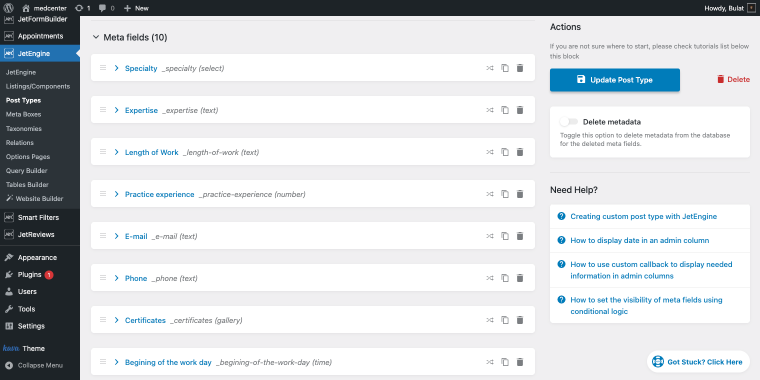
Each doctor profile has a set of meta fields, including specialty, expertise, years of experience, practice details, contact info (email and phone), professional certificates, and the start of the workday schedule.
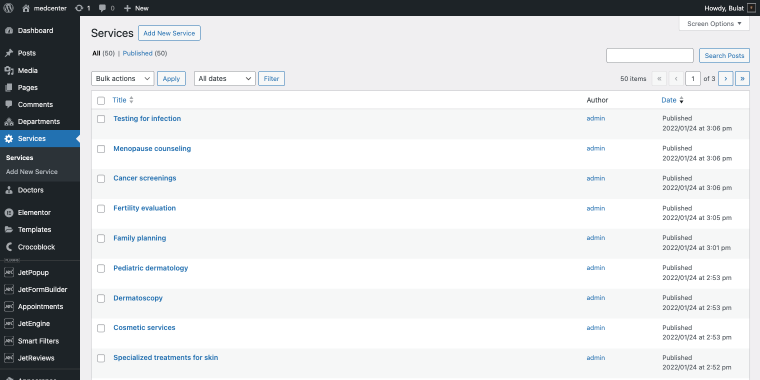
Similarly, Services are created as separate custom post types (such as Testing for infection, Menopause counseling, and so on).
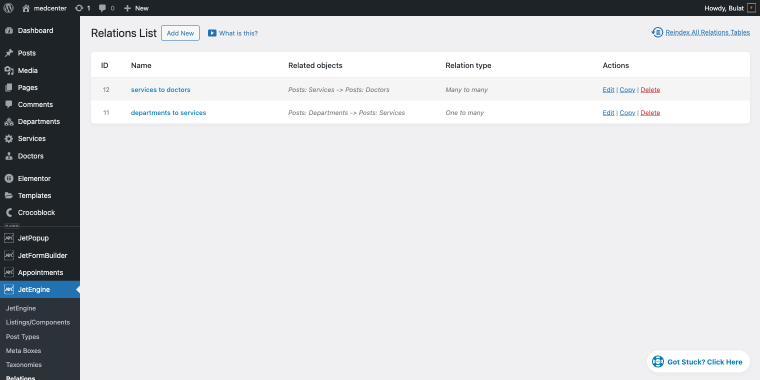
Departments serve as an additional layer of the custom post type, helping organize the clinic’s structure using JetEngine Relations, which connects these CPTs. A “services to doctors” relation (Many to many) associates each service with qualified doctors, while a “departments to services” relation (One to many) groups services by department. This relational setup enables dynamic, context-aware booking forms.
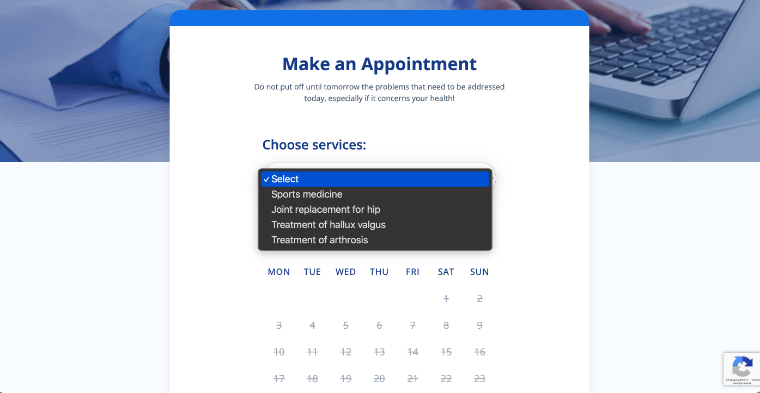
When visitors book an appointment, they can choose between two simple options. If they know the medical service they need, like General Neurology, the booking form will display doctors who offer that service.
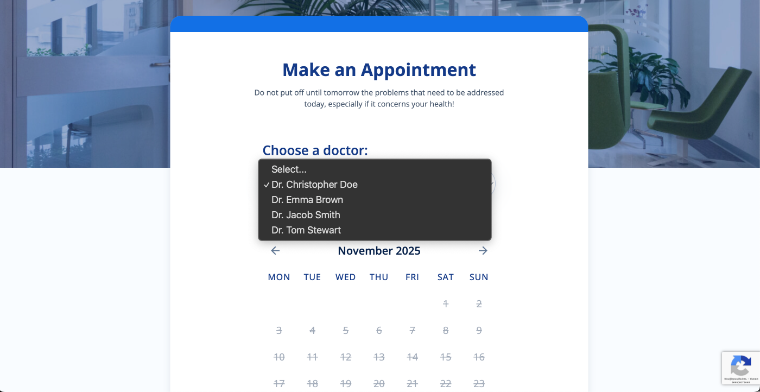
On the other hand, if they prefer a specific doctor, like Dr. Anna Walker, the form will display only the services that doctor offers.
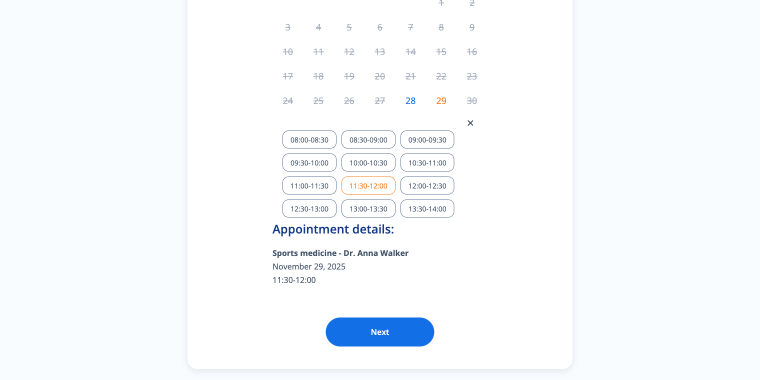
Once a new service is added to a doctor’s profile, it immediately appears in their booking form options.
Pricing: $19/year for a single-site license with updates and support.
Key features:
- time-slot-based bookings;
- per-service and per-provider settings;
- Zoom integration for virtual appointments;
- capacity and buffer control;
- WooCommerce payment support;
- external calendar integrations.
Pros:
- suitable for hourly services;
- multiple providers with separate schedules;
- customizable duration and pricing;
- prevents overbooking with capacity rules;
- a straightforward appointment dashboard.
Cons:
- requires JetEngine to run fully;
- setup can feel technical;
- heavyweight for simple needs.
JetBooking (Premium)
🏆 Best for rental businesses that operate daily or nightly.
JetBooking specializes in rental and accommodation bookings with check-in/check-out functionality. It supports seasonal pricing, multi-unit inventory management, and real-time synchronization with Google Calendar. The plugin integrates with WooCommerce for payment processing, making it an ideal WooCommerce event booking plugin for vacation rentals, equipment hire businesses, and so on.
If we look at how a mini-hotel website is built with the JetBooking plugin (like the Foreo), the structure becomes pretty clear.
Each property or room exists as a separate CPT with its own set of meta fields (area, rate, number of bedrooms and bathrooms, amenities, arrival and departure times, pet policies, and child accommodations).
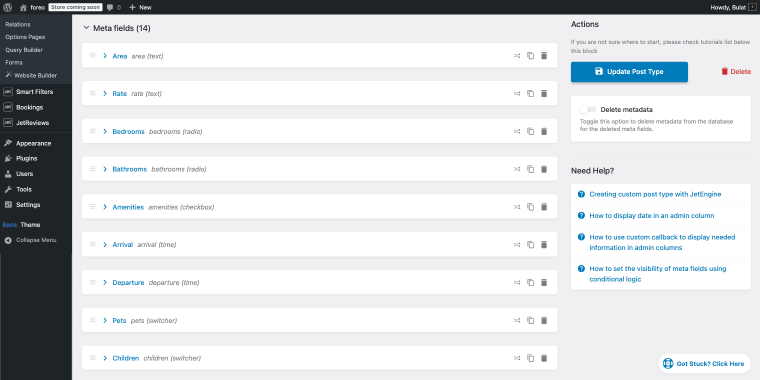
Using JetSmartFilters, visitors can narrow down the property list by any combination of these meta fields.
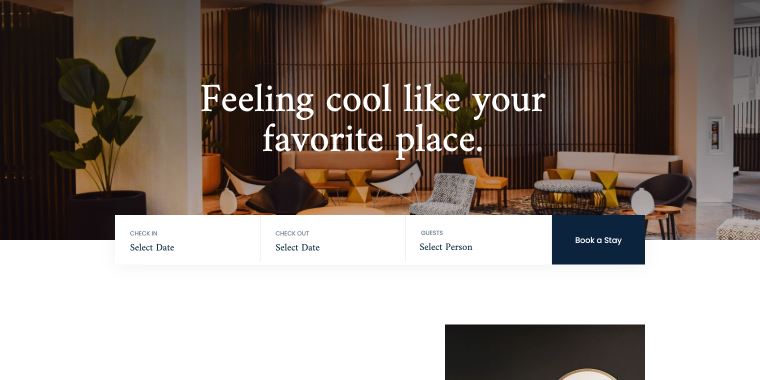
Once they find the perfect accommodation, the same meta fields are populated in the booking form built with JetFormBuilder, where users can:
- select their check-in and check-out dates;
- specify the number of guests;
- choose additional services like breakfast or lunch;
- complete their reservation without leaving your WordPress site.
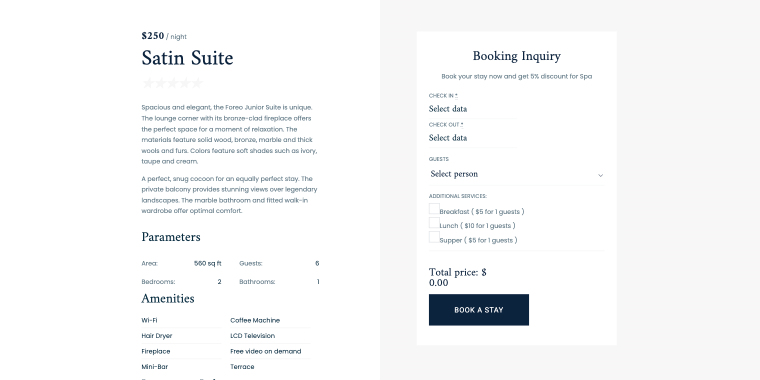
When connected to WooCommerce, the “Book a stay” button will redirect the user to the WooCommerce checkout page.
Pricing: $43/year for a single-site license with updates and support.
Key features:
- calendar booking with date-range selection;
- daily/weekly booking formats;
- configurable pricing options (e.g., weekend prices);
- WooCommerce checkout integration;
- iCal/Google support.
Pros:
- flexible pricing for seasons and guests;
- good for rentals and stays;
- works through WooCommerce payments;
- supports multiple rooms or units;
- export and calendar management.
Cons:
- setup requires more configuration;
- needs extra plugins for advanced layouts;
- weaker fit for hourly bookings.
JetFormBuilder (Freemium)
🏆 Best for WordPress users needing a powerful, all-in-one form builder that integrates with Gutenberg.
JetFormBuilder is a powerful form builder that powers advanced booking workflows within the Crocoblock ecosystem. It provides conditional logic, multi-step forms, and dynamic field population to create sophisticated booking experiences. The plugin connects seamlessly with JetAppointment and JetBooking to handle complex booking scenarios. Essential for businesses that collect lots of data during the booking process.
📚 Feel free to check out the following articles to learn more about JetFormBuilder’s booking capabilities:
- Creating Advanced Elementor Forms with JetFormBuilder: Full Guide
- WordPress Appointment Forms: Full Guide on Creating Them With JetPlugins
- Simple Guide to Creating Booking Forms with JetFormBuilder
- Top 3 Use Cases for Powerful WordPress JetBooking Plugin
Pricing: free version available; Pro plans start at $49/year (single site).
Key features:
- multi-step forms with save functionality;
- AI form generator;
- payment integration with WooCommerce, PayPal, and Stripe;
- numerous post-submit actions and webhooks;
- PDF generation.
Pros:
- Gutenberg integration provides a familiar editing experience;
- powerful free version;
- seamless integration with JetEngine;
- regular updates with active feature development;
- works independently without requiring other Crocoblock plugins.
Cons:
- learning curve for advanced features like conditional actions;
- Pro add-ons are required for payment processing and advanced features.
Why choose Crocoblock?
Unlike standalone plugins with rigid templates, Crocoblock works natively with Elementor and the Block Editor. You build booking forms that match your exact brand aesthetic using familiar page builders.
- JetSmartFilters can help clients filter booking listings (additional setup is required to ensure the filters reflect real availability and dynamic pricing correctly):
- by date range (available dates);
- by number of people/guests;
- or defined numeric/custom meta-field values (like custom attributes or price range set via JetBooking).
- Instead of purchasing separate plugins for appointments, rentals, forms, and filters, the Crocoblock subscription includes everything plus regular updates and premium support.
- Your booking data stays in WordPress, not trapped in a proprietary SaaS platform.
- Whether you’re a solo consultant or managing a multi-location business, Crocoblock scales effortlessly.
2. Creating booking websites with WooCommerce plugins
For budget-conscious site owners, lightweight WooCommerce booking plugins provide basic features at a lower cost. All these plugins require a WooCommerce setup, which can add complexity if you’re not already running an eCommerce store.
WooCommerce Bookings (Premium)
🏆 Best for existing WooCommerce stores wanting official integration and native booking functionality.
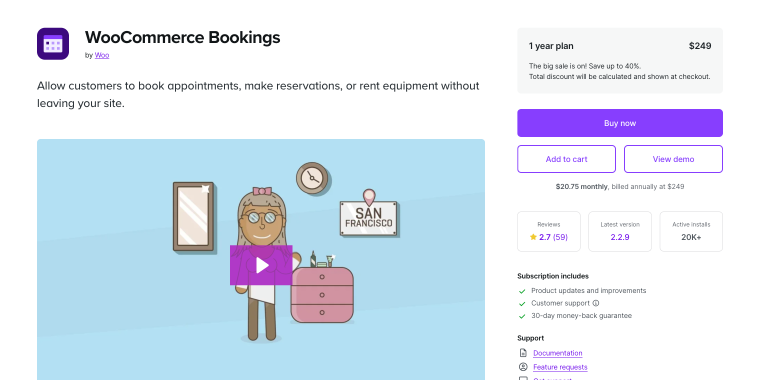
WooCommerce Bookings is the official premium WordPress booking plugin for WooCommerce. It transforms any product into a bookable resource with time slots, date ranges, and person counts. The plugin integrates natively with WooCommerce’s ecosystem, supporting all standard payment gateways and shipping options. Best for existing WooCommerce stores wanting to add booking functionality alongside product sales.
Pricing: $249/year for a single-site license with updates and support.
Key features:
- fixed or customer-defined time slots (days, hours, minutes);
- person-based pricing with different rates for adults, children, etc.;
- dynamic pricing rules based on dates, duration, or booking count;
- buffer periods and booking confirmations;
- resource assignment to prevent double-bookings.
Pros:
- WooCommerce integration and Woo payments support;
- timezone-aware booking display for international clients;
- manual booking creation from the admin dashboard.
Cons:
- steep learning curve;
- limited calendar sync (Google only, no Outlook native support);
- advanced features require additional add-ons.
YITH Booking (Premium)
🏆 Best for WooCommerce stores needing moderately advanced booking with flexible duration options and YITH ecosystem integration.
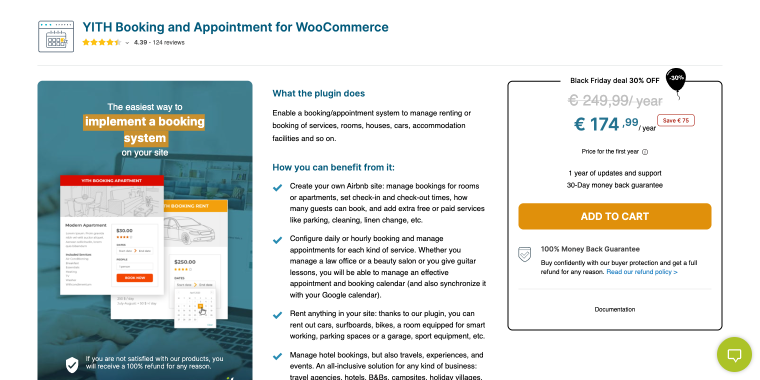
YITH Booking is a premium WooCommerce extension that transforms products into bookable services or rentals. It offers a solid feature set including duration-based pricing, booking calendars, and availability management. Good for established businesses looking for WooCommerce integration and a rich feature set.
Pricing: €249/year (single site).
Key features:
- hourly, daily, weekly, or monthly booking durations;
- people types with custom pricing (adults, children, students, etc.);
- seasonal, date-based, or duration-based price rules;
- Airbnb, Booking.com, Vrbo, and Google Calendar support;
- custom search forms with location, date, and service filters.
Pros:
- flexible booking durations;
- calendar synchronization with major platforms;
- manual booking creation and automatic status management;
- WPML compatible.
Cons:
- can be expensive when combined with other YITH add-ons;
- occasional conflicts were reported.
Tyche Booking (Premium)
🏆 Best for small to medium businesses needing straightforward booking functionality without complex requirements or enterprise-level pricing.
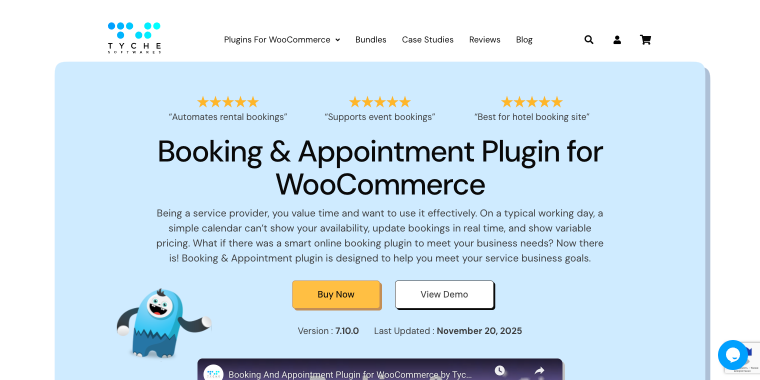
Tyche Booking (formerly Booking & Appointment Plugin) is a lightweight WooCommerce add-on for basic appointment scheduling. It focuses on simplicity, with straightforward time-slot management and email notifications. The plugin requires minimal configuration, making it accessible for WordPress beginners. Best suited for small businesses or solo practitioners with simple booking WooCommerce needs.
Pricing: starting at $199/year (Starter), $299/year (Business), $399/year (Enterprise).
Key features:
- single day, multiple nights, date & time, duration-based booking types;
- special pricing by date range, day of week, or time slot;
- compatibility with WooCommerce product types.
Pros:
- cost-effective with multi-site licensing options;
- works with all WooCommerce payment gateways;
- rental system add-on is available for property bookings.
Cons:
- less feature-rich than premium alternatives;
- limited third-party calendar integrations;
- the interface design feels outdated.
3. Creating booking websites with WordPress booking systems
These dedicated booking systems operate independently of WooCommerce and offer specialized appointment management features.
Booking for Appointments and Events Calendar – Amelia (Freemium)
🏆 Best for service businesses with multiple employees requiring a sleek UI, recurring appointments, and full staff management.
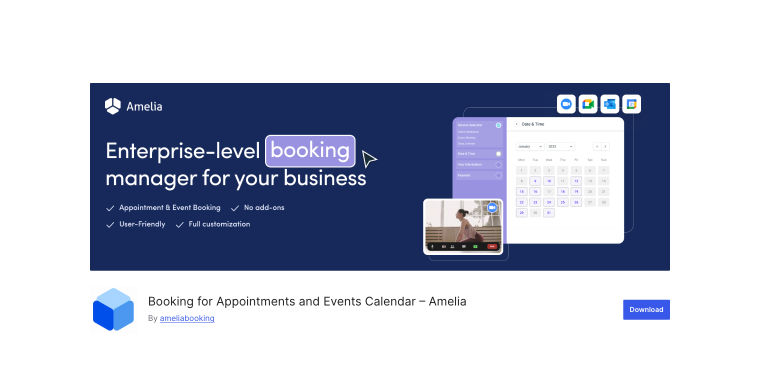
Amelia is a comprehensive, standalone appointment plugin with a polished, modern interface. It excels at managing multiple employees, recurring appointments, and customer self-service portals. The plugin includes SMS notifications, payment integrations, and detailed analytics dashboards. Popular among service businesses like medical practices, beauty salons, and consulting firms.
Pricing: a free version is available; Pro starts at €49/year (Starter), €99/year (Standard), or €798/year (Elite for unlimited sites).
Key features:
- employee management with individual schedules and services;
- recurring appointments and packages;
- SMS and email notifications;
- Google Calendar and Outlook Calendar support;
- customizable booking forms with custom fields.
Pros:
- excellent for multi-staff businesses;
- extensive customization options for booking forms;
- step-by-step wizard makes setup intuitive;
- WhatsApp and SMS reminder integration;
- comprehensive reporting and analytics dashboard.
Cons:
- advanced features locked behind higher-tier plans;
- can be overwhelming for solo practitioners;
- payment gateway options are limited in lower tiers.
Bookly (Freemium)
🏆 Best for businesses requiring sophisticated booking workflows and multi-location support.
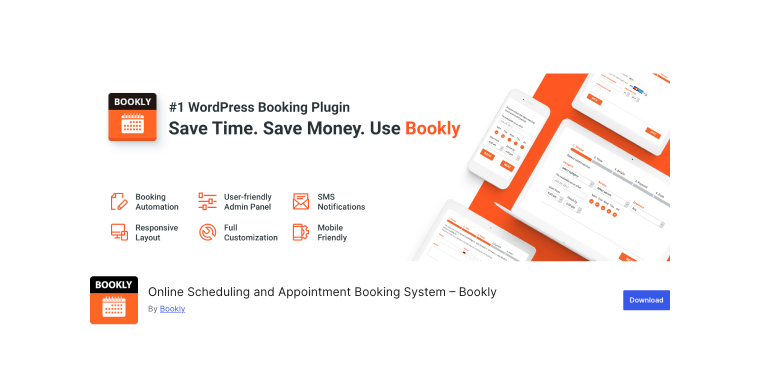
Bookly is a modular appointment booking system with extensive customization through add-ons. It offers chain booking for multi-step services, staff management, and powerful notification systems. The plugin’s flexibility allows you to build exactly the features you need without bloat. Excellent for businesses requiring sophisticated booking workflows and multi-location support.
Pricing: the Lite version is free; Pro starts at $89 (lifetime for a single site), with numerous paid add-ons ($29-$89 each).
Key features:
- chain booking for multi-step services;
- Google Calendar two-way synchronization;
- SMS and email notification system;
- multi-location support.
Pros:
- modular add-on system allows building exactly what you need;
- excellent for multi-location businesses;
- integrates with WooCommerce, Zapier, Mailchimp, etc.;
- solid documentation and support.
Cons:
- advanced features may require multiple paid add-ons;
- lifetime license only for one site.
LatePoint (Freemium)
🏆 Best for businesses prioritizing user experience and quick onboarding without feature bloat.
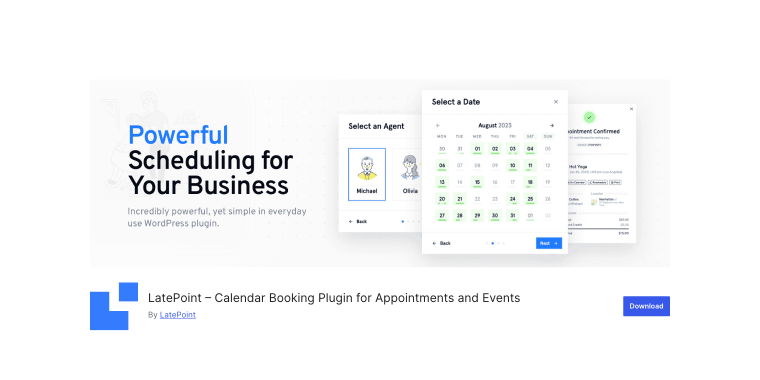
LatePoint features a sleek, contemporary interface that emphasizes user experience. It includes quick setup wizards, service bundles, and customer management portals. The plugin offers activity tracking and booking analytics to help optimize your scheduling. Great for modern service businesses prioritizing design and ease of use.
Pricing: $99/year (Starter for one site), $249/year (Scale for five sites), with a free version available.
Key features:
- service bundles and packages;
- customer management portal;
- activity tracking and analytics;
- quick setup wizard with pre-built templates;
- customizable booking widgets;
- group bookings and events.
Pros:
- quick setup process gets you running fast;
- easy to navigate and clean admin dashboard;
- excellent user experience on both front and backend;
- built-in analytics for tracking business performance;
- modular add-on system for scalability.
Pros:
- fewer third-party integrations than established competitors;
- some advanced features require paid add-ons;
- limited calendar synchronization options.
4. Creating booking websites with third-party booking widget embeds
SaaS-based scheduling platforms manage all booking logic externally, with WordPress only hosting the interface. These systems operate via an embed code or pop-up trigger added to any page using a block or shortcode. Visitors book directly through the embedded widget.
Calendly (Freemium)
🏆 Best for professionals, coaches, and consultants needing zero-maintenance scheduling.
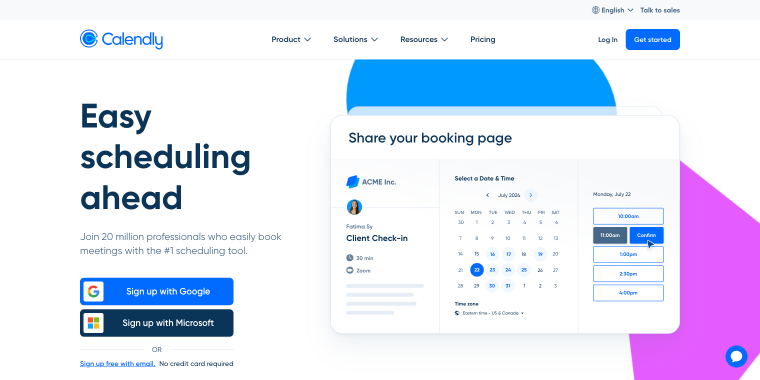
Calendly is the most popular SaaS scheduling platform for WordPress, known for its simplicity and reliability. It automatically handles timezone detection, sends calendar invitations, and integrates with video conferencing tools. The platform offers team scheduling features and routing logic to direct clients to appropriate team members. Perfect for professionals prioritizing ease of use and zero maintenance.
Pricing: free plan available; $10/user/month (Standard plan), $16/user/month (Teams plan).
Key features:
- video conferencing integration (Zoom, Google Meet, Microsoft Teams);
- team scheduling and round-robin distribution;
- Google, Outlook, iCloud integration;
- customizable booking pages;
- automated email and SMS reminders.
Pros:
- zero maintenance required;
- extremely reliable with high uptime;
- excellent mobile apps for iOS and Android;
- integrates with thousands of apps via Zapier.
Cons:
- monthly/annual subscription costs add up;
- booking data lives outside WordPress;
- dependent on external platform availability.
Acuity Scheduling (Premium)
🏆 Best for businesses needing advanced scheduling features without WordPress limitations.
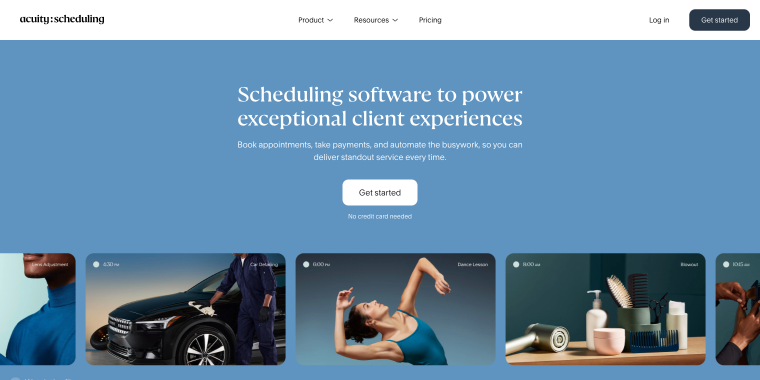
Acuity is a feature-rich booking platform with extensive customization options. It supports complex scheduling scenarios, including classes, group sessions, and package sales. The platform integrates with thousands of apps through Zapier and offers branded client portals. Ideal for businesses needing advanced scheduling features without the limitations of WordPress plugins.
Pricing: Starter plan – $16/month, Standard plan – $27/month, Premium plan – $49/month (billed annually).
Key features:
- class and group appointment scheduling;
- package and membership sales;
- automated workflows and reminders;
- payment processing (Stripe, Square, PayPal);
- branded customer portal.
Pros:
- excellent for class-based businesses (yoga, fitness, workshops);
- customizable forms for gathering client information;
- gift certificate functionality built-in;
- white-label branding in higher tiers.
Cons:
- more expensive than Calendly for similar features;
- monthly costs continue indefinitely;
- booking data not stored in WordPress;
- interface can feel overwhelming initially.
Setmore (Freemium)
🏆 Best for small businesses and solo practitioners wanting minimal technical requirements.
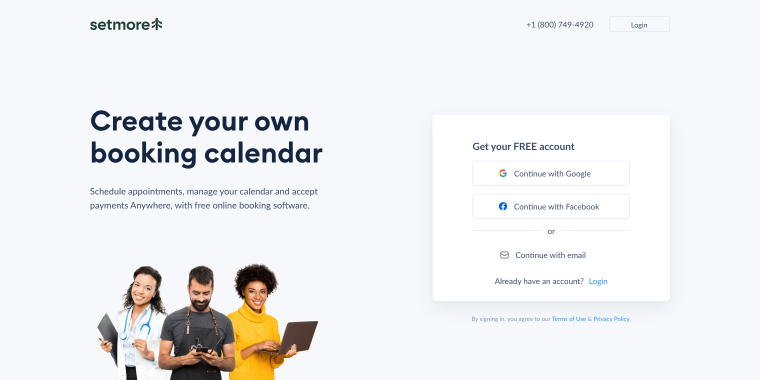
Setmore is a free-to-start scheduling platform focused on small businesses and solo practitioners. It offers appointment management, staff calendars, and customer database features. The platform provides booking widgets, standalone booking pages, and a WordPress plugin. Great for service providers wanting a quick setup with minimal cost and technical requirements.
Pricing: free plan available; Pro costs $5/user/month (billed annually).
Key features:
- staff calendar management;
- customer database and booking history;
- automated appointment reminders (email and SMS);
- class and group bookings;
- payment processing via Square and Stripe;
- Facebook and Instagram booking integration.
Pros:
- generous free plan;
- very affordable paid plans;
- social media booking integration;
- simple, clean interface easy to learn;
- embedded widgets and standalone booking pages;
- customer reviews and ratings feature.
Cons:
- fewer advanced features than competitors;
- free plan includes Setmore branding;
- basic reporting and analytics;
- limited third-party integrations.
5. Creating booking websites with Google Calendar (Free)
🏆 Best for solo practitioners and small teams that rely heavily on the Google ecosystem.
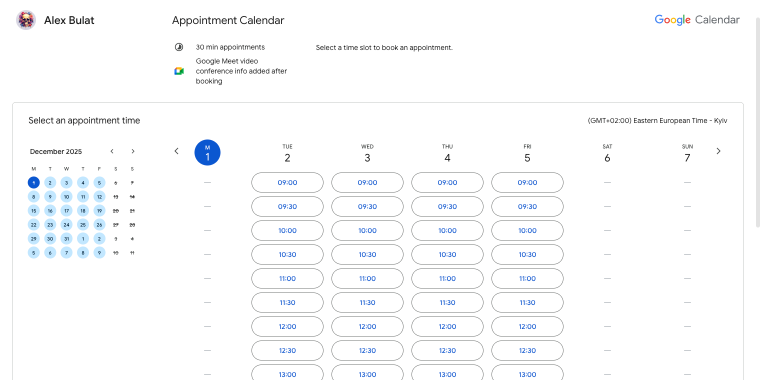
With Google Calendar, you can create a booking page for your small business within your Google account. The setup process is straightforward: open your Google Calendar settings, click the“+” in the Booking pages section, and configure your availability preferences. You can set appointment duration (15, 30, 60 minutes, or custom intervals), define your general availability with recurring weekly schedules, and specify working hours for each day of the week.
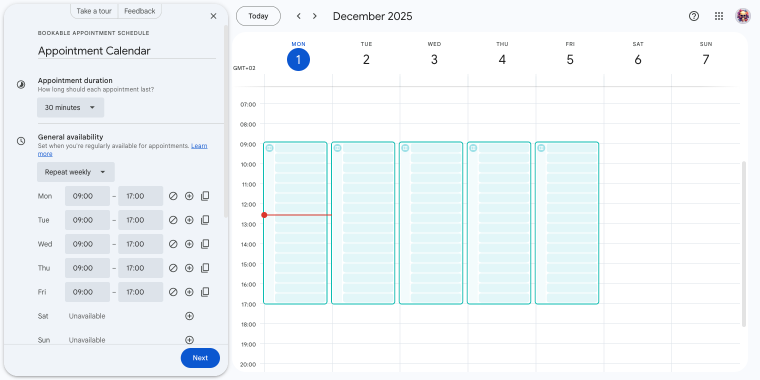
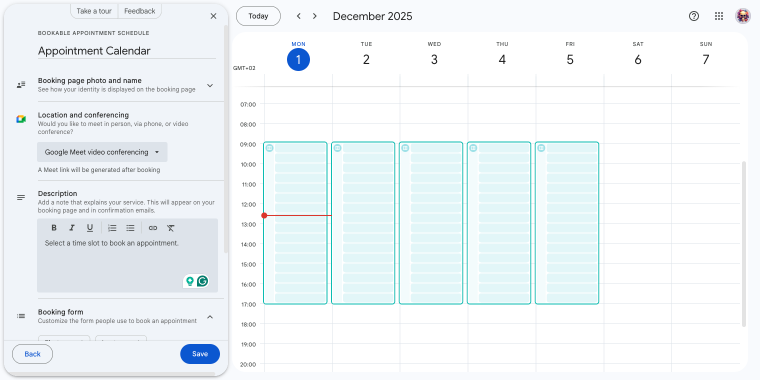
The booking page configuration allows you to customize how clients interact with your calendar. You can add a booking page photo and name to personalize the experience, choose location types (in-person, phone, or video conferencing), and write a description that appears on your booking page and in confirmation emails.
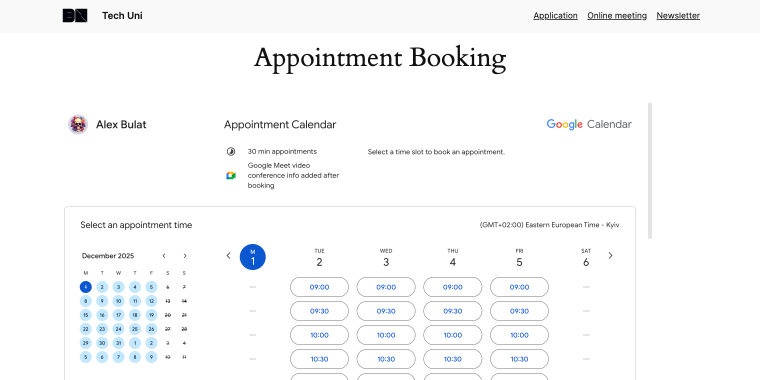
Once configured, Google provides a shareable booking page link that you can embed on your WordPress site using a Custom HTML block. Visitors see your available time slots in their local time zone and select a convenient appointment time.
Pricing: free.
Key features:
- simple and easy to use booking page;
- can be easily operated from a mobile app;
- simple and familiar interface;
- appointments automatically show up on the calendar;
- page is organized according to weekday availability;
- calendar does not display your busy slots.
Pros:
- completely free;
- instant synchronization with your primary calendar;
- minimal setup, configure once and forget;
- mobile notifications through calendar apps.
Cons:
- basic functionality only;
- no payment processing;
- limited customization;
- no advanced booking rules, and a relatively plain user interface.
FAQ
Most WordPress booking solutions support payments. Crocoblock’s JetAppointment and JetBooking integrate with WooCommerce gateways, including PayPal and Stripe. WooCommerce Bookings also supports all WooCommerce payments. Plugins such as Amelia and Bookly have built-in payment options. Free solutions or calendar embeds often need manual payment or third-party links.
No coding is required for most WordPress booking solutions. Crocoblock works entirely through visual builders like Elementor, allowing you to drag and drop booking forms and calendars.
For multi-staff operations, Crocoblock’s JetAppointment excels with its provider management system, which lets each staff member manage their own schedules, services, and pricing. Standalone plugins such as Bookly and Amelia also specialize in multi-provider scenarios with employee-specific calendars and availability rules.
Conclusion
Adding booking functionality to WordPress has never been more accessible, with solutions ranging from simple calendar embeds to sophisticated rental management systems.
- Choose Crocoblock if you want maximum flexibility, complete design control, and an all-in-one solution that handles both appointments and rentals. Ideal for agencies building client sites or businesses wanting professional results without ongoing SaaS fees.
- Choose WooCommerce booking plugins if you’re testing booking functionality on a tight budget with simple scheduling requirements.
- Choose a standalone WordPress booking system if you prioritize specialized appointment features, need robust staff management, and don’t require extensive design customization.
- Choose third-party widgets if you want zero maintenance, need quick deployment, and are comfortable with ongoing subscription costs.
- Choose calendar embed if you have very basic needs, want a free solution, and already manage everything through Google.
While each method serves specific use cases, Crocoblock’s ecosystem delivers the best balance of power, flexibility, and value for most WordPress users.