Running a successful Divi WooCommerce store in 2026 presents unique challenges that many store owners face daily. While Divi visual builder offers incredible design freedom, it doesn’t always provide the specialized WooCommerce functionality needed for a high-converting online store. From limited product filtering options and email deliverability issues to missing analytics integration and performance bottlenecks, these common pain points can significantly impact your store’s success.
Store owners often struggle with slow page load times that drive customers away, difficulty tracking customer behavior and sales data, complex product catalogs that overwhelm shoppers, unprofessional email communications that end up in spam, and limited design options for WooCommerce elements.
The good news? Each of these challenges has a solution.
powered by Divi-5 dynamic?
Top 9 Divi WooCommerce Plugins
This guide introduces nine carefully selected plugins that work seamlessly with Divi and WooCommerce to solve these exact problems. Whether you need advanced product filtering, robust email delivery with analytics integration, or performance optimization, these plugins provide the missing pieces your store needs to thrive.
Let’s explore how each plugin can transform your Divi-powered WooCommerce store into a conversion machine.
Product Filter for WooCommerce by WBW (Freemium)
🏆 Best for store owners needing comprehensive AJAX product filtering with statistics tracking and mobile responsiveness.
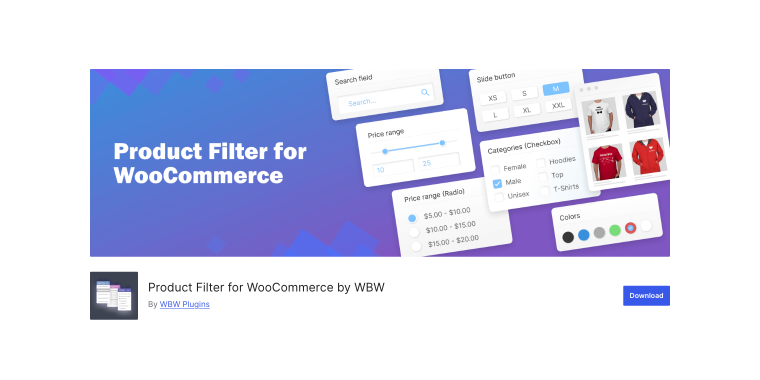
Product Filter for WooCommerce by WBW transforms how customers navigate your store by providing powerful, customizable filtering options. The plugin excels in ease of use, with an intuitive interface that lets you create filters without any coding knowledge. Customers can filter products by price ranges, categories, tags, attributes, ratings, stock status, and even custom text search; all with AJAX live search that updates results instantly without page reloads. The plugin’s standout feature is its comprehensive statistics section, which tracks user filtering behavior to help you understand what customers are searching for and optimize your product organization accordingly.
Pricing: a free version is available; the Pro version starts at approximately $59/year and includes advanced features.
Key features:
- AJAX live search with instant results without page reload;
- comprehensive filtering by price, categories, tags, attributes, rating, and stock status;
- a detailed statistics dashboard to analyze customer filtering behavior;
- Elementor and Divi Builder compatibility.
Pros:
- easy setup with drag-and-drop widgets and shortcodes;
- live preview feature shows changes in real-time;
- excellent mobile optimization for touch-friendly filtering;
- business intelligence through filtering statistics;
- regular updates and responsive customer support.
Cons:
- advanced features require the Pro version;
- can become resource-intensive with very large product catalogs;
- learning curve for advanced customization options;
- the free version is limited and may not meet the needs of larger stores.
WP Mail SMTP (Freemium)
🏆 Best for store owners struggling with email deliverability issues and wanting professional email management.
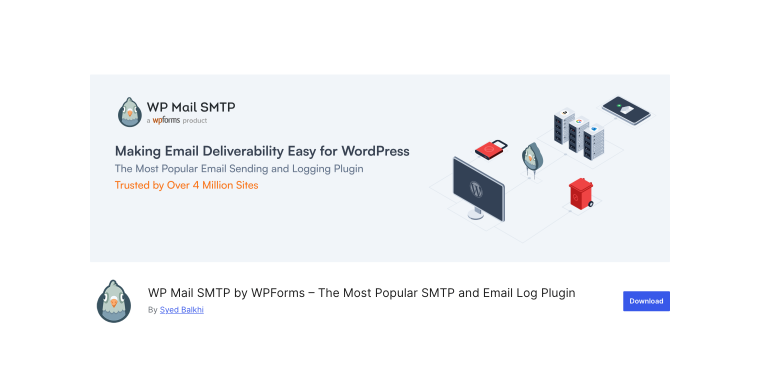
WP Mail SMTP is the #1 WordPress SMTP plugin with over 4 million active installations, designed specifically to fix WordPress email deliverability problems. The plugin reconfigures your wp_mail() function to use proper SMTP authentication instead of the unreliable PHP mail function, ensuring your order confirmations, shipping notifications, and customer communications reach their recipients. Setup is incredibly easy thanks to the Stripe Connect integration with popular email providers, including SendLayer, Gmail, Outlook, Mailgun, and more. The plugin includes comprehensive email logging that tracks every sent email, allowing you to monitor deliverability, resend failed emails, and even view open and click-through rates with the Pro version.
Pricing: a free version is available; Pro plans start at $49/year (normally $99) and include advanced features and priority support.
Key features:
- one-click setup wizard connects with major email providers instantly;
- comprehensive email logging with delivery status tracking;
- automated email failure alerts via Slack, email, or SMS;
- backup SMTP connections for automatic failover protection.
Pros:
- dramatically improves email deliverability rates;
- extremely easy setup process even for beginners;
- excellent documentation and world-class support;
- compatible with all major hosting providers;
- weekly email statistics help track performance.
Cons:
- requires a third-party SMTP service subscription;
- advanced features like email tracking require the Pro version;
- the initial configuration may be technical for some users.
Product Bundles for WooCommerce (Premium)
🏆 Best for store owners that need a flexible and powerful way to sell grouped, bundled, or assembled products with custom pricing and discounts.
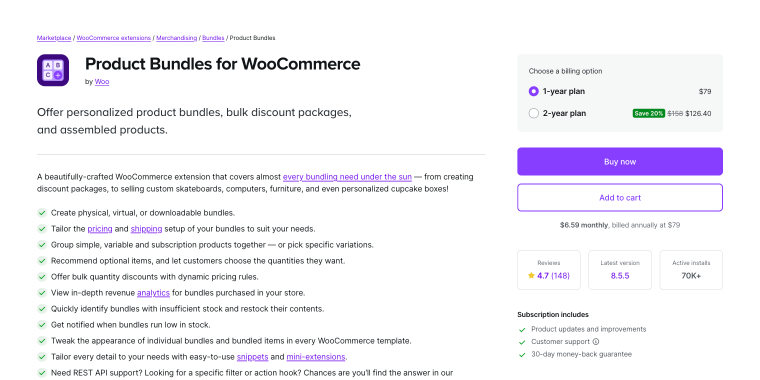
Developed by Woo itself, Product Bundles is one of the most feature-complete bundling solutions in the WooCommerce ecosystem. It’s well-suited for a wide range of use cases: from simple discount packages and pick-and-mix boxes to assembled products made from inventory-managed parts. The admin interface is intuitive enough for most store owners, and the plugin offers deep customization through snippets, mini-extensions, and a robust REST API. It also includes built-in bundle analytics to track revenue performance, low-stock alerts, and seamless compatibility with block-based cart and checkout.
Pricing: $79/year (1-year plan), or $126.40/year on a 2-year plan (20% savings).
Key features:
- create physical, virtual, or downloadable product bundles with flexible pricing and shipping rules;
- support for simple, variable, and subscription products within a single bundle;
- dynamic bulk discount rules to reward customers who purchase more;
- built-in revenue analytics dashboard to track bundle performance;
- low-stock alerts and inventory management across bundled items.
Pros:
- extremely versatile, covering nearly every bundling use case;
- developed and maintained by Woo, ensuring long-term reliability;
- deep integration with other Woo extensions;
- compatible with HPOS and cart/checkout blocks;
- extensive documentation, hooks, and snippets for customization.
Cons:
- premium-only with no free version or trial available;
- can feel over-engineered for simple use cases needing just basic product grouping;
- a subscription is required to keep updates and support.
Abandoned Cart Recovery for WooCommerce (Premium)
🏆 Best for store owners that need an automated, email-based solution to recover lost sales from abandoned carts and unpaid orders.
Abandoned Cart Recovery tackles one of eCommerce’s most persistent revenue leaks: cart abandonment. With industry abandonment rates hovering between 55–80%, the plugin aims to recoup at least some of those lost sales through automated, scheduled follow-up emails. It’s straightforward to set up, with an intuitive dashboard that provides a 30-day view of abandoned carts, pending orders, and recovery status. Store owners can create multiple email templates, personalize them with dynamic variables, attach coupon incentives, and schedule sends automatically.
Pricing: $79/year (1-year plan), or $126.40/year on a 2-year plan (20% savings).
Key features:
- scheduled follow-up emails (with customizable timing and templates);
- analytics dashboard (track open rates, click rates, and recovery);
- coupon code generation;
- emails with role-based targeting.
Pros:
- supports both guest and registered user cart recovery;
- the email log keeps a full record of sent communications;
- REST API support for developers needing custom integrations.
Cons:
- no free version available to test before committing;
- email design relies on WooCommerce’s default header/footer, limiting visual customization.
Waitlist for WooCommerce (Premium)
🏆 Best for store owners that need a simple, plug-and-play solution to capture demand and automatically notify customers when out-of-stock products are back.
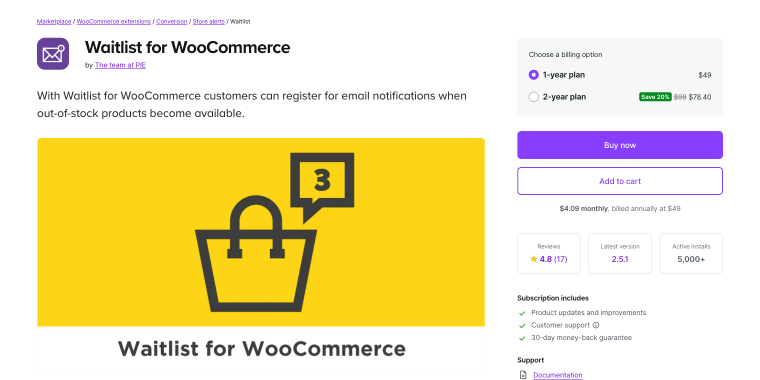
Waitlist for WooCommerce lets customers register for back-in-stock email alerts and automatically notifies them when inventory is back in stock. Setup is almost instant: install, activate, and the waitlist button appears on out-of-stock product pages, with no complex configuration required. The plugin supports simple products, product variations, and grouped product children, and adds a useful “Your Waitlists” tab to the customer’s My Account area for self-management. On the admin side, store managers get a waitlist count column in the product listing, making it easy to prioritize restocking decisions.
Pricing: $49/year (1-year plan), or $78.40/year on a 2-year plan (20% savings).
Key features:
- automatic email notifications;
- waitlist count column in the product listing;
- adds “Your Waitlists” tab on the My Account page;
- shortcode support to place waitlist elements anywhere on the storefront.
Pros:
- extremely easy to set up with true plug-and-play functionality;
- compatible with Subscriptions, WPML, Product Bundles, and Events Calendar;
- allows admins to export waitlist CSVs and manage lists directly from the product edit screen.
Cons:
- no free version or trial to evaluate before purchasing;
- limited built-in analytics;
- email design customization requires knowledge of hooks and filters.
WooEssential (Premium)
🏆 Best for Divi users needing powerful WooCommerce modules specifically designed for the Divi Builder.
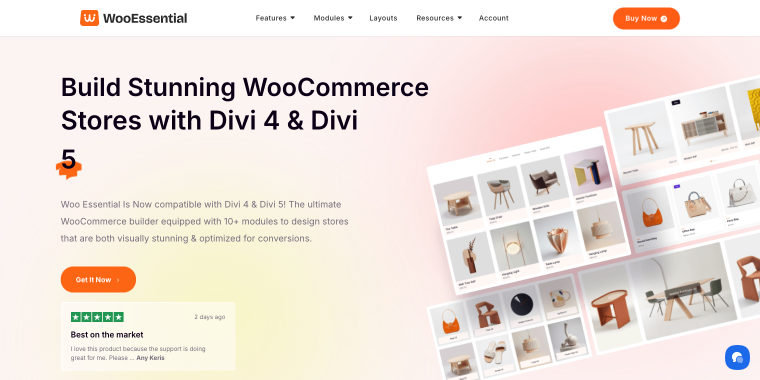
WooEssential is the ultimate WooCommerce plugin designed exclusively for Divi, offering 10+ specialized modules that seamlessly integrate with the Divi Visual Builder. The plugin provides essential WooCommerce functionality, including product grids, carousels, category displays, wishlists, product filters, and mini carts, all with Divi’s signature drag-and-drop customization. What sets WooEssential apart is its compatibility with both Divi 4 and Divi 5, automatic detection of your Divi version, and provision of 90+ pre-built layouts that save hours of design work. Each module is highly customizable, mobile-responsive, and optimized for performance, allowing you to create professional WooCommerce stores without writing a single line of code.
Pricing: annual plans start at $49; lifetime licenses are available for $149 and include all features.
Key features:
- 10+ Woo modules built specifically for Divi Builder;
- fully compatible with both Divi 4 and Divi 5;
- 90+ pre-designed layouts for quick store setup;
- product carousel with six multiple layout options.
Pros:
- purpose-built for Divi with perfect integration;
- extensive customization options for every module;
- beautiful pre-made layouts save design time;
- excellent customer support with live chat;
- regular updates ensure Divi 5 compatibility.
Cons:
- premium-only pricing with no free version;
- smaller feature set compared to some alternatives;
- limited documentation for advanced customization;
- may add to site load if all modules are activated.
WooExpand (Premium)
🏆 Best for Divi developers wanting comprehensive WooCommerce modules with exceptional performance optimization.
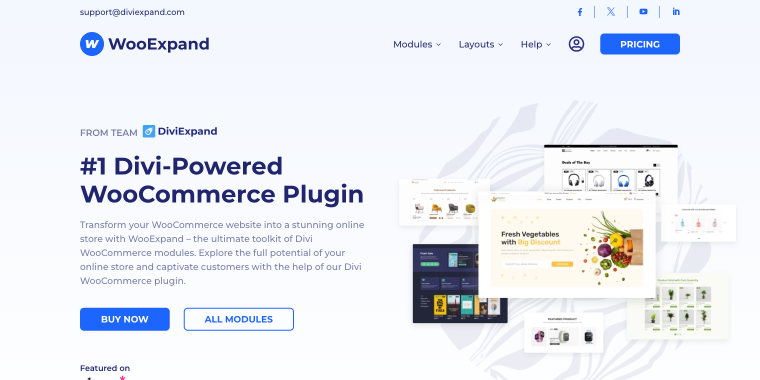
WooExpand delivers an all-in-one Divi WooCommerce module pack focused on quality over quantity, with a revolutionary modular architecture that loads assets only for enabled features. The plugin includes product grids, carousels, lists, accordions, category displays, mini carts, and advanced filters – all with outstanding layouts and granular customization options. What makes WooExpand exceptional is its performance-first approach: each module can be turned on or off individually, and the plugin loads only the JavaScript and CSS needed for active features, ensuring blazing-fast page speeds even with multiple modules active. The drag-and-drop form builder makes customization intuitive, and AJAX-powered features provide a seamless shopping experience.
Pricing: plans start at $39/year for one site; lifetime licenses are available from $119 with unlimited site usage.
Key features:
- modular architecture loads only activated module assets;
- 9+ specialized WooCommerce modules for Divi;
- AJAX cart and filter functionality;
- working toward full Divi 5 compatibility.
Pros:
- outstanding performance optimization;
- beautiful, modern module designs;
- lightweight and fast-loading modules;
- 14-day money-back guarantee.
Cons:
- premium pricing with no free version;
- fewer modules than some competitors;
- requires the Divi theme to function;
- learning curve for advanced customization.
WP Rocket (Premium)
🏆 Best for store owners prioritizing site speed and Core Web Vitals for better SEO and conversions.

WP Rocket is the most powerful WordPress caching and performance optimization plugin, applying 80% of web performance best practices automatically upon activation. For WooCommerce stores, speed is critica. Studies show that a load delay can reduce conversions by 17%. WP Rocket addresses this with intelligent page caching, automatic cache preloading, lazy loading for images and videos, file optimization (minification and concatenation), database cleanup, and CDN integration. The plugin automatically excludes WooCommerce’s sensitive pages (cart, checkout, account) from caching, ensuring a smooth checkout process. With the new Rocket Insights feature built directly into the plugin, you can track performance scores, monitor improvements, and troubleshoot issues without leaving your WordPress dashboard.
Pricing: plans start at $59/year for one site and include a 14-day money-back guarantee.
Key features:
- automatic page caching and cache preloading;
- lazy loading for images, videos, and iframes;
- Rocket Insights performance tracking dashboard;
- Woo-specific optimizations built in.
Pros:
- immediate performance improvements out of the box;
- user-friendly interface requires no technical knowledge;
- excellent documentation and support;
- compatible with major hosting providers;
- recommended by Elegant Themes.
Cons:
- requires annual renewal for updates and support;
- page caching disabled on WP Engine (already included);
- can conflict with some plugins if not configured properly;
- advanced features may require technical understanding.
MemberPress (Premium)
🏆 Best for store owners building membership sites or selling subscription-based content and courses.
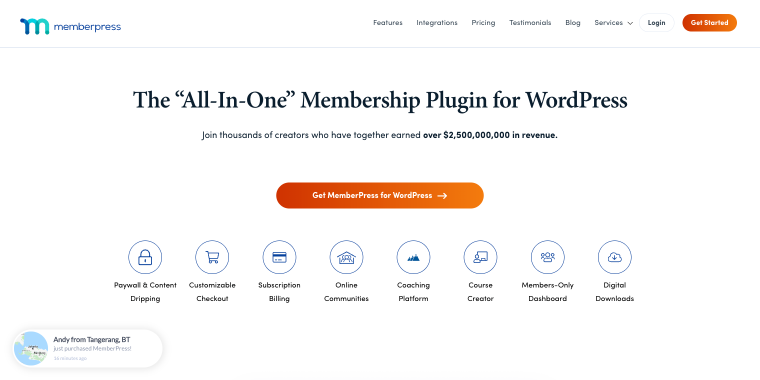
MemberPress is the #1 WordPress membership plugin, trusted by thousands of sites to create powerful membership programs, online courses, and subscription-based businesses. The plugin excels at content protection with its flexible rules system, which lets you restrict access to posts, pages, categories, custom post types, and even specific paragraphs via shortcodes. MemberPress includes a built-in course builder (MemberPress Courses) for creating online curricula without additional LMS plugins, supports unlimited membership levels with different pricing tiers, and integrates seamlessly with major payment gateways, including Stripe, PayPal, and Authorize.net. The plugin works beautifully with Divi through its page builder integrations, allowing you to design custom pricing tables and member areas.
Pricing: plans start at $199/year (normally $399) for Basic and include a 14-day money-back guarantee.
Key features:
- powerful content restriction rules system;
- built-in course builder for online education;
- unlimited membership levels and pricing tiers;
- content dripping and expiration features;
- group/corporate membership support.
Pros:
- comprehensive all-in-one membership solution;
- exceptional flexibility in content protection;
- excellent customer support and documentation;
- integrates well with Divi and other tools;
- detailed reporting and member management.
Cons:
- premium pricing with no free version;
- can be overwhelming for beginners;
- basic plan lacks some essential features;
- requires the ReadyLaunch add-on for more templates;
- the interface is less modern than some alternatives.
FAQ
You don’t need all nine plugins; the best mix depends on your store’s needs. Usually, WP Mail SMTP (email), WP Rocket (performance), and either WooEssential or WooExpand (Divi WooCommerce modules) are essential. Add product filtering for large catalogs, analytics for tracking, and membership/payment plugins if you sell subscriptions or want a simpler checkout. Start with essentials and add more as your store grows.
Most plugins work with both Divi 4 and 5. WooEssential and WooExpand are built for Divi and stay compatible with updates. WP Rocket, WP Mail SMTP, and WooCommerce Google Analytics work with any WordPress setup, including Divi. ShopBuilder is for Elementor, not Divi. Always check plugin compatibility and support for your Divi version before buying.
Plugin quantity doesn’t determine site speed – quality and optimization matter more. Well-coded plugins like WP Rocket improve performance, while modular plugins like WooExpand load only activated features. For optimal speed: use WP Rocket for caching, enable necessary features, choose lightweight plugins (like WooEssential and WooExpand), monitor with tools like GTmetrix, and avoid redundant plugins. The chosen plugins prioritize performance design.
Conclusion
Building a successful WooCommerce store with Divi needs more than just a stylish design; it requires selecting tools that enhance performance, functionality, and user experience. The plugins in this guide are the top solutions in 2026 for common Divi store challenges. From WooEssential and WooExpand, offering Divi-native WooCommerce modules, to WP Rocket for speed and WP Mail SMTP for email delivery, each plugin plays a crucial role in your store’s ecosystem.
Keep in mind that investing in quality plugins is not a cost but a strategic investment in your store’s conversion rates, customer satisfaction, and long-term growth. Select carefully, deploy thoughtfully, and observe your Divi-based WooCommerce store flourish.